명령줄에서 빌드 시작 및 관리
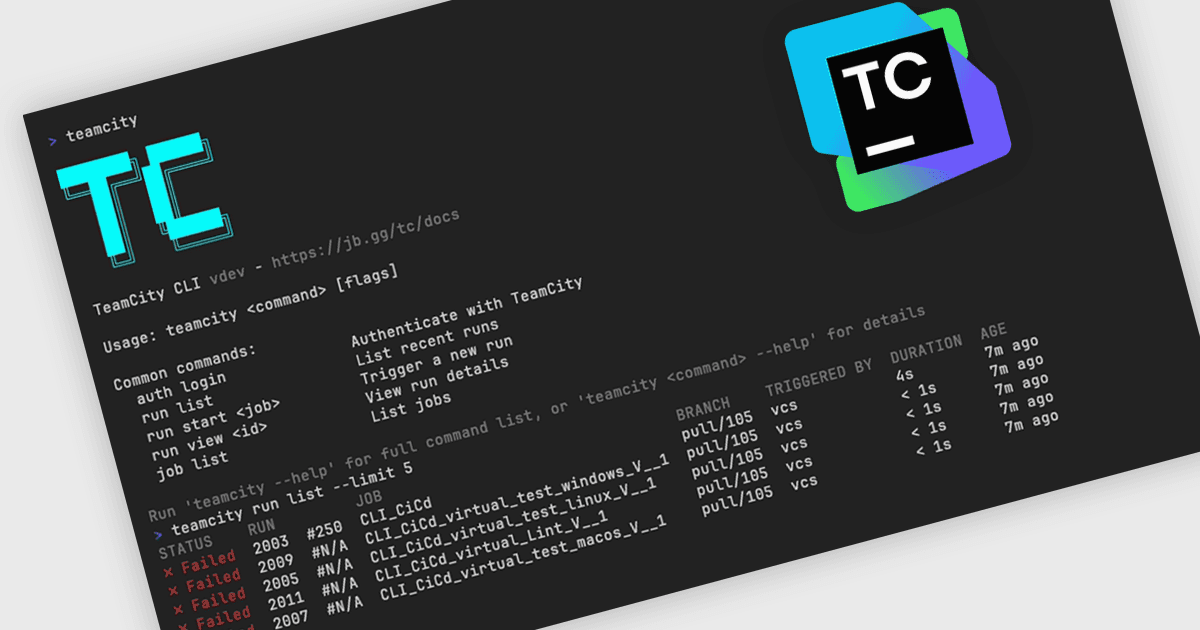
TeamCity 2026.1은 개발자가 명령줄에서 직접 빌드를 관리하고, 실패 원인을 조사하고, 파이프라인을 모니터링할 수 있게 해주는 새로운 CLI를 추가합니다.
JetBrains의 TeamCity는 소프트웨어의 빌드, 테스트 및 배포를 간소화하는 강력한 지속적 통합 및 배포(CI/CD) 서버입니다. 실시간 빌드 모니터링, 사용자 지정 가능한 파이프라인, Git 및 Mercurial과 같은 도구와의 통합 같은 기능을 통해 다양한 워크플로를 지원합니다. 병렬 빌드와 자동화된 테스트를 포함한 TeamCity의 지능형 빌드 관리는 리소스를 최적화하고 배포 속도를 높입니다. 사용자 친화적인 인터페이스와 광범위한 언어 및 프레임워크 지원을 갖춘 TeamCity는 개발을 개선하고 고품질 코드를 효율적으로 유지하려는 팀에 이상적입니다.
TeamCity 2026.1에서는 터미널에서 TeamCity 인스턴스에 직접 액세스할 수 있는 새로운 명령줄 인터페이스인 TeamCity CLI가 도입됩니다. 기존의 브라우저 기반 UI 및 REST API와 함께, CLI는 개발자와 DevOps 팀이 빌드 상태 확인, 새 빌드 트리거, 실패 원인 조사와 같은 일상적인 작업을 관리하는 또 다른 방법을 제공합니다. 어떤 머신에서도 사용할 수 있도록 설계되어, 사용자가 명령줄을 벗어나지 않고도 일상적인 워크플로에 더 빠르게 액세스할 수 있게 해줍니다.
2026.1 버전의 새로운 기능 전체 목록을 보려면 릴리스 노트를 참조하세요.
TeamCity On-Premises는 서버당 및 빌드 에이전트당 라이선스가 부여되며, 상업용 영구 라이선스로 제공됩니다. 전체 세부 정보는 TeamCity On-Premises 라이선스 페이지를 참조하세요.
자세한 내용은 TeamCity On-Premises 제품 페이지를 방문하세요.