SharePoint Excel Import
사용자 지정 가능한 SharePoint 목록 매핑으로 Excel 데이터를 가져오고 내보내세요.
- .xlsx, .xls, .xlsm 또는 .csv 형식의 Excel 스프레드시트를 기존 SharePoint 목록으로 가져옵니다.
- Excel 열을 SharePoint 필드에 매핑하고 Excel 스프레드시트에서 새 목록을 만듭니다.
- 자동 가져오기를 예약하고 선택한 SharePoint 목록 데이터를 Excel 또는 CSV로 내보냅니다.

가격:
| 개별로 이용 가능 | 판매가 |
|---|---|
| SharePoint Excel Import | 로딩 중 |
체험판 이용 가능 무료 평가판을 위해 문의하세요
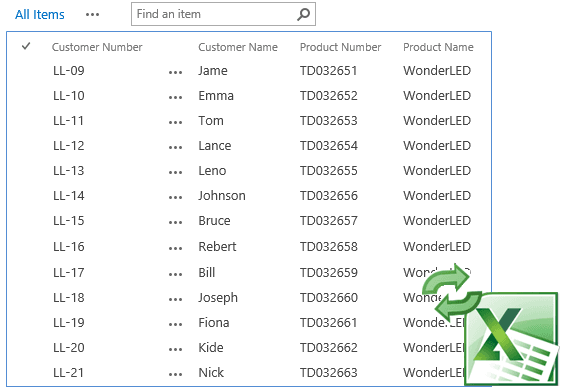
Excel 데이터를 SharePoint 목록으로 가져오기
.xlsx, .xls, .xlsm, .csv와 같은 형식의 Excel 스프레드시트에서 데이터를 또는 레코드를 기존 SharePoint 목록으로 직접 가져올 수 있으며, 원활한 데이터 통합을 위해 일반적인 SharePoint 열 유형을 지원합니다.
Excel과 SharePoint 간 필드 매핑
사용자가 Excel 열을 해당하는 SharePoint 목록 필드에 선택하고 매핑할 수 있으며, 매핑된 데이터를 미리 보고 향후 가져오기를 위해 매핑 규칙을 유지하여 일관된 데이터 정렬을 보장할 수 있습니다.
Excel에서 새 SharePoint 목록 만들기
Excel 스프레드시트를 기반으로 새 SharePoint 목록을 만들 수 있으며, 목록 생성 중 특정 데이터 요구 사항에 맞게 열 이름과 유형을 사용자 지정할 수 있습니다.
예약된 자동 가져오기
원격 서버나 SharePoint 문서 라이브러리에 저장된 Excel 스프레드시트를 자동으로 처리하는 가져오기 작업을 만들고 예약할 수 있는 기능을 제공하여 정기적인 데이터 업데이트를 간소화합니다.
중복 레코드 관리
키 열을 지정하여 가져오기 중 SharePoint의 기존 항목을 건너뛰거나 업데이트하는 옵션을 제공하여 데이터 정확성을 유지하고 중복을 방지하는 데 도움이 됩니다.
Excel 파일을 사용하여 SharePoint 목록 업데이트
Excel 파일을 가져와 기존 SharePoint 목록 항목을 업데이트할 수 있도록 지원하여 수동 업데이트를 줄이고 데이터 교체와 관련된 오류를 최소화합니다.
여러 시트 일괄 가져오기
반복적인 구성 없이 단일 Excel 파일의 여러 시트를 SharePoint 목록으로 연속 가져오기를 지원하며, 저장된 가져오기 설정을 통해 시간을 절약합니다.
자세한 오류 보고
가져오기 실패가 발생하면 포괄적인 오류 메시지를 제공하여 사용자가 데이터 가져오기 과정에서 문제를 빠르게 식별하고 해결할 수 있도록 돕습니다.
SharePoint 데이터를 Excel 또는 CSV로 내보내기
생성 및 수정 정보와 같은 메타데이터 필드를 포함하여 모든 또는 선택한 SharePoint 목록 항목, 열, 필터링된 데이터 또는 현재 보기를 Excel 또는 CSV 형식으로 내보낼 수 있습니다.
제품 호환성
아래의 세부 정보를 확인하여 이 제품이 사용 환경에서 지원되는지 확인하세요.
호스트 애플리케이션
- SharePoint
BoostSolutions에 대해
2007년에 설립된 BoostSolutions는 미국과 중국의 사무실에서 운영되며, SharePoint 향상 기능을 제공하는 신뢰받는 전문 기업으로 자리매김해 왔습니다. 숙련된 개발팀은 모든 규모의 조직을 위해 SharePoint의 기능을 개선하는 다양한 소프트웨어 구성 요소와 애드온을 개발합니다. 90개국 이상에서 10,000개 이상의 고객에게 서비스를 제공하는 BoostSolutions는 강한 고객 중심성과 고객 요구에 대한 신속한 대응으로 잘 알려져 있습니다. 사용자 친화적이고 고품질의 제품에 대한 헌신으로, SharePoint 환경을 최적화하고 확장하려는 글로벌 기업들로부터 인정을 받아 왔습니다.