
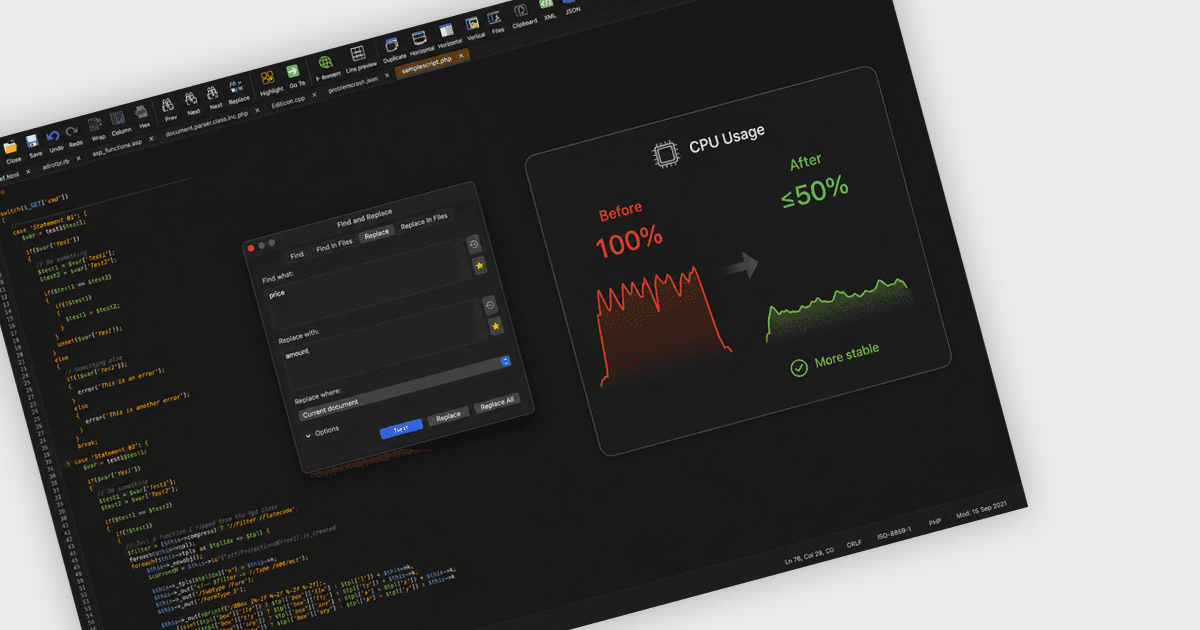
성능 최적화로 안정성 향상
UltraEdit for macOS는 더 높은 안정성을 제공하고 CPU 사용량을 줄이며, 까다로운 작업 중에도 보다 신뢰할 수 있는 편집 경험을 제공합니다.

복잡한 텍스트를 편집하고 파일, 폴더, 데이터를 비교하세요.

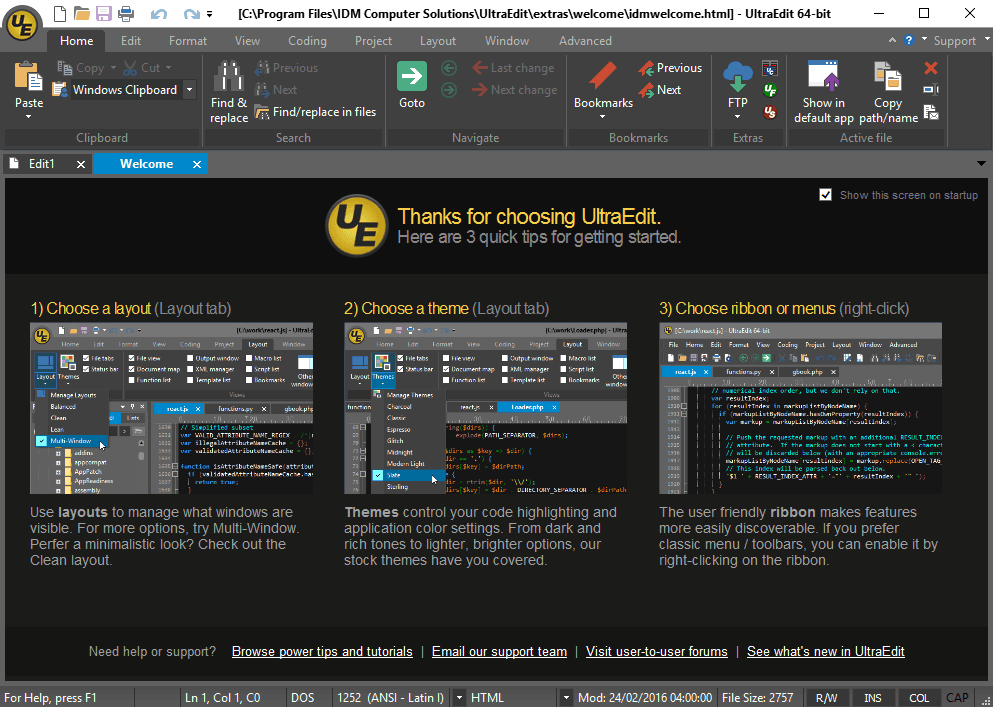
소스 코드, 구성 파일, 로그, 일반 텍스트를 위한 모든 기능을 갖춘 텍스트 편집기를 제공합니다. 일상적인 편집은 물론, 서식, 콘텐츠 구조, 파일 처리에 대한 직접적인 제어가 필요한 더 까다로운 기술 작업도 지원합니다.
매우 큰 파일 작업을 지원하므로 로그 검사, 내보내기 검토, 운영 작업과 같은 데이터 집약적인 작업에 적합합니다. 이를 통해 표준 편집기로는 다루기 어려운 콘텐츠도 팀이 열고, 검색하고, 편집할 수 있습니다.
정규식과 같은 필터를 지원하는 고급 파일 및 폴더 전체 검색과 바꾸기 기능을 포함합니다. 이를 통해 사용자는 패턴을 찾고, 반복되는 값을 업데이트하며, 더 큰 프로젝트나 분산된 파일 컬렉션 전반의 콘텐츠를 조사할 수 있습니다.
표 형식 콘텐츠, 고정 너비 텍스트, 반복되는 코드 변경 작업을 위해 세로 선택 영역을 따라 편집할 수 있습니다. 정렬된 데이터를 조정하거나, 여러 줄을 한 번에 수정하거나, 수동으로 한 줄씩 편집하지 않고 구조화된 텍스트를 정리할 때 유용합니다.
FTP, SSH, Telnet과 같은 통합 연결 옵션을 통해 원격 파일과 서버 작업을 지원합니다. 이를 통해 사용자는 일상적인 작업을 위해 별도 애플리케이션으로 전환하지 않고도 연결된 시스템의 콘텐츠를 편집하고 검사할 수 있습니다.
구문 강조 표시, 코드 서식 지정, XML 처리, HTML 및 Markdown의 실시간 미리 보기를 포함하여 코드 중심 및 마크업이 많은 워크플로를 위한 기능을 제공합니다. 이를 통해 개발자와 기술 사용자가 소스 파일과 구조화된 문서를 더 효과적으로 작업할 수 있습니다.
양방향 및 삼방향 비교 워크플로를 포함한 파일의 시각적 비교 및 병합 기능을 추가합니다. 이를 통해 사용자는 변경되는 코드, 문서 또는 내보낸 데이터를 작업할 때 개정 내용을 검토하고, 차이점을 확인하며, 병합 충돌을 해결할 수 있습니다.
전체 폴더를 비교하여 변경되었거나, 누락되었거나, 일치하는 파일을 식별하고, 디렉터리 구조 전반에 걸친 동기화 및 병합 작업을 지원합니다. 또한 FTP 연결과 네트워크 공유를 통해서도 작동할 수 있어 배포 확인 및 환경 검증에 유용합니다.
Excel, CSV, PDF, Word 및 기타 표 형식 또는 문서 기반 콘텐츠의 비교를 지원합니다. 이를 통해 팀은 보고서, 데이터 내보내기 및 기타 구조화된 비즈니스 파일을 다룰 때 행, 열, 시트, 문서의 차이점을 검토할 수 있습니다.
일반 텍스트를 넘어 바이너리 또는 hex 데이터와 ZIP, RAR, JAR 같은 일반적인 아카이브 형식까지 비교 범위를 확장합니다. 이를 통해 기술 팀은 패키징된 자산을 검증하고, 파일 변경 사항을 검사하며, 비텍스트 콘텐츠를 검토할 때 더 넓은 범위를 다룰 수 있습니다.
아래의 세부 정보를 확인하여 이 제품이 사용 환경에서 지원되는지 확인하세요.
개별 구매 가능하며 UltraEdit Enterprise의 일부로도 제공됩니다.
표시된 가격은 연간 구독 라이선스에 대한 것입니다. 영구 라이선스도 제공되며, 1년간의 유지 관리 및 업데이트가 포함되어 있고 매년 갱신할 수 있습니다.


UltraEdit for macOS는 더 높은 안정성을 제공하고 CPU 사용량을 줄이며, 까다로운 작업 중에도 보다 신뢰할 수 있는 편집 경험을 제공합니다.
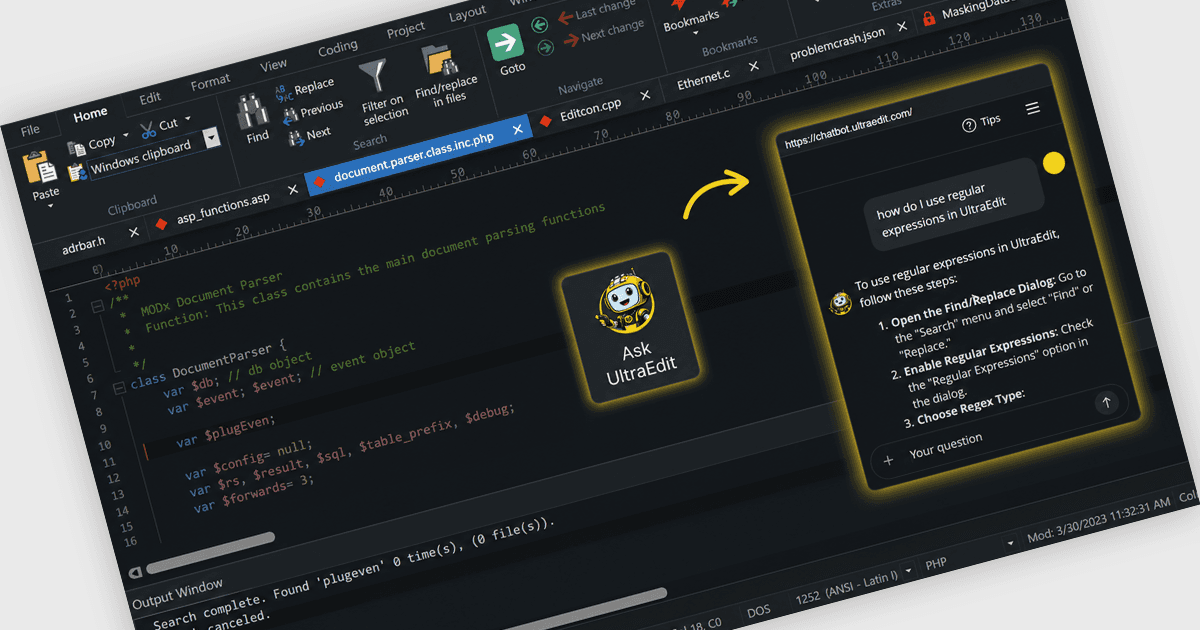
UltraEdit 2026.0은 사용자가 기능을 더 빠르게 찾고, 워크플로우를 배우며, 편집 작업을 더욱 효율적으로 완료할 수 있도록 돕는 내장 AI 어시스턴트를 추가했습니다.
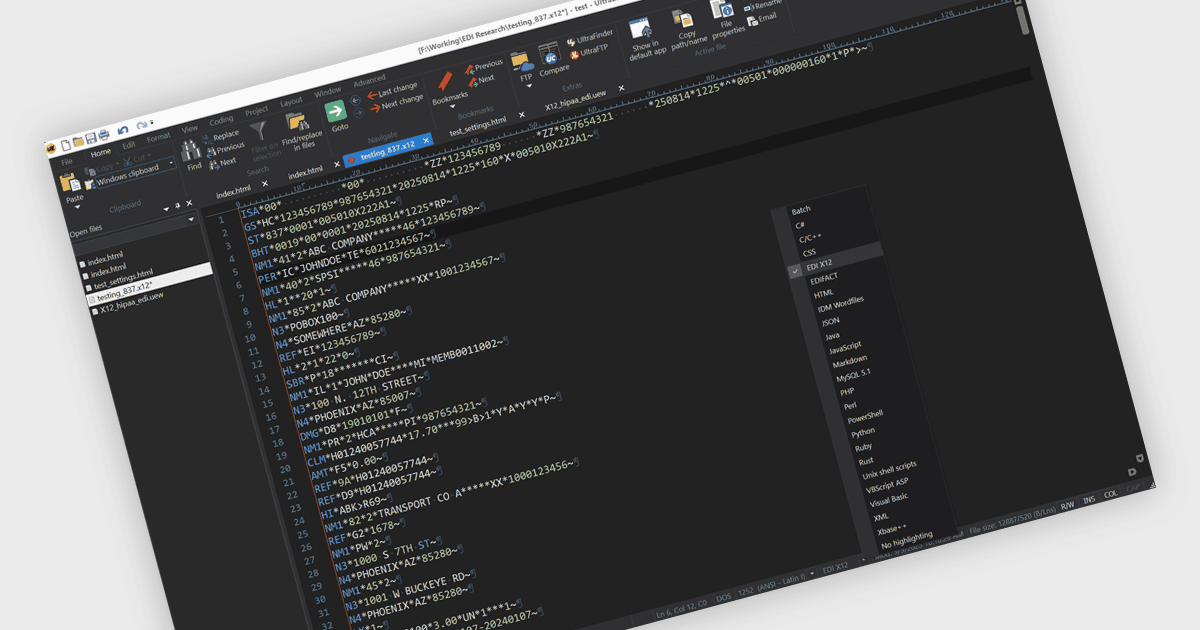
UltraEdit 2025.1은 자동 구문 인식, US 및 국제 표준, 그리고 무설치 설정으로 EDI 파일 처리를 간편하게 해줍니다.
UltraEdit는 1994년에 설립되어 미국에 본사를 둔 제품으로, 전 세계의 소프트웨어 개발자, 데이터베이스 관리자, IT 전문가들이 신뢰하는 고성능 텍스트 및 코드 편집기로 인정받고 있습니다. 제품군에는 강력한 텍스트, 코드, 헥스 편집을 위한 UltraEdit, 파일 및 폴더 비교를 위한 UltraCompare, 향상된 개발 환경인 UEStudio, 빠른 파일 검색을 위한 UltraFinder, 그리고 안전한 FTP 클라이언트인 UltraFTP가 포함됩니다. UltraEdit는 매우 큰 파일 처리, 멀티플랫폼 지원, 통합 AI 기능, 유연한 라이선싱으로 차별화됩니다. UltraEdit를 선택하면 Windows, Mac, Linux에서 복잡한 데이터를 안정적으로 편집하고 관리할 수 있습니다.