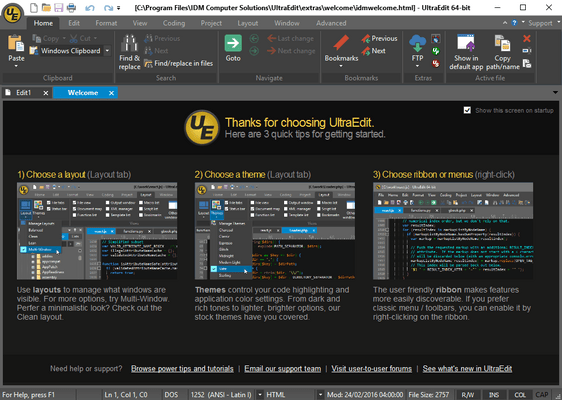
UltraEdit Core includes: UltraEdit (available for Windows, Mac, and Linux - all included in the license price) and UltraCompare. UltraEdit Enterprise (formerly known as UltraEdit All Access) includes: UltraEdit, UltraCompare, UltraFTP, UEStudio and UltraFinder.
UltraEdit v24.00
Released: Feb 10, 2017
Updates in v24.00
Features
Native Unicode rewrite / refactoring of code for greatly improved handling and detection
Better rendering of non-Latin text in various Unicode formats
Better handling of Unicode file paths in title bar, file tabs, open file list, etc.
Greatly improved detection of (non-Unicode) code pages
Improved detection of UTF-8 string declaration
Automatic font / script substitution for non-Roman and OEM character sets
New "Encoding" settings under Advanced » Settings » File handling » Encoding
Ability to set fallback encoding / code page when auto-detection cannot determine
New prompt to convert ANSI file to UTF-8 when pasting Unicode/UTF-8 content
Support for using Unicode with "^c" and "^s" variables in macros/scripts
Added option to handle tool output as Unicode (in "Output" tab of tool settings)
Proper and full rendering in menus, dialogs, etc. for all language versions, regardless of OS language
Full Unicode support for / in:
Macros and scripts
Function list
Tag list
Output window
Auto-complete
Key mapping
Open address and search toolbars
Ctags
Insert column
GUI to easily browse, add, and remove syntax highlighting languages
Access from Coding tab or Advanced » Settings » Editor display » Syntax highlighting
Check languages to add them, uncheck to remove them
Search / filter for languages
Reset syntax highlighting back to factory defaults
Find / replace enhancements
Optionally leave replace dialog open when doing step-by-step replace
Added ability to scroll find / replace histories with mouse wheel
Added support for Perl regexp buffer boundaries (\A, \z, etc.)
Added unobtrusive notification when search wraps to other end of file
Find / replace "In" setting now defaults to selected text only if 2 or more lines selected
Search in column now supports column number up to 20,000
Improved performance with many filtered lines (Show / hide lines)
Find string list enhancements
Find string list scrolls to track active line in edit window
Ability to create new file from find string list contents (context menu)
Highlighting of matches in find string list (toggle in context menu)
Find / replace in files enhancements
Added button to set find / replace in files directory to active file's directory on the fly
Added notification to status bar when find / replace in files completes
Status bar indicates number of matches / files searched as search progresses
Vastly improved performance and speed when writing results to output window
Find in files now checks each file for BOM and uses BOM-specified encoding for search
Added "Active file" option to encoding drop down (uses active file's encoding for search)
Added "Auto-detect" option to encoding drop down (will auto-detect each file's encoding during search)
Better results and display when searching across multiple encodings
XML manager enhancements
Added drag-and-drop support to move elements
New "Copy XPath" option for nodes/attributes
Added highlighting of current (edit window) position
Drag and drop images / graphics, or browse to images, to insert them in active HTML document
Drag-and-drop any number of images directly into an HTML based file
For most HTML and web files, <img> links will be automatically inserted
For CSS files, the URL to the image will be inserted as a background-image property
Modify the HTML / CSS formats for inserted images in Settings » Editor » Image drag-and-drop
Hold Ctrl while dragging-and-dropping to modify the format on the fly
Select and open multiple files at once from Recently opened / closed files menu
New option "Open all"
Hold Ctrl and click files to select multiple at once
Click "Open selected" to open all checked items
"Join line(s)" feature (Edit tab)
Option to preserve leading spaces in Advanced » Settings » Editor » Advanced
Compare in UC Pro externally detected changes from file change detection prompt
New context menu for "Lists" tab in file view:
Add folders/files
Show names only
Rename file
Remove file from list
"Close all files to left / right" in file tab context menu (with key mapping support)
"Add to [Favorite / Project] Files" options on file tab / file view context menu
Drag-and-drop file tabs to file view "Project" and "Lists" tab to add to projects and lists
New option to use classic theme for printing ("Page setup" dialog)
User tools and default associated shortcuts now begin with "1" instead of "0"
Standardized capitalization of text (sentence case) in menus and UI
New /LanguageMarker flag for wordfiles for expanded shebang line recognition
New option to disable automatic hex mode for files containing nulls (hex 00) in Advanced » Settings » Editor » Hex mode
"Defaults" button in sort settings dialog
"Delete selected lines" now deletes complete line even if not completely selected
Paste into multiple selected columns while in column mode now pastes into all columns
Full customization support for edit window and file tab context menus
Improved performance and data handling with shared FTP accounts
Optimized file change detection to avoid pause when checking for changes in all open files
Support for OpenSSH 7.0+ (SSH console)
Fixes
Native Unicode rewrite / refactoring of code for greatly improved handling and detection
Resolved all issues related to opening files with Unicode characters
Addressed multi-caret issues when inserting Asian / multi-byte characters
Addressed caret "jumping" issues in UTF-8 files
Addressed issues related to opening and saving UTF-8 files via FTP
Addressed issues related to word wrap with multi-byte characters / Asian scripts
Addressed caret positioning issues with Asian characters in Unicode / UTF-8 files
Countless other Unicode / UTF-8 improvements and adjustments
Find / replace enhancements
Addressed many Perl regexp issues
Addressed "Count all" issue with Unicode characters
Addressed issues with slim replace dialog buttons
Addressed several quick find issues
Find / replace in files enhancements
Addressed issue with double-clicking on FTP file in find in [open] files results
XML manager enhancements
Addressed issues with incorrectly reported error positions
Several other issues addressed
Addressed issues related to FTP-linked project folder
Addressed several issues when default ANSI encoding set to non-Latin code page