Navegue em Planilhas Grandes Sem Perder o Contexto
Adicionar suporte a congelamento de painéis às suas planilhas permite que os usuários rolem por dados extensos enquanto mantém pontos de referência essenciais visíveis.
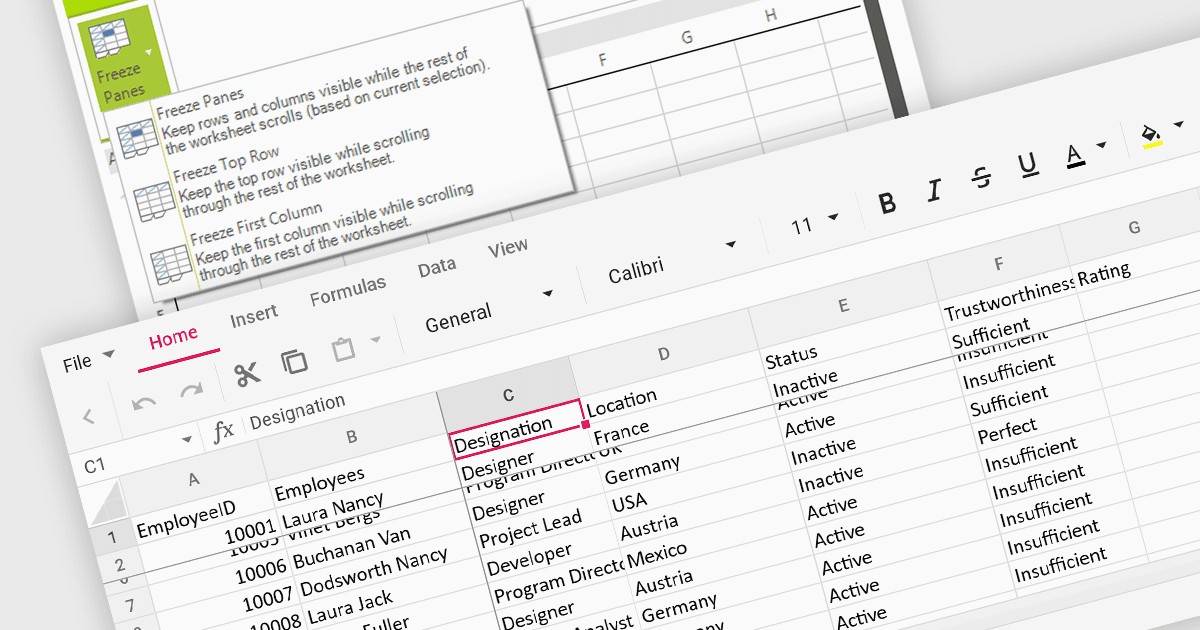
O suporte a congelamento de painéis permite fixar linhas ou colunas específicas no lugar enquanto você rola pelo restante dos dados. Isso é especialmente útil para planilhas grandes com linhas de cabeçalho ou colunas-chave que você precisa consultar constantemente. Ao congelar painéis, você garante que esses elementos essenciais permaneçam visíveis mesmo ao navegar por vastos conjuntos de dados, melhorando a legibilidade e a eficiência da análise de dados.
Diversos controles de planilha WinForms oferecem suporte a congelamento de painéis, incluindo:
- DevExpress WinForms Spreadsheet (parte do DevExpress WinForms) oferece a você a capacidade de fixar cabeçalhos e colunas-chave para uma navegação sem interrupções em conjuntos de dados massivos.
- Aspose.Cells for .NET permite bloquear linhas e colunas específicas no lugar ao rolar, melhorando a legibilidade da planilha e a navegação.
- Syncfusion WinForms Spreadsheet (parte do Syncfusion Essential Studio Enterprise) permite congelar linhas ou colunas para uma rolagem sem esforço em planilhas complexas.
- Telerik WinForms Spreadsheet (parte do Telerik UI for WinForms) permite fixar cabeçalhos e colunas para uma navegação intuitiva e melhor compreensão dos dados.
Para uma análise aprofundada de recursos e preço, visite nossa comparação de controles de planilha WinForms.