Encontre conteúdo instantaneamente em qualquer documento PDF
Os .NET Blazor PDF Viewers com pesquisa de texto ajudam os usuários a localizar rapidamente palavras ou frases específicas e navegar nos documentos com mais eficiência.
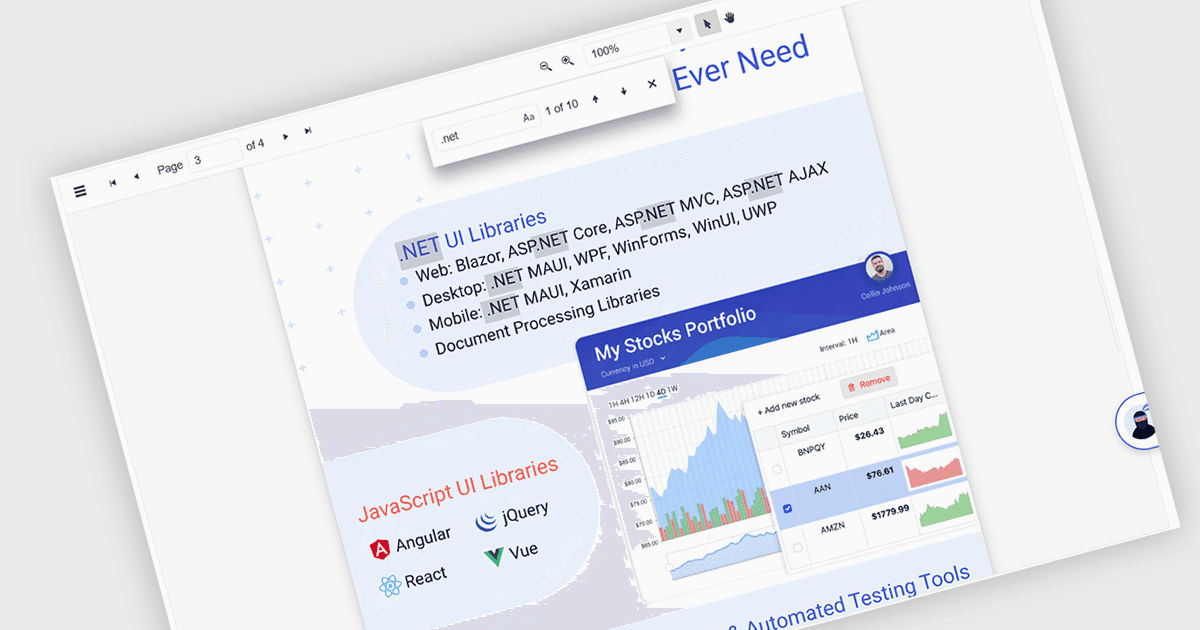
A pesquisa de texto em um componente .NET Blazor de visualização de PDF permite que os usuários localizem palavras, termos ou frases específicas dentro de um documento PDF. Essa funcionalidade melhora a navegação e a acessibilidade dos documentos, permitindo que os usuários identifiquem rapidamente e acessem o conteúdo relevante sem precisar verificar manualmente cada página. Normalmente oferecendo opções de correspondência com diferenciação entre maiúsculas e minúsculas e de palavra inteira, a pesquisa pode ser acionada por meio de controles de interface e da lógica do backend, tornando-se um recurso flexível para aplicativos que lidam com arquivos PDF grandes ou complexos. Isso é especialmente útil para desenvolvedores que criam aplicativos focados em documentos, pois aumenta a eficiência do usuário e garante a descoberta precisa do conteúdo.
Diversos Blazor PDF Viewers permitem que os usuários pesquisem texto, incluindo:
- ComponentOne Studio FlexViewer (parte do ComponentOne Studio Blazor Edition by MESCIUS) permite pesquisar o conteúdo do PDF, destacando os resultados para ajudar os usuários a localizar termos-chave.
- Telerik UI PDF Viewer for Blazor (parte do Telerik UI for Blazor) oferece uma pesquisa de palavras-chave precisa, aprimorando a interação do usuário e acelerando a recuperação de conteúdo em arquivos PDF.
- Syncfusion Blazor PDF (parte do Syncfusion Essential Studio Enterprise) facilita uma busca de texto rápida e intuitiva dentro de documentos PDF.
Para uma análise aprofundada de recursos e preço, visite nossa comparação de visualizadores Blazor de PDF.