Use controles visuais de entrada responsivos em .NET
Ao equipar seus aplicativos com controles de editor de dados de classificação e trackbar, desenvolvedores .NET podem oferecer uma entrada de dados intuitiva e eficiente para os usuários finais.
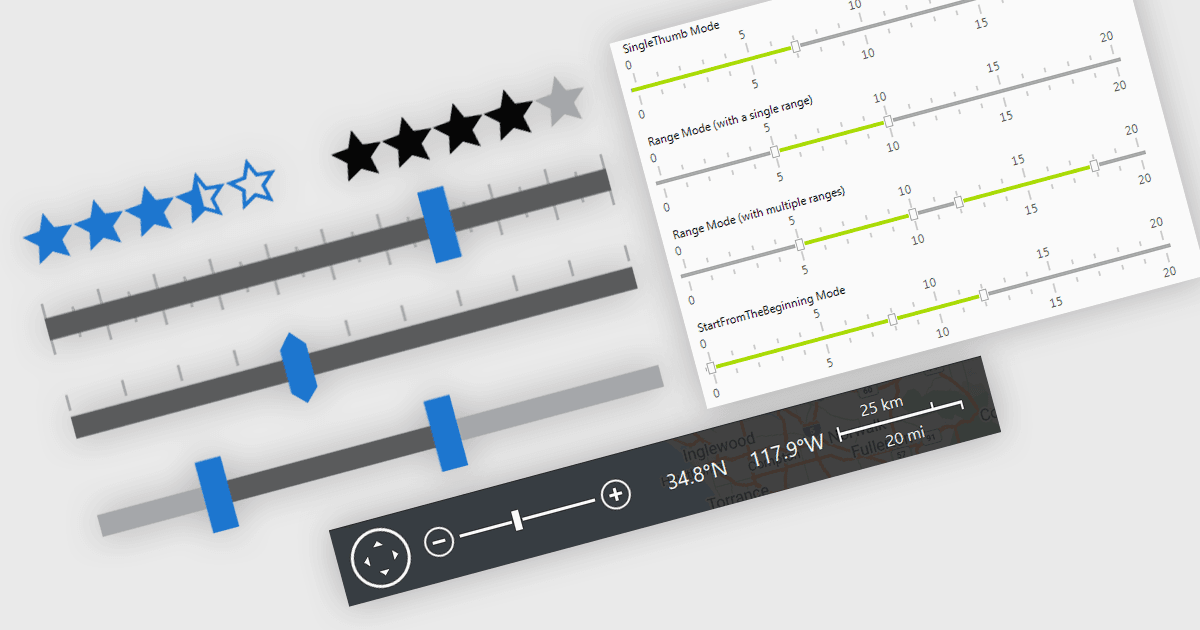
Em aplicativos .NET que exigem edição de dados, elementos visuais de interface desempenham um papel vital para melhorar a forma como os usuários inserem e ajustam dados. Para entrada de dados, componentes de visualização como trackbars, barras de intervalo, controles de zoom e elementos de classificação oferecem uma alternativa interativa aos campos de texto ou menus suspensos, tornando os mecanismos de entrada e feedback de dados mais intuitivos e precisos. Seja definindo limites numéricos ou filtrando conjuntos de dados com base em limites definidos pelo usuário, ajustando a escala de exibição de gráficos, linhas do tempo ou exibições de dados gráficos, ou capturando rapidamente feedback, esses controles contribuem para uma interface mais responsiva e amigável ao usuário. Esses componentes são especialmente valiosos em cenários que exigem uma entrada bem ajustada ou pontuação subjetiva, ajudando os usuários a fazer ajustes rápidos sem interromper o fluxo de trabalho do usuário final.
Recursos comuns incluem:
- Barras de intervalo permitem a seleção de um intervalo de valores contínuos por meio de duas alças arrastáveis, possibilitando que os usuários selecionem um intervalo de valores.
- Classificação controles oferecem uma interface gráfica, normalmente com estrelas ou barras, para que os usuários forneçam feedback qualitativo ou avaliações.
- Trackbars permitem que os usuários selecionem um único valor dentro de um intervalo usando um controle deslizante arrastável, frequentemente usado para entrada numérica ou percentual.
- Zoom Trackbars fornecem uma forma de dar zoom interativamente para dentro e para fora usando barras de zoom semelhantes às encontradas nos aplicativos do Microsoft Office.
Para uma análise aprofundada de recursos e preço, visite nossa comparação de editores de dados .NET.