Simplifique a entrada de dados com checkboxes intuitivos
Gerencie facilmente valores true/false em grades com células de checkbox integradas que melhoram a clareza por meio de interações rápidas, precisas e visualmente claras.
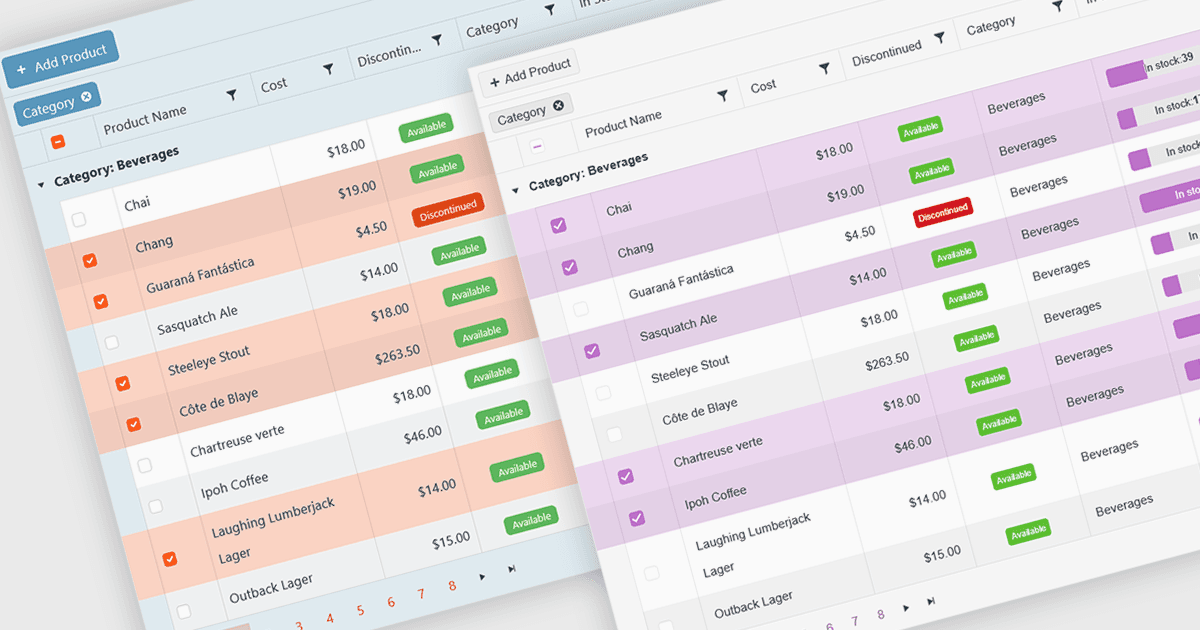
Um tipo de célula de caixa de seleção (checkbox) em uma grade permite que os usuários gerenciem facilmente dados booleanos (true ou false) por meio de uma interface simples e visual. Em vez de digitar valores manualmente, os usuários podem alternar rapidamente uma caixa de seleção para indicar estados como ativo ou inativo, concluído ou incompleto, ou habilitado ou desabilitado. Essa interação reduz erros de entrada e melhora a clareza dos dados, facilitando a leitura e a compreensão das informações de relance. As células de checkbox melhoram a produtividade ao oferecer suporte a edições rápidas, seleções em massa e filtragem eficiente com base nos valores marcados ou desmarcados. Casos de uso comuns incluem acompanhamento de tarefas, permissões de usuários, disponibilidade de produtos e alternâncias de recursos, em que uma escolha binária melhora a eficiência do fluxo de trabalho e a usabilidade.
Diversos componentes de grade Vue.js oferecem suporte a tipos de célula de checkbox, incluindo:
- DevExtreme HTML5 JavaScript Data Grid (parte do DevExtreme Complete) permite adicionar células de checkbox para seleções rápidas de true ou false, aumentando a clareza e a qualidade da entrada de dados.
- DataViewsJS da MESCIUS facilita o gerenciamento eficiente de dados com células de checkbox, permitindo que os usuários alternem estados instantaneamente e visualizem valores binários com facilidade.
- Handsontable da Handsoncode permite incluir células de checkbox para uma entrada booleana intuitiva, possibilitando atualizações rápidas e filtragem fácil dentro de grades editáveis.
- IntegralUI Grid (parte do IntegralUI Web by Lidor Systems) habilita a integração de células de checkbox, garantindo um gerenciamento preciso de dados booleanos e aprimorando a usabilidade em grades interativas.
Para uma análise aprofundada de recursos e preço, visite nossa comparação de componentes de grade Vue.js.