Classifique Dados em Várias Colunas no jQuery
Organize e compare conjuntos de dados complexos com eficiência em aplicações web aplicando ordenação hierárquica em várias colunas de uma grade.
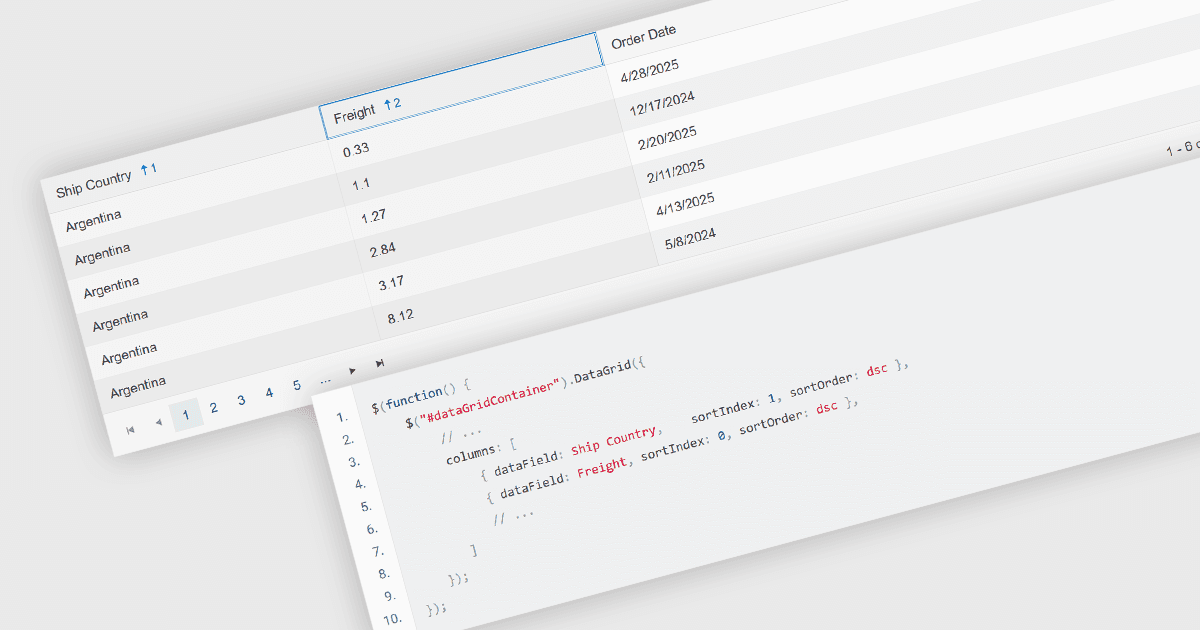
A ordenação em várias colunas em uma grade permite que os usuários organizem os dados com base em mais de uma coluna ao mesmo tempo, aplicando uma hierarquia de critérios de ordenação. Isso significa que, quando os valores em uma coluna principal são idênticos, colunas secundárias ou terciárias são usadas para refinar ainda mais a ordem. Essa abordagem melhora a exploração dos dados ao permitir uma organização mais precisa, reduzir a necessidade de filtragem manual e oferecer comparações mais claras entre campos relacionados. Ela é particularmente útil em conjuntos de dados em que a ordenação por uma única coluna não fornece contexto suficiente para destacar padrões significativos.
Vários componentes de grade jQuery permitem ordenar várias colunas, incluindo:
- DevExtreme jQuery Data Grid (parte do DevExtreme Complete by DevExpress) oferece suporte à ordenação em várias colunas por meio de um modo configurável com controle via UI e API.
- Kendo UI jQuery Data Grid (Table) (parte do Kendo UI by Telerik) permite ordenação em várias colunas com teclas modificadoras e controle configurável sobre o comportamento e a ordem da ordenação.
- jQWidgets Grid (parte do jQWidgets) fornece ordenação em várias colunas com suporte para definir prioridade e direção da ordenação, gerenciável tanto por interação do usuário quanto por código.
- ZingGrid oferece suporte à ordenação em várias colunas, com comportamento que pode ser configurado e adaptado por meio de atributos declarativos e personalização orientada a eventos.
Para uma análise detalhada de recursos e preço, visite nossa comparação de componentes de grade jQuery.