Visualize a Variação de Dados com Gráficos de Intervalo
Destaque intervalos de valores com visuais intuitivos que revelam padrões, tornando comparações e tendências mais claras e fáceis de interpretar de relance.
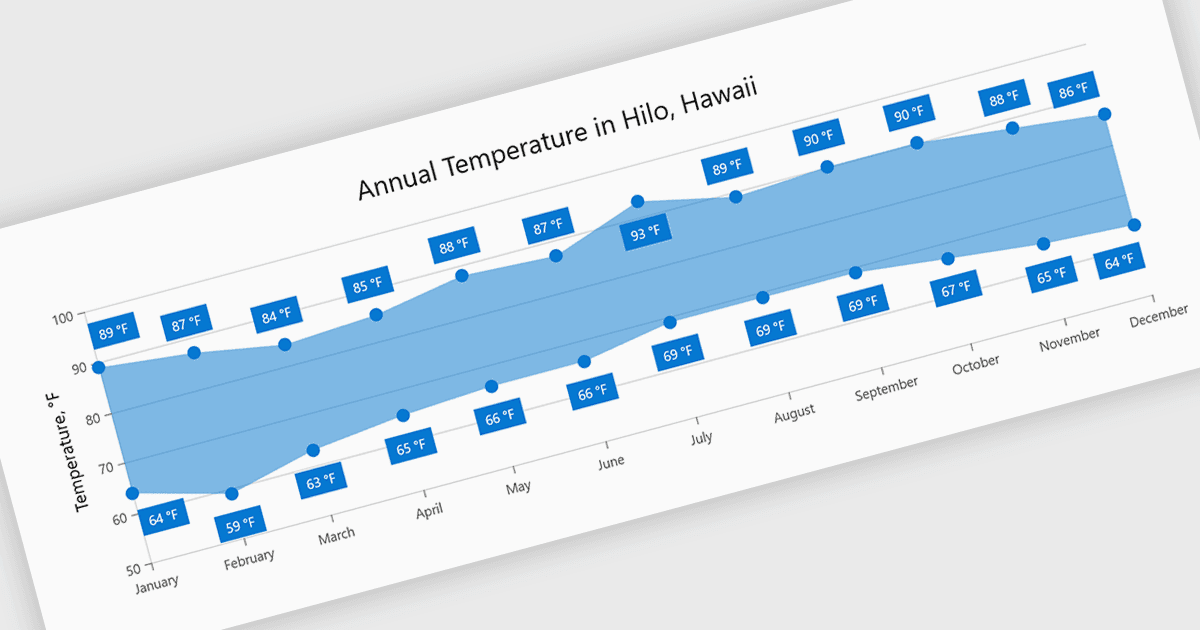
Os gráficos de intervalo visualizam a diferença entre os valores mínimo e máximo de cada ponto de dados usando uma área preenchida para representar a variação. Isso facilita entender flutuações, comparar intervalos e identificar padrões sem a poluição de várias linhas. Ao focar na distribuição dos valores em vez de pontos individuais, eles melhoram a legibilidade e destacam tendências e inconsistências de relance. Eles são úteis para cenários como acompanhar faixas de temperatura, monitorar limites de desempenho ou comparar variações entre conjuntos de dados.
Vários componentes de gráficos do .NET Blazor oferecem gráficos de intervalo, incluindo:
- Telerik UI Blazor Chart (parte do Telerik UI for Blazor) permite visualizar intervalos de valores com áreas preenchidas, possibilitando uma comparação clara de variações e tendências.
- Infragistics Ignite UI for Blazor Chart (parte do Infragistics Ignite UI) permite exibir valores mínimo e máximo de forma eficaz, destacando flutuações.
- TeeChart .NET for Blazor da Steema Software facilita visualizações baseadas em intervalos, ajudando você a representar claramente as diferenças de valores enquanto identifica tendências e inconsistências.
- Syncfusion Blazor Charts (parte do Syncfusion Essential Studio Enterprise) permite apresentar intervalos de dados usando visuais intuitivos, facilitando a comparação de resultados.
Para uma análise detalhada de recursos e preço, visite nossa comparação de controles de gráficos .NET Blazor.