Mantenha os dados organizados à medida que os requisitos mudam
Adicione colunas facilmente sob demanda para acomodar novos pontos de dados, cálculos e necessidades de relatórios dentro de planilhas existentes.
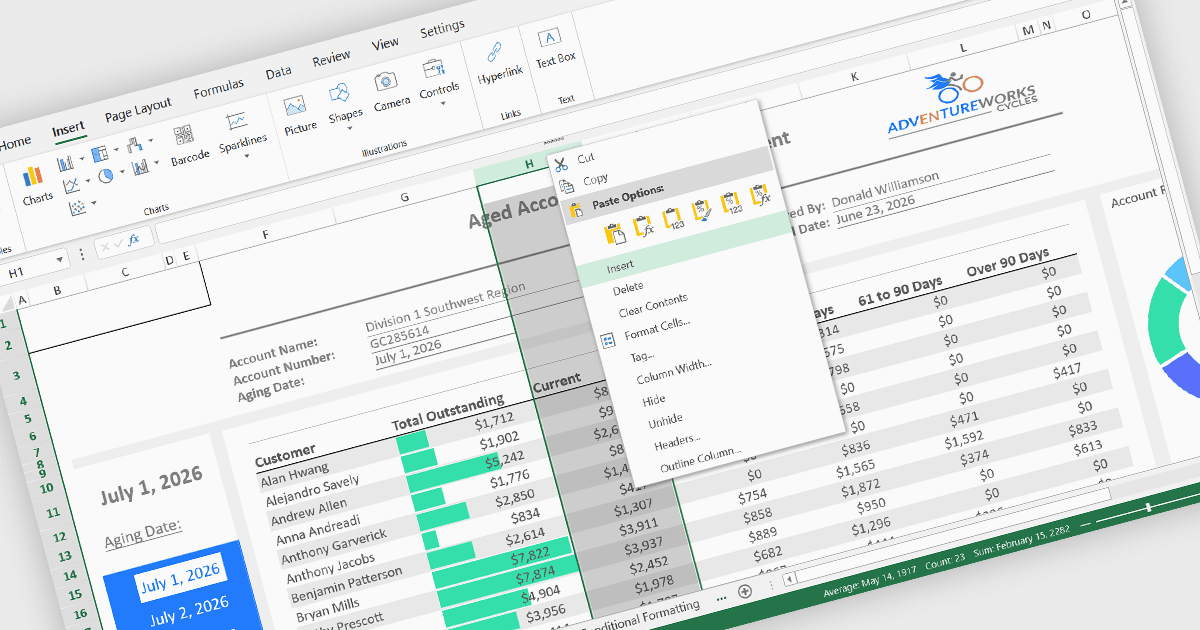
Inserir colunas é uma funcionalidade fundamental das planilhas que permite aos usuários adicionar novas colunas em qualquer posição dentro de uma planilha sem interromper os dados existentes. Esse recurso ajuda a acomodar mudanças nas exigências, facilitando a expansão de conjuntos de dados, a introdução de novos cálculos, a captura de informações adicionais e a reorganização do conteúdo, mantendo a estrutura geral da planilha.
Vários controles de React spreadsheet oferecem a capacidade de inserir colunas, incluindo:
- SpreadJS da MESCIUS permite que os usuários insiram uma ou mais colunas antes ou depois de uma coluna selecionada por meio da sua interface de planilha e API, ajustando automaticamente fórmulas, referências e a estrutura da planilha conforme necessário.
- Jspreadsheet Pro oferece inserção interativa de colunas diretamente na grade, permitindo que os usuários adicionem colunas dinamicamente enquanto preservam os dados existentes e suportam personalizações adicionais por meio da sua API JavaScript.
- KendoReact Spreadsheet da Telerik inclui recursos de inserção de colunas que refletem experiências familiares de planilhas desktop, permitindo que os usuários adicionem novas colunas pela interface do usuário, mantendo a consistência da pasta de trabalho e atualizando os elementos relacionados da planilha.
- Infragistics Ignite UI for React Spreadsheet suporta a inserção de colunas dentro das planilhas tanto por interações do usuário quanto por controle programático, garantindo que os layouts de dados possam ser expandidos enquanto preservam fórmulas, formatação e integridade da planilha.
Para uma análise detalhada de recursos e preços, visite nossa comparação de React spreadsheet controls.