
MindFusion.Diagramming for ActiveX Standard
워크 플로우 다이어그램을 사용자 애플리케이션에 추가.
- 워크 플로우, 알고리즘 및 프로세스 다이어그램, 객체 계층 및 관계 차트, 그래프 및 트리의 생성 및 제공
- 사용자 정의된 박스 등 70개 이상의 사전 정의된 박스 형태 제공 s


설명: Integrate charting, diagramming, and scheduling functionalities into cross-platform.NET MAUI applications. MindFusion Pack for.NET MAUI includes a comprehensive suite of UI controls, enabling developers to easily embed interactive and data-rich charts, ... 더 읽기


설명: Add data visualization capabilities to your.NET MAUI app. MindFusion.Charting for.NET MAUI allows developers to create a wide range of informative and visually appealing charts, from bar and line to financial candlestick and scatter charts, for their.NET ... 더 읽기

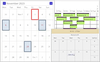
설명: Add calendar and scheduling functionality to your.NET MAUI applications. MindFusion.Scheduling for.NET MAUI is a scheduling library for applications that target Android, iOS and need to run on macOS and Windows machines. The calendar component offers five ... 더 읽기


스크린샷: Fully integrate the custom type with other MvcDiagram features, such as clipboard support, undo support, creating nodes by drag-and-drop or drawing with the mouse on the canvas. 0 ... 더 읽기

스크린샷: Palette control for category-based item grouping and the versatile ItemListView. 0 ... 더 읽기
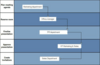
스크린샷: Palette control for category-based item grouping and the versatile ItemListView. 0 ... 더 읽기

설명: Outstanding diagrams for any platform, on any device. MindFusion.Diagramming for.NET MAUI is a general-purpose software component that can be used to display many different types of diagrams and charts. It is implemented as a.NET MAUI control and can be ... 더 읽기
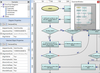
릴리스 노트: ItemListView Control ItemListView supersedes NodeListView and lets you show both nodes and links in the list. Items can be added or removed using the Items property of base ListView. DefaultNodeSize property from NodeListView is called NewInstanceSize in ... 더 읽기
릴리스 노트: Avalonia.XPF/ Multi-Platform Support: The virtual keyboard can now be used under Avalonia.XPF. If the control detects non-Windows system, it replaces the Windows native API-based keyboard emulation code with WPF event routing-based one. With that, the ... 더 읽기
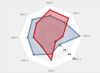
스크린샷: The RadarChart control is used here together with a panel of UI controls that allow you to change all major settings for radar/polar charts. You can observe how different properties affect the looks of the chart. 0 ... 더 읽기
전화 : 00798 14 800 6332
팩스 : +1 770 250 6199



 (5)
(5) (1)
(1) (1)
(1)