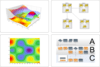
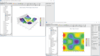
What is a WinForms control? Windows Forms is part of the Microsoft .NET Framework and is a collection of technologies enabling you to create forms for Windows based desktop and client/server apps. Windows Forms developers can integrate and embed WinForms controls in their programs as reusable software components to provide specific visual functionality for their users. For example, a Windows Forms charting control can be placed on a Windows Form to visually display data as a chart or graph to the user.
In this .NET Win Forms controls gallery you will find a large selection of .NET WinForms custom controls and .NET WinForms components that a Windows Forms developer can use in their application. For example, there are WinForm controls that give you WinForm spreadsheet functionality, or that provide WinForms text editing capabilities. In general, these commercial grade, quality .NET WinForms controls are built by experts in the WinForm UI field - as such you can add their expertise and knowledge quickly to your Win Form application to give you greater functionality faster.
For example, there are many WinForms controls for charting and graphing included in this WinForm control gallery that you can download, compare, review, try and buy. These WinForm charting components will come with a wide variety of charts, graphs and styles that you can immediately make available to your users,without having to write the code, test it and then support it yourself. So you can quickly add functionality, save time, improve quality and save on maintenance costs by using third party Windows Forms controls that have been pre-built by experts.
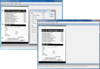
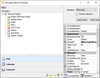
Move and resize any control on your forms at runtime. Form Designer .NET allows you to change your Windows Forms application’s forms at runtime, exactly like the standard .NET form designer used in any .NET IDE. To use it just drop the Form Designer .NET control onto any form, assign the DesignedForm property and set the Active property to true. Features include: full nested containers support, snap lines, 3rd party components support, undo/redo, multi selection and more.
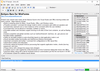
Add identification, form registration, OMR technology to your application. FormFix delivers both .NET and ActiveX COM components offering bitonal template-based form identification, form registration, form drop out, and OMR technology to developers of forms processing applications. Highly flexible and optimized for speed, FormFix's form recognition and form registration improve ICR, OCR, and OMR accuracy. It easily interfaces with Pegasus recognition engines, and with any recognition engine supporting memory-to-memory data transfers. ImagXpress and ScanFix Xpress are included with FormFix for image handling, advanced image cleanup, and TWAIN scanning. Professional Edition has full speed of processing forms (Standard Edition is delayed at approximately 5 seconds per page).
Add identification, form registration, OMR technology to your application. FormFix delivers both .NET and ActiveX COM components offering bitonal template-based form identification, form registration, form drop out, and OMR technology to developers of forms processing applications. Highly flexible and optimized for speed, FormFix's form recognition and form registration improve ICR, OCR, and OMR accuracy. It easily interfaces with Pegasus recognition engines, and with any recognition engine supporting memory-to-memory data transfers. ImagXpress and ScanFix Xpress are included with FormFix for image handling, advanced image cleanup, and TWAIN scanning. Standard Edition is delayed to processing forms at a speed of approximately 5 seconds per page.
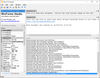
Add image compression, decompression, form identification, file conversion and more to your application. FormSuite includes FormFix Professional, SmartZone Professional, ScanFix Xpress and ImagXpress Document. FormFix delivers both .NET and ActiveX COM components offering bitonal template-based form identification, form registration, form drop out, and OMR technology to developers of forms processing applications. SmartZone offers developers the ability to perform zonal OCR (machine print character recognition) commonly used in forms processing applications. ScanFix Xpress offers bitonal document image enhancement technology. ImagXpress Document is ideal for document imaging and forms processing application development.
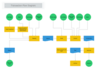
Add Gantt scheduling to your .NET application. Gantt Control for .NET enables software developers to visualize and schedule tasks, activities and events in their own software applications in a flexible way. Gantt Control for .NET is adaptable to different requirements and is applicable to most scenarios, for example; project management, scheduling and task management, production scheduling and employee scheduling.
Add LED instruments to your application. GMSI.NET Alphanumeric LED .NET Component uses the seven-segment LED protocol. Over 50 properties, it can display alphabetic characters A through F, any numeric character, a moveable decimal point, and an optional sign value (+ or -). It is data-aware for fast, efficient database connectivity. A configuration utility provides a library of styles and application notes that can be edited to store and retrieve additional setups.
Monitor realtime data in a flexible gauge. Angular Gauge .NET Component creates a graphical gauge for displaying real-time data. It utilizes double-buffering technology for the speediest screen updates possible. Built-in property pages for 100+ properties, organized by functionality, are extremely easy to use, and very powerful. Optionally they are even available at run-time if desired.
Add instrumentation functionality to your .NET applications. The GMSI.NET Instrumentation Library features a bundle of seven common instrumentation interface components including Alpha-Numeric LED, Angular Gauge, Knob, LED, Linear Gauge, Odometer and Toggle. Together these components provide developers with a set of tools for control interfaces and data display in technical applications.
Add Knobs to your .NET applications. GMSI.NET Knob Component is a configurable (100+ properties) control which creates a graphical knob that can be used for interactive data input, process control, real-time adjustments, etc. Double-buffering technology makes screen updates fast. Properties control styles, scales, tics, bands, captions, and background. Mouse input is optional. It is data-aware for fast, efficient database connectivity and supports all standard methods.
Add linear gauges to your .NET apps. Linear Gauge can be configured with the click of a button. It incorporates scales, tics, handles, bitmaps, shapes, and digital read-outs for configuring virtually any kind of sliding gauge, meter, or mechanism. Programmers fully control scales, needles, fonts, captions, annular, and tics.