
 (12)
(12) (1)
(1)

공식 공급 업체
200 이상의 소프트웨어 개발처와 판매 계약을 맺은 공인 디스트리뷰터로서 합법적인 라이선스를 제공합니다.
모든 브랜드 보기.

릴리스 노트: reported crashes, incorrect behaviors, and resource leaks. 0 ... 더 읽기 본 제품에 관한 더 많은 결과 보기
설명: grid, reporting and calendar functionality. Codejock Suite Pro helps you create professional ... Docking Pane, Property Grid, Report Control, Shortcut Bar, Syntax Edit, Skin Framework and Task Panel. ... or sub-item. Report Control- Report Control includes an easy to create Office style report to group and sort ... 더 읽기
릴리스 노트: double click event notification reporting fixed for in-place edit and option items. Ribbon Fixed rounded ... 더 읽기

설명: files. Xceed Zip automatically tries to recover from errors and reports any inconsistencies found ... 더 읽기 본 제품에 관한 더 많은 결과 보기
설명: 메모리에 Zip 파일 또는 압축/압축해제 데이터를 만듭니다. Xceed Zip for ActiveX is a high-performance Zip and Unzip data compression library that lets your applications create and manipulate 100% Zip-compatible Zip files as well as compress/uncompress data directly in memory. It's designed to offer the ultimate in ... 더 읽기
릴리스 노트: reported even if custom mapping is used. ThrowWithinAsync will now respect canceled tasks. null handling ... 더 읽기 본 제품에 관한 더 많은 결과 보기
설명: 많은 고급 UI 컨트롤 및 데이터 조작 라이브러리를 가진 프런트-엔드/백-엔드 솔루션 스위트. Xceed Ultimate Suite에는 Xceed 의 새로운 컴포넌트 속에서 선택되어진 규정판이 부속되어 있습니다. 또한 업데이트 무료, 중요 업그레이드 무료, Xceed.NET, COM 및 ActiveX 각각의 새로운 컴포넌트의 무료 정규판 및 전화와 E-메일에 의한 지원이 부속된 1년간의 무상계약도 제공됩니다. 특별제공은 기간이 한정됩니다. Xceed Ultimate Suite는 다음의 제품으로 구성됩니다. Xceed Grid ... 더 읽기
설명: and ease of use. The only grid with a built-in reporting engine. Includes gradient maps with transparency ... 더 읽기

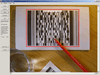
릴리스 노트: for a potential situation where by a false positive 1-D barcode inside the region of a 2-D barcode is reported ... 더 읽기 본 제품에 관한 더 많은 결과 보기
릴리스 노트: v8.3.3.x Updated Jun 4, 2019 Features A new property called EdgeThreshold has been added. This improves performance of large color images, especially for DataMatrix recognition. To retain 100% compatibility with previous versions this property should be set to 0. Added method called ... 더 읽기
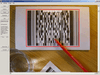
릴리스 노트: for a potential situation where by a false positive 1-D barcode inside the region of a 2-D barcode is reported ... 더 읽기 본 제품에 관한 더 많은 결과 보기
릴리스 노트: v8.3.3.x Updated Jun 4, 2019 Features A new property called EdgeThreshold has been added. This improves performance of large color images, especially for DataMatrix recognition. To retain 100% compatibility with previous versions this property should be set to 0. Added method called ... 더 읽기
릴리스 노트: Updates in V7.4.2.1 Improved error handling and reporting Demo program can now export and import ... 더 읽기
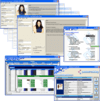
설명: Edition, VSVIEW Reporting, Chart, WebChart, Query, True DataControl, True DBInput Pro, True DBList Pro, ... in the suite (VSFlexGrid, VSView Reporting, Query and Chart). 64-Bit Platform Support Create a better ... VSFlexGrid, VSView Reporting, Query, and Chart are all available with 64-bit support. Chart Controls Create ... 더 읽기 본 제품에 관한 더 많은 결과 보기
스크린샷: Automatically format text for display and/or exporting and reporting using VSVIEW ... 더 읽기
스크린샷: Create browser-independent, dynamic charts for Active Server Pages (ASP) and VB Applications using ComponentOne WebChart or ComponentOne Chart ... 더 읽기
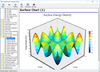
릴리스 노트: complete PDF reports. Huge Data Set Support- With the new DataAccelerator object, ChartDirector can plot ... 더 읽기

릴리스 노트: the non-delivery report. The Encode/Decode methods of the Encoder component were renamed and reorganized in order ... 더 읽기
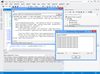
릴리스 노트: which fail due to a malformed request or an internal error reported by the server. Added ... 더 읽기 본 제품에 관한 더 많은 결과 보기
릴리스 노트: to report more specific error codes in some cases when connection to a service is rejected. Optimized ... more accurate error reporting in multithreaded applications. Corrected an issue which could cause ... 더 읽기
릴리스 노트: was invalid. Corrected an issue where the HTTP client components would report an aborted connection ... and the client would not report an error when authentication failed. Corrected an issue where client certificates ... 더 읽기
기능: 셀, 열, 행 레벨의 포맷 – 버전 1.6 에는 많은 고도의 포맷 기능이 있습니다. 버전 2.0에는 이러한 기능이 유지되며, 포맷 서비스의 새로운 세트가 추가되었습니다. 프로그래머는 데이터 표시 방법을 완전하게 제어할 수 있습니다. 통지와 기준을 사용하여 각각의 셀, 열, 행을 포맷할 수 있게 되었습니다. 포맷 작업을 용이하게 하기 위하여 새로운 툴, FormatStyles이 추가되었습니다. FormatStyles은 폰트, 색, 이미지 등의 포맷 정보를 유지하는 별개의 객체입니다. 워드 램프 셀과 직전 행의 서포트 데이터는 단일의 ... 더 읽기
전화 : 00798 14 800 6332
팩스 : +1 770 250 6199


