CurveMail.NET

by WickedByte Software - Product Type: Component / .NET Class / 100% Managed Code

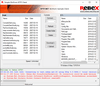
Screenshot of CurveMail.NET - .NET - V1.4Create HTML email workflow applications. WickedByte Software's CurveMail component is designed especially to support HTML email workflow. CurveMail supplants the System.Net.Mail namespace and provides missing features such as address validation, S/MIME encryption, iCalendar, and URL rewriting. These features enable you to use a single API to manage the complete email workflow process, from initial creative design to tracking customer responses.

From
$416.50
Price in

Our regular prices are shown below. Please logon to see your discounted prices.

CurveMail.NET V1.4

Add to Cart $ 416.50 1 Developer License Download (2.6 MB)
Add to Cart $ 636.02 2 Developer License Download (2.6 MB)
Add to Cart $ 1,249.50 1 Site Wide Server License (Allows Unlimited Servers at a Single Physical Address) Download (2.6 MB)
Add to Cart $ 1,665.02 1 Unlimited Developer License (Allows Unlimited Developers at Unlimited Physical Addresses) Download (2.6 MB)
Add to Cart $ 249.90 1 Server License Download (2.6 MB)

CurveMail.NET Source Code Escrow Subscription

Add to Cart $ 1,275.00 Source Code Escrow Annual Subscription - (An Escrow Agreement will be sent to you for signature - please read Licensing section below) Download (43 KB)

This product is available on the GSA Pricing ScheduleOur prices include ComponentSource technical support and, for most downloadable products, an online backup and a FREE upgrade to the new version if it is released within 30 days of your purchase.  All sales are made on our standard Terms and Conditions and subject to our Return Policy. Please contact us if you require any licensing option not listed above including volume licensing and previous versions.

Our regular prices are shown above. Please logon to see your discounted prices.

What's new in V1.4?
New Additions:

  • Added option to verify the certificate chain for a ParsedSignature extracted from a cryptographically signed message
  • Added SecuritySetup.FindCertificates() method that finds certificates that can be used to encrypt or sign an email
  • Added the VTimeZone.LocalTimeZone property
  • iCalendar VTimeZone components now incorporate "Dynamic DST" data into their definitions to account for recent updates to worldwide daylight savings specifications
  • Added SmtpClient.Progress event that allows monitoring of the SmtpClient's progress in sending a message
  • Added SmtpClient.ProcessRecipient event that notifies you when recipients are accepted or rejected by the SMTP server. You can control whether a rejected recipient cancels the message or allows it to continue to be sent to recipients who were not rejected
  • Added an SmtpProgressMonitorForm to the GUI project to demonstrate SmtpClient.Progress and SmtpClient.ProcessRecipient events
  • Added Console examples to demonstrate SmtpClient.Progress and SmtpClient.ProcessRecipient events
  • Com.WickedByte.Mail.Routing.RoutingRule and RoutingRuleList have been enhanced to support XML serialization and deserialization
  • RoutingRuleList has a "Logic" property that allows you to specify boolean logic to indicate when the list causes routing
  • Added the RoutingRuleSet that can be used to serialize / deserialize a set of RoutingRuleList in XML

Changes

  • The trial version requires the CurveMail.LIC license file to be located in the same directory as the Com.WickedByte.Mail.dll at runtime
  • The sample GUI uses the certificate store on the local machine to locate signing and encryption certificates
  • Com.WickedByte.Mail.ICalendar.VCalendar has been marked as serializable
  • Calendar events default to the local time zone automatically
  • Com.WickedByte.Mail.ICalendar.TimeZones enumeration has been updated with the latest world time zones. Note: Users of Windows XP and Windows Server 2003 should apply update KB931836 to receive updated system time zone information. You may have already received this update automatically via Windows Update
  • When you retrieve an IMAP message part, headers are automatically decoded

Bug Fixes

  • Event requests using the iCalendar API will now render correctly inline in Outlook 2007 rather than appearing as .ics attachments
  • Fixed the Clone() methods for MailAddress and HtmlMessage so that their text encodings are copied properly
  • Fixed the content-type headers for non-HTML messages with alternative encodings so that the text renders correctly in capable email clients

CurveMail is a .NET 2.0 component that supports roundtrip HTML email design, transport, and tracking. CurveMail is an all-in-one, single dll solution with features that normally require multiple components and licenses. CurveMail completely replaces the System.Net.Mail namespace. Developers familiar with the System.Net.Mail namespace will find the API familiar and easy to use.

Easy to use

  • API very similar to System.Net.Mail
  • Send an email in one line of code
  • Send messages without a local SMTP server
  • Automatically configure SMTP clients with web.config

HTML message workflow

  • Construct messages from HTML pages and resources located on your hard drive, network, and the web
  • Automatically embed images and stylesheets referenced in HTML pages by setting a single flag
  • Automatically retrieve HTML pages and resources that require authentication (Basic, Digest, or NTLM)
  • Perform mail merges using ADO.NET DataTables, DataReaders, and DataViews
  • Download and parse email messages & attachments from POP3 or IMAP4 accounts
  • Create content rules to route incoming messages and fire events

Clickthrough Capturing and Auditing

Determine advertising effectiveness by automatically rewriting urls in the HTML message body so that they all link to a single capture web page. The web page records the recipient's "click" and then redirects to the original url. Pass clickthrough information to your capture page, broken down by:

  • Content (i.e., image or text advertisement )
  • Url
  • Recipient
  • Message
  • Custom parameters

Email address validation

  • Validate email accounts with the same API you use to send emails
  • Validate email accounts through six levels of increasing accuracy:
    • By syntax and format
    • By DNS lookup of their domains
    • By directly querying the authoritative mail server for their account statuses
    • By sending a simple test message through the authoritative mail server
    • By testing whether messages bounce
    • By checking an email address blacklist
  • Validate email accounts using both asynchronous and synchronous methods
  • Validate large lists of email accounts through an efficient event-based API

iCalendar and vCard Support

  • Schedule events and meetings via email for automatic import into calendars such as Microsoft Outlook, Gmail Calendar, Mozilla Sunbird, and Evolution for Linux
  • Attach contact information (addresses, telephone numbers, etc.) that recipients can automatically import into their address books
  • Fully supports the iCalendar (RFC2445) and vCard 3.0 (RFC2426) specifications

Security

  • Cryptographically sign, encrypt, and decrypt messages (S/MIME)
  • Verify digital signatures and export their public key certificates
  • Choose the SMTP authentication method (DIGEST-MD5, NTLM, CRAM-MD5, ANONYMOUS, LOGIN, PLAIN) or automatically use the strongest available method
  • Choose the POP authentication method (DIGEST-MD5, NTLM, CRAM-MD5, APOP, PLAIN) or automatically use the strongest available method
  • Communicate via SSL / TLS over SMTP and POP
  • Automatically embed files and images that require authenticated access

Enterprise Performance

  • Automatic ESMTP Chunking and Pipelining
  • Automatic load balancing and failover support via a cluster of SMTP servers
  • Automatic caching of frequently used images and files
  • Asynchronous sending of emails

MIME

  • Use To, From, Subject, Reply-To, BCC, CC, and Sender headers
  • Add custom headers, including X- headers
  • Show friendly names in email clients, e.g., "CurveMail Support' instead of 'support@curvemail.com'
  • Attach any file(s) to an email message
  • Attach another message to an existing one
  • Show attachments inline
  • Use alternative body, subject, and address encodings
  • Create your own MIME parts and structures

Persistance

  • Save the contents of a message to a plain-text ".eml" file (viewable in most clients such as Microsoft Outlook)
  • Save the contents of a message to a System.IO.Stream

Product Search

Enter search words:

Quick Links

Publisher

Primary Category

Related Categories