by Developer Express - Product Type: Component / .NET WinForms / .NET Class / 100% Managed Code
XtraNavBar Suite by Developer Express
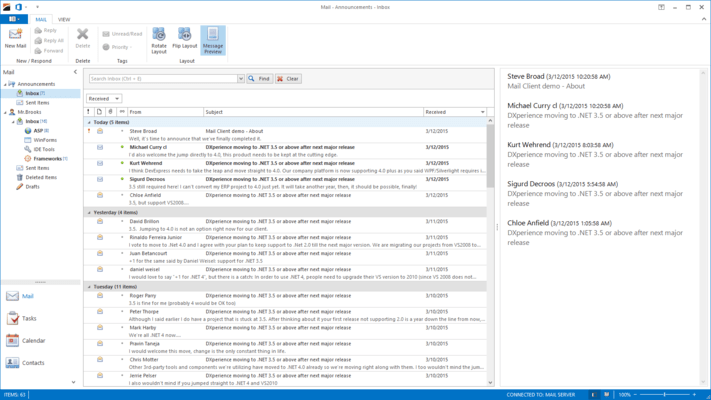
Easily Enable the Look and Feel of MS Outlook in your next .NET application. With the XtraNavBar, you can incorporate the newest look and feel standards introduced by Microsoft to your .NET applications. Whether you prefer MS Office, VS .NET, or Windows XP, the XtraNavBar offers you a myriad of interface options, so you can write less code and deliver more. And like all of Developer Express' Visual Studio.NET components, the XtraNavBar is available with full source code and supports all .NET languages.
What You Can Build with the XtraNavBar
Side Bars
Explorer Bars
Microsoft Office 2003/2007 Navigation Pane
How You Can Present Data in the XtraNavBar
Small Images Layout - Links are arranged vertically one under another. Link images are displayed to the left of their text
Large Images Layout - Links are arranged vertically one under another. Link text is displayed under the link image
Icons Flow Layout - the group displays only the icons of items arranged into multiple columns and rows
Link Selection Support - If you are using the SideBar or Navigation Pane paint style, you can enable link selection and only need to set the control's AllowSelectedLink property to True for this purpose. Additionally, you can specify whether the control has a single link selected or each group can have its own selected link. Use the EachGroupHasSelectedLink property to control this behavior.
Control Container Groups - Setting a group's GroupStyle property to ControlContainer automatically creates a container control within the group's client area. This enables you to fill the group with any Windows Forms controls just by dragging them onto the group and managing their layout in the same manner as on any other container control.
Intuitive Design-time Customization
On-Form Control Customization - The XtraNavBar control gives you the ability to add and customize groups, links and embedded controls directly on a form without the need for any dialogs
Selecting Groups and Items by Clicking Them
The Property Editor Dialog
End User Capabilities
Automatic Internal Drag and Drop - The XtraNavBar allows your application's end users to use drag and drop to move items between groups
Automatic Content Scrolling - If a SideBar or Navigation Pane view is used and the links don't fit into the active group's client area, the group displays scroll buttons
Paint Styles and Appearance Customization
Windows Theme Support
Explorer Bar and Navigation Pane views fully support skins
Customizable Styles for Every XtraNavBar Element In Every State
Alpha-blending and Background images
Custom Painting for Every XtraNavBar Element
Miscellaneous Features
Automatic Caption Word Wrapping for Groups and Items
Customizable Distances Between Groups and Links
Hit Information
Saving and Restoring the XtraNavBar's Layout
Customizable Hints and Cursors for Every Group and Item
PartNumbers: PC-512797-162715 512797-162715
Publisher PartNumbers: 135
PurchaseOptions: Developer Express XtraNavBar Suite v2008 vol 2 (V8.2.4) 1 Developer License - Includes Full Source Code - Includes one year subscription
Resources: Read the Developer Express License Agreement, Download the DXperience v2008 vol 2 (V8.2.4) for Visual Studio 2005/2008 evaluation on to your computer - Expires After 30 Days
Operating System for Deployment: Windows Vista, Windows XP, Windows 2000, Windows 98, Windows NT 4.0
Architecture of Product: 32Bit
Product Type: Component
Component Type: .NET WinForms, .NET Class, 100% Managed Code
Built Using: Visual Basic .NET
Compatible Containers: Microsoft Visual Studio 2008, Microsoft Visual Studio 2005, Microsoft Visual Basic 2008, Microsoft Visual Basic 2005, Microsoft Visual C++ 2008, Microsoft Visual C++ 2005, Microsoft Visual C# 2008, Microsoft Visual C# 2005, .NET Framework 3.5, .NET Framework 3.0, .NET Framework 2.0
Product Class: User Interface Components
Search Items: New Product Apr 04, New Product Sep 05
Keywords: User Interface Collections UI Explorer exploring explore Developer Express devexpress Enterprise Partner xtra nav bar navbar suite xtranavbar xtranavbarsuite