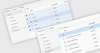
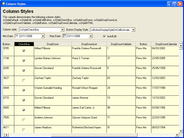
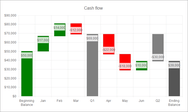
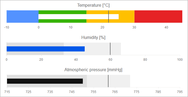
Screenshot Preview

ComponentArt ComboBox for ASP.NET - Summary

by ComponentArt - Product Type: Component / ASP.NET WebForms / ASP.NET AJAX (ATLAS) / AJAX

ComponentArt ComboBox for ASP.NET is available as part of ComponentArt Web.UI for ASP.NET and as part of ComponentArt SOA.UI for .NET

If you require more information, please visit the pages above or Contact Us for pricing and availability.

Summary

ComponentArt ComboBox for ASP.NET by ComponentArt

URLs: componentart-combobox, componentart combobox, componentartcombobox, componentart

An advanced AJAX Combobox. ComponentArt ComboBox for ASP.NET enables easy creation of sophisticated dropdowns and dynamic auto-complete textbox lists with top performance and client-side programmatic control. ComponentArt ComboBox features client-side caching of data loaded through callbacks, and client-side use of custom data fields. ComponentArt ComboBox for ASP.NET has been tested with all modern browsers like Internet Explorer, Firefox, Mozilla, Opera and Safari. ComponentArt ComboBox for ASP.NET can only be bought as part of ComponentArt Web.UI for ASP.NET AJAX.

ComponentArt ComboBox for ASP.NET Features:

Dual-mode Operation: ComponentArt ComboBox can operate in Client or Callback (AJAX) running modes.

Advanced Client Programming: Powerful client-side API featuring Microsoft AJAX library syntax allows for total control over structure and data, with persistence to the server.

Client and Server-side APIs: Features client-side caching of data loaded through callbacks, and client-side use of custom data fields.

Widest ASP.NET Framework Support: ComponentArt ComboBox is available for ASP.NET 1.0, ASP.NET 2.0, ASP.NET AJAX and ASP.NET 3.5.

Sophisticated Functionality: Features Auto Complete (complete text input as you type), AutoHighlight (jump to closest matching item in the dropdown as you type), and AutoFilter (filter dropdown items as you type) functionalities.

Other Features Include: Full keyboard control, mouse resizing of the drop-down area, easy nesting of custom ASP.NET content, and more.

Cross-Browser Compatibility: Supports IE5-7, Firefox 1-2, Netscape 7-8, Mozillas, Opera 8-9, Safari 1.

ComponentArt ComboBox for ASP.NET can only be bought as part of ComponentArt Web.UI for ASP.NET AJAX.

An advanced AJAX Combobox.

Evals & Downloads: Read the ComponentArt UI Framework for .NET help files, Read the ComponentArt End User License Agreement, A New AJAX Approach - Client-side Controls Invoking Web Services by Miljan Braticevic (President and co-founder of ComponentArt), Download the Componentart UI Framework for .NET 2012 evaluation on to your computer - Expires after 30 days

Operating System for Deployment: Windows 7, Windows Vista, Windows XP, Windows Server 2003, Windows 2000

Architecture of Product: 32Bit, 64Bit

Product Type: Component

Component Type: ASP.NET WebForms, ASP.NET AJAX (ATLAS), AJAX

Built Using: Visual C# .NET

Compatible Containers: Microsoft Visual Studio 2010, Microsoft Visual Studio 2008, Microsoft Visual Studio 2005, Microsoft Visual Studio .NET 2003, Microsoft Visual Studio .NET, Microsoft Visual Basic 2010, Microsoft Visual Basic 2005, Microsoft Visual Basic .NET 2003, Microsoft Visual Basic .NET, Microsoft Visual C++ 2010, Microsoft Visual C++ 2005, Microsoft Visual C++ .NET 2003, Microsoft Visual C++ .NET, Microsoft Visual C# 2010, Microsoft Visual C# 2008, Microsoft Visual C# 2005, Microsoft Visual C# .NET 2003, Microsoft Visual C# .NET, Microsoft SQL Server 2000, Microsoft Internet Explorer 7.0, Microsoft Internet Explorer 6.0, Microsoft Internet Explorer 5.5, Microsoft Internet Explorer 5.0, .NET Framework 4.0, .NET Framework 3.5, .NET Framework 3.0, .NET Framework 2.0, .NET Framework 1.1, .NET Framework 1.0, ASP.NET Web Matrix

Keywords: componentart combobox, componentart combobox for asp.net, component art combobox, componentart combo

ComponentArt, Component Art, Cyberakt, Cyberact

User Interface UI