by ComponentOne - Product Type: Application
ComponentOne Doc-To-Help for Word 2012 by ComponentOne
URLs: doc-to-help-word, doc to help word, doctohelpword, componentone
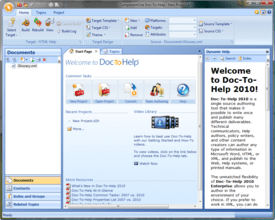
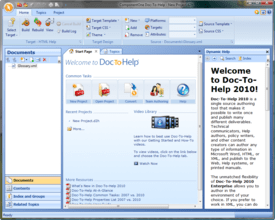
Simplify and speed the process of creating help documents. Doc-To-Help for Word lets you to author content in Microsoft® Word to create online Help files and professional manuals. Produce these Help files in popular formats including HTML Help, Cross-Platform HTML-based Help, JavaHelp, WinHelp, Visual Studio .NET-style Help, and printed documentation. Since Doc-To-Help uses a simple style markup to create Help systems, you have the freedom to use any editor. Doc-To-Help for Word also includes features such as Documenter for .NET for automatic reference document creation and support for Windows 7, Vista and the 2010 Microsoft Office System including seamless integration with Word 2010. Doc-To-Help for Word includes updates and upgrades for 1 year. Platinum Support including 1 year of unlimited phone support also available.

Doc-To-Help for Word gives you every feature you need to create fully functional and customized Help files and printed manuals from a single source document, or set of documents. Use basic features, such as Topic Jumps and Pop-ups, or more advanced features like Conditional Text, Context Sensitive Help and Documenter for .NET (for automatic reference documentation). Doc-To-Help for Word also includes a subscription service delivering free upgrades for a year, and an HTML theme designer. Platinum Support including 1 year of unlimited phone support also available.
Doc-To-Help Enterprise and Doc-To-Help Word main differences:
Doc-To-Help Enterprise includes:
Team Authoring Support
Macromedia Dreamweaver Integration
Microsoft FrontPage Integration
Import RoboHelp HTML Projects
Import Individual HTML Files
Use Any HTML Editor
Doc-To-Help Features:
Creating Help Systems and Printed Manuals (Features for Your Help Systems)
Microsoft Windows 7, Vista and Office 2007 System Support: Experience support for Windows Vista and the 2007 Microsoft Office System including Seamless Integration with Word 2007
Single source authoring:Quickly and easily create and implement HTML Help, Cross-Platform HTML-based Help, JavaHelp, WinHelp, Visual Studio .NET-style Help, and printed documentation from one source document
Graphics and Screenshots:Easily include images in your project
Image Map Editor:Insert an image and add hotspot links to specific Help topics
Links, jumps, pop-ups, and more:Add topic links and jumps, pop-up topics, dynamic links, and cross-references
Dynamic Text Effects:Add dynamic text, such as expanding text, pop-up text, and drop-down text, to your Help files
Table of Contents and Index:Doc-To-Help uses information from your source content to automatically create a customizable table of contents and an index
Modular TOC Utility: Automatically populate all modular system Help files with fully functional table of contents links
Glossary Terms: Use the convenient toolbar buttons or styles to add and sort glossary terms
Natural Search: Add a Natural Language search engine to your output. Keyword search is also included
Context Sensitive Help: Automatically generate context IDs, or specify your own, to map topics to your application's interface
Context Sensitive Help for Web Applications: Automatically generate context IDs, or specify your own, to map topics to your Web application's interface. Help topics will appear in NetHelp, the Web-based Help output
Context String Editor: Use a convenient interface to define context ID strings for Help 2.0 and conveniently connect them to Help topics without writing a single line of code
Use Existing Content (Convert files from RoboHelp, other tools, and Doc-To-Help 2000. Also import existing documents)
RoboHelp HTML Project Converter (Enterprise Edition only): Import a RoboHelp HTML file and Doc-To-Help will automatically convert it to a Doc-To-Help project, complete with Doc-To-Help markups. All you have to do is point and click!
RoboHelp Word Project Converter : Import a RoboHelp Word file and Doc-To-Help will automatically convert the project information and the Word source file(s).
Import Any HTML Help Project: Import any HTML Help file and Doc-To-Help will automatically convert it.
Import Any WinHelp Project: Import any WinHelp file and Doc-To-Help will automatically convert it.
Doc-To-Help 2000 Converter: Easily convert your existing Doc-To-Help 2000 projects with the click of a button
Import Individual Word Files: Import individual files containing single or multiple topics
Import Individual HTML Files (Enterprise Edition only): Import individual files containing single or multiple topics
Merge Multiple HTML Help and WinHelp Projects: Combine multiple projects into one TOC, index, and glossary
Merge Multiple NetHelp Projects: Combine multiple projects into one TOC, index, and glossary
Highlighted Search Results in NetHelp: When opening a topic found by NetHelp Search, the search phrase is now highlighted in the topic text
More NetHelp Enhancements: A new NetHelp theme gives more functionality such as print/email topic and save-to-favorites to improve the user experience
Authoring and Editing Projects (Features to make your content creation process easy and flexible)
Microsoft Word or HTML Source: Author your source documents in Microsoft Word, HTML, or both
Microsoft Word Integration: Use the toolbar and wizards that install in the Microsoft Word interface to create online Help and printed documentation elements
Microsoft FrontPage Integration (Enterprise Edition only): Use the toolbar and wizards that install in the Microsoft FrontPage interface to create online Help and printed documentation elements
Macromedia Dreamweaver Integration ( Enterprise Edition only): Use the toolbar and wizards that install in the Dreamweaver interface to create online Help and printed documentation elements
D2HML (Doc-To-Help Markup Language): Use D2HML to specify styles that translate into Help elements when Doc-To-Help processes the document
Built-in or Custom Templates: Choose from a variety of templates for producing high quality print documentation. You can modify the built-in templates or use your own
Built-in Styles: Use built-in styles for authoring "What's This" topics and mid-topic jumps. You can also use the built-in character styles to easily implement jumps, pop-ups, and index entries based on textual matches
HTML Theme Designer: Use the theme designer to control the layout and appearance of topics for HTML-based platforms
Conditional Text: Use Doc-To-Help's built-in conditional text styles to designate content for a specific output
Team Authoring Support ( Enterprise Only): Source control technology provides integrated check-in/check-out functions so multiple authors may contribute to one project
Conditional Build Expressions: Use a combination of conditional build tags to create advanced conditional builds
Margin Notes: Add margin notes in Word with the click of a button
Scripting: Create custom scripts and assign them to styles to develop your own features
Output Folder Specification: Specify any folder as the output folder of a help target
Generating Help Systems and Printed Documentation (Features to empower you to create the outputs you need)
Improved Command-Line Support: Build a Doc-To-Help project from the command line
ComponentOne NetHelp (Cross-Platform HTML):Create a searchable Help system designed for deployment on the Web
Popular Online Help Formats: Generate any popular Help system such as HTML Help, WinHelp, JavaHelp, and Visual Studio .NET-style Help
Help 2.0: Software developers can use Doc-To-Help in conjunction with the Visual Studio Help Integration Kit (VSHIK) to develop content that integrates with the Help system in Visual Studio .NET
Printed Documentation: Transform your Microsoft Word and HTML sources into professional printed documentation complete with a customizable title page, table of contents, index, and glossary
Section 508 Compliance: Doc-To-Help creates a version of NetHelp that is Compliant with Section 508 of the US Rehabilitation Act
Document Conditions: build tags allow the user to set conditional build tags for entire documents
PDF Output: Automatically create a print-ready PDF manual and skip the manual-to-PDF conversion process
Application Developer Support (Features to support Web and Windows application developers)
Documenter for .NET: Automatically generate MSDN-style internal and end user documentation. Documenter for .NET creates reference documentation from compiled assemblies and XML comment files, providing you with complete and well-formatted documents for class libraries Documenter now supports any custom user-defined tags and attributes in XML comments. This is done through an optional XSLT transformation that can now be specified in a Documenter project.
Context String Editor: Define context ID strings and conveniently connect them to Help topics
Visual Basic Scripting: Use Microsoft Visual Basic scripts to customize the behavior of individual styles at compile time
Links to Standard Framework Types in Help 2.0: Generate links to system classes and types (those belonging to .NET Framework, such as System.String, etc)
Doc-To-Help: Two Versions to Choose From
You have two versions to choose from: Doc-To-Help Enterprise and Doc-To-Help for Word. Both versions have the same interface, workflow, and publishing technology.
Version Comparison
Doc-To-Help for WordDoc-To-Help Enterprise
Built-in Editor •
Word Source••
Word-to-XML Converter •
HTML Source •
Multiple Author Support •
SharePoint Integration •
SharePoint Output •
Team Foundation Server Integration •
RoboHelp HTML Converter •
HTML Help Converter •
RoboHelp Word Converter••
WinHelp Converter••
All Outputs••
All Help Features••
What's new in Doc-To-Help 2012 v1
Mobile Help - Just select and build HTML 5-based output and your content will be formatted for mobile use. This output works on all major mobile browsers, smart phones, and tablet
Right-to-Left Output - Automatically publish NetHelp in right-to-left (RTL) format. Navigation panes, buttons, and all other interface elements are placed in the appropriate places so your right-to-left content looks right in context. This is great for publishing in languages such as Hebrew and Arabic.
Eclipse Help - Avoid manual work and produce Help in the Eclipse format just by choosing Eclipse Help and clicking "Build."
Microsoft Office 365 Support - Office 365 (Office's cloud version) includes, among other things, online versions of Word and SharePoint. You can use these versions just as the current SharePoint and Word integrations work.
Easier upgrade process - It is easier to preserve your custom themes and templates when upgrading your Doc-To-Help version.
Easily accessible NetHelp files for customization - The JavaScript NetHelp 2.0 that controls the behavior of NetHelp is contained in an easy-to-access file.
Automatic index navigation for NetHelp 2.0 - The index tab is automatically displayed or hidden depending on whether or not you have an index.
Section 508 compliance for NetHelp 2.0 - NetHelp 2.0 is now Section 508 compliant. We have added keyboard shortcuts, screen reader compatibility, and more.
Topic XHTML Wizard - Specify boilerplate content or code to insert in every topic.
Keep documents open during the build process (for Word users) - Before, it was necessary to close Word when building projects.
What's new in ComponentOne Doc-To-Help 2011 V2
NetHelp 2.0 - Redesigned Web-based output, NetHelp. It is more lightweight, SEO friendly, easier to customize, and looks great. It is jQuery-based, so you can do virtually anything with it.
Industry first: Publish Help to SharePoint or a SharePoint Wiki - Automatically publish NetHelp to Microsoft SharePoint or create a SharePoint Wiki. The first uploads your NetHelp system to a SharePoint library. You can then link to it or show it in a Web Part. The second creates an editable SharePoint wiki while keeping your links, related topics, and TOC intact.
Improved Multi-Language Support - Doc-To-Help will handle virtually any combination of languages you need to use. ComponentOne have added three powerful features in this version.
When using the build-in editor, you can set a default spell checking language for each file.
Doc-To-Help will read the styles on your template no matter what language you are using.
Choose from the language for your NetHelp theme.
Improved Image Maps - ComponentOne have included a brand new image map editor in both the built-in editor and Microsoft Word. It is simple to make your images interactive.
More User Experience Improvements
Every release contains a number of features and enhancements Doc-To-Help users are asking for. Other improvements you will find in this release include:
Easier upgrade process: It is easier to preserve your custom themes and templates when upgrading your Doc-To-Help version
Improved project storage: Keep your project files anywhere on your network. Doc-To-Help will build with no problems
Build from Microsoft Team Foundation Server: It is easier to perform automatic builds when you store your Doc-To-Help project in Team Foundation Server
Doc-To-Help 2011 version 1 Update
The following fixes and enhancements are included in this release:
NetHelp JavaScript search:
- The conjuction OR could return incorrect results if the search query contained a word that was absent in topics;
- Compound words such as "Doc-To-Help" couldn't found;
- If a word ended with a special German character, "highlight search hits" didn't work as expected;
- Special characters (% $ @, etc.) couldn't be searched for;
- Firefox couldn't load the search engine in NetHelp targets and always displayed "Loading search engine." (This issue only occurred in FireFox and only when the NetHelp target was hosted on Unix operating system);
- Optimized memory usage by search engine;
- Optimized speed of generating an index when building a target.
Manual targets:
- The numbered lists before headings were not displayed correctly;
- If cross-reference links had numbering, it didn't updating in LiveLinks mode and displayed incorrect numbers.
Translation:
- Not all documents could be displayed in the Document Import wizard when creating a new target translation project;
- An unhandled exception could be thrown in the Share wizard when pressing next after showing list of files to share.
Building targets:
- Themes weren't upgraded without errors when building a target with UAC enabled in Windows Vista and Windows 7.
- When building NetHelp or HTMLHelp target, a compilation error could occur if project folders contained ".svn" folders.
Dynamic Help has been updated for the "Movie in Flash Format Properties" dialog and for the Translation tab page.
Fixed SharePoint access through HTTPS.
What's New in Doc-To-Help 2011
New NetHelp Search Engine
Doc-To-Help’s NetHelp output has a new search engine with exact phrase, fuzzy, Boolean, and synonym search. The best part is that you don’t have to do anything. It is automatically built into every NetHelp output.
Build Scheduler
Doc-To-Help always allowed you to schedule builds via command line, but now there is a convenient interface to schedule one-off or recurring builds. Run your builds at night or start them and do something else while you wait.
Translation Support
Doc-To-Help integrates with SharePoint’s translation management features to help you manage and track translations.
User Experience Improvements
Every release contains a number of features and enhancements Doc-To-Help users are asking for. More items you will find in this release include:
Mark of the Web in NetHelp. Users will not get Internet Explorer warnings when running NetHelp on a local machine.
Improved picture resizing and a “close all documents” button in the editor. These two built-in editor enhancements help ensure that you will love to use Doc-To-Help.
New PDF Converter. You can now generate outputs using 64-bit operating systems.
What's New in Doc-To-Help 2010 v3?
Integration with SharePoint:
Doc-To-Help Enterprise’s integration with SharePoint allows you to upload your content to a SharePoint library and take advantage of SharePoint’s management and workflow features. Doc-To-Help Enterprise works with SharePoint’s check in/check out features and permissions, so you get a complete source control and version control system without headaches.
Provides an easy way to use SharePoint, an industry standard technology, for documentation management
Provides translation support
SharePoint users can publish outputs from the documents that they have stored in SharePoint
Works with all editions of SharePoint (including free editions) 2007 and 2010.
Several Enhancements to improve User Experience:
Specify Exactly Where You Want Page Breaks
Doc-To-Help now gives you more options to control page breaks for print output. Specify where page breaks will fall when a specific style appears. A typical scenario is to place all Heading 1 styles on the next odd page, but you can do whatever you want. This is one more feature that ensures that you get usable print output without the need to post-format or use an additional tool.
Enjoy Continued User Experience Improvements
With every release, ComponentOne throw in some enhancements that make your life better. This time, enjoy a visual indicator for bookmarks in Doc-To-Help Enterprise’s editor, a new build progress bar, and a menu for inserting special characters.
Doc-To-Help 2010 V3 includes many enhancements designed to make the user more productive and efficient, save time and provide a more pleasant user experience.
Build Progress Bar provides valuable feedback to the user
Page Break Control allows users to determine where page breaks should fall in printed output. More control over print output ensures users can print their manuals with no formatting required.
Icon for Bookmarks provides a visual indicator when working in the Doc-To-Help Editor’s design view, improving the user experience
New button/menu on the editor tool bar allows users to easily insert special characters
What's New in Doc-To-Help 2010 v2?
Output Visual Studio's newest Help output, Microsoft Help Viewer 1.0: This is a great feature for developers using Visual Studio and creating their own documentation.
Doc-To-Help 2010 V2 works with Team Explorer 2010, which interfaces with Team Foundation Server (TFS)
Word Counts will now appear for individual files in the editor
NEW Topic Placeholders feature automatically adds the topic and the subtopic to new projects to reduce the learning curve for new users
Custom Table of Contents (TOC) will now automatically update with any new topics that are added
What's New in Doc-To-Help 2010 v1?
Team Foundation Server (TFS) Integration
Doc-To-Help 2010 will integrate and provide an interface for TFS. This provides better workflow and support for a team environment and makes collaboration easier.
Better User Experience
Collapsing Sections Interface: The user can easily organize online content without knowing how to code.
Nested Lists: Most HTML/XML/XHTML editors (including FrontPage) do not handle nested lists well.
Doc-To-Help 2010 allows the user to create nested lists painlessly right in its editor.
Page Break Control: The user can now easily specify where page breaks should fall. Typically this is a big challenge when single-sourcing. Not anymore! This enhancement will save a lot of time and make the output more polished.
Enhanced Conversion Tools
Improved Converter for RoboHelp: Until now Doc-To-Help would only convert RoboHelp Word projects to Word and RoboHelp HTML projects to HTML. Now the user can take any RoboHelp project and convert it directly to Doc-To-Help’s XHTML format.
Improved Converter for Lists to XHTML. The user can now seamlessly convert lists to XHTML
What's New in Doc-To-Help 2009 v3?
Save a Copy of a Project: There is now a "Save Project As" option available on the Doc-To-Help button menu. It opens a wizard that allows you to save the entire project to another folder, with a new project name if you wish.
Ability to open multiple projects simultaneously: It is now possible to open several Doc-To-Help projects at once.
Source Documents are now stored in a Single Folder: In new projects, Source documents are now stored by default in a single folder named "Documents."
Additional Support for Operating Systems and Browsers: Doc-To-Help 2009 V3 works on Microsoft Windows 7 and NetHelp output optimizes for Google Chrome and Apple Safari
Word templates and Doc-To-Help Samples are installed, updated, and backed up automatically
Improved Link dialog box: The Link dialog box has been completely redesigned
Open a Doc-To-Help Project via Drag-and-Drop: It is now possible to open a Doc-To-Help project by selecting it in Windows Explorer and dragging it to Home ribbon in Doc-To-Help. If a project is already open in Doc-To-Help, the open project will close and the new project will open.
Multiple Enhancements to the Doc-To-Help XHTML Editor
What's New in Doc-To-Help 2009 v2?
"Getting Started" Wizard - guides users through the project creation process. It is easier than ever to create a project with new or existing documents in Doc-To-Help.
Revamped Home Tab - makes building or viewing your target more streamlined
Target Design Ribbon - gathers all of the design settings for your Targets in one convenient location
Project Management Enhancements- The New "My Doc-To-Help Projects" Folder and "Media" folder makes managing and organizing your projects easier and more intuitive
Improvements to the XHTML editor - there are several enhancements - some are: Converting multiple documents to XHTML is now possible, automatic Spell-checking while typing in the XHTML editor
What's New in Doc-To-Help 2009?
Built-in XML-based Editor - This new feature truly makes Doc-To-Help a self-contained Help Authoring Tool. Doc-To-Help still has the flexibility and customizability that our customers love but now there is no need to use a third party software package to create and edit your content. Plus there is no need to learn complicated programming languages.
Easy Conversion from Other formats to XHTML - Doc-To-Help users can easily bring their content into the 21st century by converting existing Word and HTML files to XHTML without formatting issues or a lengthy migration process. Whatever content your customers have, Doc-To-Help can handle it.
Dynamic Help Control - The Help Author will love that they can integrate a Help file into an application with and an easy "point and click" instead of using complicated code strings. The Developer will love it because they don't have to integrate the Help into the application programmatically, which is an extra step that can cause problems.
Import/Export of All Project Settings - Doc-To-Help now supports automated project modifications. This feature makes Doc-To-Help even easier and more intuitive.
Supports ANY HTML Editor - not just Dreamweaver and FrontPage
Drag and Drop Topic Linking - The ability to drag topics from the Topics grid or keywords from the Index and Groups panel and drop them into Word or ANY HTML editor makes the latest version of Doc-To-Help even more intuitive and easier to use.
What's New in Doc-To-Help 2008?
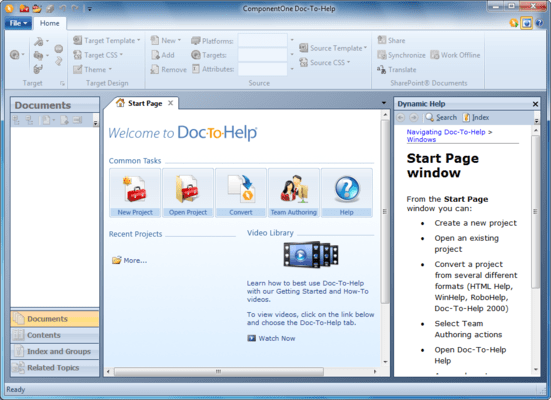
Doc-To-Help 2008 has a completely redesigned, contemporary user interface:
Office 2007-style Ribbons have replaced menus.
The Properties Panel is gone - all configuration and settings are managed with the ribbons or within dialog boxes.
You can edit your source or target Cascading Style Sheets using the new Style Editor.
Complex Conditions - You can assign three different conditions to a topic, document, or text: Platform, Target, or Attribute - giving you more single-sourcing options.
The Topic Grid is significantly improved to allow you to see and edit many topic properties at once.
Outlook-style Accordion tabs have replaced the Icon bar.
The tabbed interface makes it possible to have multiple windows open and easily accessible at the same time.
You can create custom topic relationships using the Related Topics Editor. This makes creating links to "See Also" topics quick and easy.
The Dynamic Help window displays help topics automatically as you navigate the interface.
Simplify and speed the process of creating help documents.
Pricing: Doc-To-Help for Word DemoWorks Bundle 1 Developer Subscription License, ComponentOne Doc-To-Help for Word 2012 v1 1 User Subscription License, ComponentOne Doc-To-Help for Word 2012 v1 10-29 User Subscription License - Price per License, ComponentOne Doc-To-Help for Word 2012 v1 30-49 User Subscription License - Price per License, ComponentOne Doc-To-Help for Word 2012 v1 50-99 User Subscription License - Price per License, ComponentOne Doc-To-Help for Word 2012 v1 with Platinum Support 1 User Subscription License, ComponentOne Doc-To-Help for Word 2012 v1 with Platinum Support 10-29 User Subscription License - Price per License, ComponentOne Doc-To-Help for Word 2012 v1 with Platinum Support 30-49 User Subscription License - Price per License, ComponentOne Doc-To-Help for Word 2012 v1 with Platinum Support 50-99 User Subscription License - Price per License, ComponentOne Doc-To-Help for Word 2012 v1 Upgrade (For customers that own a previous Doc-To-Help version or a current C1 product) 1 User Upgrade Subscription License, ComponentOne Doc-To-Help for Word 2012 v1 Upgrade (For customers that own a previous Doc-To-Help version or a current C1 product) 10-29 User Upgrade Subscription License - Price per License, ComponentOne Doc-To-Help for Word 2012 v1 Upgrade (For customers that own a previous Doc-To-Help version or a current C1 product) 30-49 User Upgrade Subscription License - Price per License, ComponentOne Doc-To-Help for Word 2012 v1 Upgrade (For customers that own a previous Doc-To-Help version or a current C1 product) 50-99 User Upgrade Subscription License - Price per License, ComponentOne Doc-To-Help for Word 2012 v1 Upgrade with Platinum Support (For customers with previous Doc-To-Help or current C1 product) 1 User Upgrade Subscription License, ComponentOne Doc-To-Help for Word 2012 v1 Upgrade with Platinum Support (For customers with previous Doc-To-Help or current C1 product) 10-29 User Upgrade Subscription License - Price per License, ComponentOne Doc-To-Help for Word 2012 v1 Upgrade with Platinum Support (For customers with previous Doc-To-Help or current C1 product) 30-49 User Upgrade Subscription License - Price per License, ComponentOne Doc-To-Help for Word 2012 v1 Upgrade with Platinum Support (For customers with previous Doc-To-Help or current C1 product) 50-99 User Upgrade Subscription License - Price per License, ComponentOne Doc-To-Help for Word 2012 v1 Renewal (For customers with a current Doc-To-Help subscription license. Must renew before expiration date) 1 User Subscription Renewal License, ComponentOne Doc-To-Help for Word 2012 v1 Renewal (For customers with a current Doc-To-Help subscription license. Must renew before expiration date) 10-29 User Subscription Renewal License - Price per License, ComponentOne Doc-To-Help for Word 2012 v1 Renewal (For customers with a current Doc-To-Help subscription license. Must renew before expiration date) 30-49 User Subscription Renewal License - Price per License, ComponentOne Doc-To-Help for Word 2012 v1 Renewal (For customers with a current Doc-To-Help subscription license. Must renew before expiration date) 50-99 User Subscription Renewal License - Price per License, ComponentOne Doc-To-Help for Word 2012 v1 Renewal with Platinum Support (For customers with a current Doc-To-Help subscription license. Must renew before expiration date) 1 User Subscription Renewal License, ComponentOne Doc-To-Help for Word 2012 v1 Renewal with Platinum Support (For customers with a current Doc-To-Help subscription license. Must renew before expiration date) 10-29 User Subscription Renewal License - Price per License, ComponentOne Doc-To-Help for Word 2012 v1 Renewal with Platinum Support (For customers with a current Doc-To-Help subscription license. Must renew before expiration date) 30-49 User Subscription Renewal License - Price per License, ComponentOne Doc-To-Help for Word 2012 v1 Re
Evals & Downloads: Read the ComponentOne Doc-To-Help Help File, Read the ComponentOne Doc-To-Help 2012 Datasheet, See a video of how authors use Microsoft FrontPage to create content and configure their Help systems - requires Macromedia Flash Player, See a video of how authors use other HTML editors, such as Macromedia Dreamweaver, to create content and configure their Help systems - requires Macromedia Flash Player, Doc-To-Help Case Study - Requires Acrobat Reader, ComponentOne Studio Enterprise and ComponentOne Report Designer Edition Case Study, Read the Doc-To-Help License Agreement, Download the ComponentOne Doc-To-Help 2012 v1 evaluation on to your computer - Expires after 30 days
Operating System for Deployment: Windows 7, Windows Vista, Windows XP, Windows ME, Windows 2000, Windows NT 4.0
Architecture of Product: 32Bit, 64Bit
Product Type: Application
Compatible Containers: Microsoft Visual Studio 2010, Microsoft Visual Studio 2008, Microsoft Visual Studio 2005, Microsoft Visual Studio .NET 2003, Microsoft Visual Studio .NET, Microsoft Visual Studio 6.0, Microsoft Visual Studio 97, Microsoft Visual Basic 2010, Microsoft Visual Basic 2008, Microsoft Visual Basic 2005, Microsoft Visual Basic .NET 2003, Microsoft Visual Basic .NET, Microsoft Visual Basic 6.0, Microsoft Visual Basic 5.0, Microsoft Visual C++ 2010, Microsoft Visual C++ 2008, Microsoft Visual C++ 2005, Microsoft Visual C++ .NET 2003, Microsoft Visual C++ .NET, Microsoft Visual C++ 6.0, Microsoft Visual C# 2010, Microsoft Visual C# 2008, Microsoft Visual C# 2005, Microsoft Visual C# .NET 2003, Microsoft Visual C# .NET, Microsoft Office 2010, Microsoft Office 2007, Microsoft Office 2003, Microsoft Office XP, Microsoft Office 2000, Microsoft Internet Explorer 8.0, Microsoft Internet Explorer 7.0, Microsoft Internet Explorer 6.0, Microsoft Internet Explorer 5.5, C++Builder 6, Delphi 2010, Delphi 2009, Delphi 2007 for Win32, Delphi 2006 (10.0), Delphi 2005 (9.0), Delphi 8.0, .NET Framework 4.0, .NET Framework 3.5, .NET Framework 3.0, .NET Framework 2.0
Keywords: componentOne Doc-To-Help for Word, dot-to-help, dottohelp, doc to help, doctohelp, doc to help 2010 v1, doc to help word 2010
c1 controls, c1 components, componentone controls, componentone components, componentone, componentone, c1, componentone studio, component one, componentone studio enterprise, componentone review, componentone activex, truegrid, true dbgrid, flexgrid
Help Authoring ForeFront Documentation documenting document author
Part numbers: PC-512182-452030 512182-452030 PC-512182-452027 512182-452027 PC-512182-451958 512182-451958 PC-512182-451964 512182-451964 PC-512182-451961 512182-451961 PC-512182-451967 512182-451967 PC-512182-451970 512182-451970 PC-512182-451976 512182-451976 PC-512182-451973 512182-451973 PC-512182-451991 512182-451991 PC-512182-451994 512182-451994 PC-512182-452000 512182-452000 PC-512182-451997 512182-451997 PC-512182-452003 512182-452003 PC-512182-452006 512182-452006 PC-512182-452012 512182-452012 PC-512182-452009 512182-452009 PC-512182-451979 512182-451979 PC-512182-451982 512182-451982 PC-512182-451988 512182-451988 PC-512182-451985 512182-451985 PC-512182-452015 512182-452015 PC-512182-452018 512182-452018 PC-512182-452024 512182-452024 PC-512182-452021 512182-452021
Mfr. Part No: ESD-DTHWORD ESD-DTHWORD-PLAT ESD-DTHWORD-PLAT-R ESD-DTHWORD-PLAT-U ESD-DTHWORD-R ESD-DTHWORD-U