Screenshot Preview

Image Upload Column

by ArtfulBits - Product Type: Add-In

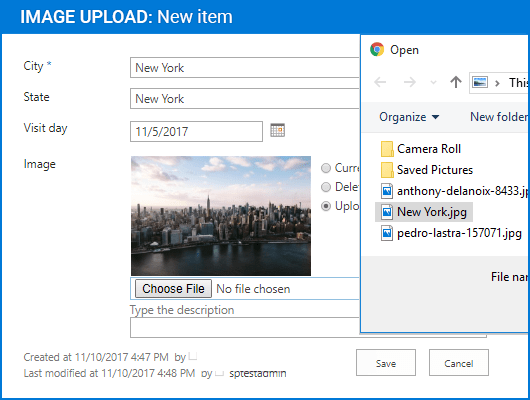
A quick and simple way of uploading pictures in SharePoint. Image Upload Column provides you with the ability to select an image or picture using a file browsing dialog, upload and display it in a list view within SharePoint.  Image Upload Column provides a quick mechanism for manipulating image upload, edit and delete actions. It is also possible to setup filtering using predefined or custom extensions.

Our regular prices are shown below. Please logon to see your discounted prices.

Price in

Image Upload Column V1.71

Add to Cart $ 98.00 Single SharePoint Farm License Download (3.1 MB)
Add to Cart $ 490.00 Single SharePoint Farm License with 1 Year Support Subscription (support and software updates) Download (3.1 MB)
Add to Cart $ 392.00 1 Year Support Subscription Renewal (support and software updates) Verify Download (3.1 MB)

Our prices include ComponentSource technical support and, for most downloadable products, an online backup and a FREE upgrade to the new version if it is released within 30 days of your purchase.  All sales are made on our standard Terms and Conditions and subject to our Return Policy. Please contact us if you require any licensing option not listed, including volume licensing and previous versions.

Our regular prices are shown above. Please logon to see your discounted prices.

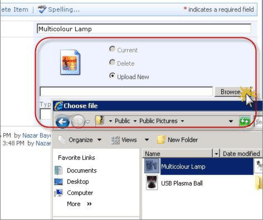
Screenshot of Image Upload Column - Add-In - V1.71

Image Upload Column Features

  • Direct image uploading   
  • Support for any type of Microsoft SharePoint list (not only Picture Library)   
  • File extensions filtering (predefined and custom extensions supported)   
  • Ability to upload files on any type (documents, archives and others)   
  • Image thumbnails for list views   
  • Image description support (used as alternative text for the picture)   
  • Customizing image appearance on list view and list item Edit/Display forms (specifying image size, limiting image size, displaying image as a link)   
  • Resize large images after upload   
  • Images stored in separate internal list sub-folder (no conflict with attachments) 

Product Search

Enter search words:

Quick Links

Publisher

Primary Category

Related Products

Related Categories