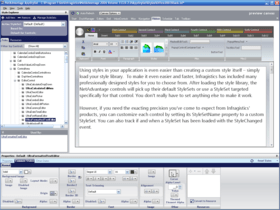
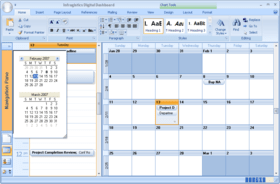
Screenshot Preview

Infragistics NetAdvantage Select - Summary

by Infragistics - Product Type: Component / ASP.NET WebForms / ASP.NET AJAX (ATLAS) / .NET WinForms / .NET Class / 100% Managed Code / JavaScript / AJAX

New licenses of Infragistics NetAdvantage Select are no longer available. However, if you are an existing customer with a valid subscription you can continue to renew your subscription and receive updates, upgrades and new components to the ASP.NET and Windows Forms range of components.

If you are interested in new licenses of Infragistics NetAdvantage ASP.NET and/or Infragistics NetAdvantage Windows Forms please click the links below. You might also be interested in Infragistics NetAdvantage for .NET (a bundle of ASP.NET, Windows Forms, WPF Line of Business and Silverlight Line of Business components) and Infragistics NetAdvantage Ultimate (a bundle of ASP.NET, Windows Forms, WPF Line of Business, Silverlight Line of Business, WPF Data Visualization and Silverlight Data Visualization components).

NetAdvantage for ASP.NET
NetAdvantage for Windows Forms
NetAdvantage for .NET
NetAdvantage Ultimate

Summary

Infragistics NetAdvantage Select by Infragistics

URLs: infragistics-netadvantage-select, infragistics netadvantage select, infragisticsnetadvantageselect, infragistics

Add, grid, ribbon, scheduling, toolbar, menu, listbar, tree, UI and editing functionality to your .NET, Visual Studio, ASP.NET and Tablet PC applications. Infragistics NetAdvantage Select is a comprehensive presentation layer toolset for quickly building and styling polished application UIs and delivering a great user experience, for Windows Forms, ASP.NET and Tablet PC. NetAdvantage Select contains all essential UI controls (over 100 in all) for applications built using Visual Studio: grids, scheduling, charting, gauges, navigation, ribbon, toolbars, menus, listbars, trees, tabs, explorer bars, UI and many other editors, as well as Application Styling, Excel import/export and a Document Export Engine for PDF and XPS formats. Infragistics NetAdvantage tools work natively within Visual Studio and include Office 2007 styles, Vista styles and Vista support. Included with every purchase of NetAdvantage for (.NET, Windows Forms, ASP.NET,) Infragistics provides product support, source code to the controls and frameworks, two releases yearly of customer driven products and features and more.

Infragistics NetAdvantage Select is a true framework, not just a collection of disparate controls. Infragistics labored hard before writing a line of code to devise a mature architecture based on shared assemblies and common object models. This creates what Infragistics refer to as leveraged learning, meaning the effort to learn the first of the interface elements lets you learn the rest much easier. It also makes it easier to create standardized interfaces for your applications and even create your own elements by extending and inheriting visual elements from Infragistics Presentation Layer Framework. Its a primary reason for corporations to standardize all their development teams on NetAdvantage Select.

Infragistics NetAdvantage Select includes the full .NET source code.

Priority Support: One years worth of priority phone and guaranteed response web-based technical support.

Subscription Service - This service is a convenient way to ensure customers are always using the latest versions of Infragistics components. Subscription Service entitles Program members to automatically receive all major upgrades (full version releases), new products included in the covered Suite, and minor updates (enhancements and service patches) for the period of one year. Because the development team is committed to keeping in step with new technology, the Subscription Service is the best way to ensure your applications are compatible with even the most recent changes in technology.

Infragistics NetAdvantage includes:

Windows Forms Rich Client Components

WinGrid

WinCalcManager

WinChart

WinCombo

WinDataSource

WinTrackBar

WinDesktopAlert

WinDockManager

WinExtras

WinAnimation

WinButton

WinCalculator

WinDropdownButton

WinPopupContainer

WinLabel

WinFormattedLinkLabel

WinFormattedTextEditor

WinProgressBar

WinScrollBar

WinStatusBar

WinTooltipManager

WinEditors

WinCalculator

WinCalculatorDropdown

WinCheckEditor

WinColorPicker

WinComboEditor

WinCurrencyEditor

WinDateTimeEditor

WinFontNameEditor

WinFormattedLinkLabel

WinMaskedEdit

WinNumericEditor

WinOptionSet

WinProgressBar

WinTextEditor

WinExplorerBar

WinGauge

WinGridBagLayoutPanel

WinGridExcelExporter

WinGridDocumentExporter

WinGroupBox

WinInkProvider

WinLayoutManagers

WinListbar

WinListView

WinPrinting

WinPrintDocument

WinPrintPreviewControl

WinPrintPreviewThumbnail

WinGridPrintDocument

WinSchedulePrintDocument

WinSchedule

WinDayView

WinWeekView

WinMonthViewSingle

WinMonthViewMulti

WinCalendarCombo

WinCalendarInfo

WinCalendarLook

WinSpellChecker

WinTabbedMdi

WinTabs

WinToolbars

WinTree

Web Forms Components

WebAsyncRefreshPanel

WebGrid

WebCalcManager

WebChart

WebCombo

WebDialogWindow

WebImageViewer

WebSplitter

WebDateChooser

WebEditors

WebCurrencyEdit

WebDateTimeEdit

WebMaskEdit

WebNumericEdit

WebPercentEdit

WebTextEdit

WebGauge

WebGridExcelExporter

WebGroupBox

WebHtmlEditor

WebImageButton

WebListbar

WebMenu

WebNavBar

WebPanel

WebSpellChecker

WebTab

WebToolbar

WebTree

WebResizingExtender

WebSchedule

WebCalendar

WebCalendarView

WebDayView

WebMonthView

WebScheduleInfo

WebScheduleSqlClientProvider

WebScheduleOleDbProvider

WebWeekView

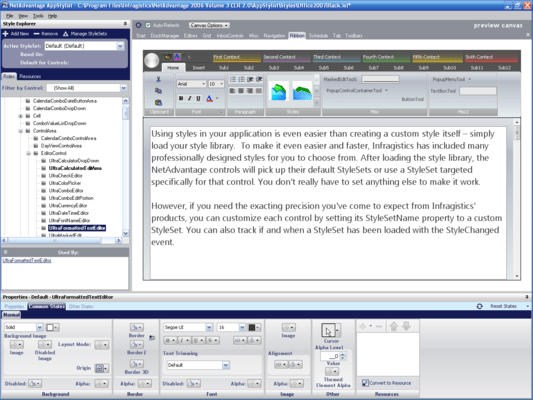
NetAdvantge also includes NetAdvantage AppStylist.

NetAdvantage Select includes ASP.NET and Windows Forms controls.

What’s new in NetAdvantage Select 2010 Vol 2?

New Features for Windows Forms developers:

WinFormManager - NEW! - Ensure a consistent application appearance - if your application has an Office 2007 look and feel now you can cascade that same look and feel to all of your child dialogs. Add support for the Application Styling Framework to any Form.Style the Hard-to-Style parts of any individual Windows Form more easily with this new component:

Captions

Borders styles

Close, Restore, Maximize and Minimize buttons

Non-client areas

OS themes

Glass

WinTimeSpanEditor - NEW!

Edit durations (TimeSpans) just like the Task Duration field editor in Microsoft Project, with spin buttons and formatted in a preferred unit of time such as "1 day" or "8 hrs".

Embeds like the other WinEditors into other controls, like WinGrid for instance.

WinGanttView - Enhanced

Auto-Adjust setting of TaskWorkingHourMode now lets you exclude non-working days and non-working hours from the task duration calculation.

New CalendarDateSettings Collection lets you customize workday status and working hours for a particular date through the calendar info component.

Dropdown Controls - Enhanced - The dropdown now user-resizable with a drag handle on the following controls:

Drop down editor button control

Popup control container

Combo box control

Drop down control

Combo box editor control

Restyled Run-Time Dialogs - NEW! - Re-styled several run-time dialogs for a better visual layout with more complete usability, including the following:

All run-time dialogs in WinToolbars

Custom Row Filters dialog in WinGrid

Select Summaries dialog in WinGrid

Print Status dialog in WinPrinting

Infragistics.Excel - Enhanced

Added support for reading and writing Workbooks in the XLT, XLTM and XLTX template file formats.

Version-Free Assembly Names - NEW!

Upgrade from one NetAdvantage version to another without having to rebuild your application, just by updating the assembly binding redirects in your application configuration file.

New features for ASP.NET developers:

Enhanced Support for Visual Studio 2010 Features - NEW!

JavaScript IntelliSense

"Add new handler..." for Client-side Events

Design Surface for SharePoint

Code Snippets

RIA Domain Data Source Support - NEW!

All ASP.NET AJAX controls of the Aikido Framework support bidning to the DomainDataSource component either directly or through the use of Infragistics WebHierarchicalDataSource control.

Enables integration to WCF RIA domain services for create, read, update and delete (CRUD) data operations through the user interface.

Windows 7 Style Sets - NEW!

Professionally-designed style sets give your Web-based applications the look and feel of the Windows 7 operating system shell.

WebCaptcha - NEW!

CAPTCHA that's Easy on Humans, but Tough on Bots!

Protects your Web-based applications against automated form submissions.

Fully Accessible, supports reading CAPTCHA text aloud for users with disabilities.

WebRating - NEW!

More Users Rate This 5-Stars!

Crowdsource feedback from users on products, services and points of interest.

Specify custom images and styles, continuous or discrete-precision ratings.

Robust support for HTML 5 rendering built-in.

WebExcelExporter - NEW!

Exports the WebDataGrid and WebHierarchicalDataGrid to Excel file format for offline data access.

Supports XLS and XLSX workbook formats, and XLT, XLTM and XLTX template file formats.

WebScriptManager - NEW!

Extends Microsoft ASP.NET AJAX ScriptManager with knowledge of all of your Infragistics controls' script resources, registering these references for you automatically.

Enhances your design-time experience with support for JavaScript IntelliSense®.

WebDataTree - Enhanced

Drag and Drop - Completely client-side drag-and-drop behavior allows your users to drag one or more nodes from one tree to another position in the same tree or to a different tree. Supports move and copy (like when the Ctrl-key is pressed) modes, the display of suggestive prompts to clearly show a tree node's drop target, and many new client-side and server-side events.

WebDataGrid - Enhanced

Export to Excel - Using the new WebExcelExporter control.

WebHierarchicalDataGrid - Enhanced

Filtering - Users can apply their own filter criteria to the rows and child bands of the hierarchical data grid, hiding records that do not match their filter criteria. There are many built-in operations available to you automatically, based on the data type of the column, and you can add your own.

Export to Excel - Using the new WebExcelExporter control.

WebTab - Enhanced

Left/Right Orientation - New left- and right-side tab locations for all tab styles except multi-line tabs let you position tabs top or bottom on either the left- or right-sides with fixed width.

What’s new in NetAdvantage Select 2010 Vol 1? - Visual Studio 2010 - Visual Studio 2010 gives you the opportunity to deliver even more compelling experiences:

Winforms - In process side-by-side hosting enables an application to load and activate multiple versions of the common language runtime (CLR) in the same process

Winforms/WPF - Multi-touch support for default gestures in Windows 7

ASP.NET - A high-performance and standards-compliant JavaScript IntelliSense engine

ASP.NET - "One Click Deployment" that quickly publishes files and configuration settings from development machines to the final deployed site

ASP.NET - Full support for integrating Silverlight into ASP.NET projects and solutions

ASP.NET - Enhanced SharePoint design time integration

All - Windows 7 support

NetAdvantage Winforms

WinGanttView - New fully-featured Gantt View control lets you drop in sophisticated, fully stylable Microsoft® Project functionality right within your own applications, including these features:

Full tree structure view on the left

Full tasks display view on the right

Add, update, delete tasks

Set tasks to disabled or inactive status

Complete support for data binding

Multi-column sorting

Set percentage completed on tasks

Supports multiple timescales

Fully resizable time slots

Displays summary bars, and can group tasks under summary bars

Milestone indicators

Constraint support for defining task rules and dependencies

Shows connector lines, such as between dependent tasks

Tooltips

Windows 7 Scenic Ribbon – NEW addition to WinToolbarsManager

Put the latest Windows 7 Scenic Ribbon user interface and Windows 7 Styles into your new and legacy Windows Forms applications, even if they are not running on Windows 7.

Supports all of the features of the Windows 7 Scenic Ribbon.

Features new style application menu that differs from the Office 2007 Ribbon UI.

WinMessageBoxManager – NEW! - Notify users about application messages with this fully-compatible, drop-in replacement for the standard Windows Forms MessageBox which delivers these additional benefits:

Uses Infragistics Formatted Text so that your message box can display text in different formatting, colors, fonts, even include hyperlinks.

Completely stylable using Application Styling, so your message boxes share your global application style.

WinActivityIndicator – NEW! - Notify end users of any long-running background processing using the new activity indicator for Windows Forms, which gives you these benefits:

Marquee setting allows your user interface to mimic the appearance of the Windows 7/Windows Vista style progress bar.

Two different animation styles for the highlighted portion of the progress bar: continuous (uni-directional, such as from left to right) and bounceback (bi-directional, going from left to right and then back again).

WinSplitter – NEW! - Partition the user interface up into easily expandable, collapsible and resizable regions using this fully-functional, splitter bar that includes:

Ability to resize the splitter bar programmatically, set minimum and maximum extents, and allow the end user the flexibility to drag the splitter bar themselves.

Buttons on the splitter bar give your end users an immediate shortcut to quickly expand/collapse it, saving them time and effort.

Completely stylable using Application Styling, so your splitter bar shares your global application style.

WinCombo/WinComboEditor – Enhanced - A new Auto-Suggest filter criterion has been added: “Contains” which allows the combo to suggest items for which the text typed by the user appears at anyplace within the item (not only text at the beginning or end of the item).

WinFormattedTextEditor - Enhanced - Performance enhancement of the rich formatted text editor makes it 1200% faster under most feature settings.

.NET 4 Client Profile Support - Build your NetAdvantage Windows Forms-powered applications using the recommended .NET 4 Client Profile build target in Microsoft Visual Studio 2010. Infragistics have designed and written all controls so that they only require this smaller working set of .NET 4 assemblies, dramatically improving the size, portability and performance of the Windows Forms applications you’ll be able to build and deploy.

NetAdvantage ASP.NET

WebTab - NEW! - New tab control supports all ASP.NET AJAX controls inside of its template area, comes AJAX-enabled out of the box, and adds significant functionality not found in its predecessor:

Add Tabs dynamically on the Client

Move Tabs to reorder them on the Client

Animated Tab opening and closing effects

ASP.NET templating of Tab content

Auto-size the Tab’s content area so users don’t have to scroll the Tab area

Use Tabs as a container for content sourced from any URL

Load on Demand for content panes that use controls or a content URL

Independently style tabs for selected, disabled, hover and default states

Activate Tabs using the keyboard navigation

Multi-Row Tabs or Scroll Buttons so you can have any number of Tabs

Support for ASP.NET Validators

Tab headers can have:

Images, with control over alignment

Close buttons

Horizontal or vertical text orientation

Slanted or overlapping Tab styles

WebExplorerBar - NEW! - Lightweight yet robust ASP.NET AJAX multi- style control works superbly in modern browsers including Google Chrome and adds numerous capabilities over and above what used to be possible using the WebListBar:

Animated expandable and collapsible groups

Built-in settings to enable expansion on click, double-click or mouse over

Robust data binding support

Groups can contain Templates or Hierarchical Items

Site navigation support with Target URL and Frame settings

Activate Groups and Items using keyboard navigation

Independently style items for their selected, disabled, hover and default states

Create dynamic client-side operations with its complete API and events.

WebHierarchicalDataGrid - Enhanced

Outlook Group-By: Easily group rows by common column values across all levels of the hierarchical data grid by dragging & dropping a column header to the stylable group-by area that can be positioned at the top or bottom of the data grid.

AJAX Compression – NEW!

New module enhances performance across all of the ASP.NET AJAX controls in the toolset

AJAX responses are compressed using GZip to make their message size much smaller than before

Add, grid, ribbon, scheduling, toolbar, menu, listbar, tree, UI and editing functionality to your .NET, Visual Studio 2005/2008, ASP.NET and Tablet PC applications.

Pricing: Infragistics NetAdvantage Select (includes Windows Forms & ASP.NET, annual subscription & full .NET source code) 1 Developer Subscription License - 90-Day Early Bird Subscription Renewal - (can be purchased up to the end of the 10th month of your existing subscription*), Infragistics NetAdvantage Select (includes Windows Forms & ASP.NET, annual subscription & full .NET source code) 1 Developer Subscription License - 60-Day Early Bird Subscription Renewal - (can be purchased between the first and last day of the 11th month of your existing subscription*), Infragistics NetAdvantage Select (includes Windows Forms & ASP.NET, annual subscription & full .NET source code) 1 Developer Subscription License - Subscription Renewal - (can be purchased until the last day of the 12th month of your existing subscription), Infragistics NetAdvantage Select with Priority Support (includes Windows Forms & ASP.NET, annual subscription & full .NET source code) 1 Developer Subscription License with Priority Support - 90-Day Early Bird Subscription Renewal - (can be purchased up to the end of the 10th month of your existing subscription*), Infragistics NetAdvantage Select with Priority Support (includes Windows Forms & ASP.NET, annual subscription & full .NET source code) 1 Developer Subscription License with Priority Support - 60-Day Early Bird Subscription Renewal - (can be purchased between the first and last day of the 11th month of your existing subscription*), Infragistics NetAdvantage Select with Priority Support (includes Windows Forms & ASP.NET, annual subscription & full .NET source code) 1 Developer Subscription License with Priority Support - Subscription Renewal - (can be purchased until the last day of the 12th month of your existing subscription), Infragistics NetAdvantage Select Corporate (A Corporate license gives you the convenience of one key for multiple (minimum 10) licenses) 1 Developer Subscription License - Subscription Renewal - (can be purchased until the last day of the 12th month of your existing subscription) (minimum quantity 10), Infragistics NetAdvantage Select Corporate (A Corporate license gives you the convenience of one key for multiple (minimum 10) licenses) 1 Developer Subscription License with Priority Support - Subscription Renewal - (can be purchased until the last day of the 12th month of your existing subscription) (minimum quantity 10), Infragistics NetAdvantage Select 1 Developer Subscription License – Late Renewal fee (requires standard renewal purchase - can be purchased within 2 months following your subscription expiry)

Evals & Downloads: Read the NetAdvantage WinForms Help Documentation, View the NetAdvantage ASP.NET Help Documentation, Read the Using NetAdvantage elements in Windows Sharepoint Services White Paper - Requires Acrobat Reader, Read the Infragistics NetAdvantage End User License Agreement

Operating System for Deployment: Windows 7, Windows Vista, Windows XP, Windows Server 2003

Architecture of Product: 32Bit, 64Bit

Product Type: Component

Component Type: ASP.NET WebForms, ASP.NET AJAX (ATLAS), .NET WinForms, .NET Class, 100% Managed Code, JavaScript, AJAX

Compatible Containers: Microsoft Visual Studio 2010, Microsoft Visual Studio 2008, Microsoft Visual Studio 2005, Microsoft Visual Basic 2010, Microsoft Visual Basic 2008, Microsoft Visual Basic 2005, Microsoft Visual C++ 2010, Microsoft Visual C++ 2008, Microsoft Visual C++ 2005, Microsoft Visual C# 2010, Microsoft Visual C# 2008, Microsoft Visual C# 2005, Microsoft Windows SharePoint Services, .NET Framework 4.0, .NET Framework 3.5, .NET Framework 3.0, .NET Framework 2.0

Product Class: User Interface Components

Keywords: infragistics netadvantage select, netadvantage select, netadvantage select 2009, netadvantage select 2010, infragistics netadvantage select 2010, infragistics netadvantage select 2009, netadvantage select upgrade, buy netadvantage select, netadvantage select subscription, netadvantage select renewal, infragistics netadvantage select upgrade, buy infragistics netadvantage select, infragistics netadvantage select subscription, infragistics netadvantage select renewal

infragistics, netadvantage, infragistic, ultra suite, calendar widgets, data widgets, netadvantage net, netadvantage 2009, infragistics 2009, infragistics controls, netadvantage for net, infragistics asp.net, activethreed, protoview, sheridan software

Product Suites Suite bundles bundle

Entry data-entry

Explorer exploring explore

Chart Charting Charts Graph Graphing Graphs

datagrid controls, datatable controls, datagrid components, datatable components, datagrid, data grid, data table, net gridview, net datagrid, data grid, grid control, net datatable, c# gridview, c# datagrid, asp.net datagrid, grid asp, vb.net datagrid

ecommerce e commerce e-commerce e-business e-sales

treeview, list, tree view, tree-view, list-view, listview, listbox

Toolbar tool bar tool-bar Toolbars Menu Menus Ribbon Ribbonbar

User Interface UI

User Interface Collections UI

Calendar calendaring calendars Scheduling Schedule Schedules

Part numbers: PC-518495-307613 518495-307613 PC-518495-307619 518495-307619 PC-518495-307625 518495-307625 PC-518495-307643 518495-307643 PC-518495-307649 518495-307649 PC-518495-307655 518495-307655 PC-518495-307673 518495-307673 PC-518495-307677 518495-307677 PC-518495-307661 518495-307661

Mfr. Part No: 939900 93990P 939960 93996P 939990 93999P 9399L 9399V 9399VP

Product Search

Enter search words:

Award Award