Screenshot Preview

SharePointBoost Column/View Permission - Summary

by SharePointBoost - Product Type: Component / Application / ASP.NET WebForms / ASP.NET AJAX (ATLAS) / Web Part / Server Application

Summary

SharePointBoost Column/View Permission by SharePointBoost

URLs: sharepointboost-column-view-permission, sharepointboost column view permission, sharepointboostcolumnviewpermission, sharepointboost

Define granular access rights for your SharePoint lists and libraries. SharePointBoost Column/View Permission allows administrators to manage access to all website content by setting field-level and view-level permissions for any list in a SharePoint site. With it, you can designate which users and groups have access rights to column contents, a particular list view, or even the ability to enter or change data in a particular list field, thereby enabling you to securely store both public and confidential corporate data within the same list.

SharePoint Column/View Permission
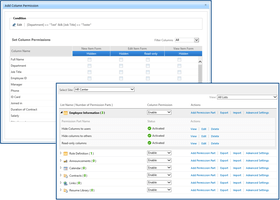
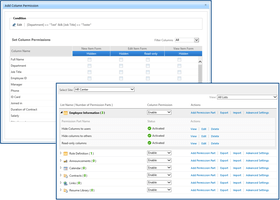
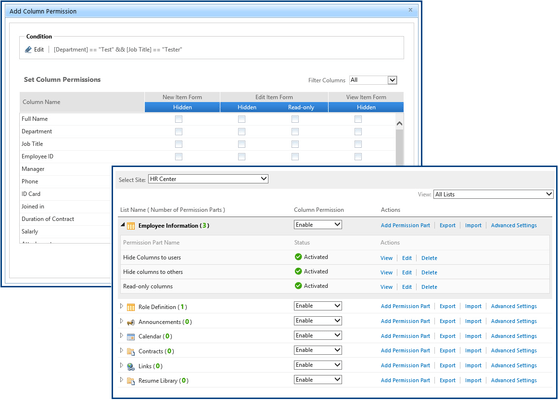
Assign read-only/edit permissions for individual columns within a SharePoint list view, or hide the columns entirely;

Assign view-level permissions by specifying whether the view is hidden or fully accessible for users and groups;

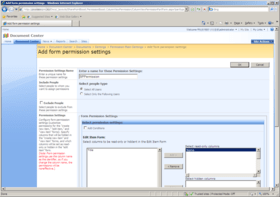
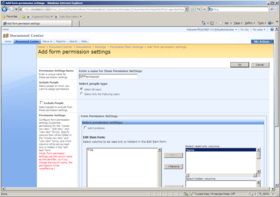
Assign form-level permissions for the "create new item", "edit item" and "view item" forms (hide specific fields completely, or restrict them to read-only access);

Determine the users and user groups that will be assigned custom permission settings according to conditions specified by the SharePoint administrator;

Import or export permission settings as an XML file.

SharePoint Column/View Permission allows administrators and list owners to manage access to all website content by setting field-level and view-level permissions for any list in a SharePoint site. With it, you can designate which users and groups have access rights to column contents, a particular list view, or even the ability to enter or change data in a particular list field, thereby enabling you to securely store both public and confidential corporate data within the same list.
Show or Hide Columns in a SharePoint List View

SharePoint Column/View Permission provides the ability to secure access to individual columns in list views or document libraries, making it an ideal solution for consolidating a broad spectrum of information into a centralized location without exposing secured data to unauthorized users. After configuring permissions for a SharePoint list view, only authorized users will see the content of a secure column as if it were a normal column, while unauthorized users will not see the content of the column at all. Column/View Permission also offers the ability to set individual columns as "read-only" in any list view, so that information can be viewed, but not edited, by users.

Form-level Permissions

With SharePoint Column/View permission, you can also assign form-level permissions for the "create new item", "edit item" and "view item" forms, allowing you to hide specific fields completely, or restrict them to read-only access so users can see them, but cannot make changes. Now you can create custom forms for different employees, departments, and roles to streamline the data-entry process while at the same time limiting access to information.

View-level Permissions

View-level permission settings in Column/View Permission control whether SharePoint list views are visible or hidden. By setting a default permission level for each view in a SharePoint list, you can ensure that your confidential information is accessible only to those whom you have granted access, for example, selecting "Hidden" as your default view permission level means that new user accounts created will not have access to any views unless you specifically grant them access permission.

Column/View Permission also gives you the ability to disable the ribbon buttons on the ribbon interface for each view in the list, meaning you can choose to disable any of the actions available by default in SharePoint without necessitating complex custom coding.

Set Permissions According to Conditions

Administrators and list owners can manage field-level access to items in a SharePoint list with conditions, so that the values of other fields in the same list or even fields from other SharePoint lists can determine access rights. Conditions will determine whether an item is fully visible, read-only, or hidden, and the parameters can be adjusted to apply to all users, a specific group or department, or even an individual employee.

What's new in SharePoint Column/View Permission v3

Hide columns in "Alert Me" emails

Set default view for users

Column/View Permission API

Protection against Web service access

Define granular access rights for your SharePoint lists and libraries.

Pricing: SharePoint Column/View Permission V3.1.1227 Server License 1 Server License, SharePoint Column/View Permission V3.1.1227 Site Collection License 50 End Users Site Collection License, SharePoint Column/View Permission V3.1.1227 Site Collection License 100 End Users Site Collection License, SharePoint Column/View Permission V3.1.1227 Site Collection License 200 End Users Site Collection License, SharePoint Column/View Permission V3.1.1227 Site Collection License 300 End Users Site Collection License, SharePoint Column/View Permission V3.1.1227 Site Collection License 400 End Users Site Collection License, SharePoint Column/View Permission V3.1.1227 Site Collection License 500 End Users Site Collection License, SharePoint Column/View Permission V3.1.1227 Site Collection License 600 End Users Site Collection License, SharePoint Column/View Permission V3.1.1227 Site Collection License 700 End Users Site Collection License, SharePoint Column/View Permission V3.1.1227 Site Collection License 800 End Users Site Collection License, SharePoint Column/View Permission V3.1.1227 Site Collection License 900 End Users Site Collection License, SharePoint Column/View Permission V3.1.1227 Site Collection License 1000 End Users Site Collection License, SharePoint Column/View Permission V3.1.1227 Site Collection License 1250 End Users Site Collection License, SharePoint Column/View Permission V3.1.1227 Site Collection License 1500 End Users Site Collection License, SharePoint Column/View Permission V3.1.1227 Site Collection License 1750 End Users Site Collection License, SharePoint Column/View Permission V3.1.1227 Site Collection License 2000 End Users Site Collection License, SharePoint Column/View Permission V3.1.1227 Site Collection License 3000 End Users Site Collection License, SharePoint Column/View Permission V3.1.1227 Site Collection License 4000 End Users Site Collection License, SharePoint Column/View Permission V3.1.1227 Site Collection License 5000 End Users Site Collection License, SharePoint Column/View Permission V3.1.1227 Site Collection License 8000 End Users Site Collection License, SharePoint Column/View Permission V3.1.1227 Site Collection License 10000 End Users Site Collection License, SharePoint Column/View Permission V3.1.1227 Site Collection License 20000 End Users Site Collection License, SharePoint Column/View Permission V3.1.1227 Farm License 50 End Users Farm License, SharePoint Column/View Permission V3.1.1227 Farm License 100 End Users Farm License, SharePoint Column/View Permission V3.1.1227 Farm License 200 End Users Farm License, SharePoint Column/View Permission V3.1.1227 Farm License 300 End Users Farm License, SharePoint Column/View Permission V3.1.1227 Farm License 400 End Users Farm License, SharePoint Column/View Permission V3.1.1227 Farm License 500 End Users Farm License, SharePoint Column/View Permission V3.1.1227 Farm License 600 End Users Farm License, SharePoint Column/View Permission V3.1.1227 Farm License 700 End Users Farm License, SharePoint Column/View Permission V3.1.1227 Farm License 800 End Users Farm License, SharePoint Column/View Permission V3.1.1227 Farm License 900 End Users Farm License, SharePoint Column/View Permission V3.1.1227 Farm License 1000 End Users Farm License, SharePoint Column/View Permission V3.1.1227 Farm License 1250 End Users Farm License, SharePoint Column/View Permission V3.1.1227 Farm License 1500 End Users Farm License, SharePoint Column/View Permission V3.1.1227 Farm License 1750 End Users Farm License, SharePoint Column/View Permission V3.1.1227 Farm License 2000 End Users Farm License, SharePoint Column/View Permission V3.1.1227 Farm License 3000 End Users Farm License, SharePoint Column/View Permission V3.1.1227 Farm License 4000 End Users Farm License, SharePoint Column/View Permission V3.1.1227 Farm License 5000 End Users Farm License, SharePoint Column/View Permission V3.1.1227 Farm License 8000 End Users Farm License, SharePoint Column/View Permission V3.1.

Evals & Downloads: Read the SharePointBoost Column View/Permission Documentation, Read the SharePointBoost Column View/Permission End User License Agreement, Download the SharePointBoost End User Viewer Tool - Free version, SharePointBoost License Management Center - Free version, Download the SharePointBoost Column/View Permission V3.1.1227 evaluation on to your computer - Expires after 30 days

Operating System for Deployment: Windows 7, Windows Server 2008, Windows Vista, Windows XP, Windows Server 2003

Architecture of Product: 32Bit, 64Bit

Product Type: Component, Application

Component Type: ASP.NET WebForms, ASP.NET AJAX (ATLAS), Web Part

Application Type: Server Application

Compatible Containers: Microsoft Visual Studio 2010, Microsoft Visual Studio 2008, Microsoft Visual Studio 2005, Microsoft Visual C# 2010, Microsoft Visual C# 2008, Microsoft Visual C# 2005, Microsoft SQL Server 2010, Microsoft SQL Server 2008, Microsoft SQL Server 2005, Microsoft SharePoint 2010, Microsoft SharePoint 2007, Microsoft Office SharePoint Server (MOSS), Microsoft Windows SharePoint Services, Microsoft Internet Explorer 8.0, Microsoft Internet Explorer 7.0, Microsoft Internet Explorer 6.0, Mozilla Firefox 3.6, Mozilla Firefox 3.5, .NET Framework 4.0, .NET Framework 3.5, .NET Framework 3.0, .NET Framework 2.0

Keywords: SharePoint permission, SharePoint view permission, SharePoint column permission, SharePoint permission web part, SharePoint field level permission.

SharePointBoost SharePoint Boost Share Point Boost

Security secure Administration adminstrator admin administrates

Storage Store

Document documents docs files filing storage manage manages management

Part numbers: PC-539659-432607 539659-432607 PC-539659-432608 539659-432608 PC-539659-432609 539659-432609 PC-539659-432610 539659-432610 PC-539659-432611 539659-432611 PC-539659-432612 539659-432612 PC-539659-432613 539659-432613 PC-539659-432614 539659-432614 PC-539659-432615 539659-432615 PC-539659-432616 539659-432616 PC-539659-432617 539659-432617 PC-539659-432618 539659-432618 PC-539659-432619 539659-432619 PC-539659-432620 539659-432620 PC-539659-432621 539659-432621 PC-539659-432622 539659-432622 PC-539659-432623 539659-432623 PC-539659-432624 539659-432624 PC-539659-432625 539659-432625 PC-539659-432626 539659-432626 PC-539659-432627 539659-432627 PC-539659-432628 539659-432628 PC-539659-432629 539659-432629 PC-539659-432630 539659-432630 PC-539659-432631 539659-432631 PC-539659-432632 539659-432632 PC-539659-432633 539659-432633 PC-539659-432634 539659-432634 PC-539659-432635 539659-432635 PC-539659-432636 539659-432636 PC-539659-432637 539659-432637 PC-539659-432638 539659-432638 PC-539659-432639 539659-432639 PC-539659-432640 539659-432640 PC-539659-432641 539659-432641 PC-539659-432642 539659-432642 PC-539659-432643 539659-432643 PC-539659-432644 539659-432644 PC-539659-432645 539659-432645 PC-539659-432646 539659-432646 PC-539659-432647 539659-432647 PC-539659-432648 539659-432648 PC-539659-432649 539659-432649

Product Search

Enter search words:

Award