by GrapeCity - Product Type: Component / ASP.NET WebForms / .NET WinForms
Spread.NET Professional by GrapeCity
URLs: spread-net-professional, spread net professional, spreadnetprofessional, grapecity
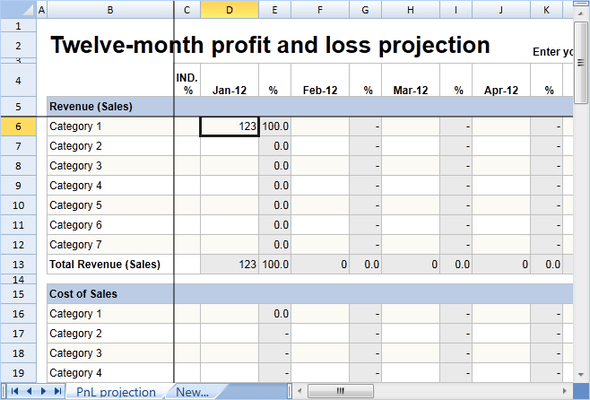
Embedded spreadsheet platform for advanced business, engineering and scientific applications. Spread.NET Professional provides advanced spreadsheet functionality which lets you create highly-specialized applications such as Financial Modeling, Statistical Analysis, Scientific and Engineering Models, Sales Analysis, Budgeting, native Microsoft Excel IO and many other business functions. It also allows you to quickly add data visualization, calculations, and easier layout options to your applications. Spread.NET Professional includes all the features found in Spread.NET plus: stand-alone charting, a formula provider, a MultiRow component for logically presenting data and a Spread Designer tool which lets your users edit or create spreadsheets.

Spread.NET Professional Features
Spread.NET - Windows Forms and ASP.NET spreadsheet controls.
FormulaTextBox - Windows Forms control for end-user formula entry with color-coded cell and range references and mouse and keyboard selection support.
MultiRow - Windows Forms grid component for logically presenting data in templated layouts that you design.
Stand-alone Chart - Create charts without a spreadsheet or any of its dependent assemblies, or move your charts outside your spreadsheet
Formula Provider - Leverage the power of the Spread Calculation Engine to perform calculations using controls in your application - outside of Spread. Access Spreads built-in functions and Custom Function capabilities to create specialized and complex formula evaluations
Spread Designer Run-time license- Show the Spread Designer tool from your applications and let your users edit or create spreadsheets
Embedded, Programmable Microsoft Excel Platform
Import Microsoft Excel documents and preserve complete formatting. Interact with the data in Spread within your application, then export your spreadsheets to Microsoft Excel for portability and distribution to your external customers. Spread supports the current versions of Excel, and supports multiple Excel file formats, including xlsx, xls, comma-delimited (csv), and text (txt).
Dashboard - Data Visualization
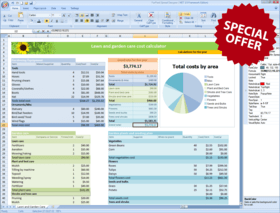
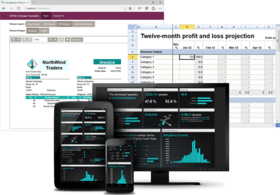
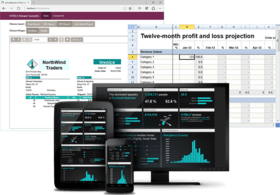
Allow your data to tell stories through the data visualization functionality provided in Spread. Use Sparklines to provide small, focused cell-level charts to provide more meaning to your data. Use Camera Shapes to bring together content from various locations within a spreadsheet, even on different sheets, into a dashboard. In Spread, the Camera shape object provides a live view of a range of cells, including any values, formatting, shapes, charts, or other content. If the range of cells is updated or modified through user interaction, or programmatic updates, the Camera shape immediately refreshes to include the changes. Ranges with different column widths and row heights can be arranged together in the same sheet without affecting one another to create a customized report or interactive dashboard. Additional data visualization is provided in Spread through: Chart Support, Conditional Format, Filtering, and Grouping.
Integrated Spreadsheet Chart Control
Create full-featured 2D and 3D charts within your spreadsheets. Chart types include Column, Line, Pie, Bar, Area, XY, Bubble, Stock, XYZ, Doughnut, Radar, and Polar. You can add charts through code by using the comprehensive chart object model, or without writing code, at design time by accessing the Spread Designer and Chart Designer. Charts can be bound to external data sources, and you can allow end user make changes to the chart formatting at run time. The fully integrated support for charts in Spread features built-in design dialogs that you can make available in your applications to allow your end-users to create and modify charts in Spread - just as in Microsoft Excel. View Charts.
Extensive Customization Options
Spread.NET has an extensive and robust object model, and provides the ability for developers to customize many elements of the user interface and control behavior by extending built-in classes and assigning custom objects to Spread. Developers use Spread to embed advanced Microsoft Excel-compatible spreadsheet features into their .NET applications — features that would otherwise be considered impossible to achieve.
Integrated Design Time Support - Spread comes with an easy-to-use, intuitive spreadsheet designer that makes designing detailed spreadsheets and input or data display screens a snap without writing a single line of code. Whether designing new screens or editing existing screens, Spread Designer makes it easy using a Microsoft Excel-like, visual, drag-and-drop user interface. The built-in Chart Designer, and UI-type editors make it easy to design stunning charts and spreadsheet dashboards by providing nearly unlimited customization of your charts.
Flexible Data Binding Support - Spread can bind to any .NET Data Source, including support for displaying relational datasets. Run-time support for unbound rows and columns within bound data allows for inclusion of aggregation information, or for performing what-if scenario analysis. Spread also supports binding a range of cells to a data source, and for providing a range of cells as a data source.
Printing / PDF Support - Customize the printing of your spreadsheets with the wide range of printing options. Spread also support printing to a PDF (Portable Document Format) files. You can even take ultimate control of the printing in your code using the owner print drawing support.
Data Handling
Spread provides the familiar sheets and workbooks you know from Microsoft Excel, as well as formula support, including cross-sheet references. You or your users can search, sort, filter, and group data, including providing outline grouping similar to Microsoft Excel. In addition, Spread can display data in hierarchies.
Appearance
How do you want your spreadsheet to appear today? Any way you want! Use Spread to achieve clear, colorful table layouts, custom spreadsheets, and more.
Interaction
Whether your users need to zoom, view multiple panes of data, drag-and-drop data, drag fill data in cells, or view cell notes, Spread can do it, and more. Offer users autocomplete options, undo and redo capabilities, frozen rows and columns, and different selection options, as needed.
Cell Types
Spread offers eight editable cell types and thirteen graphical cell types, which provide just about any interaction or data display you need. You can customize cells with spin buttons and provide pop-up calendars and clocks and other editors as needed.
Layers and Drawing
Spread includes several different layers for you to work with, including the the Data layer (on which cells with data appear), the Control layer (to place child controls on), and the Drawing layer (on which shapes and other graphical elements appear). and the Drawing layer (on which shapes and other graphical elements appear).
What are the difference between Spread.NET and Spread.NET Professional?
Spread.NET - Allow your users to access, modify, analyze and share data using a spreadsheet. It includes:
Spread Windows Forms
Spread ASP.NET
Spread.NET Professional - Includes everything in Spread.NET with the following additional components and features:
MultiRow - Grid component for logically presenting data in templated layouts that you design
ActiveChart - Add charts to your Windows Forms and ASP.NET applications that have the same data, appearance and functionality as the charts integrated in the Spread Windows Forms and Spread ASP.NET Controls.
Formula Provider - Leverage the power of the Spread Calculation Engine to perform calculations using controls in your application - outside of Spread. Access the Spread built-in functions, and Custom Function capabilities to create specialized and complex formula evaluations.
Spread Designer available at Run-time - Invoke the Spread Designer from your applications to give your users the ability to edit existing spreadsheet layouts, and create new spreadsheets.
What’s new in Spread.NET 6?
Windows Forms
Add sparkle to your sheets with Sparklines
New Column, Line, and Win/Loss sparklines
Sparkline Markers to highlight specific values
Sparkline groups to share appearance and style settings
Built-in UI support for clipboard cut/copy/paste
New easy-to-use sparkline APIs
Allow your end-users to create or change sparklines using built-in dialogs
Import/export sparklines in Microsoft Excel 2010
Extensible sparkline model for creating custom sparklines
Create advanced spreadsheet dashboards with new Camera Shapes
A Camera shape is a snapshot of a range of cells in a sheet that can be placed anywhere inside a sheet.
Using camera shapes together with charts and sparklines, you can create advanced reports showing exactly the information you want, how you want it, without any spanning or merging of cells.
Built-in UI support for clipboard cut/copy/paste
New easy-to-use camera shape APIs
Allow your end-users to create or change camera shapes using built-in dialogs
Import/export camera shapes in Microsoft Excel 2003/2007/2010
Improved Excel import/export performance
Enhancements have improved the performance by up to 50%
New Spread Designer capabilities to design powerful user interfaces
New Sparkline Tools for creating and editing sparklines
New camera tool for creating camera shapes and advanced spreadsheet dashboards
ASP.NET
New browser client side support
New standards support for Internet Explorer 9.
Enhanced client scripting to support Firefox 4.
Embedded spreadsheet platform for advanced business, engineering and scientific applications.

Pricing: Spread.NET Professional 6 1 Developer License, Spread.NET Professional 6 1 Site Wide License (Allows Unlimited Developers at a Single Physical Address), Spread.NET Professional 6 - Upgrades 1 Developer License Upgrade from Spread.NET 6, Spread.NET Professional 6 - Upgrades 1 Developer License Upgrade from Spread 5 (either Win or Web or .NET Bundle), Spread.NET Professional 6 - Upgrades 1 Developer License Upgrade from any Spread .NET version earlier than 5 or any Spread COM version, Spread.NET Professional 6 - Upgrades 1 Site Wide License Upgrade from Spread 5 (either Win or Web or .NET Bundle) Site Wide License, Spread.NET Professional 6 with Maintenance 1 Developer License with Maintenance (all major upgrades, updates and Phone Support for 1 year), Spread.NET Professional 6 with Maintenance 1 Site Wide License (Allows Unlimited Developers at a Single Physical Address) with Maintenance (all major upgrades, updates and Phone Support for 1 year), Spread.NET Professional 6 - Upgrades with Maintenance 1 Developer License Upgrade from Spread.NET 6 with Maintenance (all major upgrades, updates and Phone Support for 1 year), Spread.NET Professional 6 - Upgrades with Maintenance 1 Developer License Upgrade from Spread 5 (either Win or Web or .NET Bundle) with Maintenance (all major upgrades, updates and Phone Support for 1 year), Spread.NET Professional 6 - Upgrades with Maintenance 1 Developer License Upgrade from any Spread version earlier than 5 or any Spread COM version with Maintenance (all major upgrades, updates and Phone Support for 1 year), Spread.NET Professional 6 - Upgrades with Maintenance 1 Site Wide License (Allows Unlimited Developers at a Single Physical Address) Upgrade from Spread 5 w/maint (either Win or Web or .NET Bundle) Site with Maintenance (all major upgrades, updates and Phone Support for 1 year), Spread.NET Professional Maintenance Renewals 1 Developer Maintenance Renewal, Spread.NET Professional Maintenance Renewals 1 Site Wide Maintenance Renewal
Evals & Downloads: Read the Spread.NET Windows Forms help file, Read the Spread.NET ASP.NET help file, Read the Spread.NET End User License Agreement, Download the Spread.NET 6 evaluation on to your computer - Expires After 30 Days
Operating System for Deployment: Windows 7, Windows Vista
Architecture of Product: 32Bit, 64Bit
Product Type: Component
Component Type: ASP.NET WebForms, .NET WinForms
Compatible Containers: MS Visual Studio 11 Beta, Microsoft Visual Studio 2010, Microsoft Visual Studio 2008, Microsoft Visual Studio 2005, MS Visual Basic 11 Beta, Microsoft Visual Basic 2010, Microsoft Visual Basic 2008, Microsoft Visual Basic 2005, MS Visual C++ 11 Beta, Microsoft Visual C++ 2010, Microsoft Visual C++ 2008, Microsoft Visual C++ 2005, MS Visual C# 11 Beta, Microsoft Visual C# 2010, Microsoft Visual C# 2008, Microsoft Visual C# 2005, .NET Framework 4.5 Beta, .NET Framework 4.0, .NET Framework 3.5, .NET Framework 3.0, .NET Framework 2.0
Keywords: Spread.NET, spread, pro, professional
GrapeCity, Grape City, Powertools, Power Tools, Japanese power-tools, 動力工具 Grape City, GrapeCity Grape City グレープシティ グレプシティ
datagrid controls, datatable controls, datagrid components, datatable components, datagrid, data grid, data table, net gridview, net datagrid, data grid, grid control, net datatable, c# gridview, c# datagrid, asp.net datagrid, grid asp, vb.net datagrid
Entry data-entry
Chart Charting Charts Graph Graphing Graphs
Spreadsheet spread sheet worksheet workbook excel lotus 123 1-2-3 xls xl
Part numbers: PC-542434-448042 542434-448042 PC-542434-448046 542434-448046 PC-542434-448054 542434-448054 PC-542434-448045 542434-448045 PC-542434-448044 542434-448044 PC-542434-448047 542434-448047 PC-542434-448043 542434-448043 PC-542434-448048 542434-448048 PC-542434-448055 542434-448055 PC-542434-448050 542434-448050 PC-542434-448049 542434-448049 PC-542434-448051 542434-448051 PC-542434-448052 542434-448052 PC-542434-448053 542434-448053
Mfr. Part No: SNPD01 SNPD02 SNPD03 SNPDM01 SNPDM02 SNPDM03 SNPDMR SNPS01 SNPS02 SNPSM01 SNPSM02 SNPSMR
Publisher
Primary Category
Related Products
Related Categories