by GrapeCity - Product Type: Component / ASP.NET WebForms / .NET WinForms
Spread.NET is also available as part of Spread.NET Professional.
If you require more information please visit the pages above or Contact Us for pricing and availability.
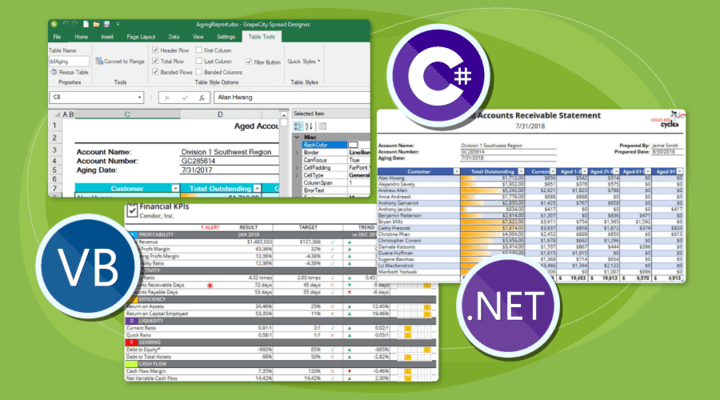
Add Microsoft Excel-compatible spreadsheet components to your .NET Windows Forms and ASP.NET applications. Spread.NET is an embedded Microsoft Excel spreadsheet platform for .NET development. Spread.NET is the combination of Spread for Windows Forms and Spread for ASP.NET provided as a single, multi-platform toolkit. Whether developing client applications, Web sites, or Web applications, the mission of Spread.NET is to allow developers to embed complete spreadsheet functionality into applications - without requiring Microsoft Excel. Through built-in support for Excel document import and export, Spread.NET allows you to apply complete programmatic control of user interactions with data in Excel documents - allowing you to maintain business rules, security, and data integrity.
Our regular prices are shown below. Please logon to see your discounted prices.
| Add to Cart | $ 1,151.04 | 1 Developer License Mfr. Part No: SNSD01 |
Download (270.4 MB) | |
| Add to Cart | $ 12,670.08 | 1 Site Wide License (Allows Unlimited Developers at a Single Physical Address) Mfr. Part No: SNSS01 |
Download (270.4 MB) |
| Add to Cart | $ 805.44 | 1 Developer License Upgrade from Spread 5 (either Win or Web or .NET Bundle) Mfr. Part No: SNSD02 |
Verify | Download (270.4 MB) |
| Add to Cart | $ 978.24 | 1 Developer License Upgrade from any Spread version earlier than 5 or any Spread COM version Mfr. Part No: SNSD03 |
Verify | Download (270.4 MB) |
| Add to Cart | $ 8,869.44 | 1 Site Wide License Upgrade from Spread 5 (either Win or Web or .NET Bundle) Site Wide License Mfr. Part No: SNSS02 |
Verify | Download (270.4 MB) |
| Add to Cart | $ 1,496.64 | 1 Developer License with Maintenance (all major upgrades, updates and Phone Support for 1 year) Mfr. Part No: SNSDM01 |
Download (270.4 MB) | |
| Add to Cart | $ 16,463.04 | 1 Site Wide License (Allows Unlimited Developers at a Single Physical Address) with Maintenance (all major upgrades, updates and Phone Support for 1 year) Mfr. Part No: SNSSM01 |
Download (270.4 MB) |
| Add to Cart | $ 1,055.04 | 1 Developer License Upgrade from Spread 5 (either Win or Web or .NET Bundle) with Maintenance (all major upgrades, updates and Phone Support for 1 year) Mfr. Part No: SNSDM02 |
Verify | Download (270.4 MB) |
| Add to Cart | $ 1,275.84 | 1 Developer License Upgrade from any Spread version earlier than 5 or any Spread COM version with Maintenance (all major upgrades, updates and Phone Support for 1 year) Mfr. Part No: SNSDM03 |
Verify | Download (270.4 MB) |
| Add to Cart | $ 11,528.64 | 1 Site Wide License (Allows Unlimited Developers at a Single Physical Address) Upgrade from Spread 5 w/maint (either Win or Web or .NET Bundle) Site with Maintenance (all major upgrades, updates and Phone Support for 1 year) Mfr. Part No: SNSSM02 |
Verify | Download (270.4 MB) |
| Add to Cart | $ 344.64 | 1 Developer Maintenance Renewal Mfr. Part No: SNSDMR4 |
Verify | Download (270.4 MB) |
| Add to Cart | $ 3,800.64 | 1 Site Wide Maintenance Renewal Mfr. Part No: SNSSMR3 |
Verify | Download (270.4 MB) |
Our prices include ComponentSource technical support and, for most downloadable products, an online backup and a FREE upgrade to the new version if it is released within 30 days of your purchase. All sales are made on our standard Terms and Conditions and subject to our Return Policy. Please contact us if you require any licensing option not listed, including volume licensing and previous versions.
Our regular prices are shown above. Please logon to see your discounted prices.

What’s new in Spread.NET 6?
Windows Forms
Add sparkle to your sheets with Sparklines
Create advanced spreadsheet dashboards with new Camera Shapes
Improved Excel import/export performance
New Spread Designer capabilities to design powerful user interfaces
ASP.NET
New browser client side support
Spread.NET Features
Embedded, Programmable Microsoft Excel Platform
Import Microsoft Excel documents and preserve complete formatting. Interact with the data in Spread within your application, then export your spreadsheets to Microsoft Excel for portability and distribution to your external customers. Spread supports the current versions of Excel, and supports multiple Excel file formats, including xlsx, xls, comma-delimited (csv), and text (txt).
Dashboard - Data Visualization
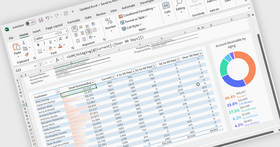
Allow your data to tell stories through the data visualization functionality provided in Spread. Use Sparklines to provide small, focused cell-level charts to provide more meaning to your data. Use Camera Shapes to bring together content from various locations within a spreadsheet, even on different sheets, into a dashboard. In Spread, the Camera shape object provides a live view of a range of cells, including any values, formatting, shapes, charts, or other content. If the range of cells is updated or modified through user interaction, or programmatic updates, the Camera shape immediately refreshes to include the changes. Ranges with different column widths and row heights can be arranged together in the same sheet without affecting one another to create a customized report or interactive dashboard. Additional data visualization is provided in Spread through: Chart Support, Conditional Format, Filtering, and Grouping.
Integrated Spreadsheet Chart Control
Create full-featured 2D and 3D charts within your spreadsheets. Chart types include Column, Line, Pie, Bar, Area, XY, Bubble, Stock, XYZ, Doughnut, Radar, and Polar. You can add charts through code by using the comprehensive chart object model, or without writing code, at design time by accessing the Spread Designer and Chart Designer. Charts can be bound to external data sources, and you can allow end user make changes to the chart formatting at run time. The fully integrated support for charts in Spread features built-in design dialogs that you can make available in your applications to allow your end-users to create and modify charts in Spread - just as in Microsoft Excel. View Charts.
Extensive Customization Options
Spread.NET has an extensive and robust object model, and provides the ability for developers to customize many elements of the user interface and control behavior by extending built-in classes and assigning custom objects to Spread. Developers use Spread to embed advanced Microsoft Excel-compatible spreadsheet features into their .NET applications — features that would otherwise be considered impossible to achieve.
Integrated Design Time Support - Spread comes with an easy-to-use, intuitive spreadsheet designer that makes designing detailed spreadsheets and input or data display screens a snap without writing a single line of code. Whether designing new screens or editing existing screens, Spread Designer makes it easy using a Microsoft Excel-like, visual, drag-and-drop user interface. The built-in Chart Designer, and UI-type editors make it easy to design stunning charts and spreadsheet dashboards by providing nearly unlimited customization of your charts.
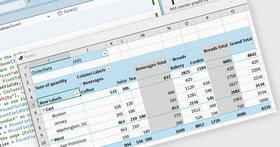
Flexible Data Binding Support - Spread can bind to any .NET Data Source, including support for displaying relational datasets. Run-time support for unbound rows and columns within bound data allows for inclusion of aggregation information, or for performing what-if scenario analysis. Spread also supports binding a range of cells to a data source, and for providing a range of cells as a data source.
Printing / PDF Support - Customize the printing of your spreadsheets with the wide range of printing options. Spread also support printing to a PDF (Portable Document Format) files. You can even take ultimate control of the printing in your code using the owner print drawing support.
Data Handling
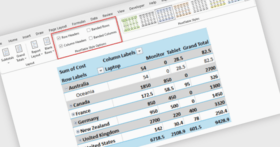
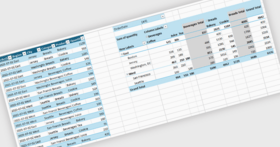
Spread provides the familiar sheets and workbooks you know from Microsoft Excel, as well as formula support, including cross-sheet references. You or your users can search, sort, filter, and group data, including providing outline grouping similar to Microsoft Excel. In addition, Spread can display data in hierarchies.
Appearance
How do you want your spreadsheet to appear today? Any way you want! Use Spread to achieve clear, colorful table layouts, custom spreadsheets, and more.
Interaction
Whether your users need to zoom, view multiple panes of data, drag-and-drop data, drag fill data in cells, or view cell notes, Spread can do it, and more. Offer users autocomplete options, undo and redo capabilities, frozen rows and columns, and different selection options, as needed.
Cell Types
Spread offers eight editable cell types and thirteen graphical cell types, which provide just about any interaction or data display you need. You can customize cells with spin buttons and provide pop-up calendars and clocks and other editors as needed.
Layers and Drawing
Spread includes several different layers for you to work with, including the the Data layer (on which cells with data appear), the Control layer (to place child controls on), and the Drawing layer (on which shapes and other graphical elements appear). and the Drawing layer (on which shapes and other graphical elements appear).
Publisher
Primary Category
Related Products
Related Categories