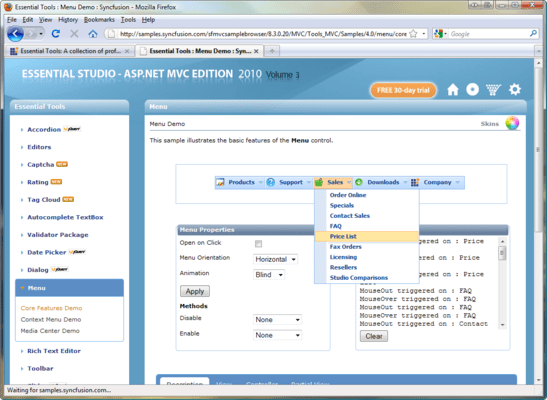
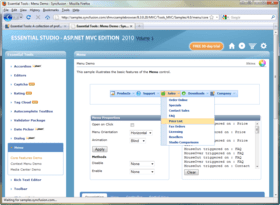
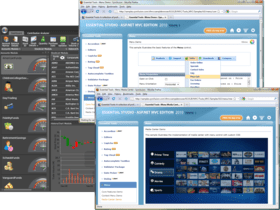
Screenshot Preview

Syncfusion Essential Tools for ASP.NET MVC

by Syncfusion - Product Type: Component / ASP.NET WebForms / ASP.NET AJAX (ATLAS) / ASP.NET MVC / .NET WinForms / .NET WPF / Silverlight / 100% Managed Code

AJAX-Enabled accordion, editor, rich text and tree view components for ASP.NET MVC applications. Syncfusion Essential Tools for ASP.NET MVC is a collection of light-weight, AJAX-enabled, user interface components built especially to suit the programming model of the ASP.NET MVC framework. It includes tree views, tabs, rich text editors, accordion, sliders, masked-edit text boxes, numeric text boxes, AutoComplete text boxes, generic drop-downs, menus and date pickers. The components are based on the jQuery JavaScript framework. This approach ensures that the components are extremely stable and rich in features. The controls have also been enhanced to enable easy integration into ASP.NET MVC applications. The enhancements also include several built-in skins in addition to ones provided by the jQuery framework. Also, AJAX is extensively used to reduce traffic between the client and the server; this minimizes data transfer and response time.


Our regular prices are shown below. Please logon to see your discounted prices.

Price in

Syncfusion Essential Tools for ASP.NET MVC 2012 Vol 2 (V10.2.0.56) - Binary

Add to Cart $ 805.50 1 Developer License - with 1 Year Subscription Download (595.0 MB)
Add to Cart $ 364.50 1 Developer Annual Subscription Renewal License (for subscriptions soon to expire or up to 30 days past expiration Verify Download (29 KB)
Add to Cart $ 604.13 1 Developer Reinstatement of Lapsed Subscription License (for subscriptions lapsed longer than 30 days up to one year) Verify Download (29 KB)

Syncfusion Essential Tools for ASP.NET MVC 2012 Vol 2 (V10.2.0.56) with Source Code

Add to Cart $ 1,165.50 1 Developer License with Source Code - with 1 Year Subscription Download (595.0 MB)
Add to Cart $ 526.50 1 Developer Annual Subscription Renewal License (for subscriptions soon to expire or up to 30 days past expiration) with Source Code Verify Download (29 KB)
Add to Cart $ 874.13 1 Developer Reinstatement of Lapsed Subscription License (for subscriptions lapsed longer than 30 days up to one year) with Source Code Verify Download (29 KB)

Syncfusion Essential Tools for ASP.NET MVC 2012 Vol 2 (V10.2.0.56) - Binary Site Licenses

Add to Cart $ 18,000.00 Site License - with 1 Year Subscription - Allows upto 500 Developers at a single address Verify Download (595.1 MB)
Add to Cart $ 7,200.00 Site Annual Subscription Renewal License (for subscriptions soon to expire or up to 30 days past expiration) - Allows upto 500 Developers at a single address Verify Download (29 KB)
Add to Cart $ 16,200.00 Site Reinstatement of Lapsed Subscription License (for subscriptions lapsed longer than 30 days up to one year) - Allows upto 500 Developers at a single address Verify Download (29 KB)

Syncfusion Essential Tools for ASP.NET MVC 2012 Vol 2 (V10.2.0.56) with Source Code Site Licenses

Add to Cart $ 27,000.00 Site License with Source Code - with 1 Year Subscription - Allows upto 500 Developers at a single address Verify Download (595.1 MB)
Add to Cart $ 10,800.00 Site Annual Subscription Renewal (for subscriptions soon to expire or up to 30 days past expiration) with Source Code - Allows upto 500 Developers at a single address Verify Download (29 KB)
Add to Cart $ 24,300.00 Site Reinstatement of Lapsed Subscription (for subscriptions lapsed longer than 30 days up to one year) with Source Code - Allows upto 500 Developers at a single address Verify Download (29 KB)

Our prices include ComponentSource technical support and, for most downloadable products, an online backup and a FREE upgrade to the new version if it is released within 30 days of your purchase.  All sales are made on our standard Terms and Conditions and subject to our Return Policy. Please contact us if you require any licensing option not listed, including volume licensing and previous versions.

Our regular prices are shown above. Please logon to see your discounted prices.

Screenshot of Syncfusion Essential Tools - ASP.NET MVC - 2012

Please note: Syncfusion Essential Tools includes Windows Forms, WPF, Silverlight, ASP.NET MVC and ASP.NET components.

What’s new in Essential Tools 2012 Volume 1?

  • Calendar Navigation for ASP.NET - The Calendar control has a navigation pane that makes browsing by day, week, month, year, and even decade easier. This JavaScript implementation is fast and gives users a fluid experience.
  • Rotator Control Improvements for ASP.NET - An auto-play button can be added to the Rotator control to allow users to automatically scroll a list up or down, and left or right, with one simple click. While in this button mode, the rotator control retains all its other features.
  • AutoComplete Control Enhancements for ASP.NET MVC - The AutoComplete control, used to suggest entries as users type in a text box, has been enhanced with client-side data fetching to increase performance, highlighting for searched text, customizable list positioning, and support for left-to-right text alignment.
  • Captcha Control Refresh for ASP.NET MVC - The Captcha control has a refresh button that allows you to regenerate an image of the code that has to be entered in the verification text box.
  • Dragging and Dropping Tree Nodes for ASP.NET MVC - With drag and drop support, tree nodes can be repositioned at different levels in the same tree or dropped into a different tree, even if the other tree has different characteristics. For example, when dragging a node that doesn’t have a check box to a tree where nodes do have check boxes, the dragged node will automatically take on a check box.
  • Splitter Control for ASP.NET MVC - The Splitter control can be used to create separate panes in a work area that can be resized or collapsed by dragging or clicking. Any number of panes and split bars can be created. Features include horizontal or vertical orientation, pane resizing, content template support and collapsible panes.
  • TimePicker Control for ASP.NET MVC - When you need to set a time, the TimePicker control makes time selection easy by giving users a grid of values that can be selected just by clicking. Four primary fields can be set: hours, minutes, seconds, and a.m. or p.m. Also, by just hovering over a value, the display will be updated instantly—a live update. Minimum and maximum values are also supported.

Syncfusion Essential Tools for ASP.NET MVC Editors
The Editors are a comprehensive collection of controls, most commonly used in creating data-entry forms. All editor controls have been architected to provide a simple yet powerful means to capture the input data, and to validate and display them in the appropriate format.

  • Masked-Edit Text Box
  • Numeric Text Box
  • Percentage Text Box
  • Validator
  • Client Side Validator

Syncfusion Essential Tools for ASP.NET MVC Rich Text Editor
The Rich Text Editor in Essential Tools for ASP.NET MVC is a WYSIWYG (What You See Is What You Get) editor that enables end-users to visually edit and compose HTML content. Common content formatting options found in word processors are supported, such as indenting, inserting lists, cutting, copying, and pasting.

Syncfusion Essential Tools for ASP.NET MVC Date Picker
The Date Picker control allows end-users to select a date, visually, through a calendar interface.

Syncfusion Essential Tools for ASP.NET MVC Tabs
Tabs can be used to create professional tabbed interfaces for Web pages. This control is extremely light weight, and tab switching is done entirely on the client side.

Syncfusion Essential Tools for ASP.NET MVC AutoComplete Text Box
The AutoComplete Text Box control allows you to specify custom IEnumerable data that will be used as a dictionary. This control has a fully customizable data list, and it supports templates for drop-down menus.

Syncfusion Essential Tools for ASP.NET MVC Slider
Essential Tools for ASP.NET MVC also includes a Slider control to visually select values within a given range.

Syncfusion Essential Tools for ASP.NET MVC Waiting Popup
The Essential Tools WaitingPopup control for MVC supports displaying a pop-up indicator over a target area to prevent an end-user from interacting with the target area when loading. The pop-up indicator has a wide application of Ajax posts. It can also be used to disable a target control.