by WPCubed - Product Type: Component / .NET Class / ActiveX DLL / DLL / VCL
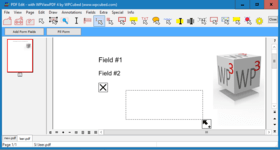
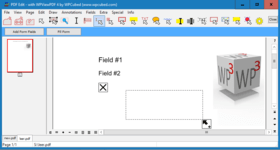
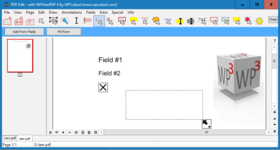
View PDF data with ease. wpViewPDF allows you to view PDF data that can be loaded from memory, file or stream. wpViewPDF has been developed as a Windows Class which makes it compatible with most Windows based development systems. wpViewPDF can be used to quickly display and print PDF files which were created with wPDF, wPDFControl or wRTF2PDF or with another library. It is directly embedded into your application. It supports ANSI text extraction and text find and highlight functionality.

Our regular prices are shown below. Please logon to see your discounted prices.
| Add to Cart | $ 318.82 | 1 Developer License | Download (5.4 MB) | |
| Add to Cart | $ 1,275.30 | Team License (allows 2 to 6 developers) | Download (5.4 MB) | |
| Add to Cart | $ 3,188.24 | Site License (Allows up to 20 Developers at a Single Physical Address) | Download (5.4 MB) | |
| Add to Cart | $ 159.41 | 1 Developer License Upgrade from V2.0 | Verify | Download (5.4 MB) |
| Add to Cart | $ 637.65 | Team License (allows 2 to 6 developers) Upgrade from V2.0 | Verify | Download (5.4 MB) |
| Add to Cart | $ 1,594.12 | Site License (Allows up to 20 Developers at a Single Physical Address) Upgrade from V2.0 | Verify | Download (5.4 MB) |
| Add to Cart | $ 511.66 | 1 Developer License | Download (5.7 MB) | |
| Add to Cart | $ 2,046.65 | Team License (allows 2 to 6 developers) | Download (5.7 MB) | |
| Add to Cart | $ 5,116.62 | Site License (Allows up to 20 Developers at a Single Physical Address) | Download (5.7 MB) | |
| Add to Cart | $ 255.83 | 1 Developer License Upgrade from V2.0 | Verify | Download (5.7 MB) |
| Add to Cart | $ 1,023.32 | Team License (allows 2 to 6 developers) Upgrade from V2.0 | Verify | Download (5.7 MB) |
| Add to Cart | $ 2,558.31 | Site License (Allows up to 20 Developers at a Single Physical Address) Upgrade from V2.0 | Verify | Download (5.7 MB) |
| Add to Cart | $ 578.51 | 1 Internet/Web Server License | Download (5.7 MB) | |
| Add to Cart | $ 289.26 | 1 Internet/Web Server License Upgrade from V2.0 | Verify | Download (5.7 MB) |
Our prices include ComponentSource technical support and, for most downloadable products, an online backup and a FREE upgrade to the new version if it is released within 30 days of your purchase. All sales are made on our standard Terms and Conditions and subject to our Return Policy. Please contact us if you require any licensing option not listed, including volume licensing and previous versions.
Our regular prices are shown above. Please logon to see your discounted prices.

Overview
wpViewPDF allows you to view PDF data that can be loaded from memory, file or stream. wpViewPDF can also open PDF files created by scanner software since it also does CCITT decompression. wpViewPDF includes the component as a .NET and Delphi component and a small example application. The source for the components (C# and Pascal) is included as well. Also an OCX component which works as interface for the wpViewPDF DLL is included. So you can use wpViewPDF in VB or similar. You only have to specify the exact path to the DLL when using the method ViewerStart. This will initialize the component. Since the DLL can be renamed and placed in the directory of your application, "DLL Hell" can be avoided.
What's new in WPViewPDF 3
What's new in WPViewPDF 2
Since V2.26 it is possible to directly convert a PDF file to a multi page TIFF file using WPViewPDF "PLUS".
One Component for all
It is now possible to not only create PDF files from your application, but also to view them almost instantly. wpViewPDF is the ideal component for this purpose. Although wpViewPDF cannot ensure that you will be able to view all kinds of PDF files, it can display and print PDF files generated with wpCubed's own PDF tools or similar products. At presently a wrapper for both Delphi/C++Builder and .NET are included. If you use the included OCX you can still avoid version conflicts since the "intelligence" is not inside the OCX but inside the DLL. The latter can be loaded from the applications directory.
Drop it in and it is ready to use
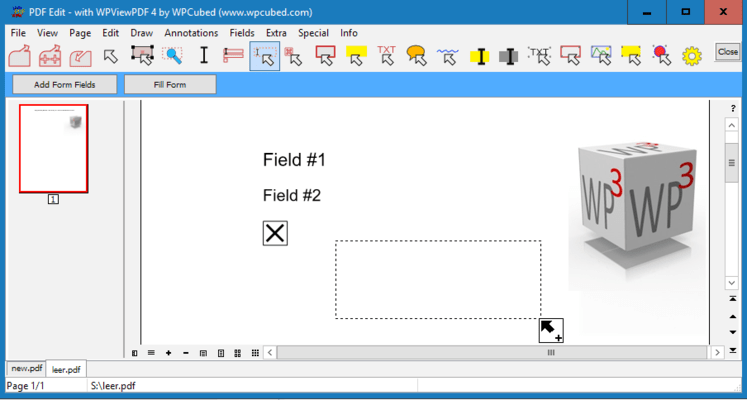
The control already includes buttons to change zooming and view modes and even a menu to start printing. Of course, all elements can be switched off.
What's new in WPViewPDF PLUS V2.0?
With the "PLUS" version it is now possible to add text and vector graphics to certain pages of a PDF file (pdf stamping). Any text will be converted to vectors - this allows it to use special fonts. The graphics will be already visible in the viewer before the PDF data has been updated!
A new pdfMerge function exported by the PLUS version makes it possible to use just one DLL call to combine several PDF files to one. The registered PLUS version includes an additional DLL which converts TIFF files (created by scanner software) "on the fly" to PDF data so they can be merged just like PDF files.
PLUS Editon
With the PLUS license you can save the PDF finformation from wpViewPDF which makes it a versatile PDF conversion software. This means you can load in multiple PDF files and save all pages into a new PDF file (=pdf merge, edit pdf).
Certain pages can be marked to be deleted, they will not be displayed by wpViewPDF. When you save the PDF file this pages will be removed. It is also possible to set new security properties (apply, remove encryption) and set property strings int this pdf conversion tool. The wpViewPDF Demo has the PLUS features enabled, but when a new file is created a red cube will be printed on all pages.