Screenshot Preview

Xceed Zip for x64

by Xceed Software - Product Type: Component / ActiveX OCX / DLL

A High-performance, feature-rich ZIP/UNZIP component with AES encryption for the x86-64 architecture. Xceed Zip for x64 offers Zip, unzip, updating, converting, disk and memory streaming and more functionality to your 64 bit applications. Xceed Zip for x64 is a fully self-contained object, written with ATL 3.0 for no external dependencies. Xceed Zip for x64(64bit) advanced capabilities include non-blocking methods for background operation, wildcards that work even for folder names, renaming files in a zip file without unzipping then rezipping, etc. A version for the IA-64 ( 64-bit) processor architecture is also available. Xceed Zip for x64 functionality also includes no 4GB or file limit (Zip64), Deflate64, BZip2/BWT, filtering, split/spanned/self-extracting zip files, and much more.

Our regular prices are shown below. Please logon to see your discounted prices.

Price in

Xceed Zip for x64 V6.5 + Standard Subscription - includes 1 year of major/minor upgrades and priority support

Add to Cart $ 881.95 1 Developer License
Mfr. Part No: XZIX1V-65
Download (200.1 MB)
Add to Cart $ 2,645.95 4 Developer Team License
Mfr. Part No: XZIX4V-65
Download (200.1 MB)
Add to Cart $ 4,850.95 8 Developer Team License
Mfr. Part No: XZIX8V-65
Download (200.1 MB)
Add to Cart $ 10,583.95 20 Developer Team License
Mfr. Part No: XZIXVV-65
Download (200.1 MB)

Xceed Zip for x64 V6.5 - Standard Subscription - includes 1 year of major/minor upgrades and priority support - Renewal Before Expiration

Add to Cart $ 734.95 1 Developer License
Mfr. Part No: XZIX1R-65
Verify Download (200.1 MB)
Add to Cart $ 2,204.95 4 Developer Team License
Mfr. Part No: XZIX4R-65
Verify Download (200.1 MB)
Add to Cart $ 4,042.45 8 Developer Team License
Mfr. Part No: XZIX8R-65
Verify Download (200.1 MB)
Add to Cart $ 8,819.95 20 Developer Team License
Mfr. Part No: XZIXVR-65
Verify Download (200.1 MB)

Our prices include ComponentSource technical support and, for most downloadable products, an online backup and a FREE upgrade to the new version if it is released within 30 days of your purchase.  All sales are made on our standard Terms and Conditions and subject to our Return Policy. Please contact us if you require any licensing option not listed, including volume licensing and previous versions.

Our regular prices are shown above. Please logon to see your discounted prices.

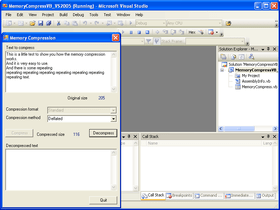
Screenshot of Xceed Zip for x64 - ActiveX - V6.5

Xceed Zip for x64 Features

ActiveX technology

  • A single fully self-contained COM object and ActiveX control written with ATL 3.0.
  • Built for the x86-64 processor architecture. A version for the IA-64 processor architecture is also available.
  • Requires no external compression DLLs, MFC DLLs, or runtime libraries.
  • Both single-threaded (STA) and multi-threaded apartment (MTA) model design.
  • Instantiate the component dynamically without putting it on a form.
  • Supports multiple instances running simultaneously.
  • Supports both Unicode and ANSI in one single control. The library automatically uses Unicode API calls for best performance when running on Windows NT, 2000, and XP.
  • ActiveX control interface has all constants, enumerations, and types built-in. Code completion, property categories, help strings, and context-sensitive F1-help fully supported.
  • Works with all 32-bit development environments that can use ActiveX controls, including VB, VC++, Delphi, C++ Builder, VFP, Office, PB, VO, Web scripting languages, ASP, and DCOM projects.
  • Also compatible with VB.NET and C#. For developers that require 100% managed code, check out Xceed Zip for .NET, our fully object-oriented Zip, compression and FileSystem class library.

Compression & Zip file technology

  • Supports WinZip 9.0 (and up) compatible AES strong encryption.
  • Fast, low memory usage compression engine.
  • 100% compatible with the PKZIP 2.04g format.
  • 100% compatible with the PKZIP 4.5 format.
  • Supports the Zip64 zip file format allowing the creation of Zip files of practically unlimited size (no 4 GB limit).
  • Supports the BZip2 (BWT) compression method for 15% to 20% better compression than Deflate on many popular file types, especially XML data.
  • BZip2 compression method is excellent for compressing XML data.
  • Supports the Deflate64TM compression method, an industry standard improvement to regular Deflate.
  • Zip files can contain any number of files (no 65535 file limit).
  • Regular, spanned, and self-extracting zip files created by Xceed Zip can be used by any of today's existing unzipping applications, and vice-versa.
  • Stores and retrieves the latest zip file format extensions, allowing Unicode filenames and NT file attributes, extra time stamps, and security permissions to be stored in the zip file.
  • No need to repair corrupted zip files. Xceed Zip automatically tries to recover from errors and reports any inconsistencies found in the zip file while unzipping.

Major operations

  • Zip files or memory buffers into new or existing zip files.
  • Unzip files to disk or directly to memory.
  • Compress and decompress strings or buffers completely in memory.
  • All compression and decompression modes support streaming and encryption.
  • Create fully customizable self-extracting zip files (see section below for features)
  • Convert any type of zip file (regular, spanned, multi-part, self-extracting, or spanned self-extracting) into any other type of zip file.
  • Reads and writes zip files that span multiple disks.
  • Reads and writes multi-part zip files directly to hard drive.
  • Update one zip file from another one's contents or merge two zip files together.
  • Optional background processing so your code can continue execution while Xceed Zip is working.

Application-component interactivity

  • All operations can be aborted at any time.
  • Provides status report events on a file-by-file basis as well as on the entire operation being performed, with percentages, byte, and file counts. Easily add any kind of progress bar to your apps.
  • Events are triggered whenever a file is being zipped, unzipped, updated, deleted, etc.
  • Notifies your application when and why a specific file cannot be processed.
  • Notifies your application when a file being zipped or unzipped is about to overwrite an existing file. Your application can then choose to overwrite it or skip it. You can also rename files.
  • Provides complete file information for the file currently being processed.
  • Your application receives info such as a file's achieved compression ratio, compressed size, and other info as it becomes available.
  • Informs your application that it should prompt the user to insert a specific disk when reading or writing zip files that span multiple disks.
  • Many events have modifiable parameters to allow your application to change file parameters or specifications as the files are being zipped, unzipped, converted, etc.
  • Unused events can be prevented from being triggered for increased performance.
  • Provide feedback to the user when the temporary zip file is being copied to its final destination.
  • Provide feedback to the user when the zip file's central directory is being written.

Zip file manipulation functionality

  • Obtain global information on a zip file.
  • Obtain a detailed list of a zip file's contents via a collection object.
  • Obtain a detailed list of a zip file's contents via events.
  • Delete files from within a zip file.
  • Delete files after they have been successfully and verifiably zipped.
  • Test the integrity of a zip file and its contents.
  • Process or exclude files based on file attributes, sizes, version resources and dates, or create your own custom include/exclude filters.
  • Wildcard previewing: find out exactly which files will match your wildcards and filters before you start zipping or unzipping.
  • Compression previewing: obtain the compressed file sizes before starting the actual zipping operation. Statistics on the entire group of files to be zipped are also provided.
  • Add and retrieve comments for individual files in the zip file.
  • Get and set the global zip file comment.
  • Automatic full yield so other applications do not halt during processing.
  • Clear disks before writing the zip file to them.
  • Specify the amount of free space to leave on the first disk of a spanned zip file set.
  • Reject disks without specified amount of free space on them when spanning.
  • Compress entire directories and their contents.
  • Process only files newer than those already in the zip file or existing on disk.
  • Provide global encryption and decryption passwords or on a file-by-file basis.
  • Control which types of files are stored in the zip file without compression.
  • Control what path information is stored in the zip file for each file.
  • Store a drive's volume label in the zip file and restore it during unzipping.
  • Zip up system and hidden files, overwrite read-only files.
  • Allow zipping files that are currently open for write operations by other processes.
  • Limit operation to files with timestamps and file sizes within specified ranges.
  • Supports long filenames and UNC paths, and stores Unicode filenames in the zip file.
  • Manipulate self-extracting zip files without disturbing their self-extracting ability.
  • Rename files and their paths as they are being zipped or unzipped.
  • Rename files in a zip file without unzip and re-zip operations.
  • Change file parameters (comment, time stamps, file attributes) in a zip file.
  • Control the amount of compression applied to files being zipped.
  • Specify the path where files will be uncompressed to.
  • Specify files to process using wildcards.
  • Work on temporary copies of zip files, for maximum safety.
  • Specify the location of where temp files are created.
  • Filter out files during a zip file update, merge, or conversion based on any file attributes or parameters.
  • Set the date of the archive file to the most recent date among the files it contains.

Documentation and samples

  • Complete, comprehensive documentation provided in an MSDN-style HTML format which is fully context-sensitive so that pressing F1 on a keyword in your IDE opens up the manual to the correct relevant topic.
  • Fully commented sample applications for various languages, including VB, Delphi, Visual C++ with ATL and MFC, C++ Builder, and ASP Active Server Pages.

Direct DLL API access

  • The library's single DLL can also be accessed as a standard 32-bit DLL through its exported API.
  • All properties, methods, and events are exported.
  • All exported API calls involving string parameters come in single, wide character, and Unicode versions.
  • Events can be handled either by callback functions or by windows messages.

Self-extracting Zip file features

  • Create new self-extracting zip files or transform already existing zip files into self-extracting zip files.
  • Create self-extracting Zip files for the traditional PKZIP 2.04g compression method. Also now supports the Deflate64™, BZip2, and BWT methods (New in Xceed Zip for x64 V6.1).
  • Create self-extracting zip files that support AES encryption. (New in Xceed Zip for x64 V6.1)
  • Self-extracting zip files can span multiple disks.
  • Creates 32-bit self-extracting zip files that work on all Windows 95, 98, ME, NT, 2000, XP, and Vista operating systems or 16-bit self-extracting zip files that work on Windows 3.x as well.
  • Update and reconfigure an existing self-extracting zip file.
  • Customizable introduction message and dialog box titles.
  • Display a license agreement with configurable accept and refuse buttons.
  • Customize all other messages, prompts, and button captions.
  • Customize the self-extracting zip file's application icon.
  • Set the default unzipping folder.
  • Allow user to select an alternate unzipping folder.
  • Request a password whenever an encrypted file is encountered.
  • The user can enter the decryption password or skip the file if they don't have the password for the file.
  • Display a text file after successfully unzipping files.
  • Customizable overwrite behavior with dialog box offering the user various overwrite options.
  • Display unzipping status.
  • User interaction and dialogs can be selectively shut off for quiet operation
  • Execute one or more applications (optionally with parameters) or open documents after successfully unzipping files.
  • Copy one or more files from one location to another after unzipping.
  • Register DLLs (or other libraries) on the system after unzipping.
  • Add or change key values in the registry after unzipping.
  • Create self-extracting zip files with a built-in decryption password. This prevents users from using unzipping programs to unzip the files, and therefore forces users to view your custom introduction, license agreement, or warning messages
  • Create program groups and insert items into program groups.
  • Associate filename extensions with applications.
  • Allows 3rd-party install or setup programs (and their data files) to be unzipped into a temporary folder, executed, and then deleted upon completion.
  • Custom paths, filenames, strings, and prompts are parsed, allowing you to insert strings such as the current folder, windows and windows system directories, the temporary folder, and more.
  • Use extra headers such as Unicode filenames, extended filestamps, and security descriptors. (New in Xceed Zip for x64 V6.1)
  • Supports the Zip64 zip file format allowing the creation of Zip files of practically unlimited size (no more 4 GB limit), which can contain a practically unlimited number of archived files. (New in Xceed Zip for x64 V6.1)

Product Search

Enter search words:

Award