IntegralUI Containers

Collection of advanced user interface components. IntegralUI Containers is a set of four advanced container controls which are easy to use and fully customizable. The included controls are: Expander, which is an expandable container which also has the option to add custom command buttons in its header, SplitContainer which gives you the ability to present a group of controls in two resizable panels, TabControl with the unique ability to combine toolbar and tabs and TabDockContainer which gives you the ability to use pages as docking containers. All the controls have a highly customizable appearance and include theme support (including Vista).

Pricing 

Select Currency:

IntegralUI Containers V2.0

Add to Cart $ 149.00 1 Developer License Download (3.8 MB)
Add to Cart $ 299.00 4 Developer Team License Download (3.8 MB)
Add to Cart $ 599.00 8 Developer Team License Download (3.8 MB)
Add to Cart $ 1,049.00 1 Site Wide License (Allows Unlimited Developers at a Single Physical Address) Download (3.8 MB)
Add to Cart $ 2,629.00 1 Enterprise License (Allows Unlimited Developers throughout your entire organization, regardless of location) Download (3.8 MB)
Add to Cart $ 129.00 1 Source Code Blueprint License (Current Developer, Site or Enterprise License Required) - (sent separately by email) Verify Download (3.8 MB)

IntegralUI Containers V2.0 with Annual Subscription

Add to Cart $ 199.00 1 Developer License Download (3.8 MB)
Add to Cart $ 399.00 4 Developer Team License Download (3.8 MB)
Add to Cart $ 799.00 8 Developer Team License Download (3.8 MB)
Add to Cart $ 1,399.00 1 Site Wide License (Allows Unlimited Developers at a Single Physical Address) Download (3.8 MB)
Add to Cart $ 3,499.00 1 Enterprise License (Allows Unlimited Developers throughout your entire organization, regardless of location) Download (3.8 MB)

IntegralUI Containers Annual Subscription Renewal

Add to Cart $ 89.00 1 Developer Annual Subscription Renewal License Verify Download (29 KB)
Add to Cart $ 179.00 4 Developer Team Annual Subscription Renewal License Verify Download (29 KB)
Add to Cart $ 359.00 8 Developer Team Annual Subscription Renewal License Verify Download (29 KB)
Add to Cart $ 629.00 1 Site Wide Annual Subscription Renewal License (Allows Unlimited Developers at a Single Physical Address) Verify Download (29 KB)
Add to Cart $ 1,579.00 1 Enterprise Annual Subscription Renewal License (Allows Unlimited Developers throughout your entire organization, regardless of location) Verify Download (29 KB)
Add to Cart $ 99.00 1 Source Code Blueprint Renewal License (Current Source Code License and Current Developer, Site or Enterprise License Subscription Required) - (sent separately by email) Verify Download (29 KB)

IntegralUI Containers V2.0 Upgrade from previous versions

Add to Cart $ 59.00 1 Developer Upgrade License Verify Download (3.8 MB)
Add to Cart $ 119.00 4 Developer Team Upgrade License Verify Download (3.8 MB)
Add to Cart $ 239.00 8 Developer Team Upgrade License Verify Download (3.8 MB)
Add to Cart $ 419.00 1 Site Wide Upgrade License (Allows Unlimited Developers at a Single Physical Address) Verify Download (3.8 MB)
Add to Cart $ 1,049.00 1 Enterprise Upgrade License (Allows Unlimited Developers throughout your entire organization, regardless of location) Verify Download (3.8 MB)

IntegralUI Containers V2.0 Crossgrades

Add to Cart $ 149.00 4 Developer Team License Crossgrade from 1 Developer License Verify Download (3.8 MB)
Add to Cart $ 749.00 1 Site Wide License Crossgrade from 4 Developer License Verify Download (3.8 MB)
Add to Cart $ 899.00 1 Site Wide License Crossgrade from 1 Developer License Verify Download (3.8 MB)

IntegralUI Containers V2.0 Crossgrades with Annual Subscription

Add to Cart $ 199.00 4 Developer Team License Crossgrade from 1 Developer License Verify Download (3.8 MB)
Add to Cart $ 999.00 1 Site Wide License Crossgrade from 4 Developer License Verify Download (3.8 MB)
Add to Cart $ 1,199.00 1 Site Wide License Crossgrade from 1 Developer License Verify Download (3.8 MB)

IntegralUI Containers V2.0 Upgrade to IntegralUI Studio

Add to Cart $ 499.00 1 Developer Upgrade License Verify Download (12.7 MB)
Add to Cart $ 999.00 4 Developer Team Upgrade License Verify Download (12.7 MB)
Add to Cart $ 1,999.00 8 Developer Team Upgrade License Verify Download (12.7 MB)
Add to Cart $ 3,499.00 1 Site Wide Upgrade License (Allows Unlimited Developers at a Single Physical Address) Verify Download (12.7 MB)
Add to Cart $ 8,739.00 1 Enterprise Upgrade License (Allows Unlimited Developers throughout your entire organization, regardless of location) Verify Download (12.7 MB)

Our prices include ComponentSource technical support and, for most downloadable products, an online backup and a FREE upgrade to the new version if it is released within 30 days of your purchase.  All sales are made on our standard Terms and Conditions and subject to our Return Policy. Please contact us if you require any licensing option not listed above including volume licensing and previous versions.

Licensing

One software license is required per developer.
Run-time royalty free.

Annual Subscriptions includes free updates, upgrades, new components and priority support for 1 year.
Please note: You must have a developer license.

Please note: If you have purchased the Source Code Blueprint License the Source Code will be sent to you by email once your order has been processed.
To purchase the Source Code Blueprint License you must have a current Developer, Site or Enterprise License.
Source Code Blueprint License sales are final and are non refundable.

Overview

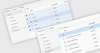
Screenshot of IntegralUI Containers - .NET - V2.0What's New in IntegralUI Containers v2.0:

  • Multiline tabs
  • Option to create tabs with rich content: text, images and hyperlinks in custom layouts
  • Predefined and Custom DragDrop operations
  • Content of page tab can be divided in multiple lines when resized
  • Option to change the color of drop marker

What's Fixed in IntegralUI Containers v2.0:

  • The order of drawing page tab is fixed for Left/Right tab placement and TrapezoidalLeft/TrapezoidalRight shape
  • Repaint of TabControl borders during resize
  • During justified mode no longer TabControl takes the max tab width and apply it to all tabs
  • There is no more confusion during StyleFromParent set to false for pages if their FormatStyle is changed
  • Using separate styles for specific pages in TabControl

IntegralUI Container includes Expander, SplitContainter, TabControl and TabDockContainer.
These controls provde the following feature set :

Expander

  • Use of command buttons in control header for specific tasks
  • General color and format styles for control appearance
  • Color styles for every state (disabled, hover, normal and selected) of control header
  • Color styles for every state (disabled, hover and normal)  of command buttons
  • Customizable border with three shapes: squared, rounded and chamfered
  • Fading effect with five speed levels
  • Watermarks
  • Theme support
  • Visual Styles: Vista, XP and Classic

SplitContainer

  • Three ways to change the appearance of tab strip: using tabs, collapsing buttons or standard splitter
  • Choose among 7 predefined shapes of tabs
  • Use of command buttons in control tab strip for specific tasks
  • Option to set the minimal size of panels
  • Horizontal and vertical orientation of splitter and panels
  • General color and format styles for control appearance
  • Color style for customizing the appearance of control tab strip
  • Color styles for every state (hover, normal and selected) of panels
  • Color styles for every state (disabled, hover, normal and selected)  of command buttons
  • Customizable border with three shapes: squared, rounded and chamfered
  • Fading effect with five speed levels
  • Watermarks
  • Theme support
  • Visual Styles: Vista, XP and Classic

TabControl

  • Unique ability to make combination of toolbar and tabs
  • Use standard left-right navigation or select the specified tab from a list
  • Tabs can be displayed in three modes: AutoSized, Compressed and Justified
  • Tabs can contain command buttons for specific tasks
  • Choose among 7 predefined shapes of tabs
  • Option to change the radius of tab corner
  • Use of animated gifs in each tab
  • Horizontal and vertical orientation of tab content
  • Tabs can be placed on each side: left, top, right and bottom
  • Add buttons, labels and separators to the toolbar in control tab strip
  • Toolbar can contain items on left and right side of the tab strip
  • Choose how tabs are closed: dispose or hide them
  • Option to set the maximum width for longer text
  • Rich styling features
  • High customization of every control part
  • Customizable tooltips
  • Customizable border with three shapes: squared, rounded and chamfered
  • Fading effect with five speed levels
  • Watermarks
  • Theme support
  • Visual Styles: Vista, XP and Classic

TabDockContainer

  • Tabs can be placed on left and right side of the tab strip
  • Each page acts as a docking container
  • Each tab can open docking container in horizontal or veritical orientation
  • Tabs can be docked on each side: left, top, right and bottom
  • Horizontal and vertical orientation of tab content
  • Fading effect with five speed levels
  • Rich styling features
  • High customization of every control part
  • Many options to change appearance of tabs
  • Watermarks
  • Theme support
  • Visual Styles: Vista, XP and Classic

Compatibility

  • Operating System for Deployment
    • Windows 7
    • Windows Server 2008
    • Windows Vista
    • Windows XP
    • Windows Server 2003
    • Windows 2000
  • Architecture of Product
    • 32Bit
  • Product Type
    • Component
  • Component Type
    • .NET WinForms
    • .NET Class
  • Built Using
    • Visual C# .NET
  • Compatible Containers
    • Microsoft Visual Studio 2008
    • Microsoft Visual Studio 2005
    • Microsoft Visual Basic 2008
    • Microsoft Visual Basic 2005
    • Microsoft Visual C++ 2008
    • Microsoft Visual C++ 2005
    • Microsoft Visual C# 2008
    • Microsoft Visual C# 2005
    • .NET Framework 3.5
    • .NET Framework 3.0
    • .NET Framework 2.0

Prerequisites

Disk Space Required: 4.5MB
Memory Required: 32MB
Software Required: .NET Framework 2.0 or higher