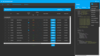
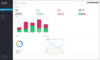
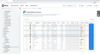
Screenshot Preview

ComponentArt TimeNavigator for Silverlight - Summary

by ComponentArt - Product Type: Component / Silverlight

ComponentArt TimeNavigator for Silverlight is also available as part of ComponentArt Data Visualization for Silverlight and ComponentArt Data Visualization for .NET Ultimate.

Summary

ComponentArt TimeNavigator for Silverlight by ComponentArt

URLs: componentart-timenavigator-for-silverlight, componentart timenavigator for silverlight, componentarttimenavigatorforsilverlight, componentart

A highly interactive control for date range selections. ComponentArt TimeNavigator for Silverlight was designed to enable quick & intuitive date range selections. Developers can specify the allowed date range as well as any number of date/time drill levels: decades, years, quarters, months, weeks, days, hours, minute, seconds or milliseconds. The user navigates through time and makes date selections by clicking, dragging, zooming, scrolling, using the mouse wheel or using SHIFT and CTRL keys. All operations are quick, easy and intuitive. ComponentArt TimeNavigator for Silverlight has been optimized to quickly handle many thousands of time nodes: scrolling, zooming and drilling is extremely responsive, even with very large time spans.

ComponentArt TimeNavigator for Silverlight can be used standalone without any additional controls. However, its true power is unlocked through tight integration with ComponentArt's XyChart control, which provides the all-important visual context of the data that the user is navigating.

ComponentArt TimeNavigator for Silverlight - A Comprehensive Collection of Visualizations

TimeNavigator supports embedding any custom control that is able to render content over the date/time axis. ComponentArt XyChart has been extensively optimized to integrate seamlessly with TimeNavigator and provide highly responsive rendering that TimeNavigator requires.

Line Visualizations

Area Visualizations

Column Visualizations

Marker Visualizations

Composite Visualizations

ComponentArt TimeNavigator for Silverlight - Suite-wide Themes & Palettes

Themes are used throughout the suite to define visual characteristics of the user interface, such as chrome shapes of DashboardPanels and Dashboard popups, as well as the matching visual properties of the TimeNavigator control. Setting a theme on a DashboardPanel will automatically apply that theme to all controls that it contains. Theme settings can be overridden on each individual control. Color palettes are also commonly shared throughout the suite. Any palette can be applied against any theme. The TimeNavigator control supports the same set of palettes and themes'providing a highly consistent look and feel throughout the application. The suite ships with a set of professionally designed themes and palettes, all of which can be further customized to match any branding requirements.

ComponentArt TimeNavigator for Silverlight - Comprehensive Visual Studio 2010 Design Time Support

ComponentArt TimeNavigator for Silverlight offers extensive design-time capabilities within Microsoft's Visual Studio 2010 IDE. The control includes custom design UI panels'enabling quick customization and design-time preview. In addition, ComponentArt is pleased to include single-click license enabling of the application, greatly simplifying the deployment of your solution.

What's new in ComponentArt TimeNavigator for Silverlight 2011?

Expanded TimeNavigator Features - ComponentArt's original, TimeNavigator control has been further enhanced to provide intuitive animated transitions through selection states. The customization rule-set has been expanded to include: culture settings, fiscal offset, first day of week, first week of year and week numbering.

A highly interactive control for date range selections.

Pricing: ComponentArt TimeNavigator for Silverlight — Professional Edition 2011 1 Developer License, ComponentArt TimeNavigator for Silverlight — Professional Edition 2011 3-4 Developer License - price per license, ComponentArt TimeNavigator for Silverlight — Professional Edition 2011 5-9 Developer License - price per license, ComponentArt TimeNavigator for Silverlight — Professional Edition 2011 10-15 Developer License - price per license, ComponentArt TimeNavigator for Silverlight — Professional Edition 2011 16-25 Developer License - price per license, ComponentArt TimeNavigator for Silverlight — Professional Edition 2011 - with Subscription 1 Developer Subscription License - Includes one year subscription, ComponentArt TimeNavigator for Silverlight — Professional Edition 2011 - with Subscription 3-4 Developer License - Includes one year subscription - price per license, ComponentArt TimeNavigator for Silverlight — Professional Edition 2011 - with Subscription 5-9 Developer License - Includes one year subscription - price per license, ComponentArt TimeNavigator for Silverlight — Professional Edition 2011 - with Subscription 10-15 Developer License - Includes one year subscription - price per license, ComponentArt TimeNavigator for Silverlight — Professional Edition 2011 - with Subscription 16-25 Developer License - Includes one year subscription - price per license, ComponentArt TimeNavigator for Silverlight — Professional Edition - Subscription Renewal 1 Subscription Renewal License (for customers with a current Subscription), ComponentArt TimeNavigator for Silverlight — Professional Edition - Subscription Renewal 3-4 Developer Subscription Renewal License (for customers with a current Subscription) - price per license, ComponentArt TimeNavigator for Silverlight — Professional Edition - Subscription Renewal 5-9 Developer Subscription Renewal License (for customers with a current Subscription) - price per license, ComponentArt TimeNavigator for Silverlight — Professional Edition - Subscription Renewal 10-15 Developer Subscription Renewal License (for customers with a current Subscription) - price per license, ComponentArt TimeNavigator for Silverlight — Professional Edition - Subscription Renewal 16-25 Developer Subscription Renewal License (for customers with a current Subscription) - price per license, ComponentArt Support ComponentArt Support - 5 Pack of Rapid Response Support Requests, ComponentArt Support ComponentArt Support - 5 Pack of Priority Support Requests

Evals & Downloads: Read the ComponentArt End User License Agreement, Download the ComponentArt Data Visualization for Silverlight 2011 evaluation on to your computer - Expires After 30 Days

Operating System for Deployment: Windows 7, Windows Vista, Windows XP, Windows Server 2003

Architecture of Product: 32Bit, 64Bit

Product Type: Component

Component Type: Silverlight

Compatible Containers: Microsoft Visual Studio 2010, Microsoft Visual Studio 2008, Microsoft Visual Basic 2010, Microsoft Visual Basic 2008, Microsoft Visual C++ 2010, Microsoft Visual C++ 2008, Microsoft Visual C# 2010, Microsoft Visual C# 2008, .NET Framework 4.0, .NET Framework 3.5, Silverlight 4

Keywords: componentart timenavigator for silverlight

ComponentArt, Component Art, Cyberakt, Cyberact

User Interface UI

Part numbers: PC-536827-378392 536827-378392 PC-536827-378427 536827-378427 PC-536827-378428 536827-378428 PC-536827-378429 536827-378429 PC-536827-378430 536827-378430 PC-536827-378387 536827-378387 PC-536827-378397 536827-378397 PC-536827-378402 536827-378402 PC-536827-378407 536827-378407 PC-536827-378412 536827-378412 PC-536827-378431 536827-378431 PC-536827-378432 536827-378432 PC-536827-378433 536827-378433 PC-536827-378434 536827-378434 PC-536827-378435 536827-378435 PC-536827-378417 536827-378417 PC-536827-378422 536827-378422