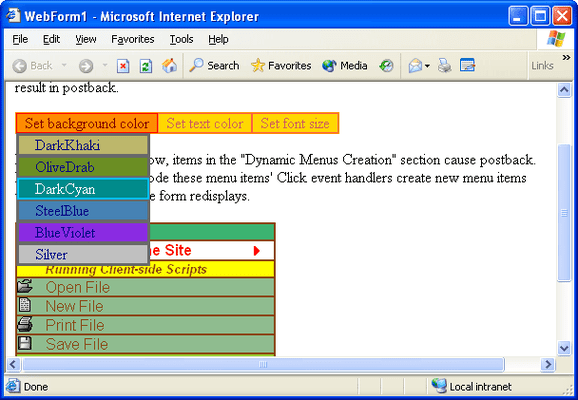
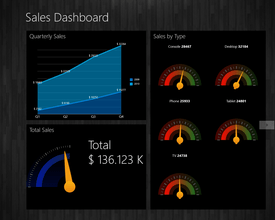
Screenshot Preview

ComponentOne WebMenus and WebBars for ASP.NET - Summary

by ComponentOne - Product Type: Component / ASP.NET WebForms / 100% Managed Code / AJAX

ComponentOne WebMenus for ASP.NET is now officially part of ComponentOne Studio Enterprise and ComponentOne Studio for ASP.NET.

If you require 5 or more individual licenses for ComponentOne WebMenus for ASP.NET, please Contact Us for pricing and availability.

Summary

ComponentOne WebMenus and WebBars for ASP.NET by ComponentOne

URLs: componentone-webmenus-webbars-asp-net, componentone webmenus webbars asp net, componentonewebmenuswebbarsaspnet, componentone

Add Menu, Bar and general UI functionality to your web applications. ComponentOne WebMenus and WebBars for ASP.NET is a suite of ASP.NET components providing menus and other user interface elements for ASP.NET Web sites and applications. Features include: WYSIWIG Web Form menu designer, Reusable XML-based menus, Support for images and pictures and much more. AJAX Support. Compatible with Visual Studio 2005 and Visual Studio 2008 (VS2005, VS2008)


ComponentOne WebMenus and WebBars is part of the ComponentOne Studio Enterprise and the ComponentOne Studio for ASP.NET

ComponentOne WebMenus and WebBars for ASP.NET is a suite of components allowing you to easily add sophisticated and elegant ASP.NET menus, toolbars and other cutting-edge navigation elements to your ASP.NET applications.

ComponentOne WebMenus and WebBars for ASP.NET includes:

ComponentOne WebMenus and WebBars for ASP.NET 2.0 : This version of the existing suite of user-interface and navigational tools adds an enhanced object model that includes two new components, C1WebTreeView and C1WebTabStrip, functionality not available in-the-box with Visual Studio 2005.

ComponentOne WebMenus and WebBars for ASP.NET 2.0 features an enhanced object model with two new components, C1WebTabStrip and C1WebTreeView. The new object model focuses on ease-of-use and is fully functional in the Visual Studio 2005 environment. Here is a summary of the new 2.0 components:

C1WebTabStrip: Represents an ASP.NET tabbed control. It is a flat type control which consists of two levels: items and groups. The tabbed type controls are often used for navigating a web site.

C1WebTreeView: Represents a hierarchical tree structure like the C1WebMenu control. Always visible on the form, C1WebTreeView is a tree type control that is a descendant from C1WebCustomTreeControl class. After you have placed it on the form, you can add tree items to it by right-clicking the treeview and selecting Edit Groups from the context menu exposes the C1WebTreeView Collection Editor, which can be used to add, delete, and move items and child items in the hierarchy.

ComponentOne WebMenus and WebBars Features:

C1WebMenu Designer - The C1WebMenu designer allows users to visually add, delete, and move items and submenus in their menu hierarchy

AutoFormat Feature - The new AutoFormat feature allows developers to choose a preformatted styles to apply to C1WebMenu, C1WebToolBar or the new C1WebTopicBar components. By simply right-clicking on the component and selecting "Auto Format" from the context menu, developers can automatically apply elegant styles to their WebMenus, WebToolbars, and WebTopicBars

Reusable XML-based menus - Menu trees (or sub-trees) can be saved into XML files to be dynamically loaded for at a later time

Support for Vertical or Horizontal menus

Submenu support - ComponentOne WebMenus and WebBars for ASP.NET includes powerful submenu support including the ability to dynamically re-assign submenus and to inherit styles from Parent menu.

Checked menu items - Using the Check property, you can indicate whether to display a check mark near each item.

Radio/Bulleted menu buttons - Using the Radio property, you can indicate whether to show a bullet near each item.

Browser independent - ComponentOne WebMenus and WebBars for ASP.NET has been tested and verified to work correctly with the following browsers: Internet Explorer 6 or higher, Mozilla 1.1or higher, Netscape 6 or higher, and Opera 6 or higher.

Support for cascading style sheets - You can apply existing cascading style sheets (CSS) to your menus by setting only one property. Now you can have your menus match the look and feel (i.e. fonts,colors, etc) of your entire Web site quickly and easily.

Enhanced styles - You can define and apply styles to the whole menu or to single menu items. With a style, you can customize the Backcolor, BorderStyle, BorderWidth, Cascading Style Sheet (CSS) and the ForeColor. You can even disable the style for an entire menu or for one specific item.

Support for images and pictures - Menu items can have their own images. You can also apply a picture as the background for your menus.

Take full programmatic control over your menus - Besides the visual designer, you can programmatically change any aspect of your menu and submenus using the rich object model of the ComponentOne WebMenus and WebBars for ASP.NET. You can easily add or delete new items through code.

Client or server-side event handling - Menu and toolbar items’ clicks can be handled either on the client (by scripts or URLs attached to items) or on the server (by event handlers in your C# or VB code).

Create titles within your menu - You can create a caption within your menu or submenus. A caption looks like a regular item (and, as like a regular item), its appearance can be individually customized but cannot be clicked.

Show messages in browser status bar - Custom messages can be displayed in the browser’s status bar when the mouse hovers over an item.

ASP.NET component - 100% C# based. Requires IIS and .NET installed on the server.

ComponentOne WebMenus and WebBars AJAX Support

C1WebTreeView: The C1WebTreeview control has been extended to provide AJAX capabilities when expanding nodes. Each level can be loaded on demand via AJAX callbacks

C1WebTab: C1WebTab now takes advantage of AJAX callbacks when loading the contents of each tab

C1WebTopicBar: Now you can enable AJAX in C1WebTopicBar when expanding each group of data

Add Menu, Bar and general UI functionality to your web applications.

Evals & Downloads: ComponentOne WebMenus and WebBars for ASP.NET help file, ComponentOne Studio Enterprise and ComponentOne Report Designer Edition Case Study, Read End-User License Agreement for ComponentOne Software, Download the ComponentOne Studio for WPF 2010 v3 evaluation on to your computer - Expires after 30 days, Download the ComponentOne Studio for ASP.NET AJAX 2010 v3 evaluation on to your computer - Expires after 30 days, Download the ComponentOne Studio for WinForms 2009 v3 evaluation on to your computer - Expires after 30 days, Download the ComponentOne Studio for Mobile Devices 2009 v3 for .NET Evaluation on to your computer - Expires after 30 days, Download the ComponentOne Studio ActiveX 2010 v3 evaluation. Includes both 32 bit and 64 bit installers - Expires after 30 days

Operating System for Deployment: Windows Vista, Windows XP, Windows 2000

Architecture of Product: 32Bit

Product Type: Component

Component Type: ASP.NET WebForms, 100% Managed Code, AJAX

Built Using: Visual C# .NET

Compatible Containers: Microsoft Visual Studio 2010, Microsoft Visual Studio 2008, Microsoft Visual Studio 2005, Microsoft Visual Basic 2010, Microsoft Visual Basic 2008, Microsoft Visual Basic 2005, Microsoft Visual C++ 2010, Microsoft Visual C++ 2008, Microsoft Visual C++ 2005, Microsoft Visual C# 2010, Microsoft Visual C# 2008, Microsoft Visual C# 2005, Microsoft Internet Information Server 6.0, Microsoft Internet Information Server 5.0, Microsoft Internet Information Server 4.0, Delphi 2005 (9.0), Delphi 8.0, C#Builder, .NET Framework 4.0, .NET Framework 3.5, .NET Framework 3.0, .NET Framework 2.0

Product Class: User Interface Components

Keywords: componentone webmenus and webbars for asp.net, componentone webmenus, componentone webbars, componentone web menus, componentone web bars, component1 webmenus and webbars for asp.net, component1 webmenus, component1 webbars, component1 web menus, compon

c1 controls, c1 components, componentone controls, componentone components, componentone, componentone, c1, componentone studio, component one, componentone studio enterprise, componentone review, componentone activex, truegrid, true dbgrid, flexgrid

Toolbar tool bar tool-bar Toolbars Menu Menus Ribbon Ribbonbar

User Interface UI

User Interface Collections UI