by Dundas Data Visualization - Product Type: Component / ASP.NET WebForms / .NET WinForms / 100% Managed Code
You can find current information from the links below
in Mapping and GIS
If you need to buy a license for this specific version, please contact us for availability and pricing.
Other information on this page is shown for historical reference only and may have changed considerably since.
Dundas Data Visualization has announced that Dundas Map for .NET is "End of Life", due to the acquisition of the codebase by Microsoft. You may buy new licenses for this product up to Oct 31, 2010, after that date new licenses will no longer be available. Dundas will then continue to support this product until Oct 31, 2011. Dundas plan to continue developing and supporting a new product range called Dundas Dashboard.
Dundas Map for .NET by Dundas Data Visualization
URLs: dundas-map-net, dundas map net, dundasmapnet, dundas
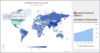
Effectively create and modify maps to demonstrate geographically divisible data. Dundas Map for .NET can be used for creating a Web or desktop application to analyze geographic data of any sort, be it regional sales in the Eastern USA, or global demand by country for your line of products etc. The exact look and feel required for any map can easily be achieved through appearance properties. Dundas Map for .NET uses built-in logic features to allow full control of map data and behavior. This intellectual capacity will ensure that generated maps provide meaningful, pertinent data based on user direction. Appearance and underlying logic of maps can be modified programmatically or using the Dundas Map Wizard. Dundas Map for .NET is compatible with Visual Studio. Includes samples for Visual Basic .NET (VB.NET) and C#.
General Features
Easy-to-use design-time wizards
Serialize maps as XML or binary
Save maps as image files (jpg, bmp, png, emf)
Geographic grid and projections support
Panning and zooming support
Selection support
Keyboard navigation and mouse wheel support - Windows Forms Edition only
Gradient and hatch styles for all map elements
Map layers Map Layers - Attach shapes and symbols to one, all, or no layers to control aspects of their visibility and behavior
Tooltips for map elements - Use tooltips to add further information to maps. Use shapefile information fields to directly populate tooltips with pertinent information
Print support - Windows Forms Edition only
Over 50 detailed samples
Visual Studio features - Full Visual Studio integration including support for Smart Tags and AJAX implementations for interactivity features
Map Visualization
High performance viewport for display of map graphics
Adjustable zoom range and zoom level
Configurable frame border with variety of 3D styles
Map Wizard
Predefined maps from a library of base maps Map Libraries - Comprehensive map libraries including detailed maps of many countries
World and Continent Maps - A full library of customizable continent and world maps
Detailed Country Maps including the USA and Canada
Simplified configuration of map frames and viewports
Customizable parallel and meridian grid lines
Implementation of panning and zoom controls
Configure color swatches, distance scales, and legends - Configure each aspect of the zoom, navigation, scale, swatch, and legend panels to match surrounding elements of your map-based applications
Flexible wizard can be launched at any time
Map Import Features
Support for the ESRI shapefile format - the industry leading standard
Import ESRI shapefiles (.shp) using a design-time wizard
Automatic naming of map elements through data field association
Select multiple data attribute columns for rich map
Map Projections
Support for ten of the most widely used map projections
Fully configurable projection parameters such as projection center
Configure the projection type and centre of projection - using coordinates - to achieve the desired map
Switch projections at any time, including runtime
Navigation Controls
Panning and zoom controls with repeat capability
Mouse wheel zooming - Windows Forms Edition only
Keyboard panning and zooming - Windows Forms Edition only
Map Content Features
Represent geographic elements using shapes, groups, symbols and paths
Appearance and Behavioral Options - Customize behavioral and appearance aspect of your maps using the rich properties set of the map control
Offset locations and apply scale factors to create exploded views
Automatically group shapes into regions, corresponding to real-world structures, or simply for easier dissemination of information
Automatically Colorize and Stylize Maps - Reduce design time by allowing Dundas Map's rule-based engine to color and style map elements
Create chloropeth maps using intelligent grouping of scaled or normalized data
Layers
Unlimited number of logical layers for element management and manipulation
Assign map elements to one, all or no layers
Easily show or hide a layer and all of its subsequent elements
Intelligent layer properties show/hide layers based on zoom level
Data Grouping and Classification
Classify map elements using data grouping algorithms to remove the work associated with dividing map elements into groups
Group or classify elements into equal intervals, equal distribution etc
Automatically assign colors or symbols for each data class
Automatically assign of colors and predefined symbols to maps using shape rules in conjunction with data fields. Three data grouping algorithms exist to expedite this process
Data Binding
Bind map elements with database tables
Automatically classify and configure map elements based on column values
Support for a wide variety of data sources including SQL and MDB
Map Layout and Composition
Add distance scales, color swatches and legends to maps
Dock and size elements using absolute units or percentages
Auto-sizing feature select optimal sizes for viewports and panels
Insert images into maps for displaying custom graphics
Add labels to maps to create titles and sub-titles
Legend Features
Customizable legend titles
Multi-column legends
Customized cells for full customization of all legend elements
Interlaced rows
Multiple legends per map for increased data potential
Advanced Features
Apply simplification algorithms to maps to use only the level of detail needed
Full programmatic access to map elements including shapes and paths
What's new in Dundas Map for .NET?
Now supports Visual Studio 2010
Effectively create and modify maps to demonstrate geographically divisible data.
Evals & Downloads: Read the Dundas Map for .NET help file, Read the Dundas Map for ASP.NET License Agreement, Read the Dundas Map for Windows Forms License Agreement
Operating System for Deployment: Windows 7, Windows Vista, Windows XP
Architecture of Product: 32Bit, 64Bit
Product Type: Component
Component Type: ASP.NET WebForms, .NET WinForms, 100% Managed Code
Compatible Containers: Microsoft Visual Studio 2010, Microsoft Visual Studio 2008, Microsoft Visual Studio 2005, Microsoft Visual Studio .NET 2003, Microsoft Visual Basic 2010, Microsoft Visual Basic 2008, Microsoft Visual Basic 2005, Microsoft Visual Basic .NET 2003, Microsoft Visual C++ 2010, Microsoft Visual C++ 2008, Microsoft Visual C++ 2005, Microsoft Visual C++ .NET 2003, Microsoft Visual C# 2010, Microsoft Visual C# 2008, Microsoft Visual C# 2005, Microsoft Visual C# .NET 2003, .NET Framework 4.0, .NET Framework 3.5, .NET Framework 3.0, .NET Framework 2.0, .NET Framework 1.1
Keywords: dundas map, map for .net, dundasmap, mapfor.net, mapfornet
Dundas Data Visualization
Mapping Maps Map GIS geographic geography