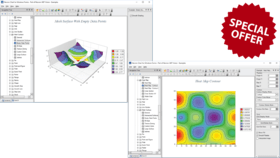
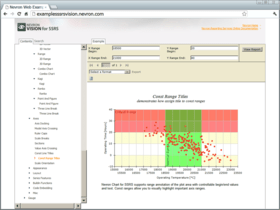
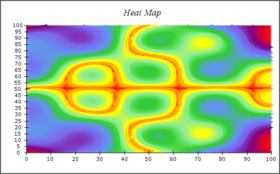
Screenshot Preview

Nevron Chart for Reporting Services - Summary

by Nevron - Product Type: Component / Add-In / ASP.NET WebForms / 100% Managed Code

Summary

Nevron Chart for Reporting Services by Nevron

URLs: nevron-chart-for-ssrs, nevron chart for ssrs, nevronchartforssrs, nevron

Enhance your SQL Server Reporting Services 2005/2008 reports. Nevron Chart for SQL Server Reporting Services (SSRS) 2005/2008 is an advanced report item, which delivers a complete set of 2D and 3D charting types, highly customizable axes, tight data integration, visual effects and additional customization properties to your reports. Designed to enhance SQL Server Reporting Services, it also improves your report authoring experience, with its polished visual editors, refined settings and well-organized structure. Nevron Chart for SSRS is an indispensible tool for any serious Business Intelligence, Scorecard, Presentation, Scientific or general purpose report. The product introduces advanced Axis Features, numerous XY and XYZ scatters, Surface Charts, many customization properties, seamless integration with SQL Server Reporting Services 2005 and 2008, Photoshop-like effects, HTML-like rich-text formatting much more.

Nevron Chart for Reporting Services is designed to enhance SQL Server Reporting Services 2005/2008. Based on Nevron Charting technology, this product uses one of the best .NET charting engines available on the market today, providing an easy and powerful way to author charts with visual quality, effects, layout features and data integration. Nevron Chart for SSRS introduces advanced Axis Features, a full set of 2D and 3D Charting Types, numerous XY and XYZ scatters, Surface Charts, many customization properties and much more.

General Features:

Support for SQL Server Reporting Services 2005 and 2008, 32-bit and 64-bit systems - Nevron Chart for SQL Server Reporting Services introduces a new level of data visualization, designed to enhance your reports within SSRS 2005 and 2008 editions.

Support for Multiple Charting Areas - Nevron Chart for Reporting Services has support for unlimited number of charting areas. Each charting area has its own charting type and can be rendered in 2D or 3D mode. Charting areas can be automatically or manually arranged.

Support for Multiple Legends - Nevron Chart for Reporting Services has support for unlimited number of legends. Each values data grouping can be assigned to a different legend. Legends can be manually positioned or docked to chart, chart areas and plot areas.

Support for Multiple Titles - Nevron Chart for Reporting Services has support for unlimited number of titles are supported. Titles can be manually positioned or docked to chart, chart areas and plot areas.

Support for Chart Templates - Nevron Chart for Reporting Services has support for saving and loading templates. Save the chart state from the designer to XML and then import it in a different report item. The state generated by the VS2005 and VS2008 report items is compatible meaning you can easily convert reports generated with different versions of Visual Studio.

Support for Code Customization - Nevron Chart for Reporting Services supports customization through C# code, which allows you to use the full Nevron Chart for .NET API in SSRS.

Support for Unlimited Number of Chart Series - Nevron Chart for Reporting Services has support for unlimited number of chart series.

Support for Unlimited Number of Data Points - Nevron Chart for Reporting Services has support for unlimited number of data points in the chart series.

Multiple Image Formats - With Nevron Chart for Reporting Services you can render charts as BMP, PNG, JPEG, TIFF and GIF.

Charting Types - a charting type is assigned to each charting area. Supported are the following charting types:

Bar Charts, Horizontal and Vertical Bars - (available in 2D and 3D)

Subtypes: Clustered, Stacked, Stacked Percent, Series, XY Scatter, XY Scatter Clustered, XY Scatter Stacked, XY Scatter Stacked Percent, XYZ Scatter, XYZ Scatter Clustered, XYZ Scatter Stacked, XYZ Scatter Stacked Percent.

Shapes: Bar, Cylinder, Cone, Inverted Cone, Pyramid, Inverted Pyramid, Ellipsoid, Smooth Edge Bar, Cut Edge Bar

Area Charts - (available in 2D and 3D)

Subtypes: Series, Stacked, Stacked Percent, XY Scatter, XY Scatter Stacked, XY Scatter Stacked Percent.

Smooth Area Charts - (available in 2D and 3D)

Subtypes: Series, XY Scatter

Line Charts - (available in 2D and 3D)

Subtypes: Series, Stacked, Stacked Percent, XY Scatter, XY Scatter Stacked, XY Scatter Stacked Percent, XYZ Scatter, XYZ Scatter Stacked, XYZ Scatter Stacked Percent

Shapes: Line, Tape, Tube, Ellipsoid

Smooth Line Charts - (available in 2D and 3D)

Subtypes: Series, XY Scatter

Step Line Charts - (available in 2D and 3D)

Subtypes: Series, XY Scatter

Shapes: Line, Tape, Tube, Ellipsoid

Pie Charts - (available in 2D and 3D)

Shapes: Pie, Torus, Smooth Edge Pie, Cut Edge Pie, Ring, Smooth Edge Ring, Cut Edge Ring.

Point Charts - (available in 2D and 3D)

Subtypes: Series, XY Scatter, XYZ Scatter

Shapes: Bar, Cylinder, Cone, Inverted Cone, Pyramid, Inverted Pyramid, Sphere, Ellipse, Cross, Diagonal Cross, Line Cross, Line Diagonal Cross, Star

Bubble Charts - (available in 2D and 3D)

Subtypes: Series, XYScatter, XYZScatter

Shapes:Bar, Cylinder, Cone, Inverted Cone, Pyramid, Inverted Pyramid, Sphere, Ellipse, Cross, Diagonal Cross, Line Cross, Line Diagonal Cross, Star

Float Bar Charts - (available in 2D and 3D)

Subtypes: Series, Clustered, Stacked, XY Scatter, XYZ Scatter, XYZ Scatter Stacked

Shapes:Bar, Cylinder, Cone, Inverted Cone, Pyramid, Inverted Pyramid, Ellipsoid, Smooth Edge Bar, Cut Edge Bar

High Low Charts - (available in 2D and 3D)

Subtypes: Series, XY Scatter

Stock Charts - (available in 2D and 3D)

Subtypes: Series, XY Scatter

Shapes: OHLC stick, HLC stick, Candle Stick

Funnel Charts - (available in 2D and 3D)

Control over labeling, neck width, neck height and points gap.

Radar Charts - (available in 2D only)

Subtypes: Lines, Areas

Polar Charts - (available in 2D only)

Subtypes: Lines, Areas, Points

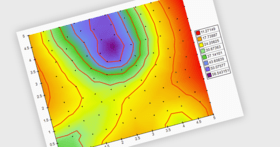
Surface Charts - (available in 3D only)

Subtypes: Grid, Mesh, Triangulated

Drawing Modes: Scaled, Flat at Axis Begin, Flat and Axis End

Error Bar Charts - (available in 2D and 3D)

Subtypes: Series, XY Scatter, XYZ Scatter

Controllable visibility of: X, Y and Z error bars

Box And Whiskers Charts - (available in 2D only)

Subtypes: Series, XY Scatter

Settings: Box and Whiskers size

Vector Charts - (available in 2D and 3D)

Vector Chart Subtypes: Series, XY Scatter, XYZ Scatter

Settings: Arrow shape and size

Range Charts - (available in 2D and 3D)

Range Chart Subtypes: Series, XY Scatter, XYZ Scatter

Kagi Charts - (available in 2D only)

Kagi Chart Subtypes: Series, XY Scatter

Settings: Reversal amount, Up and Down stroke style

Renko Charts - available only in 2D

Renko Chart Subtypes: Series, XY Scatter

Settings: Up and Down stroke style, Up and Down fill style

Three Line Break Charts - available only in 2D

Three Line Break Chart Subtypes: Series, XY Scatter

Settings: Box Width Percent, Number of Lines to Break, Up and Down stroke style, Up and Down fill style

Point And Figure Charts - available only in 2D

Point and Figure Chart Subtypes: Series, XY Scatter

Settings: Box Size, Reversal Amount, Preceding Column Peak, Preceding Column Direction, Proportional X/Y, Up and Down stroke style

Combo - (available in 2D and 3D)

Subtypes: Series, XY Scatter

A versatile charting type allowing you to mix custom combinations of series types. Series types are specified per values data groupings. There are many per series type options. You can combine the following series types: Bar, Area, SmoothArea, Line, Smooth Line, Step Line, Point, Bubble, High Low and Stock.

Chart Axes Features - Complete set of axis related features designed to target even the most compelling charting requirements. The axes are also largely automatic allowing you to focus on your project and be able to customize every aspect of the appearance and behavior of the axis if needed. Following is a short list of the axis related features of the component:

Primary and Secondary X and Y Axes

Supports Primary and Secondary X and Y Axes. You can specify the X and Y axes on which each values data grouping (chart series) is scaled. Advanced settings allow you to make use of axis crossings, docking and percent positioning.

Depth Axis

In 3D charting, the axis model is extended with an additional depth (Z) axis. The Z axis allows data to be plotted along the depth of the chart. It automatically scales in Numeric or Categorical scale mode, allowing the creation of XYZ scatters and XZ-plane categorical plots

Special Radar and Polar axes

The special Radar and Polar axes are exposed for Radar and Polar charting types, providing advanced settings for complex requirements related to these charting types.

Numeric Scale - automatically selected by the component depending on the series type. The following subtypes are available:

- Number scale - allows you to display any data in numeric format (profit, sales, percentages etc.)

- Angular scale - allows you to display angular data in degrees and grads (used in polar charts).

- DateTime scale - general date time scale suitable for the display of date time data.

- ValueTimeline scale - advanced date time scale most commonly used in financial charts.

- RangeTimeline scale - advanced date time scale most commonly used in financial and project management charts.

Categorical Scale - automatically selected by the component depending on the series type. The following features are available for categorical scales:

- single row and grouped categorical labels.

- controllable grid style.

Advanced positioning options

The axes of the component can be docked to the chart sides (or polar rim) or crossed at value with some other axis. In addition axes can share parts of the chart plot.

Title

Control over the title text, appearance, position and angle.

Ruler

Control over the begin / end ruler caps as well as option to highlight scale breaks on the ruler.

Range

Control over the range displayed by the axis. Ability to inflate that range in several modes.

Gridlines

Control over the major and minor gridlines appearance.

Ticks

Control over the appearance and position of minor and major ticks.

Stripes

Ability to highlight repeating ranges of data on the chart walls, with controllable show / hide pattern.

Sections

Ability to conditionally modify the appearance of axis decorations (tick, gridlines and labels) if they fall in a specified range. This feature allows you to highligh important ranges of data on the axis.

Const Lines

Ability to show constant (reference) lines at specified value. In 3D mode you can also show planes crossing the plot at the specified value.

Axis Scale Breaks

Axis Scale Breaks skip a range of values on the axis to increase the readability of the chart. Nevron Chart for Reporting Services provides support for manual and automatic scale breaks with full control over appearance and behavior. X and Y scale breaks can be crossed. Scale breaks are also displayed in 3D Mode.

Label Layout

Ability to control how the axis must resolve label overlapping and layout options.

Label Formatting

Ability to control the label formatting on numeric scales - including many advanced options for currency, percentage, scientific and date time label formatting.

Advanced Features:

Speed - one of the fastest rendering charts inside Reporting Services - in both 2D and 3D modes.

3D Charting - Nevron Chart for Reporting Services has one of the best layouts in 3D and an advanced feature set in 3D - including: 11 predefined lighting modes, ability to specify element materials (control the way in which elements reflect light), a large selection of charting types set in 3D, including a range of shapes in 3D (applicable to pies, bars, markers, areas etc.)

2D Charting - Nevron Chart for Reporting Services provides Adobe Photoshop like image filter effects, which are applicable to all chart elements - these include bevel, emboss, lighting filters etc. When it comes to shadows it is one of the only charts for Reporting Services which has soft shadows (based on Gaussian and Radial blur image filters).

2D/3D Consistency - Nevron Chart for Reporting Services is consistent in 2D/3D modes. For example you can map gradients, textures to elements in both 2D and 3D. Colors specified in 2D are inherited by materials in 3D. You can mix 2D and 3D chart areas in a single chart control.

XY and XYZ scatters - industry leading support for XY and XYZ scatters inside Reporting Services.

XML Formatted Texts - this feature is applicable to all elements which display text. It allows you to mix fonts, mix bold, italic underline formatting and many other advanced features like different fill styles, shadows, image filters etc. - all inside a single label, title etc. XML formatted texts use a format similar to HTML, but with many more advanced options.

Multithreaded UI - the user interface in design time is multithreaded. This allows for very quick editing of the component, regardless of the preview complexity.

Visual Effects - Nevron Chart for SSRS introduces numerous Lighting Models, Orthogonal Projection with Depth Offset, Soft Shadows based on image filters, Blur, Glow, Lighting, Bevel and Emboss image filters.

Additional Customization Properties:

Walls

Walls visibility

Walls appearance

Walls depth (in 3D)

Legends

Advanced positioning options

Items layout preferences

Control over legend marks

Header and Footer

Gridlines

Stripes

Per Series (Values Data Groupings) Properties

Series options (for combo charts)

Display on chart area

Display on X axes

Display on Y axes

Display on legend

Markers - control over shape, size, position and appearance

Legend - control over the data describing the series in the legend

Data Labels - control over format, appearance and layout.

Action - jump to report, jump to bookmark, jump to URL.

Data Groupings Editors

Edit grouping expressions

Edit filter expressions

Edit sorting expressions

Rendering

Support for different image formats

Specify resolution

Image sizing options

Gray scale rendering

On/off image map rendering

Control over the currently used culture settings. You can select a custom culture or synchronize the currently used culture with the user regional settings.

Appearance Customization:

Fill Style editor - helps you define the filling of an element. Provides options for solid color, gradient, image and advanced gradient fill types.

Stroke Style editor - helps you define the outline/stroke of an element. Provides options for line caps and joins, line pattern and color.

Shadow Style editor - helps you define the shadow which is casted by an element. Provides options for solid, linear, radial blur and gaussian blur shadows.

Text Style editor - helps you define the default appearance of a text element. Provides options for font size and type, font filling, outline, shadow, backplane etc.

Frame Style editor - helps you define the frame of the component and its panels. Supports artistic/image borders.

Chart Code Customization

Nevron Chart for Reporting Services supports customization through C# code, which allows you to use the full Nevron Chart for .NET API in SSRS.

What's New in Nevron Chart for SQL Server Reporting Services 2012.1

Expressions Everywhere - Nearly all properties of the Chart report item can now be specified by expressions. Appearance styles (fill, stroke, shadow and text) are also reworked to support both constant specification and specification that is based on expressions. This allows you to bind nearly all configurable aspects of the report item to user defined parameters and/or data.

Controllable Visibility of Essential Chart elements - Chart Areas, Chart Values, Chart Titles now have controllable visibility. This new feature in combination with expressions can help you dynamically change the type of data visualization (for example flip between area and bar charts, dynamically show/hide titles etc.).

Panel Content Alignment - Panel content alignment allows you to align the content of horizontally or vertically adjacent chart, legend and title areas. This allows you to create better looking dashboards with multiple panels.

Twin Charts - Twin charts allow you automatically align two adjacent charts areas.

Conditional Data Points Appearance - The filling and stroking of chart data points can now be specified with expressions. This allows you to quickly author complex "color coding" logic.

Radar Axis Improvements - Radar Axis Category labels have been improved to support different position, fit and alignment modes.

Surface Improvements - The Triangulated Surface has an option to simplify the data set. This allows for the visualization of large XYZ data sets.

Step Line Improvements - The Step Line has support for automatic data resampling. This allows for the visualization of very large datasets.

Performance Improvements - The chart has been additionally optimized for performance, which reduces the CPU load on the server and leads to smoother design time experience.

Report Item Preview Improvements - Added was support for three different types of report item preview in the properties dialog: - Normal - shows the report item preview in its exact size and aspect - Fit - fits the report item preview in the preview area by preserving the aspect ratio. - Stretch - stretches the report item preview in the preview area (brakes aspect ratio).

Report Items Editing Improvements - The report items properties dialog now loads faster than ever. Significant speed optimizations are also clearly visible in the instant preview generation. All operations that the user performs with the report items are encapsulated in designer transactions.

New Chart Examples - Almost all Chart examples have been updated, showing some of the Chart features and visual styling properties set through parameters. New chart examples showing the use of build in financial functions, including: Directional Movement, Moving Averages, Price Indicators, Range Indicators, Technical Price Indicators and Volume Indicators.

What's New in Nevron Chart for SQL Server Reporting Services 2011.1 (build 11.8.18.12)

Support for “twin charts” and chart content area alignment

Fixed problems with code embedding

The twin chart will allow the alignment of two horizontal or vertical charts in a single chart area, sharing a single Y (or X axis). This specific charting requirement in SSRS has been requested from many of Nevron's customers and it is another unique feature since it is not supported in the standard SSRS chart control.

What's New in Nevron Chart for SQL Server Reporting Services 2011.1

Optimized speed and memory usage - The Chart control document building and rendering has been completely revised. As a result we have provided significant speed improvement in both the designer and server components

Non-overlapping Data Labels Layout - All Cartesian charting types now support automatic data labels layout. The data labels layout prevents labels from overlapping in both ordinal and scatter charts and works in 2D and 3D appearance modes

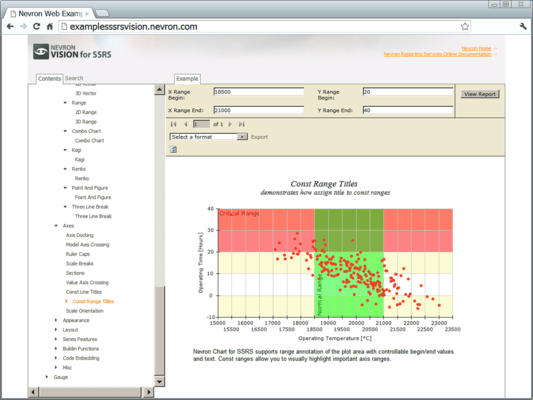
Improved Axis Annotations - The Chart axes have been extended to support Const lines with texts as well as Const ranges

Axis Orientation - All Cartesian axes now support the axis orientation feature

Improved XML Formatted Texts - The XML formatted texts feature is extended to support additional XML tags that allows you to specify the text background and border

Dynamic Size - The Chart report item size can be modified at runtime through SSRS expressions

Line and Point Series Sampling - The Line and Point charting types support options for automatic data resampling. This allows for the visualization of very large datasets

Legend Layout improvements - The Chart legend now supports Vertical and Horizontal Wrapping

New Charting Feature - The Area, Line, Pie, Error Bar, Step Line, Point and Surface charting types have additional features

Enhance your SQL Server Reporting Services 2005/2008 reports.

Pricing: Nevron Chart for SSRS 2012.1 (Build 12.5.7.12) 1 Developer License (Designer and Server License), Nevron Chart for SSRS 2012.1 (Build 12.5.7.12) 1 Developer License, per Developer from 3 up to 4 Developers (Minimum quantity 3), Nevron Chart for SSRS 2012.1 (Build 12.5.7.12) 1 Developer License, per Developer from 5 up to 9 Developers (Minimum quantity 5), Nevron Chart for SSRS 2012.1 (Build 12.5.7.12) 1 Developer License, per Developer from 10 up to 19 Developers (Minimum quantity 10), Nevron Chart for SSRS 2012.1 (Build 12.5.7.12) 1 Developer License, per Developer from 20 Developers (Minimum quantity 20), Nevron Chart for SSRS 2012.1 (Build 12.5.7.12) - Additional Report Server License Additional Report Server License, Nevron Chart for SSRS 2012.1 (Build 12.5.7.12) with Subscription 1 Developer License (Designer and Server License) with Subscription, Nevron Chart for SSRS 2012.1 (Build 12.5.7.12) with Subscription 1 Developer License with Subscription, per Developer from 3 up to 4 Developers (Minimum quantity 3), Nevron Chart for SSRS 2012.1 (Build 12.5.7.12) with Subscription 1 Developer License with Subscription, per Developer from 5 up to 9 Developers (Minimum quantity 5), Nevron Chart for SSRS 2012.1 (Build 12.5.7.12) with Subscription 1 Developer License with Subscription, per Developer from 10 up to 19 Developers (Minimum quantity 10), Nevron Chart for SSRS 2012.1 (Build 12.5.7.12) with Subscription 1 Developer License with Subscription, per Developer from 20 Developers (Minimum quantity 20), Nevron Chart for SSRS 2012.1 (Build 12.5.7.12) - Subscription Renewal License 1 Developer Subscription Renewal License, Nevron Chart for SSRS 2012.1 (Build 12.5.7.12) - Subscription Renewal License 1 Developer Subscription Renewal License, per Developer from 3 up to 4 Developers (Minimum quantity 3), Nevron Chart for SSRS 2012.1 (Build 12.5.7.12) - Subscription Renewal License 1 Developer Subscription Renewal License, per Developer from 5 up to 9 Developers (Minimum quantity 5), Nevron Chart for SSRS 2012.1 (Build 12.5.7.12) - Subscription Renewal License 1 Developer Subscription Renewal License, per Developer from 10 up to 19 Developers (Minimum quantity 10), Nevron Chart for SSRS 2012.1 (Build 12.5.7.12) - Subscription Renewal License 1 Developer Subscription Renewal License, per Developer from 20 Developers (Minimum quantity 20)

Evals & Downloads: Read the Nevron SSRS Vision 2012.1 help file, Why Choose Nevron Chart for SSRS, Read the Nevron SSRS Vision (Chart and Gauge) Readme and End User License Agreement, Read the Nevron Chart for .NET Insurance Technologies Case Study, Read the Nevron Chart for .NET Innovation Group Case Study, Read the Nevron Chart for .NET Washington State University Case Study, Download the Nevron SSRS Vision 2012.1 (Build 12.5.7.12) for VS2005 evaluation on to your computer - Displays Evaluation Messages, Download the Nevron SSRS Vision 2012.1 (Build 12.5.7.12) for VS2008 evaluation on to your computer - Displays Evaluation Messages

Operating System for Deployment: Windows 7, Windows Server 2008, Windows Vista, Windows XP, Windows Server 2003, Windows 2000

Architecture of Product: 32Bit, 64Bit

Product Type: Component, Add-In

Component Type: ASP.NET WebForms, 100% Managed Code

Built Using: Visual C# .NET

Compatible Containers: Microsoft Visual Studio 2008, Microsoft Visual Studio 2005, Microsoft Visual Basic 2008, Microsoft Visual Basic 2005, Microsoft Visual C++ 2008, Microsoft Visual C++ 2005, Microsoft Visual C# 2008, Microsoft Visual C# 2005, Microsoft SQL Server 2008, Microsoft SQL Server 2005, .NET Framework 3.5, .NET Framework 3.0, .NET Framework 2.0

Keywords: nevron chart for ssrs, nevron chart ssrs, nevron chart rs, nevron chart reporting, nevron chart services, nevron chart ssrs designer, nevron chart ssrs server, nevron chart ssrs subscription, nevron chart ssrs report, buy nevron chart ssrs, order nevron chart ssrs, nevron chart ssrs distributor, nevron chart ssrs reseller, purchase nevron chart ssrs, renew nevron chart ssrs, nevron chart ssrs licensing, nevron chart ssrs license, nevron chart ssrs pricing, nevron chart ssrs price, nevron chart ssrs upgrade, nevron chart ssrs update

Nevron

Chart Charting Charts Graph Graphing Graphs

Reporting Reports Report

Part numbers: PC-532427-456911 532427-456911 PC-532427-456915 532427-456915 PC-532427-456916 532427-456916 PC-532427-456917 532427-456917 PC-532427-456918 532427-456918 PC-532427-456914 532427-456914 PC-532427-456912 532427-456912 PC-532427-456919 532427-456919 PC-532427-456920 532427-456920 PC-532427-456921 532427-456921 PC-532427-456922 532427-456922 PC-532427-456913 532427-456913 PC-532427-456923 532427-456923 PC-532427-456924 532427-456924 PC-532427-456925 532427-456925 PC-532427-456926 532427-456926

Mfr. Part No: N.CH.SSRS.120.ENT N.CH.SSRS.120.ENT+SSCR N.CH.SSRS.ENT+SSCR.RNEW N.CH.SSRS.RSL

Product Search

Enter search words:

Award