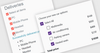
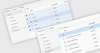
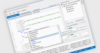
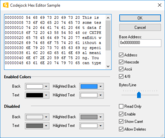
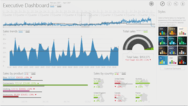
Screenshot Preview

VIBlend Controls for WinForms - Summary

by VIBlend - Product Type: Component / .NET WinForms

Summary

VIBlend Controls for WinForms by VIBlend

URLs: viblend-supercontrols, viblend supercontrols, viblendsupercontrols, viblend

Collection of .NET WinForms User Interface components. VIBlend Controls for WinForms is a comprehensive library of User Interface controls. Designed and fine-tuned to provide rich functionality, outstanding performance and increase the ROI when building professional Windows applications using the Microsoft .NET framework. VIBlend Controls includes grid, navigation bars, ribbon interface, calendar, treeview,combo box, list box, buttons and editors, scroll and progress bars and tab controls.

VIBlend Controls for Winforms Benefits

Short learning curve

Rich programming model with easy to use APIs

Excellent Performance

Full Integration with Visual Studio 2005 and 2008

Free Upgrades for 12 months

Royalty free distribution with your applications

VIBlend Controls includes the following .NET Windows Forms controls:

Data Grid Control

Navigation Bars

Ribbon Interface

Calendar

TreeView

ComboBox

ListBox

Buttons & Editors

Scroll & ProgressBars

Tab Control

Data Grid Control

GridView for WinForms is an advanced hierarchical data grid component with powerful features and rich customization. It is easy to integrate and use regardless of whether you want to add functionality to an existing Windows Forms application or planning to start your next great project. GridView is ideal for building data-driven applications. It supports advanced data bindings to multiple data source types. You can visualize a database table, bind to a generic collection or populate the grid's content through APIs without using any data binding. You can also create Pivot Tables with multi-level hierarchies on rows and columns, and multiple value (fact) fields.

Features:

Visual styles, Themes and Animations

Office 2007 Style Themes

Comprehensive Hierarchical data visualization

Hierarchies on Rows and on Columns

Sorting

Filtering

Data Binding to multiple data source types

Virtual Mode

Keyboard navigation

Tooltips

Cell Types & Cell Editors

Cell styles, Properties and Formatting

Cells Conditional Formatting

Cells Merge

Drag & Drop

Fixed Hierarchies

Fixed Items (fixed rows & fixed columns)

Pivot Tables support

Built-in data aggregation functions

Export to Microsoft Excel 2003 & 2007

Export to XML and HTML

Rich programming model

Easy to use Design time

Themes

GridView ships with a set of professionally designed themes. In addition, designing your own theme has never been easier. Each theme is stored in XML format which makes it easy to customize and distribute.

Multi-Level Hierarchies on Rows and Columns

GridView is one of the few components on the market which comes with full support of hierarchies on both Rows and Columns. GridView can handle hundreds of thousands of Items on rows and columns, and Hierarchies can be up to 1024 nodes deep. You can build hierarchies through data binding, design time or programmatically. A rich set of APIs provides unprecedented fine grain control at runtime.

Fixed Hierarchies (Headers)

GridView allows you to set the Columns, and the Rows Hierarchies as Fixed. A Fixed hierarchy is not affected by the position of the respective scrollbar. For example, if the Columns Hierarchy is fixed, and the user moves the vertical scrollbar, all rows and the respective grid cells will be scrolled. However, the Columns hierarchy will stay at its original position. This feature, is very useful when working with large amounts of data.

Fixed Items (Fixed Rows & Fixed Columns)

In addition to fixed hierarchies, GridView allows you to designate some hierarchy items (rows and/or columns) as fixed. Fixed items are individual rows or columns that are not scrollable. They are extremely useful when you have a larger number of rows or columns, and visual comparison between certain rows and columns is desired.

Sorting by Rows or Columns

GridView provides a built-in sorting capabilities. The sorting works in both bound and unbound mode. You can sort by columns, and by rows. Each column, and row has a Sorting property that allows you to enable or disable the sorting functionality. In addition, GridView keeps track on the original sort order, and you can always see the data in original (unsorted) order. The sorting algorithm automatically detects if you are sorting numbers or text data, and applies a proper comparison. In addition, the sorting APIs are extensible, and allow you to plug-in your own sorting comparer.

Filtering

GridView ships with an advanced, and extensible filtering framework. The filtering functionality works in both bound and unbound mode, and you can filter by any column or row. GridView provides built-in filters, and filter expression definition UI for the most common numerical and text data types. Extensible APIs allow you to build your own filters, and even complicated filtering expressions, for any custom data type.

Header Items Drag & Drop

Drag & Drop operations on Row and Column header items is fully supported. You can easily enable or disable drag & drop and control the runtime behavior through a set of events.

Customizable Grid Cells

GridView ships with built-in editors for several grid cell types: simple cell, editable text field, combobox, date time, checkbox. In addition, you can add images, change fonts and colors, handle navigation events, and more.

Header Items Customization

GridView allows you to customize almost every visual aspect of a Header Item. You can add images, change alignment, fonts, colors, override the theme styles and more.

Cell Images

You can create a great looking grid view with cell images, editable fields, animations and themes entirely through a visual designer, and with minimal or no programming.

Grid Cells Conditional Formatting

GridView allows you to define named groups of grid cells, rows and/or columns, and apply conditional formatting to an entire group. You can define unlimited number of groups. GridView ships with eight build-in conditional formatting color scales. The programming model is very flexible and extensible. It allows you to create your own color scales and formatting rules, and apply them to various cell and item groups.

VIBlend Accordion, Outlook and Explorer Bar Navigation Controls

If you want to incorporate the latest user interface trends in your applications, you will definitely enjoy VIBlend's navigation controls collection. VIBlend Controls for Windows Forms includes three navigation bar controls: accordion style navigation pane, outlook navigation pane, and explorer bar navigator control. These controls are very easy to use, offer codeless design time experience, and you can integrate them in your applications within minutes.

Features:

Visual Styles & Animations

Office 2007, 2003, and Vista-style Themes

Office 2003 Themes

Configurable Items Height

Tooltips support

Excellent Performance

Item images

Keyboard navigation

Rich programming model

Easy to use Design time

NavPane is an accordion style WinForms control that allows you to create multiple panes which are stacked on each other. Only one of the panes is expanded at a time. Web developers often refer to this type of control as an accordion control. Each item in NavPane consist of a header and a panel control. The header is used to display the item’s text and image, as well as to handle the navigation commands. The panel is a standard Windows Forms Panel control and you can add any number of controls in it. You can even create nested navigation panes by adding a navigation pane control as a child control within the panel of a navigation pane item. One of great visual features of NavPane is the smooth expand/collapse animation activated by clicking on a item’s header. During the animation the control transitions from the currently selected pane to the pane on which the user clicked.

OutlookNavPane is similar in functionality to the Outlook 2007 navigation bar. It is the ideal choice for building Office 2007 style user interfaces. With OutlookNavPane, you can change the number of visible groups by dragging the grip separator. You can also access hidden groups through the overflow panel displayed at the bottom, and customize the control using a built-in menu accessible by clicking the arrow at the bottom right corner of the navigation pane.

VIBlend ExplorerBar is a stylish explorer-style navigation control for Windows Forms. It allows you to have more than one pane expanded at a time. If the expanded panes do not fit within the control's area, ExplorerBar displays scroll buttons.

VIBlend's navigation pane controls can be populated with content and customized entirely through the Visual Studio designer. Everything comes out of the box and in most case you don’t need to write even a single line of code. You can use the design-time editor to Add, Remove, and modify properties of the control’s items. Every item is customizable. Design-time properties allow you to modify the text, images, font, size and tooltips of the items.

VIBlend Ribbon User Interface

Visual perfection, style and innovation. A total blend of funcationality, professional design and ease of use. RibbonBar is the latest addition in Controls for Windows Forms . It is designed to give your applications outstanding looking & feel. VIBlend RibbonBar incorporates the latest trends and innovations in the desktop user interface technologies. VIBlend RibbonBar is the first WinForms Ribbon control that supports more than fifteen themes, Office 2007 style, and the new Windows7 Ribbon theme.

Highlights:

Visual Styles & Animations

Office 2007, Vista, and Windows7 style themes

Application Button

Contextual Tabs

Ribbon Gallery

Automatic resizing and scaling

Quick Access Toolbar

Advanced Tooltips

Keyboard access and KeyTips

Customizable Item Rounded Corners

Excellent Performance

Rich programming model

Easy to use Design time

Examples:

SRibbonBar has 15 themes including the most popular Office 2007 themes in Blue, Black and Silver styles.

You can assign a Tooltip pop-up to be displayed below any control. These tooltips allow detailed user feedback such as description text, footer text, header text, image, etc.

VIBlend RibbonBar is the first professionally design ribbon interface to introduce Windows7 style themes.

You can assign a VIBlend KeyTip component to any control on your form. A KeyTip is activated by clicking the Alt Key. When you click the KeyTip’s selection key then an event is fired. This allows you to capture it in the key tip’s event handler and perform any action.

Contextual Tabs are used only in a particular context. For example you can display Contextual tabs when the user performs a specific action within your application.

VIBlend Calendar Control

VIBlend MonthCalendar is exactly what its name suggests. Just add this control to a Form in your Windows Forms application and you will get a feature complete and highly customizable calendar with an excellent look & feel. MonthCalendar allows you to easily navigate through days, months and years. You can use it in multiple languages, change the week starting day, highlight and tag certain days with reminders, use rich content tooltips, decide whether to see the weeks, how to display weekends and holidays, and so much more that you will never be looking again for another calendar control.

Features:

WPF-like animations and themes

Office 2007 and Vista style Themes

Row Headers

Column Headers

Multiple Selection Mode

Appointments

Configurable Day ranges

Support for Multiple Languages

Week Start day property

Rich content tooltips

Excellent Performance

Keyboard navigation

Rich programming model

Easy to use Design time

VIBlend TreeView

It's more than a TreeView for WinForms. It's a supper TreeView. It's easy to use and will make your applications look better. Enjoy the rich functionality and outstanding look and feel. Ships with multiple professionally designed themes to choose from.

Features:

Visual styles and Animations

Themes

Tree Nodes Drag & Drop

Excellent Performance

Node Images

Keyboard navigation

CheckBoxes and 3-State CheckBoxes

Editable Tree nodes

Rich programming model

Easy to use Design time

Themes:

TreeView ships with a set of professionally designed themes. In addition, designing your own theme has never been easier. You can store, share and distribute themes in a single XML file.

Tree nodes Drag & Drop

You can drag & drop any tree node within the TreeView. The drag and drop functionality is controlled at runtime through APIs, as well as through designer properties at design time.

Tree nodes with checkBoxes and 3-State checkBoxes

In TreeView you can add CheckBoxes next to the TreeViewNodes. The CheckBoxes inherit the visual style from the TreeView theme. 3-state CheckBoxes are also supported.

Editable Tree nodes

With TreeView you can make the tree nodes editable. You can control the node editing functionality through designer properties at design time and through APIs at runtime.

VIBlend ComboBox

It is hard to find a Windows desktop application that doesn’t use ComboBoxes. This dropdown control is a common element in almost every user interface. The standard Windows Forms ComboBox provides only basic functionality. We designed and built VIBlend ComboBox from scratch to deliver the visual appearance, and feature richness that professional software developers demand.

Features:

Visual Styles & Animations

Office 2007 and Vista-style Themes (More than 10 themes included)

Variable Items Height

Adjustable Items Spacing

Small & Large images support

Configurable Text and Image relations

Items Text Details

MultiLine Items Text

Configurable HotTrack property

Customizable Item Rounded Corners

Excellent Performance

Smart Scrolling

Configurable ComboBox drop-down width and height

ComboBox autocomplete mode

Keyboard navigation

RightToLeft mode

DataBinding support

Rich programming model

Easy to use Design time

VIBlend ListBox

The Windows Forms ListBox control is one of the most frequently used component in .NET applications that run on Windows desktops. VIBlend ListBox resembles the functionality of the standard .NET ListBox control. VIBlend ListBox provides an improved look & feel, supports multiple themes, and includes a set of unique features that are not available in most ListBox controls.

Features:

Visual Styles & Animations

Office 2007 and Vista-style Themes (More than 10 themes included)

Variable Items Height

Adjustable Items Spacing

Small & Large images support

Configurable Text and Image relations

Items Text Details

MultiLine Items Text

Configurable HotTrack property

Customizable Item Rounded Corners

Excellent Performance

Smart Scrolling

Keyboard navigation

RightToLeft mode

DataBinding support

Rich programming model

Easy to use Design time

VIBlend Buttons and Editors

VIBlend Controls for Windows Forms includes several commonly used controls such as buttons, checkboxes, radiobuttons and editors. These controls are very easy to use and replace the standard WinForms controls. They allow you to take advantage of VIBlend's theming and animations, and create consistent, great looking User Interfaces.

Controls Included:

Button

CheckBox

RadioButton

ToggleButton

RepeatButton

SplitButton

TreeViewBox

ColorPicker

DatePicker

ControlBox

Label & MultiLabel

TextBox

MaskedTextBox

DateTimeEditor

Benefits:

Visual styles and Animations

Office 2007, Office 2003, and Vista-style Themes

Customizable visual appearance

Excellent Performance

Intuitive programming model

Easy to use Design time

VIBlend Button

VIBlend Button for Windows Forms is a standard Button control which is an alternative to the Button control which comes with Visual Studio. It supports themes, animations, images and configurable text/image relations. VIBlend Button supports six different states and the visual appearance is highly customizable. VIBlend Button supports transparency, configurable rounded corners, and absolute text, and image positioning.

VIBlend ToggleButton

VIBlend ToggleButton is a button that mimics the functionality of a check box control. The most important property of this control is the VIBlend ToggleState which changes the state of the button. The VIBlend ToggleButton appears differently depending on the toggle state.

VIBlend RepeatButton

VIBlend RepeatButton is a button control that raises the RepeatButtonClick event repeatedly from the time it is pressed until it is released. You can configure the time intervals between the click events raised by the repeat button.

VIBlend TextBox

VIBlend TextBox extends the functionality of the standard text box by adding rich visual styles and themes. VIBlend TextBox supports right-to-left mode, multi-line mode, password mode and all of the standard functionality of the WinForms textbox control.

VIBlend CheckBox and RadioButton

VIBlend RadioButton and CheckBox resemble the standard radio button and checkbox controls but they give a new look and feel of using built in themes, visual styles and animations.

VIBlend TreeViewBox

VIBlend TreeViewBox is an edit box with a built in TreeView control. The VIBlend TreeView control’s instance can be retrieved by using the TreeView property and is shown in a popup window when the arrow button is pressed.

VIBlend ColorPicker

VIBlend ColorPicker is drop-down control that provides color selection functionality. VIBlend ColorPicker has a built-in list of the most common paint colors, as well as Web, and System colors.

FieldSet and OptionsFieldSet

VIBlend FieldSet & OptionsFieldSet controls provide drop-down selection list functionality. These controls allow you to quickly build single or multi-choice selection interfaces.

VIBlend ControlBox

VIBlend ControlBox is a generic DropDown control that allows you to host any other control within the DropDown window.

VIBlend Scrollers, Sliders and Progress Indicators

VIBlend Controls for Windows Forms includes improved versions of the commonly used controls for scrolling and progress indication. These controls are very easy to use, highly customizable, and with excellent look and feel. In addition to the rich set of built-in themes, you can change almost every visual property and color. It will be almost impossible to find a better alternative. The library contains the following controls in this category:

Horizontal and Vertical ScrollBars

Horizontal and Vertical TrackBars (Slider controls)

Horizontal and Vertical Progress Indicators

Circular Progress Bar control (spinning progress bar similar to the look of the progress bar used on Firefox tabs when loading pages)

Numeric Up-Down control (Spin control)

Features:

Visual styles, Themes and Animations

Office & Vista-style Themes

Customizable Rounded Corners

Configurable slider thumb size, and rounded corners

Excellent Performance

Smart Scrolling

Right to Left mode

Keyboard navigation

Rich programming model

Easy to use Design time

VIBlend TabControl

VIBlend TabControl will make your applications look even better whenever you need to create interfaces with multiple tabs. VIBlend TabControl is extremely easy to use. It provides rich functionality and excellent visual experience.

Features:

Visual styles and Animations

Office 2007 & Vista-style Themes

Customizable themes and background for each individual individual Tab

Tab pages Drag & Drop

Excellent Performance

Tab Images

Keyboard navigation

Customizable Tabs spacing

Variable Tabs height

Multi-line tabs text

Tabs text and image alignment, text and image relations

Horizontal and Vertical Tabs orientation

Smart scrolling support

Fit to bounds mode

Different Tab Pages orientations

Rich programming model

Excellent performance

Easy to use Design time

What's New in VIBlend Windows Forms Controls 8.0

Added: Metro Blue Theme

Added: Metro Green Theme

Added: Metro Red Theme

Added: Drag and Drop between TabControls

Added: DataGridView ColorPickerEditor

Fixed: ComboBox and ListBox DataBinding issues.

Fixed: ComboBox and TextBox Tab key navigation behavior.

Fixed: ComboBox AutoComplete issue.

Fixed: TabControl - fix regarding the Remove method.

Fixed: NumericEditors - fixed event handling issues.

Fixed: DateTimePicker - rendering issue regarding the calendar selection.

Improved: TabControl and RibbonBar performance

Improved: Help Documentation

Improved: DataGridView Export to Excel

What's New in VIBlend Windows Forms Controls 7.0

Added: New Control - Split Container

Added: Save/Load Columns Layout feature to DataGridView

Improved: DataGridView Columns auto size.

Improved: DataGridView ProgressBar editor.

Improved: DataGridView ComboBox editor.

Improved: TreeView loading performance.

Improved: DataGridView filtering capabilities and API.

Fixed: Resolved an issue regarding the TreeView expand/collapse behavior.

Fixed: Resolved an issue regarding the Month Calendar selection.

Fixed: Resolved an issue regarding the Month Calendar serialization/deserialization.

Fixed: Resolved an issue regarding the Oulook Navigation Pane rendering.

Fixed: Resolved an issue regarding the vLabel bounding rectangle.

Fixed: Resolved an issue regarding the DataTimeEditor control's keyboard input behavior.

Fixed: Resolved an issue regarding the ProgressBar's rendering.

Fixed: Resolved an issue regarding the StripsRenderer when a button is checked.

Fixed: Resolved an issue regarding the DateTimePicker's Null value.

What's New in VIBlend Windows Forms Controls 6.0

Added data binding using Indexed properties to DataGridView.

Added checkbox filtering to DataGridView.

Added new case sensitive filtering comparison operators to DataGridView.

Added support for Totals and Sub Totals to DataGridView.

Added currency, percentage, fixed-point and number editors to DataGridView.

Added DataGridView navigation with Home, End, PageUp, PageDown keys.

Added ability to set a custom theme to the DataGridView CheckBoxEditor.

Added ThreeState mode to DataGridView CheckBoxEditor

Added support for indeterminate state in CheckedListBox.

Added ability to set a custom header width and height to the TabControl TabPages.

Added ability to show or hide a close button per tab page.

Added an option to modify the animation speed in Navigation Pane.

Added OutlookPane Localization.

Added OutlookPane, NavigationPane and ExplorerBar header text alignment.

Added Built-in Validation in Currency, Percentage, Fixed-Point, Number and DateTime editors.

Added support for default text in the ComboBox

Improved DataGridView Localization.

Improved the styling capabilities of the TrackBar and ProgressBar controls.

Improved ListBox multiple selection. Added support for MultipleSimple and MiltipleExtended selection modes.

Improved the styling capabilities of TreeView, Outlook Pane, Navigation Pane, ListBox and ExplorerBar controls.

Improved Sorting feature of ComboBox, ListBox and CheckedListBox.

Improved data binding of ComboBox, ListBox and CheckedListBox.

What's New in VIBlend Windows Forms Controls 5.0

The new version includes two new themes, improved Ribbon UI rendering, and Pivot Table Design add-in for VIBlend DataGridView.

What's New in VIBlend Windows Forms Controls 4.7.0

Major update of the Help Documentation

New How-To Tutorials

New VS 2010 Examples projects

New Examples

Various fixes and improvements in all the controls

What's New in VIBlend Windows Forms Controls 4.6.0

Added support for Visual Studio 2010

DataGridView changes - In this version VIBlend extended the HierarhcyItem mouse click events. Previously, the grid was raising only the ItemClick and ItemDoubleClick events.

These two events are replaced by the following set of events:

HierarchyItemMouseUp

HierarchyItemMouseDown

HierarchyItemMouseClick

HierarchyItemMouseDoubleClick

VIBlend also added several improvements in the in-place cell editors' infrastructure. Specifically we added the following activation and deactivation events:

Click on selected cell (MOUSE_CLICK_SELECTED_CELL)

Enter key activation (KEY_PRESS_ENTER

Esc key deactivation (KEY_PRESS_ESC)

The default activation and deactivation flags for the built-in cell editors where modified to use the new activation events.

Please, note that these are breaking changes. If you are using an earlier version of VIBlend Controls for Windows Forms you will have to make minor changes to your code.

New in version 4.6 are the HierarchyItems and Cells selection changed events:

DataGridView.HierarchyItemSelectionChanged

DataGridView.CellSelectionChanged

VIBlend Controls ver. 4.0 for WinForms and 1y subscription New Features - The most recognizable new features which have been added to the latest release are a major update of the help documentation and 5 new data input controls – CurrencyEditor, PercentageEditor, FixedPointEditor, DecimalEditor and NumberEditor.

Collection of .NET WinForms User Interface components.

Pricing: VIBlend Controls 8.0.0 for WinForms and 1 Year subscription 1 Developer License - includes 1 year Subscription (Technical support and free upgrades), VIBlend Controls 8.0.0 for WinForms and 1 Year subscription 2 Developer License, price per developer - includes 1 year Subscription (Technical support and free upgrades), VIBlend Controls 8.0.0 for WinForms and 1 Year subscription 3 Developer License, price per developer - includes 1 year Subscription (Technical support and free upgrades), VIBlend Controls 8.0.0 for WinForms and 1 Year subscription 4-10 Developer License, price per developer - includes 1 year Subscription (Technical support and free upgrades), VIBlend Controls 8.0.0 for WinForms and 1 Year subscription 11-49 Developer License, price per developer - includes 1 year Subscription (Technical support and free upgrades), VIBlend Controls 8.0.0 for WinForms and 1 Year subscription 50+ Developer License, price per developer - includes 1 year Subscription (Technical support and free upgrades), VIBlend Controls 8.0.0 for WinForms Subscription Renewal Licenses 1 Developer Renewal License - extends 1 year Subscription (Technical support and free upgrades), VIBlend Controls 8.0.0 for WinForms Subscription Renewal Licenses 2 Developer Renewal License, price per developer - extends 1 year Subscription (Technical support and free upgrades), VIBlend Controls 8.0.0 for WinForms Subscription Renewal Licenses 3 Developer Renewal License, price per developer - extends 1 year Subscription (Technical support and free upgrades), VIBlend Controls 8.0.0 for WinForms Subscription Renewal Licenses 4-10 Developer Renewal License, price per developer - extends 1 year Subscription (Technical support and free upgrades), VIBlend Controls 8.0.0 for WinForms Subscription Renewal Licenses 11-49 Developer Renewal License, price per developer - extends 1 year Subscription (Technical support and free upgrades), VIBlend Controls 8.0.0 for WinForms Subscription Renewal Licenses 50+ Developer Renewal License, price per developer - extends 1 year Subscription (Technical support and free upgrades), VIBlend Controls 8.0.0 for WinForms Ultimate (Includes Source Code delivered separately) 1 Developer License - includes 1 year Technical support and Unlimited free upgrades, VIBlend Controls 8.0.0 for WinForms Ultimate (Includes Source Code delivered separately) 2 Developer License, price per developer - includes 1 year Technical support and Unlimited free upgrades, VIBlend Controls 8.0.0 for WinForms Ultimate (Includes Source Code delivered separately) 3 Developer License, price per developer - includes 1 year Technical support and Unlimited free upgrades, VIBlend Controls 8.0.0 for WinForms Ultimate (Includes Source Code delivered separately) 4-10 Developer License, price per developer - includes 1 year Technical support and Unlimited free upgrades, VIBlend Controls 8.0.0 for WinForms Ultimate (Includes Source Code delivered separately) 11-49 Developer License, price per developer - includes 1 year Technical support and Unlimited free upgrades, VIBlend Controls 8.0.0 for WinForms Ultimate (Includes Source Code delivered separately) 50+ Developer License, price per developer - includes 1 year Technical support and Unlimited free upgrades, VIBlend Controls 8.0.0 for WinForms Ultimate Support Renewal 1 Developer Renewal License - extends 1 year Technical support for an additional 12 months, VIBlend Controls 8.0.0 for WinForms Ultimate Support Renewal 2-3 Developer Renewal License, price per developer - extends 1 year Technical Support for an additional 12 months, VIBlend Controls 8.0.0 for WinForms Ultimate Support Renewal 3-4 Developer Renewal License, price per developer - extends 1 year Technical Support for an additional 12 months, VIBlend Controls 8.0.0 for WinForms Ultimate Support Renewal 4-10 Developer Renewal License, price per developer - extends 1 year Technical Support for an additional 12 months, VIBlend Controls 8.0.0 for WinForms Ultimate Support

Evals & Downloads: Read the VIBlend Controls for WinForms API Reference help file, Read the VIBlend Controls for WinForms End User License Agreement, Download the VIBlend Controls for WinForms 8.0.0 evaluation on to your computer - Displays Nag Screens

Operating System for Deployment: Windows 7, Windows Vista, Windows XP

Architecture of Product: 32Bit

Product Type: Component

Component Type: .NET WinForms

Compatible Containers: Microsoft Visual Studio 2010, Microsoft Visual Studio 2008, Microsoft Visual Studio 2005, Microsoft Visual Basic 2010, Microsoft Visual Basic 2008, Microsoft Visual Basic 2005, Microsoft Visual C++ 2010, Microsoft Visual C++ 2008, Microsoft Visual C++ 2005, Microsoft Visual C# 2010, Microsoft Visual C# 2008, Microsoft Visual C# 2005, .NET Framework 4.0, .NET Framework 3.5, .NET Framework 3.0, .NET Framework 2.0

Keywords: VIBlend Controls for .NET WinForms Windows Forms Controls VI Blend

VIBlend VI Blend

User Interface Collections UI

Button Cursor Buttons Cursors

Explorer exploring explore

datagrid controls, datatable controls, datagrid components, datatable components, datagrid, data grid, data table, net gridview, net datagrid, data grid, grid control, net datatable, c# gridview, c# datagrid, asp.net datagrid, grid asp, vb.net datagrid

treeview, list, tree view, tree-view, list-view, listview, listbox

Toolbar tool bar tool-bar Toolbars Menu Menus Ribbon Ribbonbar

User Interface UI

Calendar calendaring calendars Scheduling Schedule Schedules

Part numbers: PC-532339-437267 532339-437267 PC-532339-437269 532339-437269 PC-532339-437271 532339-437271 PC-532339-437273 532339-437273 PC-532339-437275 532339-437275 PC-532339-437277 532339-437277 PC-532339-437279 532339-437279 PC-532339-437281 532339-437281 PC-532339-437283 532339-437283 PC-532339-437285 532339-437285 PC-532339-437287 532339-437287 PC-532339-437289 532339-437289 PC-532339-449504 532339-449504 PC-532339-449505 532339-449505 PC-532339-449506 532339-449506 PC-532339-449507 532339-449507 PC-532339-449508 532339-449508 PC-532339-449509 532339-449509 PC-532339-449510 532339-449510 PC-532339-449511 532339-449511 PC-532339-449512 532339-449512 PC-532339-449513 532339-449513 PC-532339-449514 532339-449514 PC-532339-449515 532339-449515

Product Search

Enter search words: