Screenshot Preview

XtraReports Suite - Summary

by DevExpress (Developer Express) - Product Type: Component / .NET WinForms / .NET Class / LightSwitch Controls

Summary

XtraReports Suite by DevExpress (Developer Express)

URLs: xtrareports, devexpress

Next generation Reporting platform for Windows® Forms and ASP.NET developers. XtraReports was engineered to help you create stunning reports for your end-users in the shortest possible time - yet maintain all the capabilities you've come to expect from today's reporting solutions. With full Microsoft® Visual Studio .NET integration, XtraReports Suite allows you to build reports in the same exact way you build a typical Windows® Forms application. XtraReports Suite uses the same code editor (C#, VB.NET or J#), the same Property Grid, the same component Toolbox, the same alignment toolbar, and all available Visual Studio IDE resources. XtraReports Suite Source Code Available.

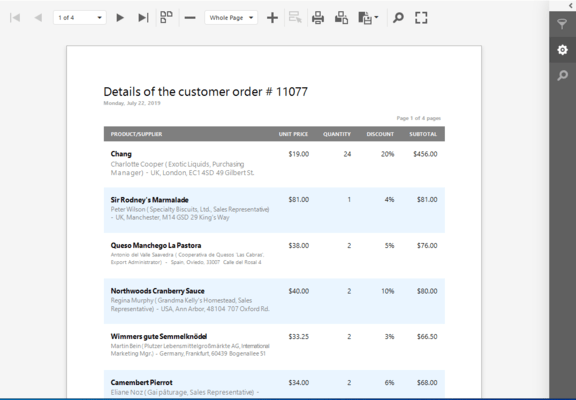
Reports in Windows Forms Applications - Once you have constructed a report, you can display it in your Windows Forms application using a separate Print Preview form. You can also use a specially designed Print Preview control to embed a report to any existing form.

ASP.NET Report Viewer - To display XtraReports on a web page, all you need to do is drop the ASP.NET Report Viewer control (that ships with the XtraReports Suite) onto a page and set its ReportName property to that of the report you want to display. You can use the Report Viewer control on any web page, even inside an HTML control since exported HTML does not use absolute positioning and uses HTML Tables instead. Using HTML tables instead of absolute positioning allows it to support NN4+ and IE4+ as well as other browsers on the market today.

Report Toolbar Control for Easy Navigation - In addition to the Report Viewer Developer Express also provide a Report Toolbar control, which can be placed anywhere on a Web form and then linked to a Report Viewer, thus giving the ability to print or export a report in any of the existing formats, as well as providing advanced navigation functionality.

Write into an HTTP Response - You may write PDF or HTML Report streams directly into an HTTP Response. This is particularly useful for PDF documents since it allows you to generate reports in PDF in real time, after the end-user requests the information.

Report Creation Tools

Full Visual Studio .NET Integration

An Intelligent Report Creation Wizard

Built-in Preview and HTML Views

Smart Tags for Every Control

In-Place Text Editing

Create Reports Programmatically from Scratch

Report Layout Options - The following band types are available to you when using the XtraReports Suite:

Detail Band

Group Footer, Group Header

Bottom Margin, Top Margin

Report Footer, Report Header

Page Footer, Page Header

And you can easily add detail reports that have most of these bands in them

The following report construction features are available:

Sub-Reports are Fully Supported

Sub-Reports can be printed side-by-side

Report Merging is fully supported

Detail Report Band - The Superb Alternative to Rusty Sub-reports

Multi-Column Reports

Drill-Down Reports

A Wide Range of Predefined Label Types

Report Elements - The following controls can be used in XtraReports:

XRTable - allows you to add auto-arranged tables thus providing a better data layout

XRChart - a chart control

XRBarCode - a bar code control

XRZipCode - displays zip codes; particularly useful for creating mail XRRichTextBox - allows you to display rich-formatted text in reports

Labels

XRShape - a control allowing you to build various shapes like arrows, stars, etc.

Subreport - allows you to reuse reports in multiple places

The XtraReports Suite provides advanced support for Developer Express products that can be printed via the XtraPrinting Library. Just drop and customize controls like the XtraGrid to get a complete report

Any .NET WindowsForms control can be embedded into reports

XRPageInfo - allows you to add information such as the page number, current date, etc.

XRLabel - a label control

XRCheckBox - a check box

XRPictureBox - allows you to display images in reports

XRLine - allows you to add horizontal or vertical lines to reports

XRPageBreak - allows you to insert manual page breaks into reports

XRPanel - a panel control

XRControl - the base for all controls. This controls serves as a panel which allows you to provide content of any type

Data Exchange

Flexible Data Source Support

Mail Merging / Embedded Fields

Export Your Data with Ease - to PDF, HTML, MHT, RTF, XLS, TXT, CSV, Image (BMP, JPEG, GIF, TIFF, PNG, EMF)

Data Shaping and Manipulation

Sort Data by Any Field

Summary Support

Group Data by Multiple Fields

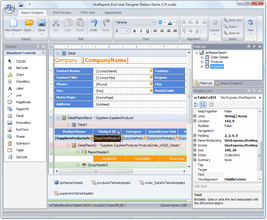
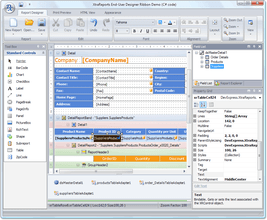
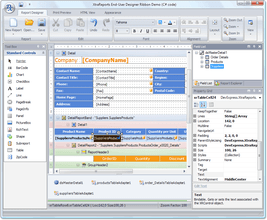
End-User Designer – TheXtraReports Suite ships with the End-User Report Designer that is Identical to the Integrated Designer in Microsoft visual Studio. As well as in integrated designer, the following UI elements are available to you:

Report Navigation Window

Field List Explorer Window

Active Status Bar

Properties Window

Toolbars

Toolbox

The End-User Designer provides the following features:

End-User Scripting

Report Zooming Functionality

Support for Skins

Reports can be created from scratch, saved and restored later

Miscellaneous Features

Advanced Styles and Style Sheets

Background and Watermarks

Bookmarks and a Document Map

Hyperlinks

Cross-references

No Need for COM or any other Complicated Registration Procedures -To distribute application using XtraReports - even if they include the XtraReports End User Designer - you simply need to place the XtraReports assemblies in the same location as your application using 'xcopy' or place the XtraReports assemblies in the global assembly cache (GAC).

Royalty-Free - The XtraReports Suite is available to you royalty free. Whether you are delivering a Windows® Forms app or an ASP.NET solution, you never have to pay a penny in royalties or deployment costs. All you need is to purchase a license for each developer who will be using it at design time.

Migrating to XtraReports - You can migrate your reporting system to XtraReports with ease - just use the Import feature of XtraReports. Reports written in the following tools can be imported:

Microsoft Access

Crystal Reports

Active Reports

LightSwitch Integration Overview

With the release of DXperience v2011 vol 1, DevExpress has added LightSwitch support to its award-winning Reporting Platform - the XtraReports Suite. With it, you can create a wide-range of business reports for the LightSwitch platform. Whether generating a simple contact list or an advanced sales report...the XtraReports Suite for LightSwitch ships with a rich design experience to simplify the report generation process and to help you create compelling and informational reports with ease.

XtraReports Suite for LightSwitch Features

Easy-to-Activate LightSwitch Extension - The reporting extension brings reporting to LightSwitch. Add a new dimension to your LightSwitch applications by creating data rich reports.

Fast Report Generation with Asynchronous Data Service - With the report service, LightSwitch reports load data on demand – meaning faster load time and a snappier report interface. Simply said, you’ll never force your end-users to wait while complex reports are rendered.

Powerful and Easy-to-Use Report Designer - Designing reports is simple with the report designer. Armed with the entities available in LightSwitch, you can create complex master-detail reports via simple drag and drop of individual elements onto the designer.

Native Support for LightSwitch Data Structures - With XtraReports from DevExpress you have full access to the entities you create by using the custom data source designed specifically for LightSwitch. Need only a subset of data? Enhance your reports by using LightSwitch queries. These powerful structures allow you to report solely on the data your customers require. (Query support is coming, we are targeting launch for this feature)

Please note

If you own an active license of the XtraReports Suite, you’ll receive the DevExpress LightSwitch Reporting Extension free-of-charge. If you are new to XtraReports, you can purchase the LightSwitch Extension only. In both instances, DevExpress never charges any runtime royalties or distribution costs.

What’s new in XtraReports Suite 2011 vol 1?

LightSwitch Support - This release introduces support for the newest member of the Visual Studio family: LightSwitch. This integration interacts seamlessly with entities created within LightSwitch and provides a native and consistent experience when developing reports.

XML Serialization - With this release, you can save/load report definitions using a custom XML format in a stream or file. This serialization algorithm is twice as fast as that of CodeDOM, and consumes much less memory.

New Barcode Type - DataMatrix ECC200 - Data Matrix code (the ISO/IEC 16022 standard) is a two-dimensional matrix barcode consisting of black and white "cells" arranged in a rectangular pattern. The information to be encoded can be text or raw data.

XtraReports for MVC - With this release, XtraReports introduces two specialized controls for MVC Reporting: MVCxReportViewer and MVCxReportToolbar.

Web Document Map - You can now easily implement client-side navigation for your Web reports using the ReportDocumentMap control that ships with the XtraReports Suite.

Web Parameters Panel - DXperience v2011 vol 1, allows you to incorporate a Web report parameters user interface using the ReportParametersPanel control that ships with the XtraReports Suite.

Next generation Reporting platform for Windows® Forms and ASP.NET developers.

Pricing: XtraReports Suite - (includes WinForms, ASP.NET, ASP.NET MVC, WPF, Silverlight and LightSwitch) Subscription Renewals Subscription Renewal for one year (for Subscriptions soon to expire or just expired), XtraReports Suite - (includes WinForms, ASP.NET, ASP.NET MVC, WPF, Silverlight and LightSwitch) Subscription Renewals Subscription Renewal for one year (for Subscriptions soon to expire or just expired) - with Source code, XtraReports Suite for LightSwitch v2011 vol 2 (V11.2.11) 1 Developer License - Includes one year subscription

Evals & Downloads: Read the Developer Express License Agreement - Requires Acrobat Reader, Read the XtraReports Suite help file, Download the DXperience v2011 vol 2 (V11.2.11) evaluation on to your computer - Expires After 30 Days

Operating System for Deployment: Windows Azure, Windows 7, Windows Vista, Windows XP, Windows 2000

Architecture of Product: 32Bit

Product Type: Component

Component Type: .NET WinForms, .NET Class, LightSwitch Controls

Compatible Containers: Microsoft Visual Studio 2010, Microsoft Visual Studio 2008, Microsoft Visual Studio 2005, Microsoft Visual Basic 2010, Microsoft Visual Basic 2008, Microsoft Visual Basic 2005, Microsoft Visual C++ 2010, Microsoft Visual C++ 2008, Microsoft Visual C++ 2005, Microsoft Visual C# 2010, Microsoft Visual C# 2008, Microsoft Visual C# 2005, Microsoft Visual Studio LightSwitch 2011, .NET Framework 4.0, .NET Framework 3.5, .NET Framework 3.0, .NET Framework 2.0

Product Class: Business Components

Keywords: xtrareports, xtrareport, devexpress report, devexpress xtrareports, devexpress xtrareport, devexpress reports,xtra reports, xtrareports suite, xtrareports web, xtrareports tutorial, extrareports, xtrareports asp.net, xtrareports com, xtrareports 2010, xtrareports suite subscription, xtrareports suite subscription with source

devexpress, developer express, dxperience, devexpress.com, devexpress controls, devexpress download, www.devexpress.com, devexpress dxperience, devexpress suite, devexpress components, devexpress tools, devexpress universal, devexpress upgrade

Reporting Reports Report

Database DB Management

Print Preview Printing previews prints

Part numbers: PC-514544-436762 514544-436762 PC-514544-436766 514544-436766 PC-514544-436770 514544-436770

Product Search

Enter search words:

Award Award Award