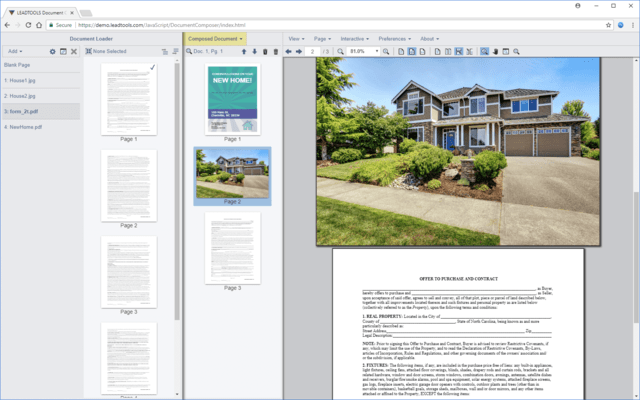
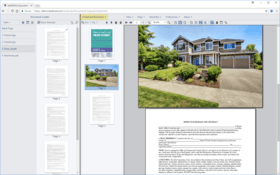
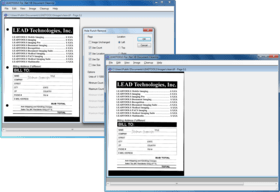
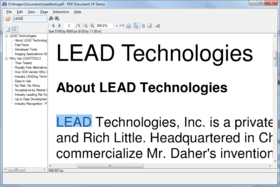
Screenshot Preview

LEADTOOLS Document Imaging Suite SDK - Summary

by LEAD Technologies - Product Type: Component / Add-In / ASP.NET AJAX (ATLAS) / .NET WinForms / .NET Class / .NET WCF / .NET WPF / Silverlight / .NET WF / DLL / VC++ Class Library

Summary

LEADTOOLS Document Imaging Suite SDK by LEAD Technologies

URLs: leadtools-document-imaging-suite, leadtools document imaging suite, leadtoolsdocumentimagingsuite, leadtools

The LEADTOOLS Document Imaging Suite SDK is a collection of LEADTOOLS SDK features designed to build end-to-end document imaging applications within enterprise level document automation solutions that requires capture, form recognition and processing, archival, annotation and display functionality. This powerful set of tools utilizes LEAD's image processing technology to intelligently identify document features that can be used to recognize any type of scanned or faxed form image.

Overview of LEADTOOLS Document Imaging Suite Technology

For development of Windows and web applications and includes native 32 and 64 bit imaging binaries

Add Document Imaging Suite technology to single and multi-threaded applications

Development tools and components for Silverlight, Win Forms, Web Forms, WPF, C and C++ development

Includes many broad and functionally specific demo projects with source code for C, Visual C++ (MFC), VB.NET, Silverlight and C#

Imaging technology available as WCF services

Imaging technology available as WF activities

Documentation includes sample source code for every function, method, property and event

Free technical support is available to customers and developers evaluating LEADTOOLS

Recognition - Forms, OCR, OMR and Barcode

The provided recognition and processing engines fully automate document classification and data extraction for known forms. The recognition engine creates unique XML data for each known form which is used to identify any form requiring recognition. The processing engine uses templates consisting of predefined fields for each known form. These fields can be defined using the Forms application included with the SDK, or developers can create their own template editor using the toolkit. Supported field types include machine and hand written characters, check boxes, filled bubbles, cross marks and barcodes.

For maximum performance, forms recognition and OCR high level interfaces utilize an intelligent multi-threaded algorithm during recognition and processing and are supported in both 32 and 64 bit development.

In addition to saving the recognized data in various structured output formats such as delimited text, XML or database fields, a recognized free form document can be converted to searchable PDF for enterprise data mining.

Includes the LEADTOOLS OCR Advantage SDK Module

Includes the LEADTOOLS OCR PDF SDK Module

Includes the LEADTOOLS 1D Barcode SDK Module

Includes the LEADTOOLS 2D Barcode SDK Module

Includes LEADTOOLS Forms Recognition and Processing

Includes the LEADTOOLS OMR SDK Module

Image Load, Save, Conversion and Compression

Document formats including searchable PDF, XPS and DOC

OCR output document formats including searchable PDF, XPS and DOC

Includes all PDF technology in LEADTOOLS including conversion and compression

EMF creation and conversion

Image formats for desktop and web applications

Archive files and data to CD, DVD and ISO files

WIC codecs

High-level image compression optimizer to automatically optimize bit depth and compression settings

Compress and decompress ABIC image data and formats

Compress and decompress JPEG image data and formats

Compress and decompress JPEG 2000 image data and formats

Compress and decompress CCITT, CCITT G3 and CCITT G4 image data and formats

Compress and decompress LEAD CMP image data and formats

Compress and decompress LZW image data and formats

Compress and decompress RLE and PackBits image data and formats

Compress and decompress ZIPLIB image data and formats

Compress and decompress Huffman image data and formats

Compress and decompress Arithmetic image data and formats

Compress and decompress LEAD CMW image data and formats

Compress and decompress LEAD ABC image data and formats

Load, save and modify image metadata

Imaging common dialogs

NITF format

Imaging specific HTTP and FTP functionality

Mixed Raster Content

JPIP

Bitonal and Color Image Processing

To further enhance the accuracy of the recognition process, the Document Imaging Suite SDK includes the LEADTOOLS document image clean-up engine, a set of document image pre-processing tools for deskew and despeckle, as well as line, border and hole-punch removal.

Document image processing and pre-recognition cleanup

General image processing

Image segmentation

Digital paint technology

Imaging common dialogs

Image Capture and Acquisition

Capture technology overview

Virtual printer driver to capture from any application

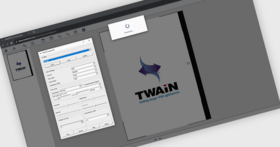
Acquire images and control TWAIN devices and scanners

Optimize scanning with LEADTOOLS Fast TWAIN acquisition

Acquire images and control WIA devices and scanners

Capture images from the screen

Image Display and Annotation

Image annotation and markup

Enhanced bitonal image display

Image display functions for C and C++

Image display controls for .NET

Image display controls for Silverlight

AJAX Web Form imaging controls

WPF imaging controls

Print images to Windows printers

LEADTOOLS Document Imaging Suite can be extended to add more technology

Add-on modules and plug-ins may be added to LEADTOOLS Document Imaging Suite to add even more imaging technology.

LEADTOOLS Plus OCR SDK Module

LEADTOOLS Professional OCR SDK Module

LEADTOOLS Arabic OCR SDK Module

LEADTOOLS Asian OCR SDK Module

What's New in the LEADTOOLS Document Engine V17.5 Re-mastered

The LEADTOOLS Document Imaging engine has received major enhancements, including significant improvements to the speed and accuracy of its OCR, PDF and Barcode engines, as well as new SharePoint integration capabilities.

OCR Advantage

The latest version of LEADTOOLS 17.5 includes dramatically increased speed and accuracy of the OCR Advantage engine.

Increased speed by up to 300%

Faster and More accurate table detection

Auto Orient up to 8x faster

Improved algorithm for small zones - yielding greater accuracy for Forms Recognition and Processing

Greatly enhance accuracy of color image recognition using new segment based auto-binarization algorithm

PDF

Load times between 400% and 800% faster

PDF Support for v1.7

Added support for reading with 128 bit AES and 256 bit AESv3 encryption

Native multithreaded support

SharePoint Integration

Load and Save images directly to and from SharePoint

SharePoint integration with other LEADTOOLS features such as OCR, Barcode, File Format Conversion and more

Microsoft Phone 7 Silverlight

Improved speed for Windows Phone 7 Barcode libraries

New Live Capture Barcode demo

What's new in Leadtools Document Imaging SDK V17.5

Detect, read and write Barcodes in Silverlight and Windows Phone

New high-level Barcode design for .NETsimplifies adding support for all barcode types in your application without any special knowledge of barcode symbologies

Dramatically increased barcode recognition speed by up to 9X

Automated cleanup for barcodes

PDF updates and improvements

PDF runtime now requires only a single DLL for distribution

Merge multiple PDF or Postscript files into a single PDF document

Split a PDF into multiple documents

Extract text with properties such as bounding rectangle, font information and color

Extract hyperlinks, bookmarks and internal links

Load and save PDF metadata such as Title, Author, Subject, Keywords and Producer

New PDF Document Editor with extended support for adding, replacing, and deleting pages in any PDF file

Enhanced PDF encryption support

Convert Postscript files to PDF with full control over distiller, encryption and compatability settings

Convert existing PDF files to linearized PDFs(optimized for web viewing)

Convert existing PDF files to PDF/A-1B

Save fully customized UNICODE Bookmarks in PDF files

Added support for multi-threaded PDF load

Added support for writing PDF 1.3 and 1.6

New PDF Info Extractor gets information about PDF version, image width, height, bit depth, compression and DPI

OCR Advantage Engine updates and improvements

AutoZone has been improved to provide fewer, more accurate zones, improving OCR results

Dramatically accelerated AutoZone detection, improving overall performance for OCR

Faster Advanced Table Detection, providing better performance when dealing with documents containing tables

New image pre-processing features to improve OCR results including fixing broken letters, dithered text, inverted text and more.

Now supports the following languages: Bulgarian, Catalan, Chinese (Traditional and Simplified), Czech, Danish, Dutch, Finnish, Greek, Hungarian, Indonesian, Italian, Japanese, Korean, Latvian, Lithuanian, Norwegian, Polish, Portuguese, Romanian, Russian, Serbian, Slovak, Slovenian, Swedish, Turkish, Ukrainian and Vietnamese

Added support for built-in Spellcheckingincluding NHunspell and Microsoft's System.Windows.Controls.SpellCheck engines

Enhancements to Existing File Formats

Support for loading Office 2007 formats: DOCX, XLSX and PPTX

Optimized load performance for DOC format

Added ability to load Office formats from memory

Added support for JBIG2 with non-sequential headers (i.e. random access)

Support for loading refinement segments in JBIG2 format

Increased the speed of the Line Remove image processing function

New ImageColorType function for detecting whether the image is mostly black and white, grayscale or color.

Virtual Printer now supports network printing

Build end-to-end document imaging applications complete with capture, form recognition and processing, archival, annotation and display functionality.

Pricing: LEADTOOLS Document Imaging Suite SDK V17.5 1 Developer License, LEADTOOLS Document Imaging Suite SDK V17.5 1 Developer Upgrade License from LEADTOOLS Document Imaging Enterprise V16.5 or earlier, LEADTOOLS Document Imaging Suite SDK V17.5 1 Annual Maintenance License

Evals & Downloads: Read the LEADTOOLS products Help files, Read the LEADTOOLS Licensing Help file, Download the LEADTOOLS Main V17.5 Re-master evaluation on to your computer - Displays Nag Screens

Operating System for Deployment: Windows 7, Windows Server 2008, Windows Vista, Windows XP, Windows Server 2003, Windows 2000, Windows Phone 7

Architecture of Product: 32Bit, 64Bit

Product Type: Component, Add-In

Component Type: ASP.NET AJAX (ATLAS), .NET WinForms, .NET Class, .NET WCF, .NET WPF, Silverlight, .NET WF, DLL, VC++ Class Library

Compatible Containers: Microsoft Visual Studio 2010, Microsoft Visual Studio 2008, Microsoft Visual Studio 2005, Microsoft Visual Studio 6.0, Microsoft Visual Basic 2010, Microsoft Visual Basic 2008, Microsoft Visual Basic 2005, Microsoft Visual C++ 2010, Microsoft Visual C++ 2008, Microsoft Visual C++ 2005, Microsoft Visual C++ 6.0, Microsoft Visual C# 2010, Microsoft Visual C# 2008, Microsoft Visual C# 2005, Microsoft FrontPage, Microsoft Internet Explorer 7.0, Microsoft Internet Explorer 6.0, CodeGear C++ 5.0 (formerly Borland), CodeGear C++ (formerly Borland), Visual dBase 7.0, Sybase PowerBuilder 6.0, Sybase PowerBuilder 5.0, Watcom C/C++, .NET Framework 4.0, .NET Framework 3.5, .NET Framework 3.0, .NET Framework 2.0, Silverlight 4, Silverlight 3

Keywords: LEADTOOLS Document Imaging Suite SDK, LEADTOOLS Document Imaging Suite, Document Imaging Suite SDK

LEAD Technologies Image+50 Imaging+50 Toolkit+8 SDK+8, leadtools 17, leadtools V17, lead 17, lead v17, lead tools, lead tools 17, lead tools v17, lead tools v17.0, lead technologies

image images processing imaging

Imaging image images

Drawing Draw draws

Image images Compression compress compresses Conversion convert converting converts conversions

Scan scanning scanned scanner scans OCR optical character recognition

Part numbers: PC-510492-427122 510492-427122 PC-510492-427124 510492-427124 PC-510492-427126 510492-427126

Mfr. Part No: AMDOCSTE175 DOCSTE175 UDOCSTE175