Create starter projects that have all Syncfusion library references automatically added. 5月 11, 2012
Render text elements in PDF documents using embedded fonts. 5月 11, 2012
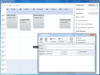
Allow users to add, edit and manage their appointments. 3月 28, 2012
Export diagram area to multiple image formats (.jpeg, .bmp and .png). 2月 06, 2012
New controls include cross-platform mobile grid, HTML 5 gauge and client-side RDL reporting engine. 2月 06, 2012
Simply stop your search for tools and buy Syncfusion. You will get all you want in one package and with a complete sample set that covers all controls. Their support is 5 stars and remarkable.
Working with the Essential Grid within the User Interface Edition of Syncfusion has been a real pleasure. It is easy to pick up and has very powerful yet flexible features. One thing that stands out about this product more than the features is the customer support. Time and time again they have been proactive in wanting me to feel comfortable with their product by answering issues in a timely mann ...
請閱讀評價全文Our company purchased Syncfusion Essential Studio less than 2 months ago because we needed a third-party component to work inside .Net using C# that will convert a wide variety of files into PDF, so that we can bundle into 1 final PDF. These file types could include, but not limited to, Word, Excel, HTML, Text files, Images, etc. We used another component before but their limitation was multiple ...
請閱讀評價全文I have been using WPF Grid Data Control and Grid Tree Control for more than 3 months. I like the excel-like selection of this control, it saved us a lot of time for developing. Also it support bind to ADO.NET DataTable directly which is quite meet our requirement. Regards, Jane
I'm using Diagram package to deliver my own specialized reporting solution to the customer. So far I'm finding that using Syncfusion Diagramming is easier that I initially tought it would be. The class model is logical and extendable which is very important for me. Every aspect can be customized and with Syncfusion supporty - very easy. They do respond within a work day and that is much needed con ...
請閱讀評價全文
Enhanced web-based document imaging capabilities. Atalasoft DotImage Document Imaging is an advanced document imaging imaging toolkit that can add advanced image viewing, editing, printing, scanning, and annotating support to an application. DotImage Document Imaging includes an imaging class library, a Windows Forms control library, an ASP.NET Server-Side Image Viewer, DotTwain for advanced TWAIN scanning, and DotAnnotate for advanced annotations. Full documentation is integrated into Microsoft Visual Studio .NET. DotImage 8.0 adds Silverlight controls and enhanced AJAX support such as drag-and-drop Web thumbnails.

為您的.NET Windows Forms、WPF和ASP.NET應用程式增加複雜的網格、分組、圖表、示意圖、Excel 報告、增強的編輯以及更多用戶介面功能。 Syncfusion Essential Studio 企業版包含Syncfusion Essential Tools, Essential Grid, Essential Grouping, Essential XlsIO, Essential Diagram, Essential Chart, 和 Essential Edit。 Syncfusion Essential Studio 企業版採用了一種獨特的調試支持系統,可以在Visual Studio.NET IDE 的內部,通過滑鼠單擊,在調試和發佈版之間切換。動態和功能豐富的Syncfusion Essential Studio 擁有程式員創建企業級應用程式所需的一切功能。

Integrate PDF viewing, printing, format conversion, and text extraction into DotImage. Atalasoft DotImage PDF Reader Add-On quickly decodes PDF documents into color or grayscale raster images, seamlessly plugging into DotImage and associated image viewing components as an image decoder. Supports simple image only PDF's as well as complicated PDF's with vectors, text, patterns, and transparency. Extract the images out of the PDF, rasterize the vector objects to a new image, or render directly onto a printer with zero Adobe Acrobat dependencies. Requires any edition of DotImage SDK.
Build professional document imaging into your applications. LEADTOOLS Document Imaging includes API, C++ Class Libraries and .NET Class Libraries for Win32 and x64 with features that include comprehensive annotations (Text, highlights, sticky notes, stamps, and more), specialized bitonal image display and processing such as scale-to-gray and favor-black. Also features performance and memory optimizations for bitonal images, document image clean-up including hole-punch, line and staple removal and scanning with TWAIN or ISIS. Now includes JBIG2, ABIC, JPEG2000 and LEAD CMW.
Maintain a complete collection of components for all aspects of ASP.NET application development. ComponentOne Studio for ASP.NET Wijmo currently includes grids, charting, reporting, scheduling, calendars, menus, toolbars, treeviews, tabs, inputs, editors, splitters, and more. ComponentOne Studio for ASP.NET Wijmo includes any new ASP.NET component and updates released within your 1 year subscription period, plus email support. ComponentOne Studio for ASP.NET Wijmo components feature built-in AJAX. ComponentOne Platinum Support Subscriptions also provide a full year of Telephone and Online Technical Support. ComponentOne Studio for ASP.NET Wijmo is also available as part of the ComponentOne Studio Enterprise. ComponentOne Studio for ASP.NET Wijmo now includes ComponentOne Studio for MVC Wijmo so you get all the ComponentOne MVC tools, Wijmo Complete and MVC Scaffolding.
ComponentSource 提供獨特的全球國際服務, 在世界各地共有超過1,000,000 開發者客戶.
星期一到星期五24小時營業國際客服中心位於美國,英國和日本. |

A rich set of UI controls to let you create rich interactive Windows Forms applications with the latest look and feel like Office, Visual Studio .Net, Outlook etc. Syncfusion Essential Tools for Windows Forms is an extensive collection of nearly 80 user-interface components. You can easily create robust and usable application interfaces such as those emulating Visual Studio.NET and Microsoft Office. All the editor controls have been architected to provide a simple and feature-rich means for capturing data input, validating, and displaying appropriate formatting. Syncfusion Essential Tools for Windows Forms allows users to add Visual Studio.NET type controls that can be docked to applications. Any control can be set as a docking window. Docking layouts can be hosted within forms, user controls, or any derivative of the container-control type. An advanced designer allows users to harness full WYSIWYG configuration of a docked layout.

Ribbons, editors, file upload controls, and more for Silverlight applications. Syncfusion Essential Tools for Silverlight lets you create stunning line-of-business Silverlight applications with a wide range of components, including a ribbon, docking manager, tabs, editors, check lists, a group bar, date/time editor, range slider, panels, skin manager, brush selector, treeview, taskbar, file upload, calendar editor, heat map, menus, HTML host and color picker.

AJAX-Enabled accordion, editor, rich text and tree view components for ASP.NET MVC applications. Syncfusion Essential Tools for ASP.NET MVC is a collection of light-weight, AJAX-enabled, user interface components built especially to suit the programming model of the ASP.NET MVC framework. It includes tree views, tabs, rich text editors, accordion, sliders, masked-edit text boxes, numeric text boxes, AutoComplete text boxes, generic drop-downs, menus and date pickers. The components are based on the jQuery JavaScript framework. This approach ensures that the components are extremely stable and rich in features. The controls have also been enhanced to enable easy integration into ASP.NET MVC applications. The enhancements also include several built-in skins in addition to ones provided by the jQuery framework. Also, AJAX is extensively used to reduce traffic between the client and the server; this minimizes data transfer and response time.
AJAX enabled menus, rich text editor, toolbars, treeview and more. Syncfusion Essential Tools for ASP.NET is a collection of professional user interface components to create interactive ASP.NET applications. Syncfusion Essential Tools for ASP.NET can be used to create robust Web application interfaces using the Menu, Tree View and Editor Package (which includes a Date Picker, Masked-Edit Text Box, Percent Text Box, and others).
A rich set of UI controls to let you create rich, interactive applications. Syncfusion Essential Tools is an extensive collection of nearly 80 user-interface components. You can easily create robust and usable application interfaces such as those emulating Visual Studio.NET and Microsoft Office. All the editor controls have been architected to provide a simple and feature-rich means for capturing data input, validating, and displaying appropriate formatting. Syncfusion Essential Tools includes components for Windows Forms, WPF, Silverlight, ASP.NET and ASP.NET MVC technologies.
Give your users the ability to generate the reports they need, in the formats they prefer. Syncfusion Essential Studio Reporting Edition enables the creation of advanced business-centric reports that use the Excel, Word, PDF, and RDL standards – all with no dependence on Microsoft Office or Adobe Acrobat. Integrate document-based reporting into your Windows and Web applications, and leverage Syncfusion’s performance capabilities to create applications more than a hundred times faster than Office automation. Take advantage of the report designer, report writer, and report viewer’s support for the open standard RDL to ensure your users can access their data for decades to come. The suite’s additional functionality ranges from support for barcodes to a calculation engine with more than 150 built-in formulas. Syncfusion Essential Studio Reporting Edition includes: Essential XlsIO, Essential DocIO, Essential PDF, Essential PDF Viewer, Essential Report Writer, Essential Report Viewer, Essential Report Designer, Essential Grouping, Essential Calculate, Essential Spreadsheet, and Essential ProjIO. The currently supported platforms are ASP.NET, ASP.NET MVC, WPF, Silverlight, and Windows Forms. Fully integrated with Visual Studio 2008 & 2010, and compatible with Visual Studio 11. Complete, easy-to-work with source code is available with the Source version of the product. Every Syncfusion license is backed by a 1-year subscription for unlimited technical support and access to frequent new releases (one per quarter), ensuring you can get the answer you need, when you need it. Essential Studio Reporting Edition features simple, hassle-free licensing, with no royalties or server deployment fees.
Schedule navigation, multiple resources, import/export and more. Syncfusion Essential Schedule for WPF is an Outlook-like scheduler control for creating and managing appointments. Syncfusion Essential Schedule for WPF includes features such as rescheduling appointments through dragging, resizing appointments, importing appointments, and exporting appointments.
Create Outlook-like calendar UI in your Windows Forms applications. Syncfusion Essential Schedule for Windows Forms is a UI control library that lets you add scheduling support for your applications. The support includes creating new appointments in code and letting the user drag the appointments around to reschedule them. Syncfusion Essential Schedule for Windows Forms also includes a header for browsing through adjacent days. You can have both timed and untimed (all-day) appointments.
Schedule navigation, multiple resources, import/export, and more. Syncfusion Essential Schedule for Silverlight is an Outlook-like scheduler control for creating and managing appointments. It includes features such as rescheduling appointments through dragging, resizing appointments, importing appointments and exporting appointments.
Create a Schedule control similar to the Outlook Calendar. Syncfusion Essential Schedule for ASP.NET MVC is a UI control for ASP.NET MVC that lets you add Outlook-like scheduling support to your applications. It also comes with built-in AJAX support. Syncfusion Essential Schedule for ASP.NET MVC displays appointments in four basic views: Day, Week, Workweek, and Month. You can make use of the Schedule ViewMode property to set any one of these views for the scheduler. Schedule ViewMode is set to Day by default.
」技術提供