
Official Supplier
As official and authorized distributors, we supply you with legitimate licenses directly from 200+ software publishers.
See all our Brands.
Code editing components implement the functionality to allow you to edit code and check language syntax.
What is ASP.NET? ASP.NET is a part of the Microsoft .NET Framework that enables Web developers to create Web sites and corporate Intranet sites more easily. ASP.NET can be viewed as the next step on from the Microsoft ASP technology where Microsoft first provided Active Server Page (ASP) technology to allow programmers to create Web apps. ASP.NET is a progression from ASP, (initially it was known as ASP+, before being named ASP.NET), in that it is part of the .NET Framework and hence applications built with it are easier to use and maintain, as they are based on the solid .NET Framework component model. For example, one benefit of ASP.NET over ASP is that ASP pages were written in a script or language that was interpreted at run-time, whereas ASP.NET uses compiled code and hence ASP.NET apps generally run faster than ASP based apps. Within ASP.NET there is a screen design and presentation technology, collectively called Web Forms, that ASP.NET developers can use to create user interface screens as Web pages.
What is an ASP.NET control? An ASP.NET control is a reusable .NET software component that can be used by the application user to: enter data, display data, chart data, manipulate data and generally interact and control the ASP.NET application they are using. Examples of ASP.NET controls include ASP.NET datagrids used to enter and/or display data in a grid or datatable format. An extension of this might be an ASP.NET spreadsheet control that would allow you to add full spreadsheet calculation capability to your ASP.NET based Web site. An ASP.NET developer can download and integrate an ASP.NET control as a reusable software component inside his/her to add new functionality fast to their Web site, Intranet, Web app or Web service.
Within the ASP.NET framework there are 3 main ways to implement your your app. You may use Web Forms, a collection of technologies that enable you to create Web pages as Web Forms in a similar manner that you would top client/server or desktop app based WinForms. The Web Forms technology allows you to create menus, screens, data input forms, data visualization screens and data output pages for use on your Web based app. Sometimes programmers refer to ASP.NET controls as Web Forms controls, as ASP.NET controls can be integrated and embedded on a Web Form. See also our ASP.NET AJAX controls page for another type of ASP.NET implementation model that uses the AJAX approach.
There is also the ASP.NET MVC implementation approach for your app - this is more recent and stands for Model View Controller. This is a more recent announcement from Microsoft with a first release in early 2009 and it is currently on ASP.NET MVC 2.0 based on the release made in March, 2010. The Model may be used to represent data by mapping it to data in a database, this data will include information about the application state or status. The Controller controls the change of state or monitors the change of status of the application and may update the data in the Model. The developer can then present Views of this data to the application user. ASP.NET MVC helps programmers logically design their apps based using a structured state machine approach.
In this ASP.NET control product gallery, you will find ASP.NET custom controls that you can use as Web Form controls or as part of your next ASP.NET MVC project. These ASP.NET controls are software components built by experts in their field of study, as such you can not only reuse the software code written by someone else in your app, you can also add their knowledge and expertise to your app to give you more functionality. Why would you waste the time to write a spell checker ASP.NET control for your app, when you can buy one that has been pre-built by experts in spell checking with a variety of language dictionaries immediately available to your users? There are a wide variety of Web Forms controls available, so if you are creating a serious ASP.NET app that may need complex data input or data visualization, you will find lots of useful ASP.NET charting controls, OLAP cubes, ASP.NET gauges, ASP.NET dials etc. to enable you to build great ASP.NET dashboards or ASP.NET BI apps (Business Intelligence applications).
Microsoft Visual C++ 2010 (MS Visual C++ 2010) allows Visual C++ 2010 programmers to rapidly create Windows applications for their end users. Visual C++ 2010 developers can extend the standard functionality available inside the Visual C++ 2010 IDE with a variety of Visual C++ 2010 add-ins and Visual C++ 2010 tools. The extensibility of Visual C++ 2010 is one of the main reasons it has proved to be popular with developers, as Visual C++ 2010 software engineers can find Visual C++ 2010 downloads from other companies or other VC++ developers to act as a Visual C++ 2010 extension to their Visual C++ 2010 IDE or Visual C++ 2010 app.
The versatility of Visual C++ 2010 also extends to various forms of Visual C++ 2010 software components. Visual C++ 2010 controls can be used to create feature rich Visual C++ 2010 user interfaces on forms and Web pages inside Visual C++ 2010 apps. These Visual C++ 2010 UI controls are augmented by non-visual Visual C++ 2010 components or Visual C++ 2010 libraries or Visual C++ 2010 Class libraries that can help a developer add many hidden features in Visual C++ 2010 applications running in the background. These non-visual components are most commonly available as a Visual C++ 2010 library or Visual C++ 2010 Class library.
An example of a visible Visual C++ 2010 control is BCGControlBar Professional, a Visual C++ 2010 Class Library that allows you to create an MS Office Ribbon style or look and feel to your latest Visual C++ 2010 project UI. A non-visible Visual C++ 2010 Class Library component example is a Visual C++ 2010 compatible product call IP*Works! C++ Edition that allows you to send emails via SMTP and POP or to transfer files reliably using HTTP or FTP Internet protocols from within your Visual C++ 2010 program.
The Visual C++ 2010 software products listed in this Visual C++ 2010 product gallery will allow you to save a lot of time and effort in creating your new Visual C++ 2010 app. Whether you are looking for a Visual C++ 2010 plug-in or Visual C++ 2010 utility, or you are looking for a Visual C++ 2010 control or a Visual C++ 2010 component, you will be able to find a wide variety of Visual C++ 2010 tools to help you finish your project faster.
We also have other Visual C++ product galleries for: Visual C++ 2008, Visual C++ 2005, Visual C++ .NET and Visual C++ compatible products.
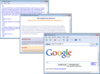
Description: Display HTML without relying on Internet Explorer. Essential HTMLUI is a display engine for HTML. It is written from scratch in C#. It does not rely on IE for rendering HTML, and its functionality is similar to a Web browser for display purposes. ... Read more
As official and authorized distributors, we supply you with legitimate licenses directly from 200+ software publishers.
See all our Brands.
Over 1,600,000 licenses delivered to Developers, SysAdmins, Corporations, Governments & Resellers, worldwide.
Read more about us.
Tel: (888) 850 9911
Fax: +1 770 250 6199


