
 (1)
(1) (2)
(2)공식 공급 업체
200 이상의 소프트웨어 개발처와 판매 계약을 맺은 공인 디스트리뷰터로서 합법적인 라이선스를 제공합니다.
모든 브랜드 보기.

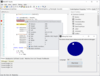
기능: tailored for C#, Visual Basic, TypeScript, JavaScript and Python code editing. Code Editor utilizes ... Industrial-grade code analysis APIs for parsing and providing advanced code editing features such as code ... native tools to provide code-editing features. Weight: 0 Advanced Code Parsers Syntax analysis ... 더 읽기 본 제품에 관한 더 많은 결과 보기
기능: AlterNET Code Editor is a.NET component library that brings efficient code editing functionality ... into your WinForms and WPF.NET applications. Code Editor provides code editing capabilities such as syntax ... tailored for C#, Visual Basic, TypeScript, JavaScript and Python code editing. Code Completion Code ... 더 읽기
스크린샷: Code completion can significantly improve the effectiveness of entering code by providing guidance ... 더 읽기

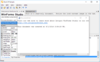
기능: SyntaxEditor is a powerful text editing control that is packed with features for efficient code ... editing, including syntax highlighting, code outlining, parsing, line numbers, block selection, ... editing features found in the Visual Studio code editor. Over 20 sample languages are included to get you ... 더 읽기 본 제품에 관한 더 많은 결과 보기
스크린샷: transition to Javascript and ASP. Nearly all of the rich editing features found in the Visual Studio code ... 더 읽기
릴리스 노트: SyntaxEditor Python Language Add-on Improved how the Python resolver handles with statements. Improved how the Python module loader processes string literal type annotations. Improved support for Python return type annotations. Shared Added the TrustedCodeService class that manages dynamic loading ... 더 읽기
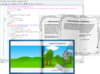
기능: SyntaxEditor is a powerful text editing control that is packed with features for efficient code ... editing, including syntax highlighting, code outlining, parsing, line numbers, block selection, ... next-generation extensible text/parsing framework and has many of the same code editing features found ... 더 읽기 본 제품에 관한 더 많은 결과 보기
릴리스 노트: Visual Studio-like code editing experience. When there are multiple overloads for a signature, ... such as automated IntelliPrompt, adornments, etc. This makes for a very nice way to edit small code snippets ... or expressions. Code Fragment Editing- Code fragments provide the ability for an end user to edit a portion ... 더 읽기
스크린샷: Any syntax language can optionally support code outlining, where certain sections of code can ... 더 읽기
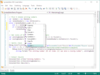
릴리스 노트: such as automated IntelliPrompt, adornments, etc. Code Fragment Editing- Edit a portion of a document, ... edited. This makes it easy to implement parameter info for your own custom languages. Parameter info can ... be used to bring attention to portions of the info tip. Single-Line Edit Mode- Make the editor appear like ... 더 읽기 본 제품에 관한 더 많은 결과 보기
스크린샷: SyntaxEditor has a number of display features you find in the Visual Studio code editor ... 더 읽기
릴리스 노트: SyntaxEditor Python Language Add-on Improved how the Python resolver handles with statements. Improved how the Python module loader processes string literal type annotations. Improved support for Python return type annotations. Shared Added the TrustedCodeService class that manages dynamic loading ... 더 읽기
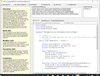
스크린샷: SyntaxEditor with optional.NET Languages Add-on editing C# code using automated IntelliPrompt ... 더 읽기 본 제품에 관한 더 많은 결과 보기
스크린샷: SyntaxEditor with optional.NET Languages Add-on editing VB code using automated IntelliPrompt ... 더 읽기
기능: user, not only providing intelligent information about the code being edited, but also improving ... and code snippets. The completion list is used to display a number of code completion options to the end ... IntelliPrompt code snippets provide a way to insert pre-defined fragments of text into the editor. ... 더 읽기
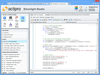
릴리스 노트: and bar charts in your apps. Code Indicators- Built-in indicators include bookmarks, breakpoints ... to the.NET Languages Add-on which beautify code by adjusting whitespace and making it more readable. Themes- ... 더 읽기 본 제품에 관한 더 많은 결과 보기
설명: for Silverlight is a powerful text editing control that is packed with features for efficient code editing ... that has many of the same code editing features found in the Visual Studio code editor. Actipro ... For developers who need to support editing other code languages, custom syntax languages can be developed ... 더 읽기
릴리스 노트: Optimizes tag aggregators and improves resolver logic. Optimized tag aggregators to not raise a TagsChanged event when refreshing if there were no taggers before or after the refresh. Added a guard against a possible exception in text view line visuals..NET Languages Add-on Improved lock access to ... 더 읽기

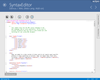
설명: is a powerful text editing control that is packed with features for efficient code editing, including syntax ... It has many of the same code editing features found in the Visual Studio code editor. Actipro ... For developers who need to support editing other code languages, custom syntax languages can be developed ... 더 읽기 본 제품에 관한 더 많은 결과 보기
릴리스 노트: Fixed an issue where moving the caret to a new view line while IntelliPrompt parameter info was displayed wouldn't reposition the popup. 0 ... 더 읽기
릴리스 노트: Fixed an issue with view line offset to character index calculation logic. 0 ... 더 읽기
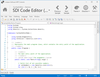
스크린샷: Actipro SyntaxEditor for WPF 더 읽기 본 제품에 관한 더 많은 결과 보기
릴리스 노트: Updates in 2011.1 2D QR Code The Bar Code product now includes a complete QR Code implementation ... that fully adheres to standards and allows you to code an enormous amount of data since ... the IParseData result. This feature makes it easy to parse a code snippet. Squiggle Lines at Document End ... 더 읽기
릴리스 노트: Updates in 2010.2 Improved VS 2010 support. ... 더 읽기
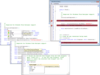
설명: Essential Edit supports eXtensible Application Markup Language(XAML), procedural code, Windows and XBAP ... Highlighting and Code Coloring The edit control supports syntax highlighting and code coloring, enhancing ... Add Syntax highlighted editing functionality to your applications. Syncfusion Essential Edit ... 더 읽기 본 제품에 관한 더 많은 결과 보기
릴리스 노트: Updates in 2010 Vol 4 Crashing no longer occurs when a ReplaceAll operation is performed Editing ... a code snippet no longer causes an exception The scrollbar now scrolls automatically when selecting text ... 더 읽기
호환성: 100% Managed Code Built Using Visual C#.NET Compatible Containers Microsoft Visual Studio 2012 ... 더 읽기
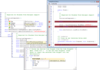
설명: Essential Edit for Windows Forms Syntax Highlighting and Code Coloring The edit control supports syntax ... Enable syntax highlighting in any.NET application. Syncfusion Essential Edit for Windows Forms ... undo or redo, rich formatting options and comes with easy configuration. Syncfusion Essential Edit ... 더 읽기 본 제품에 관한 더 많은 결과 보기
릴리스 노트: Updates in 2010 Vol 4 Crashing no longer occurs when a ReplaceAll operation is performed Editing ... a code snippet no longer causes an exception The scrollbar now scrolls automatically when selecting text ... 더 읽기
호환성: 100% Managed Code Built Using Visual C#.NET Compatible Containers Microsoft Visual Studio 2012 ... 더 읽기
전화 : 00798 14 800 6332
팩스 : +1 770 250 6199


