
LayoutFlow
심미적 규칙을 준수하는 그래프 또는 흐름도의 자동 표시.
- HFlow (계층적), SFlow (대칭형), TFlow (트리) 및 OFlow (직교) 컨트롤
- 각 컨트롤은 자동으로 그래프 레이아웃 생성


릴리스 노트: Added the ability to apply password protection to a VBA project. Added the ability to remove password protection from a VBA project. Discrepancy between Visio Explorer master shape names and API output. When converting VSDX with a background to a PDF, ... 더 읽기

릴리스 노트: Aspose.BarCode for.NET V26.5- May 25, 2026 Aspose.CAD for.NET V26.5- May 18, 2026 Aspose.Cells for.NET V26.5- May 12, 2026 Aspose.Diagram for.NET V26.5- May 12, 2026 Aspose.Drawing for.NET V26.5- May 14, 2026 Aspose.Email for.NET V26.5- May 31, 2026 ... 더 읽기

릴리스 노트: Aspose.BarCode for.NET V26.5- May 25, 2026 Aspose.BarCode for Android via Java V26.5- May 30, 2026 Aspose.BarCode for JasperReports V26.5- May 30, 2026 Aspose.BarCode for Java V26.5- May 28, 2026 Aspose.BarCode for Node.js via Java V26.5- May 29, 2026 ... 더 읽기
릴리스 노트: Aspose.BarCode for.NET V26.5- May 25, 2026 Aspose.CAD for.NET V26.5- May 18, 2026 Aspose.Cells for.NET V26.5- May 12, 2026 Aspose.Diagram for.NET V26.5- May 12, 2026 Aspose.Drawing for.NET V26.5- May 14, 2026 Aspose.Email for.NET V26.5- May 31, 2026 ... 더 읽기
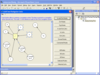
설명: Create interactive flowcharts and workflow diagrams. AddFlow is an ActiveX component that is useful each time you need to display and use relationships between objects in your application. Drawings can be made interactively or programmatically. Features ... 더 읽기

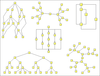
설명: A set of graph drawing algorithms. LayoutFlow for.NET is a collection of 5 layout components to enable you to automatically display graphs or flow charts following some aesthetic rules. Includes: HFlow (hierarchical), SFlow (symmetric), SPFlow (Series ... 더 읽기

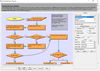
설명: Add work flow diagrams to your applications. MindFusion.Diagramming for ActiveX helps you create and present work flow, algorithm, and process diagrams, database entity-relationship diagrams, object hierarchy and relationship charts, graphs and trees. ... 더 읽기


설명: Create, edit, convert and print Microsoft Visio documents in your applications. Aspose.Diagram Product Family helps you deliver high performance apps to create, edit or convert Microsoft Visio document formats, using native APIs. Developers can create ... 더 읽기
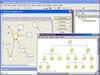
설명: Create interactive flowcharts and workflow diagrams and include a set of graph drawing algorithms. AddFlow Suite is a suite of components that includes AddFlow and LayoutFlow, a collection of 4 layout components: HFlow (hierarchical), SFlow (symmetric), ... 더 읽기
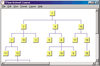
설명: A set of graph drawing algorithms. LayoutFlow is a collection of 4 layout components to enable you to automatically display graphs or flow charts following some aesthetic rules. Includes: HFlow (hierarchical), SFlow (symmetric), TFlow (tree) and OFlow ... 더 읽기
전화 : 00798 14 800 6332
팩스 : +1 770 250 6199



 (26)
(26) (7)
(7)