일람: 추천 상품 | 인기상품 | 상위 다운로드 | 상품 리뷰 | 신상품 | A-Z

상위 다운로드

  • NetAdvantage ICONS 카테고리 Infragistics

    NetAdvantage ICONS 의 스크린샷Add professional icons to your applications. Infragistics NetAdvantage ICONS are high-fidelity, exciting icons that you can use to enhance toolbars, menus, ribbons, and the user interface of your application. NetAdvantage ICONS includes icons in seven different sizes (16px, 24px, 32px, 48px, 64px, 128px and 256px square) as PNG files, plus an ICO file. For each size, Infragistics also provide the icon in three interactive states: normal, hover (highlighted) and disabled (grayed-out so you will always have icons in the right-size and style you need. The Office Basics pack includes cut, paste, copy, file, search, undo/redo, help and many other command icons found in everyday applications, plus more. The Business & Finance pack includes icons designed for many everyday accounting, banking and commercial scenarios. Now any application can have that Wall Street look and feel. 

  • InstallShield - Professional 카테고리 Acresso Software (formerly Macrovision)

    InstallShield - Professional 의 스크린샷모든 플랫폼의 완벽한 설치 인증 솔루션에는 트라이얼웨어 기능, 네트워크 리포지토리, 다중언어 지원 및 Update Service Starter 에디션이 포함됩니다. InstallShield로 강하고 신뢰할 만한 새로운 설치 인증 기능을 도입하여 급변하는 현재의 기술 시장에 대처할 수 있습니다. MSI 3.0 지원, XML 파일 설정값 자동 업데이트, 트라이얼웨어 기능(Premier Edition만의 기능) 등의 새 기능으로 설치 프로젝트에 더 강력하고 유연하게 만들 수 있습니다. 

  • InstallShield Express - English Edition 카테고리 Acresso Software (formerly Macrovision)

    InstallShield Express - English Edition 의 스크린샷최신 기술을 지원하는 빠르고 쉬운 설치 프로그램입니다. InstallShield 11 Express를 사용하면 복잡한 설치 프로그램을 직접 작성하지 않고도 쉽게 만들어낼 수 있는 설치 프로그램 제작 도구를 제공합니다. 어떤 교육도 받을 필요 없이 Windows 및 모바일 장치의 설치 프로그램을 쉽게 개발, 시험 및 구현할 수 있습니다. InstallShield 11 Express의 설치 프로그램 제작 도구는 Windows Installer 3.1, IIS 6.0 및 트라이 앤 바이(Try and Buy) 기능과 같은 최신 기술 및 업계 표준을 지원합니다. Express 판은 12년이 넘는 오랜 경험을 바탕으로 한 업계를 선도하는 신속한 설치 프로그램 제작 솔루션으로 명성을 떨치고 있습니다. Express 판은 사용자의 예산에 딱 맞춰주는 비용 효율적인 솔루션이어서 Windows 또는 모바일 장치 설치 프로그램의 전문적 외관을 만들어낼 수 있습니다. 

  • ComponentOne Doc-To-Help Enterprise 2009 카테고리 ComponentOne

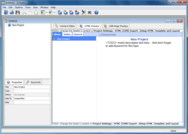
    Create professional Help Systems and Manuals from HTML or Word.  Whether you are converting from RoboHelp or creating new projects, Doc-To-Help empowers you to create HTML or Microsoft Word content and convert it to virtually every popular Help file format or printed documentation.  Doc-To-Help Enterprise can produce help files in popular formats including HTML Help, Cross-Platform HTML-based Help, JavaHelp, WinHelp, Visual Studio .NET-style Help, and printed documentation. Since Doc-To-Help Enterprise uses a simple style markup to create Help systems, you have the freedom to use any editor. Doc-To-Help Enterprise 2009 supports Windows Vista and the 2007 Microsoft Office System including seamless integration with Word 2007. Doc-To-Help Enterprise also includes exclusive features such as one-click RoboHelp project conversions. 

  • DevPartner for Visual C++ BoundsChecker Suite - Visual Studio Edition - Named Users 카테고리 Compuware

    Windows NT 또는 Windows95/98/2000에서 Visual C++어플리케이션 개발을 위한 선진 런타임 에러 검출・디버그 툴입니다. BoundsChecker는 Visual C++ Developer Studio내에서 디버그 처리를 자동화함으로써 개발 스피드를 올릴 수 있습니다. 대부분의 경우 C++에 고유의 프로그래밍 에러에 대해서 상세하고 알기 쉬운 분석 정보를 제공합니다. 스테틱(Static), 스텍(Stack) 및 히프(Heap)영역의 에러나 메모리 리크(Memory leak), 리소스 리크를 검출하고 진단합니다. BoundsChecker는 최신 Windows의 API, ODBC,ActiveX, DirectX, COM, Internet API 등 8,700이상의 API나 OLE 메소드를 실행 시에 검출합니다 

모든 상품을 표시 상위 다운로드

상품 리뷰

  • TurboDemo Enterprise 카테고리 balesio

    평균적인 리뷰 :TurboDemo Enterprise 의 평균 리뷰 스코어 5 리뷰(s).

    I highly recommend TurboDemo. The product works as advertised, is easy to use, and works better than the competitors I tried. My entire e-Learning team uses the product on a variety of training, website and knowledge management solutions. The only thing that surpasses the product quality is the customer service. In an age where software customer service is unheard of, or expensive, the TurboDemo ... 충분히 읽고 검토해주세요.

  • TurboDemo Professional 카테고리 balesio

    평균적인 리뷰 :TurboDemo Professional 의 평균 리뷰 스코어 5 리뷰(s).

    I highly recommend TurboDemo. The product works as advertised, is easy to use, and works better than the competitors I tried. My entire e-Learning team uses the product on a variety of training, website and knowledge management solutions. The only thing that surpasses the product quality is the customer service. In an age where software customer service is unheard of, or expensive, the TurboDemo ... 충분히 읽고 검토해주세요.

  • UltimateMenu 카테고리 Karamasoft

    평균적인 리뷰 :UltimateMenu 의 평균 리뷰 스코어 3 리뷰(s).

    Building good-looking menus with Menu Suite is a lot of fun. It is feature-rich, easy-to-setup, and easy-to-use with the help of its visual menu builder integrated with VS.NET. They have extremely good and prompt support as well. As a .NET and XML newbie, this was really important for me. I always got response to my questions within hours with helpful explanations that made my development a lot ea ... 충분히 읽고 검토해주세요.

  • AutoPlay Media Studio 카테고리 Indigo Rose

    평균적인 리뷰 :AutoPlay Media Studio 의 평균 리뷰 스코어 3 리뷰(s).

    WHAT I PURCHASED>> Autoplay Media Studio 5 (Pro) Let me start out by saying this is an excellent (the best in my opinion, on so many levels at that!) Rapid Application Design auto-run CD-ROM application! I NEED SUPPORT!>> Need support? Just create an account in their forum section and you will find in a short amount of time that you will be communicating directly with SEVERAL of their profess ... 충분히 읽고 검토해주세요.

  • Desaware Licensing System 카테고리 Desaware

    평균적인 리뷰 :Desaware Licensing System 의 평균 리뷰 스코어 2 리뷰(s).

    Licensing is a very complex proposition. When you add in the need to obfuscate and otherwise attempt to protect your intellectual property rights/copyright, it can really be a daunting task. Fortunately for us, the Desaware Licensing System is available and has been nicely done. It was written by Dan Appleman author of the Win32 API book, so I knew that it would be good. The software includes ... 충분히 읽고 검토해주세요.

모든 상품을 표시 상품 리뷰

인기상품

  • InstallAnywhere - Enterprise Edition 카테고리 Acresso Software (formerly Macrovision)

    InstallAnywhere - Enterprise Edition 의 스크린샷어느 플랫폼이나 응용 프로그램을 도입할 수 있습니다. InstallAnywhere Enterprise 에디션의 목적은 2가지 있습니다. 하나는 바탕화면, 원 타입 라이즈, 다층 Web 서비스 등 모든 종류의 소프트웨어를 어떠한 플랫폼이라도 인스톨이 가능하도록 하는 것입니다. 또 한 가지는 그러한 응용 프로그램을 제대로 설정해서 최적을 성능을 도출시키는 것입니다. Java, C++, Perl, C# 중 한 가지에서 응용 프로그램을 작성하는 경우에도 EJB 또는 .NET Web 서비스를 도입하는 경우에도 인스톨의 모든 상세한 부분은 모두 자동적으로 처리됩니다. InstallAnywhere Enterprise 에디션에 의하여 복잡한 인스톨 작업이 간소화되고, 개발자는 최대한 사용자 정의를 할 수 있게 됩니다. 또한 사용자와의 풍부한 대화기능이나, 클라이언트 /서버 기능을 갖추고 있어서 29개국 언어로 로컬라이즈되고 있습니다. 

  • InstallShield - Professional 카테고리 Acresso Software (formerly Macrovision)

    InstallShield - Professional 의 스크린샷모든 플랫폼의 완벽한 설치 인증 솔루션에는 트라이얼웨어 기능, 네트워크 리포지토리, 다중언어 지원 및 Update Service Starter 에디션이 포함됩니다. InstallShield로 강하고 신뢰할 만한 새로운 설치 인증 기능을 도입하여 급변하는 현재의 기술 시장에 대처할 수 있습니다. MSI 3.0 지원, XML 파일 설정값 자동 업데이트, 트라이얼웨어 기능(Premier Edition만의 기능) 등의 새 기능으로 설치 프로젝트에 더 강력하고 유연하게 만들 수 있습니다. 

  • InstallShield - Premier 카테고리 Acresso Software (formerly Macrovision)

    InstallShield - Premier 의 스크린샷모든 플랫폼의 완벽한 설치 인증 솔루션에는 트라이얼웨어 기능, 네트워크 리포지토리, 다중언어 지원 및 Update Service Starter 에디션이 포함됩니다. InstallShield로 강하고 신뢰할 만한 새로운 설치 인증 기능을 도입하여 급변하는 현재의 기술 시장에 대처할 수 있습니다. MSI 3.0 지원, XML 파일 설정값 자동 업데이트, 트라이얼웨어 기능 등의 새 기능으로 설치 프로젝트에 더 강력하고 유연하게 만들 수 있습니다. 

  • AdminStudio Professional 카테고리 Acresso Software (formerly Macrovision)

    기업에서 사용하는 신뢰성 있는 어플리케이션과 패치를 제작. Macrovision AdminStudio를 이용하면, Windows Installer 데이터베이스 표를 편집하거나 한 줄의 스크립트도 작성하지 않고 설치를 사용자 정의할 수 있습니다. 시스템 관리자, 데스크탑 설계자, 기업 IT 프로젝트 팀을 위해 특별하게 개발한 AdminStudio는 재가공(repackaging) 과정을 탐색하는 마법사 중심 인터페이스를 제공합니다. 재가공은 표준 기본 옵션을 통해 이루어지거나 자세한 제외 목록, 어플리케이션 또는 시스템 수준 변경 사항을 캡처하는 옵션, 출력 미리 보기, 레지스트리 설정 등을 통해 특정 요구를 만족하도록 정의할 수 있습니다. 

  • LEADTOOLS Medical Imaging SDK Runtimes 카테고리 LEAD Technologies

    Medical imaging programming libraries - LEADTOOLS Medical Imaging toolkit is a collection of .NET, VC++ Class Libraries and an API that provides complete support for the DICOM 3.0 specification, including all standard IOD classes and modalities, 12 and 16-bit grayscale imaging and much more. The Medical Imaging SDK provides powerful medical-specific annotation objects such as cross product, point, and protractor, allowing the measuring and mark-up of medical files. 

모든 상품을 표시 인기상품

카테고리 툴 만 | 개발처 일람

신상품

 툴

  • ShellRun 카테고리 PHD Computer Consultants

    ShellRun 의 스크린샷Start your CD or DVD professionally. ShellRun neatly AutoRuns your chosen file or program as soon as your CD is inserted into a Windows computer, while optionally displaying a splash window or fully configurable popup window. Shellrun can display a menu of command buttons. ShellRun also helps if your CD user has not installed a suitable viewer, for example to view PDF files. ShellRun shows your warning message and tells the user how to get a viewer.

  • Updater 카테고리 CatenaLogic

    Updater 의 스크린샷Add update functionality to your applications. Updater is an advanced, fully customizable update solution which can fullfill your needs for an integrated update solution for your software. Updater is an auto update module which enables your clients to check to see if there is a new version of your application. Developers can easily integrate Updater into their software installation with the help of a user guide and lots of examples; in fact you should be able to get Updater up and running within 10 minutes. Keep your end users up to date with the latest patch release or new version. Updater makes it easy to update your software on any number of client machines and has even been used as an install and deployment solution.

  • ComponentOne DemoWorks 2009 카테고리 ComponentOne

    ComponentOne DemoWorks 2009 의 스크린샷Record Screen Activity and Produce WMV, Flash, GIF, AVI, EXE, and Java. ComponentOne DemoWorks 2009 produces professional quality demonstration videos without the need for programming, multi-media, or graphic design expertise. ComponentOne DemoWorks 2009 can also Record any screen activity, with or without audio narration, and produce video in industry standard formats such as Flash, animated GIF, and AVI. ComponentOne DemoWorks 2009 can also edit videos frame-by-frame, add captions, highlights, and more. DemoWorks 2009 can also output to the Windows Movie format (WMV).

  • LEADTOOLS Imaging SDK 카테고리 LEAD Technologies

    High level developer toolkit includes ActiveX and WPF/XAML Controls. LEADTOOLS Imaging SDK provides basic and advanced color imaging features for file format import/export, image compression, image display and effects, color conversion, image processing, TWAIN scanning, imaging common dialogs, database integration, printing and Internet.

  • Total Access Analyzer 카테고리 FMS

    Document and analyze your Access databases. Total Access Analyzer let's you understand how your database works and helps you find errors and performance bottlenecks. It includes the ability to detect over 100 types of errors and includes suggestions and performance tips. The comprehensive database analysis and documentation finds problems before you ship and lets you understand what's really going on. Total Access Analyzer performs detailed analysis of your Access database objects individually and as a whole. By examining your entire database, it discovers complex relationships among objects, hidden problems and even unused objects.

  • LEADTOOLS Vector Imaging SDK Runtimes 카테고리 LEAD Technologies

    Provide 2-D and 3-D vector imaging for loading, viewing, modifying and saving vector files to memory/disk in native vector format. LEADTOOLS Vector Imaging SDK includes a low level API, and C++ Class library to add, edit, delete, rotate, translate, and scale objects. Group objects into layers. Change camera and lights. OpenGL, DirectX or GDI engines supported. Convert and save vector images to any of the over 150 raster file formats supported by LEAD.

  • LEADTOOLS Medical Imaging SDK Runtimes 카테고리 LEAD Technologies

    Medical imaging programming libraries - LEADTOOLS Medical Imaging toolkit is a collection of .NET, VC++ Class Libraries and an API that provides complete support for the DICOM 3.0 specification, including all standard IOD classes and modalities, 12 and 16-bit grayscale imaging and much more. The Medical Imaging SDK provides powerful medical-specific annotation objects such as cross product, point, and protractor, allowing the measuring and mark-up of medical files.

  • LEADTOOLS Vector Imaging SDK 카테고리 LEAD Technologies

    Provide 2-D and 3-D vector imaging for loading, viewing, modifying and saving vector files to memory/disk in native vector format. LEADTOOLS Vector Imaging SDK includes a low level API, and C++ Class library to add, edit, delete, rotate, translate, and scale objects. Group objects into layers. Change camera and lights. OpenGL, DirectX or GDI engines supported. Convert and save vector images to any of the over 150 raster file formats supported by LEAD.

  • LEADTOOLS Medical Imaging SDK 카테고리 LEAD Technologies

    Medical imaging programming libraries. LEADTOOLS Medical Imaging includes hand-picked and optimized features to meet the specific needs of medical imaging application development, such as full DICOM dataset support, support for 8-16 bit grayscale, and 12 and 16 bit image processing and display with window leveling and LUT processing. DICOM 3, the industry standard medical imaging format/protocol is fully and completely supported, allowing programmers access to medical images retrieved from digital imaging modalities such as CT and MR scanners. LEAD's DICOM imaging support is one of the richest in the industry supporting 8, 10, 12, 16, 24 and 32 bit images including JPEG (8, 10 , 12, 16-bit Lossless grayscale, 8, 12-bit lossy grayscale, 24-bit lossless and lossy color), Run Length, Uncompressed, Photometric Interpretation (Monochrome1, Monochrome2, Palletized, RGB, ARGB, CMYK, YBR Full 422, YBR Full), and single and multi-page images. LEAD's Medical Imaging toolkit includes 8-16 bit grayscale display with window leveling. Window leveling is a linear conversion from stored pixel values to values to be displayed; LEADTOOLS can map the stored pixel values of interest using a user defined color map (using a LUT or Palette) or linear gray LUT.

  • ComponentOne FrontLine 2008 카테고리 ComponentOne

    Hassle free online Support experience for your customers and employees. ComponentOne FrontLine helps you cut support costs while making customers happier by allowing you to share information such as documents, articles, and FAQs on a searchable Web page. This ASP.NET-based solution delivers knowledge management, ticketing, automatic escalation and even an open API in one package. All interfaces are Web-based, so no client installs are necessary. ComponentOne FrontLine also imports documents you already have and uses those documents as articles. ComponentOne FrontLine's search engine will even scan the documents' contents. You can also use ComponentOne FrontLine's API to create your own portal.

모든 상품을 표시 신상품

상품검색

검색어를 입력해주세요:

숨겨진 추가 비용 없음.

추가 비용이 없습니다. 모든 서비스가 포함된 가격입니다.

숨겨진 추가 비용 없음.

상품 일남

툴