
 (1)
(1) (2)
(2)공식 공급 업체
200 이상의 소프트웨어 개발처와 판매 계약을 맺은 공인 디스트리뷰터로서 합법적인 라이선스를 제공합니다.
모든 브랜드 보기.

스크린샷: to control the user interface of your patches. There are pre-built layouts to handle just about any task you ... 더 읽기 본 제품에 관한 더 많은 결과 보기
스크린샷: You can choose the interface of the TrueUpdate Client to display to the user: Wizard, Dialog ... 더 읽기
릴리스 노트: different screens and a complete graphical skinning system makes it easy to control the user interface ... 더 읽기
스크린샷: to control the user interface of your patches. There are pre-built layouts to handle just about any task you ... 더 읽기 본 제품에 관한 더 많은 결과 보기
기능: that your software is updated quickly and correctly Customizable User Interface- Featuring a library of over ... patches or completely automatic "silent" patches that operate without displaying user interface ... of the important details about your files. The toolbars, columns, sort-order, color-coding and other interface ... 더 읽기
설명: With the same ease of use and interface style that has made Setup Factory famous, Visual Patch makes it easier ... use or even whether you use one at all. If you need to get newer versions of files out to users ... the runtime interface? Yes. Visual Patch lets you easily drop in new wizard dialogs using the built-in Screen ... 더 읽기
릴리스 노트: user interface for easier navigation. Java-based automation interface to script common tasks. Enhanced ... 더 읽기 본 제품에 관한 더 많은 결과 보기
설명: 모든 플랫폼에서 귀하의 애플리케이션을 배포합니다. InstallAnywhere Enterprise 에디션의 목적은 2가지 있습니다. 하나는 바탕화면, 원 타입 라이즈, 다층 Web 서비스 등 모든 종류의 소프트웨어를 어떠한 플랫폼이라도 인스톨이 가능하도록 하는 것입니다. 또 한 가지는 그러한 응용 프로그램을 제대로 설정해서 최적을 성능을 도출시키는 것입니다. Java, C++, Perl, C# 중 한 가지에서 응용 프로그램을 작성하는 경우에도 EJB 또는.NET Web 서비스를 도입하는 경우에도 인스톨의 모든 상세한 부분은 모두 ... 더 읽기
설명: via Java APIs. InstallAnywhere Premier Edition with Cloud Pack Additional Features Build Multi-Tier ... that allows you to create installers without coding; yet its innovative APIs allow unlimited customization ... applications install securely by digitally signing installation to support Windows User Access Control (UAC). ... 더 읽기
릴리스 노트: with customization options for marketing/branding movie pages. New graphical user interface. ... 더 읽기 본 제품에 관한 더 많은 결과 보기
설명: FlashBack Plus Overview FlashBack Plus allows users to record the whole, or selected areas of, ... and displayed as desired. For navigation through your footage, FlashBack player allows users the ability to jump ... 더 읽기
설명: 고급 스크린 레코더 소프트웨어. FlashBack Plus is an easy to use screen recording and movie authoring application for creating compact but high quality footage for tutorials, demos and presentations. Text effects, sound and commentary are fully supported by FlashBack and movies can be exported Flash, QuickTime ... 더 읽기

릴리스 노트: Improved user interface with increased font sizes. Automatic selection of A4 paper size for international ... users. More trapping of Access database errors. ... 더 읽기 본 제품에 관한 더 많은 결과 보기
릴리스 노트: and summary of differences by object type. Improved filtering of differences by object type and name. User ... interface enhancements. Added a new manual and context sensitive help file. Updates in 2026 1 ... 더 읽기
설명: extensive on-line help, and a comprehensive user manual. To compare two objects in one database, open the ... 더 읽기
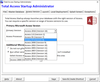
릴리스 노트: users launch your database. Option to always update the local copy. New Administrator tabbed interface ... More modern user interface and end user experience. Sample settings, database and startup graphic ... . Create shortcuts with icons from the 1150+ icon library. Localization the user messages to your language. ... 더 읽기 본 제품에 관한 더 많은 결과 보기
설명: Easily deploy and maintain Access applications. Total Access Startup helps you ensure your users ... applications? Total Access Startup guarantees that your users always launch the right version of Access ... with the right version of your Access database. Easily manage Access and your databases to ensure that users ... 더 읽기
설명: machine. If the user doesn't have the right version of Access installed on their machine, Total Access ... gracefully handles the problem and prevents the user from inadvertently converting the database because the ... controls) Your contact information if your user cant start the program When you complete the Wizard, Total ... 더 읽기
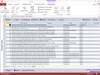
릴리스 노트: of attached zip files. International character support for email messages. Improved user interface. Enhanced ... 더 읽기 본 제품에 관한 더 많은 결과 보기
설명: an interactive, Wizard-like user interface that makes it easy to customize your email blasts in your Access ... and programmatic module interface for power users and developers to add email blasts into applications. This lets ... for reuse and sharing with other users. Total Access Emailer: Unlimited Custom Emails Send Email to Everyone ... 더 읽기
설명: interface that makes it easy to customize your email blasts in your Access environment. Choose any table or ... Emailer Programmatic Features A programmatic interface is available for Access developers wishing to add ... Standard Version, plus a library and programmatic module interface for power users and developers to add ... 더 읽기
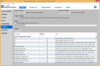
릴리스 노트: user interface for easier navigation. Merge modules allow the reuse of shared code across multiple ... InstallAnywhere projects. Java-based automation interface to script common tasks. Enhanced license compliance ... 더 읽기 본 제품에 관한 더 많은 결과 보기
설명: 모든 플랫폼에서 귀하의 애플리케이션을 배포합니다. InstallAnywhere Enterprise 에디션의 목적은 2가지 있습니다. 하나는 바탕화면, 원 타입 라이즈, 다층 Web 서비스 등 모든 종류의 소프트웨어를 어떠한 플랫폼이라도 인스톨이 가능하도록 하는 것입니다. 또 한 가지는 그러한 응용 프로그램을 제대로 설정해서 최적을 성능을 도출시키는 것입니다. Java, C++, Perl, C# 중 한 가지에서 응용 프로그램을 작성하는 경우에도 EJB 또는.NET Web 서비스를 도입하는 경우에도 인스톨의 모든 상세한 부분은 모두 ... 더 읽기
설명: automation scripts to edit, build, and test installations via Java APIs. InstallAnywhere Premier Edition ... that allows you to create installers without coding; yet its innovative APIs allow unlimited customization ... with extensive user interaction, client/server features and localization for 30+ languages. InstallAnywhere ... 더 읽기
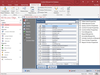
릴리스 노트: user interface to show progress of the documentation. Revised user manual and help file. ... 더 읽기 본 제품에 관한 더 많은 결과 보기
릴리스 노트: on the output reports' title, header, footer and groupings New Access 2010 user interface with theme ... 더 읽기
릴리스 노트: are now thicker to appear more clearly in preview and print. Improved User Interface Shows More Progress ... 더 읽기
릴리스 노트: activity logs with optional deletion. More detailed database statistics are collected. Improved user ... interface with modern fonts, icons, resizable forms and menus. Add comments to events, directories ... 더 읽기 본 제품에 관한 더 많은 결과 보기
릴리스 노트: window for that day. Modern user interface and toolbars- The user interface has been enhanced with more ... in the C:\Users\Public\Documents\FMS\Total Visual Agent\17.0 folder. Other Enhancements: Microsoft.NET Framework version has been upgraded ... to version 4.6.2 from 3.5. Added a new User Manual and Help File. Total Visual Agent ... 더 읽기
릴리스 노트: Offending Machines- If a compact task fails due to the database locked by another user, the email ... and doesn't require a user to be logged in to keep it running. The service processes are hidden from the user ... interface. Enhancements make this more robust and better able to handle unexpected situations. Default ... 더 읽기
전화 : 00798 14 800 6332
팩스 : +1 770 250 6199


