

 (18)
(18)공식 공급 업체
200 이상의 소프트웨어 개발처와 판매 계약을 맺은 공인 디스트리뷰터로서 합법적인 라이선스를 제공합니다.
모든 브랜드 보기.

릴리스 노트: Updates in 2010 v1 64-bit (x64) support added to the following controls: Chart, Chart2D 8.0, ... 더 읽기 본 제품에 관한 더 많은 결과 보기
릴리스 노트: Updates in 2010 v2 The newest version of ComponentOne's WPF control set introduces four new ... controls. Each control is fully compatible with its Silverlight equivalent so you can quickly build both ... control will be able to deliver more features and better performance for large datasets. Features include ... 더 읽기
고객 리뷰: Do NOT be put off by the early reviews of this product, the current versions of the controls ... is essential for rapid development. I have used many of the controls for one purpose or another and I have ... of use the controls. I haven't as yet used the WPF toolset so cannot comment on those particular ... 더 읽기
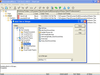
설명: no additional components or frameworks All operations are cancelable. The application never hangs up due ... Integration Supports the Microsoft Source Code Control Interface (MSSCCI) Can be integrated with any MSSCCI ... create project, delete files or projects, get latest version, check out, check in, undo check out, move, ... 더 읽기 본 제품에 관한 더 많은 결과 보기
호환성: Product Class Component Development Tools Language English Disk Space Required: 10MB Memory Required: 64MB ... 더 읽기
릴리스 노트: Full support for Visual Studio 2013. Added prompt messages when checking in an item that is already checked out by the same user from a different location. Fixed a bug where sawvconfigure.ini is missing when password policy is enabled. ... 더 읽기

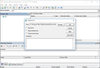
릴리스 노트: Export file version history differences to.csv or.txt. Export file version history differences ... if the server version had the same file size as the local one. ... 더 읽기 본 제품에 관한 더 많은 결과 보기
호환성: Operating System for Deployment Windows 10 Windows 8.1 Windows 8 Windows 7 Windows Vista Windows XP Windows Server 2003 Windows 2000 ... 더 읽기
릴리스 노트: to the Command Line Client. Added Next and Previous buttons to the Version Details dialog. ... 더 읽기
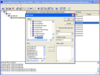
설명: Fast and secure access to centralized Visual SourceSafe databases via any TCP/IP connection. SourceGear SourceOffSite is an Internet access tool for Microsoft Visual SourceSafe. With SourceGear SourceOffSite, distributed development teams can have secure access to a SourceSafe database using any ... 더 읽기 본 제품에 관한 더 많은 결과 보기
기능: component (APIs). Thus, the Visual SourceSafe Client component must be installed on the server machine ... Version Check Out Check In Undo Check Out Share Branch View Edit Merge Show Differences Show Properties ... Show History Status Search Cloak Web deploy Label Version Pin Files Rename Move Set Working Folder ... 더 읽기
호환성: Component Development Tools Component Building Tools Test and Review Status Installation Tested- Yes ... 더 읽기

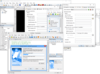
릴리스 노트: Fixed: The "License Agreement" or "Scrolling Text" screens could show an error when a HTML file was loaded at runtime. Fixed: The "Select Drive" could cause an error message when used. Fixed: The "Select Install Folder" could cause an error message when used. ... 더 읽기 본 제품에 관한 더 많은 결과 보기
릴리스 노트: Themes now use styles on controls (buttons), allowing you to build installers with dark mode. ... scripting engine to version 5.3.6. Plugins now require the use of SDK v3. Updates in 10.x 1 ... 더 읽기
릴리스 노트: Added support for Windows Server 2025 to the 'System.GetOSName' action. Lua modules sometimes appeared as unavailable in dialog. Buttons were shown as generic thumbnails instead of showing a preview of the actual button graphic. Bitwise operators &, | and were not drawn with the ... 더 읽기
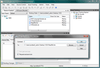
설명: Integrated version control, issue tracking & build automation. SCM Anywhere Standalone is a ... SQL-based software configuration management (SCM) solution with fully integrated version control, issue ... reports. SCM Anywhere Standalone Features Version Control- Based on the widely used and proven ... 더 읽기 본 제품에 관한 더 많은 결과 보기
설명: Integrated version control, issue tracking & build automation. SCM Anywhere Standalone ... is a SQL-based software configuration management (SCM) solution with fully integrated version control, issue ... reports. SCM Anywhere Standalone Features Version Control- Based on the widely used and proven ... 더 읽기
릴리스 노트: Performance greatly improved for SCM Anywhere Standalone VSPackage. Performance improved for SCM Anywhere Standalone MSSCCI. Performance improved for SCM Anywhere Standalone GUI clients. SCM Anywhere Standalone Server and Client are now supported by 64-bit Windows. Improved font. SCM Anywhere ... 더 읽기
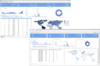
고객 리뷰: The update from a rather old previous version of this component was without issues. We can finally ... 더 읽기 본 제품에 관한 더 많은 결과 보기
릴리스 노트: .NET 5+ versions were not exporting correctly to OpenDocument format data. 0 ... 더 읽기
릴리스 노트: Added Tornado Chart series type: Ideal for side-by-side comparisons and sensitivity analysis, clearly highlighting the relative impact of variables in a clean, intuitive layout. Added support for custom tools in Editor Tools list. Legend scrollbar can incorrectly re-dimension. Updates in 2026.x 1 ... 더 읽기

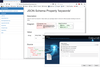
설명: containing all files. Source control integration for SVN, Git and Microsoft Team Foundation Version Control ... (with content). Execute web methods & view the results. Projects and Source Control Project tree ... 더 읽기 본 제품에 관한 더 많은 결과 보기
설명: Foundation Version Control. JSON Schema Editor and Tools Graphical Editors for JSON Schema. Doc. Generation ... Control Project tree containing all files. Source control integration for SVN, Git and Microsoft Team ... 더 읽기
릴리스 노트: syncing Component Locator to XML Schema. 0 ... including: Better support for Schemas that have a $ref after version 2019-09. Support for $comment. Support ... 더 읽기
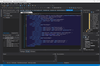
설명: Foundation Version Control. JSON Schema Editor and Tools Graphical Editors for JSON Schema. Doc. Generation ... Control Project tree containing all files. Source control integration for SVN, Git and Microsoft Team ... 더 읽기 본 제품에 관한 더 많은 결과 보기
설명: Foundation Version Control. JSON Schema Editor and Tools Graphical Editors for JSON Schema. Doc. Generation ... Control Project tree containing all files. Source control integration for SVN, Git and Microsoft Team ... 더 읽기
릴리스 노트: syncing Component Locator to XML Schema. 0 ... including: Better support for Schemas that have a $ref after version 2019-09. Support for $comment. Support ... 더 읽기
릴리스 노트: Small fixes were made so that the component would work well with the new version of Zip for.NET. 0 ... 더 읽기 본 제품에 관한 더 많은 결과 보기
릴리스 노트: Version sync with other libraries. 0 ... 더 읽기
릴리스 노트: Version sync with the other libraries. Updates in V7.x 1 ... 더 읽기
전화 : 00798 14 800 6332
팩스 : +1 770 250 6199


