Windows Presentation Foundation (WPF)

일람: 추천 상품 | 인기상품 | 상위 다운로드 | 상품 리뷰 | 신상품 | A-Z

상위 다운로드

  • NetAdvantage for .NET 카테고리 Infragistics

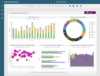
    NetAdvantage for .NET 의 스크린샷.NET, Visual Studio 2005, ASP.NET및 Tablet PC 응용 프로그램에 그리드, 스케줄링, 툴바, 메뉴, 리스트바, 트리, UI 및 편집 기능을 추가하십시오. Infragistics NetAdvantage는 모든 Microsoft 개발 환경의 상용 클래스 사용자 인터페이스를 만들기 위한 손쉬운 프리젠테이션 레이어 툴셋입니다. Windows Forms (Visual Studio 2005 포함), ASP.NET 및 Tablet PC Infragistics NetAdvantage는 그리드, 스케줄링, 차트 만들기, 툴바, 리스트바, 트리, 탭, 익스플로어 바, UI 및 편집기 등 모든 중요 인터페이스 요소로 이루어져 있습니다. 서브스크립션 옵션이 들어있는 .NET 소스 코드가 들어있습니다.  Visual Studio 2005를지원합니다. 

  • ComponentOne Studio Enterprise 카테고리 ComponentOne

    ComponentOne Studio Enterprise 의 스크린샷.NET, ASP.NET, 이동 통신 장비 및ActiveX 애플리케이션에 그리드, 리포트, 차트, 데이터 변경 및 사용자 인터페이스 기능을 추가. ComponentOne Studio Enterprise에는.NET (1.0 및 2.0), ASP.NET, ActiveX 및 모바일 장비의180개 이상의 컴포넌트를 제공하는ComponentOne Studio 서브스크립션이 네 개 들어있습니다. ComponentOne 서브스크립에는 최신 컴포넌트, 릴리스, 업데이트 및 업그레이드, 이메일 그리고 구매일로부터1년 동안 유효한 온라인 기술 지원 등이 들어있습니다. Microsoft Visual Studio 2005 컴포넌트가 30개 들어있으며 AJAX를 사용할 수 있는 컴포넌트가 들어있습니다. 

  • Infragistics NetAdvantage for .NET + WPF 카테고리 Infragistics

    Infragistics NetAdvantage for .NET + WPF 의 스크린샷 WPF(Windows Presentation Foundation) 및 .NET 사용자 인터페이스 기능을 어플리케이션에 추가. NetAdvantage for .NET + WPF는 Windows Presentation Foundation(WPF) 플랫폼을 위해 특별하게 설계하고 개발한 컨트롤 + Windows Forms, ASP.NET, Tablet PC용 상업적 클래스 사용자 인터페이스를 설계하는 광범위한 프레젠테이션 레이어 툴셋인 NetAdvantage for .NET을 포함합니다. Infragistics NetAdvantage for .NET는 그리드, 일정 관리(scheduling), 차트 작성, 도구 모음, 메뉴, 리스트 바, 트리, 탭, 탐색 바, UI, 편집기를 포함합니다. NetAdvantage for WPF는 Windows Vista Aero와 Office 2007의 시각적 테마가 내장된 데이터그리드, 카루젤(carousel), 편집기와 같은 WPF용 비즈니스 등급 개발자 컴포넌트를 포함합니다. 개발자는 이제 WPF 툴셋으로 구축을 시작하고 고해상도 그래픽, 풍부한 스타일링과 애니메이션 기능, 통합한 UI 시각화 기술을 포함해 WPF 플랫폼의 장점을 활용할 수 있습니다. 

  • Infragistics NetAdvantage Win Client 카테고리 Infragistics

    Add, grid, ribbon, scheduling, toolbar, menu, listbar, tree, UI and editing functionality to your .NET Windows Forms and WPF applications. Infragistics NetAdvantage Win Client is a comprehensive presentation layer toolset for quickly building and styling polished application UIs and delivering a great user experience, for Windows Forms, rich client applications. NetAdvantage Win Client contains all essential UI controls for applications built using Visual Studio: grids, scheduling, charting, gauges, navigation, ribbon, toolbars, menus, listbars, trees, tabs, explorer bars, UI and many other editors, as well as Application Styling, Excel import/export, and a Document Export Engine for PDF and XPS formats. NetAdvantage Win Client also includes business-grade developer components for WPF, including datagrids, carousels and editors, with built-in visual themes including Windows Vista Aero and Office 2007. Developers can start building with WPF toolset now and can take advantage of the pure WPF platform features including: high resolution graphics, rich styling and animation capabilities and integrated UI virtualization technology. NetAdvantage Win Client works natively within Visual Studio 2005 and 2008 and include Office 2007 styles, Vista styles, and Vista support. Included with every purchase of NetAdvantage Win Client, Infragistics provides product support, source code to the controls and frameworks, two releases yearly of customer driven products and features and more. 

  • Syncfusion Essential Studio 카테고리 Syncfusion

    그리드, 고도의 편집기능 및 유저 인터페이스 기능을 .NET 응용 프로그램에 추가할 수 있습니다. Syncfusion Essential Studio 에는Syncfusion Essential Tools, Syncfusion Essential Grid 및 Syncfusion Essential Edit 이 포함됩니다. Syncfusion Essential Grid 는 Excel과 비슷한 확장기능 세트를 갖추고, 자체에서 사용자 정의를 할 수 있습니다. Syncfusion Essential Edit 는 구문의 강조표시나 과거로 거슬러 올라가서 실행취소/다시실행이 가능한 기능 등의 고도의 편집 기능을 갖추고 있습니다. Syncfusion Essential Tools 은 Windows XP/Office XP의 룩&필을 개발하는 응용 프로그램에 적용할 수 있는 각종 유저 인터페이스 컴포넌트 세트입니다. Visual Studio.NET IDE에서 1 회 클릭 하는 것 만으로 라이브러리의 「디버그」버전과 「릴리스」버전을 바꾸는 독특한 디버그 제공 시스템을 갖추고 있습니다. 

모든 상품을 표시 상위 다운로드

상품 리뷰

  • Syncfusion Essential Studio 카테고리 Syncfusion

    평균적인 리뷰 :Syncfusion Essential Studio 의 평균 리뷰 스코어 9 리뷰(s).

    Excellent product – there’s no two ways about that! Have used it since 2002 and only have positive things to say. Besides the high quality of the product itself, the support is also terrific and Syncfusion’s feedback system works great and provides fast replies. If you find a bug, it’s often possible to get a service pack with a fix, without having to wait for the next release!  

  • Syncfusion Essential Studio WPF Edition 카테고리 Syncfusion

    평균적인 리뷰 :Syncfusion Essential Studio WPF Edition 의 평균 리뷰 스코어 3 리뷰(s).

    Syncfusion WPF Suite is a definite winner!! Yes, there many other makers of WPF components. In my opinion, if you want boring and traditional Windows applications use WinForms. Tried and Tested and yes boring. WPF brings such possibilities for creativity and the wow factor. Anyone can create a contacts application or a media cataloger. It can be the best program in the world, but if the UI is ... 충분히 읽고 검토해주세요.

  • pinEdit Desktop 카테고리 Pintexx

    평균적인 리뷰 :pinEdit Desktop 의 평균 리뷰 스코어 2 리뷰(s).

    I'm working now 1 year with pinEdit, using it as online wysiwyg editor in spanish language in a CMS Content Management System. My users conect from nearly all over the world. pinEdit is very stable, highly flexible, state of the art and fast loading. I checked a lot of html online editors, and pinEdit is for sure one of the best. The API has a big bunch of functions. Updates are available frequent ... 충분히 읽고 검토해주세요.

  • Actipro WPF Studio 카테고리 Actipro Software

    평균적인 리뷰 :Actipro WPF Studio 의 평균 리뷰 스코어 1 리뷰.

    I've been using Actipro's WPF Studio for a few months now and I am throughly impressed. The WPF Studio comes with a first-rate sample application (which they call the Sample Browser), including full source code. The Sample Browser shows overviews, feature summaries, release history, demos, and quick-starts for each of the controls. The demos show samples of each control, while the quick starts foc ... 충분히 읽고 검토해주세요.

  • NetAdvantage for .NET 카테고리 Infragistics

    평균적인 리뷰 :NetAdvantage for .NET 의 평균 리뷰 스코어 27 리뷰(s).

    Excellent product. Great support. We have tried different product suites, and Infragistics' is the best so far. The components are well-designed with great functionalities. The suite covers almost every requirement that we set. Thus, our development cycle is shortened.  

모든 상품을 표시 상품 리뷰

인기상품

  • NetAdvantage for .NET 카테고리 Infragistics

    NetAdvantage for .NET 의 스크린샷.NET, Visual Studio 2005, ASP.NET및 Tablet PC 응용 프로그램에 그리드, 스케줄링, 툴바, 메뉴, 리스트바, 트리, UI 및 편집 기능을 추가하십시오. Infragistics NetAdvantage는 모든 Microsoft 개발 환경의 상용 클래스 사용자 인터페이스를 만들기 위한 손쉬운 프리젠테이션 레이어 툴셋입니다. Windows Forms (Visual Studio 2005 포함), ASP.NET 및 Tablet PC Infragistics NetAdvantage는 그리드, 스케줄링, 차트 만들기, 툴바, 리스트바, 트리, 탭, 익스플로어 바, UI 및 편집기 등 모든 중요 인터페이스 요소로 이루어져 있습니다. 서브스크립션 옵션이 들어있는 .NET 소스 코드가 들어있습니다.  Visual Studio 2005를지원합니다. 

  • ComponentOne Studio Enterprise 카테고리 ComponentOne

    ComponentOne Studio Enterprise 의 스크린샷.NET, ASP.NET, 이동 통신 장비 및ActiveX 애플리케이션에 그리드, 리포트, 차트, 데이터 변경 및 사용자 인터페이스 기능을 추가. ComponentOne Studio Enterprise에는.NET (1.0 및 2.0), ASP.NET, ActiveX 및 모바일 장비의180개 이상의 컴포넌트를 제공하는ComponentOne Studio 서브스크립션이 네 개 들어있습니다. ComponentOne 서브스크립에는 최신 컴포넌트, 릴리스, 업데이트 및 업그레이드, 이메일 그리고 구매일로부터1년 동안 유효한 온라인 기술 지원 등이 들어있습니다. Microsoft Visual Studio 2005 컴포넌트가 30개 들어있으며 AJAX를 사용할 수 있는 컴포넌트가 들어있습니다. 

  • Xceed DataGrid for WPF 카테고리 Xceed Software

    Xceed DataGrid for WPF 의 스크린샷Display and edit data in 2D or 3D layouts. Xceed DataGrid for WPF (Windows Presentation Foundation) is a grid control that in addition to traditional table and card views like Vista, XP, Media Center, or classic styles, allows you to present and edit data in 3D layouts. Features include: rich in-place editing; grouping with UI virtualization; production-quality views (table and card), built-in data validation. It also includes a WPF date picker and a calendar control. Xceed DataGrid for WPF offers compatibility with bound and unbound data sources; flexible object model and fully extensible with reusable parts. Xceed DataGrid for WPF Professional Edition includes Xceed 3D Views for WPF and Xceed Editors for WPF. Xceed DataGrid for WPF Express Edition is free, please, visit the 'Evals and Downloads' Section for instructions on how to obtain your free license. Full C# and XAML source code available in the Blueprint Edition. 

  • Infragistics NetAdvantage Win Client 카테고리 Infragistics

    Add, grid, ribbon, scheduling, toolbar, menu, listbar, tree, UI and editing functionality to your .NET Windows Forms and WPF applications. Infragistics NetAdvantage Win Client is a comprehensive presentation layer toolset for quickly building and styling polished application UIs and delivering a great user experience, for Windows Forms, rich client applications. NetAdvantage Win Client contains all essential UI controls for applications built using Visual Studio: grids, scheduling, charting, gauges, navigation, ribbon, toolbars, menus, listbars, trees, tabs, explorer bars, UI and many other editors, as well as Application Styling, Excel import/export, and a Document Export Engine for PDF and XPS formats. NetAdvantage Win Client also includes business-grade developer components for WPF, including datagrids, carousels and editors, with built-in visual themes including Windows Vista Aero and Office 2007. Developers can start building with WPF toolset now and can take advantage of the pure WPF platform features including: high resolution graphics, rich styling and animation capabilities and integrated UI virtualization technology. NetAdvantage Win Client works natively within Visual Studio 2005 and 2008 and include Office 2007 styles, Vista styles, and Vista support. Included with every purchase of NetAdvantage Win Client, Infragistics provides product support, source code to the controls and frameworks, two releases yearly of customer driven products and features and more. 

  • Infragistics NetAdvantage for WPF 카테고리 Infragistics

    NetAdvantage controls, designed and developed specifically for the Windows Presentation Foundation (WPF) platform. Infragistics NetAdvantage for WPF includes business-grade developer components for WPF, including datagrids, carousels and editors, with built-in visual themes including Windows Vista Aero and Office 2007. Developers can start building with WPF toolset now and can take advantage of the pure WPF platform features including: high resolution graphics, rich styling and animation capabilities and integrated UI virtualization technology. 

모든 상품을 표시 인기상품

신상품

 Windows Presentation Foundation (WPF)

  • SandRibbon for WPF 카테고리 Divelements

    SandRibbon for WPF 의 스크린샷Add a rich Office 2007 Ribbon style user interface to your WPF applications. SandRibbon is a user interface suite designed to mimic the advanced controls seen in Microsoft Office 2007. Its features revolve around a Ribbon control, which presents a well-organised list of available commands, divided into logical groups with some groups displayed contextually. It is designed to plug in to your applications and serve as a replacement for the traditional menus and toolbars paradigm.

  • LEADTOOLS Imaging SDK 카테고리 LEAD Technologies

    LEADTOOLS Imaging SDK 의 스크린샷High level developer toolkit includes ActiveX and WPF/XAML Controls. LEADTOOLS Imaging SDK provides basic and advanced color imaging features for file format import/export, image compression, image display and effects, color conversion, image processing, TWAIN scanning, imaging common dialogs, database integration, printing and Internet.

  • LEADTOOLS Imaging SDK Runtimes 카테고리 LEAD Technologies

    LEADTOOLS Imaging SDK Runtimes 의 스크린샷High level developer toolkit includes ActiveX and WPF/XAML Controls. LEADTOOLS Imaging SDK provides basic and advanced color imaging features for file format import/export, image compression, image display and effects, color conversion, image processing, TWAIN scanning, imaging common dialogs, database integration, printing and Internet.

  • ECO for Visual Studio 카테고리 CapableObjects

    A .NET framework for creating model driven, multi layered applications. ECO is a tool for Domain Driven Development (DDD). ECO users build their systems directly from the Domain Model, increasing productivity, and ensuring that the system actually matches the user’s needs. While the internals of ECO are complex, using it is very easy. The classes of the problem domain such as Customers and Invoices are defined in a Class Model. ECO will then generate the database schema, the code for the domain classes, and the information for mapping the classes to the database tables. And better yet, when you change your model, ECO will merge the changes into your code, and update your database schema while preserving your precious data. A feature referred to as Database Evolution.

  • NetAdvantage Win Client 카테고리 Infragistics

    Add, grid, ribbon, scheduling, toolbar, menu, listbar, tree, UI and editing functionality to your .NET Windows Forms and WPF applications. Infragistics NetAdvantage Win Client is a comprehensive presentation layer toolset for quickly building and styling polished application UIs and delivering a great user experience, for Windows Forms, rich client applications. NetAdvantage Win Client contains all essential UI controls for applications built using Visual Studio: grids, scheduling, charting, gauges, navigation, ribbon, toolbars, menus, listbars, trees, tabs, explorer bars, UI and many other editors, as well as Application Styling, Excel import/export, and a Document Export Engine for PDF and XPS formats. NetAdvantage Win Client also includes business-grade developer components for WPF, including datagrids, carousels and editors, with built-in visual themes including Windows Vista Aero and Office 2007. Developers can start building with WPF toolset now and can take advantage of the pure WPF platform features including: high resolution graphics, rich styling and animation capabilities and integrated UI virtualization technology. NetAdvantage Win Client works natively within Visual Studio 2005 and 2008 and include Office 2007 styles, Vista styles, and Vista support. Included with every purchase of NetAdvantage Win Client, Infragistics provides product support, source code to the controls and frameworks, two releases yearly of customer driven products and features and more.

  • NetAdvantage for .NET 카테고리 Infragistics

    .NET, Visual Studio 2005, ASP.NET및 Tablet PC 응용 프로그램에 그리드, 스케줄링, 툴바, 메뉴, 리스트바, 트리, UI 및 편집 기능을 추가하십시오. Infragistics NetAdvantage는 모든 Microsoft 개발 환경의 상용 클래스 사용자 인터페이스를 만들기 위한 손쉬운 프리젠테이션 레이어 툴셋입니다. Windows Forms (Visual Studio 2005 포함), ASP.NET 및 Tablet PC Infragistics NetAdvantage는 그리드, 스케줄링, 차트 만들기, 툴바, 리스트바, 트리, 탭, 익스플로어 바, UI 및 편집기 등 모든 중요 인터페이스 요소로 이루어져 있습니다. 서브스크립션 옵션이 들어있는 .NET 소스 코드가 들어있습니다.  Visual Studio 2005를지원합니다.

  • SandDock for WPF 카테고리 Divelements

    Window management solution that brings flexible dockable windows and tabbed document management to your application. SandDock for WPF brings advanced windows management to your applications, making it easy to deal with multiple documents and views in your software by supporting techniques like docking, tabbing and floating for each window. Smooth animations and intuitive window switching with optional Tab-3D make this the best window management solution available.

  • Syncfusion Essential Diagram 카테고리 Syncfusion

    확장 가능한 고기능 다이어그램 어플리케이션을 Windows Forms에 제공. Syncfusion의 Essential Diagram는 .NET의 클래스와 컨트롤에서의 retained-mode 인터페이스 프레임 워크로,대화형 2D그래픽스를 개발하여 어플리케이션의 도형화를 촉진합니다. Essential Diagram은 노드(씬)그래프에 그래피컬한 오브젝트를 격납한 후 이들 오브젝트를 스크린 위에 묘화합니다.이 제품은 도형을 묘화하는데 있어 벡터와 래스터 쌍방의 그래픽스를 지원합니다.

  • Syncfusion Essential Studio BackOffice Edition 카테고리 Syncfusion

    Easily generate Excel (xls), Word (doc) or PDF documents with intuitive APIs available in this feature-rich suite of native .NET libraries. Essential Studio BackOffice Edition, a suite of native .NET document generation libraries, is a great asset for your back-office application development. Generate reports in Excel (xls), Word (doc) or PDF formats without the corresponding applications installed in the server. Work with intuitive APIs that expose a rich set of features, allowing you to create new documents from scratch or modify existing templates. Also use Essential Grouping to perform high-performance summary calculations and grouping, and add extensive calculation support to your own business objects with Essential Calculate. This comprehensive suite features full support for Visual Studio 2008 and includes a one-year subscription for unlimited technical support and updates.

  • Syncfusion Essential Studio WPF Edition 카테고리 Syncfusion

    Develop cutting-edge desktop applications with a WPF control suite. Essential Studio WPF Edition lets you create professional business applications with Essential Tools, Essential Chart and Essential Grid WPF. Using a template-based approach, you can fully customize the look and feel of all the controls in Essential Tools WPF. The library consists of a VS.NET-like Docking framework, an Office 2007-style Ribbon control, an Outlook-style GroupBar, Windows Explorer-like TaskBar, a Gallery control and an Editors Package. With Essential Chart WPF, you can add rich, interactive financial and business charts to your WPF applications. The package comes with 33 chart types, including common chart types such as column, line, and pie, and some financial chart types such as Kagi and Renko. The overall look and feel can also be fully customized. Essential Grid WPF is a fully customizable grid control with an extensive Excel-like feature set.

모든 상품을 표시 신상품

상품검색

검색어를 입력해주세요:

신뢰할 수 있는 품질.

우리는 자체의 엄격한 상업적 기술적 평가를 통과한 제품만을 판매합니다.

신뢰할 수 있는 품질.

상품 일남

Windows Presentation Foundation (WPF)