
TrueUpdate
라이브 업데이팅 기능을 소프트웨어에 추가.
- 필요한 업데이트를 결정하기 위한 정교한 프레임워 크 제공
- 인터넷, 인트라넷 또는 LAN을 통해 필요한 패치나 설치 파일을 검색 및 적용
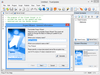
릴리스 노트: Added an error code if INIFile.GetSectionNames() did not return any names. Added an error code if INIFile.GetValueNames() did not return any names. Added support for Windows Server 2025 to the System.GetOSName() action. Added support for custom headers to ... 더 읽기
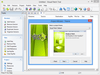
릴리스 노트: Added an error code if INIFile.GetSectionNames() did not return any names. Added an error code if INIFile.GetValueNames() did not return any names. Added support for Windows Server 2025 to the System.GetOSName() action. Added support for custom headers to ... 더 읽기
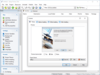
릴리스 노트: Added Taskbar Actions plugin to distribution. Added an error code if INIFile.GetSectionNames() did not return any names. Added an error code if INIFile.GetValueNames() did not return any names. Updated distributed upx.exe to version 5.1.1. 0 ... 더 읽기
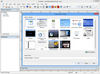
릴리스 노트: Added Taskbar Actions plugin to distribution. Added custom function for runtime error handling. Added an error code if INIFile.GetSectionNames() did not return any names. Added an error code if INIFile.GetValueNames() did not return any names. Updated ... 더 읽기
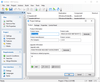
릴리스 노트: Added support for Windows 11. Added support for Windows Server 2025. Added bootstrapper template for running multiple MSI files. Code signing using OV/EV hardware tokens. Updated WiX toolset. Updated LZMA compression engine. Updated.NET dependency module. ... 더 읽기

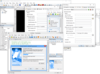
릴리스 노트: Fixed: The "License Agreement" or "Scrolling Text" screens could show an error when a HTML file was loaded at runtime. Fixed: The "Select Drive" could cause an error message when used. Fixed: The "Select Install Folder ... 더 읽기
전화 : 00798 14 800 6332
팩스 : +1 770 250 6199




 (1)
(1) (5)
(5) (4)
(4)