이 페이지의 제품 설명은 영문으로 표기 되어 있습니다.
Essential Diagram patched to 2011 Vol 1
Syncfusion Essential Diagram is an extensible, high-performance .NET diagramming component. It can be used for developing Microsoft Visio-like interactive graphics and diagramming applications. Syncfusion Essential Diagram stores graphical objects in a node graph and renders those objects onto the screen. Syncfusion Essential Diagram supports both vector and raster graphics on the drawing surface. Syncfusion Essential Diagram includes components for Windows Forms, ASP.NET, WPF and Silverlight platforms.
Syncfusion Essential Diagram is also available as part of Syncfusion Essential Studio User Interface Edition and Syncfusion Essential Studio Enterprise.
Updates in 2011 Vol 1
ASP.NET
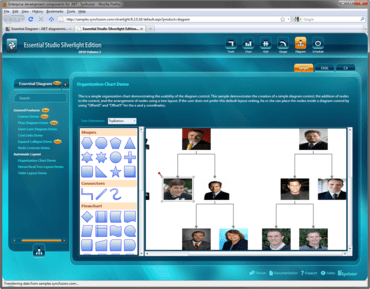
Organization chart demo in Syncfusion Essential Diagram.
- Group nodes are now properly aligned when the measurement unit is set to millimeter.
- Placing ports now works correctly when zooming a diagram.
- A directed link’s head arrow now renders properly.
- The border of a model will not be painted when its width is set to 0.
- Setting EditStyle.AllowSelect to False no longer selects a node when it is initially added to a diagram.
- Diagrams now support transparent backgrounds.
- A rotated object in a group can now be resized.
- Diagram nodes now render clearly.
- SizeToContent now handles a node's custom port size.
- Diagrams now support serialized page settings.
- Diagram document size is now correct when the measurement unit is set to millimeters.
- Diagram Builder and Symbol Designer no longer crash when importing from Visio.
- An exception is no longer thrown when importing a Visio stencil.
- The Diagram Wizard no longer throws an exception with Windows XP.
Windows Forms
- Group nodes are now properly aligned when the measurement unit is set to millimeter.
- Placing ports now works correctly when zooming a diagram.
- A directed link’s head arrow now renders properly.
- The border of a model will not be painted when its width is set to 0.
- Setting EditStyle.AllowSelect to False no longer selects a node when it is initially added to a diagram.
- Diagrams now support transparent backgrounds.
- ControlNode now supports transparency.
- When being drawn, a new connector will snap to the grid when zooming a diagram with the ruler enabled.
- A rotated object in a group can now be resized.
- GridPoint now renders properly.
- Diagram printing now works correctly.
- Diagram nodes now render clearly.
- SizeToContent now handles a node's custom port size.
- Diagrams now support serialized page settings.
- The history manager now excludes additional entries.
- Grid rendering problems have been corrected.
- Diagram document size is now correct when the measurement unit is set to millimeters.
- Diagram Builder and Symbol Designer no longer crash when importing from Visio.
- Importing Visio stencils no longer throws an exception.
- The OnDragDrop method now adds a collection of nodes.
- The Diagram Wizard no longer throws an exception with Windows XP.
- Customizing BitmapTool now works properly.
- Changing the cursor on the palette to NodeSelected now works correctly.
- A connector can now be connected to nodes when Snap-to-Grid is enabled.
- Ports no longer lose their connections when opening and saving a file.
- A control node inside a group now follows the cursor when moved.
- A diagram’s scrollbar now works correctly.
- Snap-to-Grid now works correctly
- The LoadSoap method no longer throws an exception.
WPF
- Multiline support has been implemented for the label editor of nodes and line connectors.
- A custom end decorator has been added for line connectors.
- Selected and UnSelected events have been added for line connectors
- An option has been added to prevent a node from being deleted.
- A command for selecting all the elements on a diagram page has been implemented.
- A Click event has been added for line connectors.
- Multiple-selection support has been added for a node inside a group.
- An option has been added to change a connection port's shape.
Silverlight
- Zooming functionality for the Diagram control has been implemented.
- An option to disable a custom cursor has been implemented.
- A Click event for LineConnector has been implemented.
- Selected and UnSelected events have been added for LineConnector
- A command has been added for selecting all the elements on a diagram page.
- A label orientation option has been added for straight-line connectors
About Syncfusion
Syncfusion, Inc. is a leading provider of enterprise-class software components and tools for the Microsoft .NET platform. With Syncfusion, developers can move beyond simply coding applications to delivering business innovation - the elegant user interfaces, business intelligence dashboards, and sophisticated reporting that today's business users need, in the formats they demand. Syncfusion's award-winning .NET components and controls are designed to grow with you, whether you're using Windows Forms, WPF, ASP.NET, ASP.NET MVC or Silverlight.