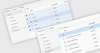
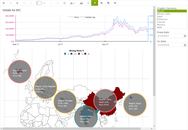
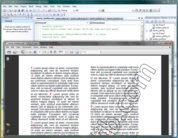
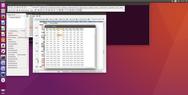
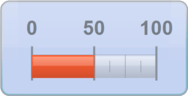
<rss version="2.0" xmlns:media="http://search.yahoo.com/mrss/" xmlns:atom="http://www.w3.org/2005/Atom"><channel><title>ComponentSource News | BCGSoft</title><link>http://www.componentsource.com/news/bcgsoft/index.html</link><description></description><language>en-us</language><lastBuildDate>Wed, 19 Jun 2013 14:10:10 GMT</lastBuildDate><copyright>(C) Copyright 1996-2013 ComponentSource.</copyright><atom:link href="http://www.componentsource.com/news/bcgsoft/rss.xml" rel="self" type="application/rss+xml"/><item><title>BCGControlBar adds Touch/Gesture Support</title><link>http://www.componentsource.com/news/2013/03/14/bcgcontrolbar-library-professional.html?rc=ni_12915</link><description>&lt;div class="image"&gt;&lt;img src="http://cloudcdn.componentsource.com/res/pub/media/1/12915/default_w350.png?rc=ni_12915" alt="BCGControlBar Library Professional Office demo."/&gt;&lt;p&gt;&lt;small&gt;BCGControlBar Library Professional Office demo.&lt;/small&gt;&lt;/p&gt;&lt;/div&gt;&lt;p&gt;&lt;strong&gt;New version includes intuitive Windows Gesture wrapper to add touch support to your applications.&lt;/strong&gt;&lt;/p&gt;&lt;p&gt;BCGControlBar Library Professional includes over 200 MFC extension classes for creating toolbars and menus with customization and visualization. It can be used to add Office and Visual Studio like User Interfaces to applications. The following editions are available:&lt;/p&gt;&lt;ul&gt;&lt;li&gt;&lt;a href="http://www.componentsource.com/products/bcgcontrolbar-library-professional/index.html?rc=ni_12915"&gt;BCGControlBar Library Professional&lt;/a&gt;&lt;/li&gt;&lt;li&gt;&lt;a href="http://www.componentsource.com/products/bcgsuite-mfc/index.html?rc=ni_12915"&gt;BCGSuite for MFC&lt;/a&gt;&lt;/li&gt;&lt;/ul&gt;&lt;h3&gt;Updates in v20.0&lt;/h3&gt;&lt;ul&gt;&lt;li&gt;Extended gesture support for most controls.&lt;/li&gt;&lt;li&gt;Office 2013-style Light Gray and Dark Gray themes.&lt;/li&gt;&lt;li&gt;Windows 7 and Windows 8 styles.&lt;/li&gt;&lt;li&gt;Custom views associated with a tile/caption buttons.&lt;/li&gt;&lt;li&gt;Keyboard navigation support&lt;/li&gt;&lt;li&gt;Group Captions in WinUI Tiles control.&lt;/li&gt;&lt;li&gt;Added navigation back button.&lt;/li&gt;&lt;li&gt;Custom caption buttons.&lt;/li&gt;&lt;li&gt;Chart series shadow effects.&lt;/li&gt;&lt;li&gt;Pie and Polar charts.&lt;/li&gt;&lt;li&gt;Diagram connector now has line thickness and line style attributes.&lt;/li&gt;&lt;li&gt;Specify custom text format in Diagram Text Objects.&lt;/li&gt;&lt;li&gt;Office 2013 Pointer style.&lt;/li&gt;&lt;li&gt;Animated tab activation.&lt;/li&gt;&lt;li&gt;Vertically oriented Ribbon progress bars.&lt;/li&gt;&lt;/ul&gt;&lt;h3&gt;About BCGSoft&lt;/h3&gt;&lt;p&gt;&lt;a href="http://www.componentsource.com/features/bcgsoft/index.html?rc=ni_12915"&gt;BCGSoft&lt;/a&gt; specializes in the development of business components for Microsoft Windows. BCGSoft helps developers to incorporate into their applications the most advanced component technologies available.&lt;/p&gt;&lt;h3&gt;Did You Know?&lt;/h3&gt;&lt;p&gt;Did you know that you can also buy &lt;a href="http://www.componentsource.com/products/microsoft-visual-studio-professional/index.html?rc=ni_12915"&gt;Microsoft Visual Studio along with an MSDN Subscription&lt;/a&gt; from us? Or that in Europe and Japan we also have all the &lt;a href="http://www.componentsource.com/features/embarcadero/index.html?rc=ni_12915"&gt;Embarcadero&lt;/a&gt; products available to purchase, such as &lt;a href="http://www.componentsource.com/products/delphi-professional/index.html?rc=ni_12915"&gt;Delphi&lt;/a&gt;, &lt;a href="http://www.componentsource.com/products/cbuilder-professional/index.html?rc=ni_12915"&gt;C++ Builder&lt;/a&gt; and &lt;a href="http://www.componentsource.com/products/rad-studio/index.html?rc=ni_12915"&gt;RAD Studio&lt;/a&gt;!&lt;/p&gt;</description><category>32 Bit</category><category>64 Bit</category><category>ActiveX .NET Ready</category><category>ActiveX Components</category><category>BCGSoft</category><category>C++ / MFC Class Libraries</category><category>Components</category><category>DLL</category><category>Feature Releases</category><category>Microsoft</category><category>Other</category><category>Product Suites</category><category>Static Link Library</category><category>Visual Basic .NET</category><category>Visual Basic 2005</category><category>Visual Basic 2008</category><category>Visual Basic 2010</category><category>Visual C# .NET</category><category>Visual C# 2005</category><category>Visual C# 2008</category><category>Visual C# 2010</category><category>Visual C++</category><category>Visual C++ .NET</category><category>Visual C++ 2005</category><category>Visual C++ 2008</category><category>Visual C++ 2010</category><category>Visual Studio</category><category>Visual Studio .NET</category><category>Visual Studio 2005</category><category>Visual Studio 2008</category><category>Visual Studio 2010</category><category>Visual Studio 2012</category><guid isPermaLink="false">http://www.componentsource.com/news/2013/03/14/bcgcontrolbar-library-professional.html?rc=ni_12915</guid><pubDate>Thu, 14 Mar 2013 09:25:17 GMT</pubDate></item>
		<item><title>BCGControlBar Library improves compatibility</title><link>http://www.componentsource.com/news/2012/11/30/bcgcontrolbar-net.html?rc=ni_12325</link><description>&lt;div class="image"&gt;&lt;img src="http://cloudcdn.componentsource.com/res/pub/media/1/12325/default_w350.png?rc=ni_12325" alt="A sample application built using BCGControlBar Library for .NET."/&gt;&lt;p&gt;&lt;small&gt;A sample application built using BCGControlBar Library for .NET.&lt;/small&gt;&lt;/p&gt;&lt;/div&gt;&lt;p&gt;&lt;strong&gt;Added support for Visual Studio 2012, Windows 8 and .NET 4.5.&lt;/strong&gt;&lt;/p&gt;&lt;p&gt;&lt;a href="http://www.componentsource.com/products/bcgcontrolbar-net/index.html?rc=ni_12325"&gt;BCGControlBar Library for .NET&lt;/a&gt; includes fully-customizable Office-style toolbars and menus, grids, docking bars, auto hide control bars, MDI tabs and flexible visualization managers. It contains a number of highly customizable, fully designable components that enable you to create the most sophisticated user interface.&lt;/p&gt;&lt;h3&gt;Updates in V5.1&lt;/h3&gt;&lt;ul&gt;&lt;li&gt;Added support for Visual Studio 2012 and .NET 4.5. All product examples were thoroughly tested under the new development platform.&lt;/li&gt;&lt;li&gt;The product help file is now compatible with Visual Studio 2012 Help System (MS Help Viewer 2.0).&lt;/li&gt;&lt;li&gt;The product is fully compatible with Windows 8.&lt;/li&gt;&lt;li&gt;Add circular and linear gauges.&lt;/li&gt;&lt;li&gt;GridDataItem has a new property Tag. You can use this property to save user-defined data.&lt;/li&gt;&lt;/ul&gt;&lt;h3&gt;About BCGSoft&lt;/h3&gt;&lt;p&gt;&lt;a href="http://www.componentsource.com/features/bcgsoft/index.html?rc=ni_12325"&gt;BCGSoft&lt;/a&gt; specializes in the development of business components for Microsoft Windows. BCGSoft helps developers to incorporate into their applications the most advanced component technologies available.&lt;/p&gt;</description><category>.NET Class</category><category>.NET Components</category><category>.NET WinForm Controls</category><category>32 Bit</category><category>64 Bit</category><category>BCGSoft</category><category>Components</category><category>Feature Releases</category><category>Microsoft</category><category>Product Suites</category><category>Visual Basic 2005</category><category>Visual Basic 2008</category><category>Visual Basic 2010</category><category>Visual Basic 2012</category><category>Visual C# 2005</category><category>Visual C# 2008</category><category>Visual C# 2010</category><category>Visual C# 2012</category><category>Visual C++ 2005</category><category>Visual C++ 2008</category><category>Visual C++ 2010</category><category>Visual C++ 2012</category><category>Visual Studio 2005</category><category>Visual Studio 2008</category><category>Visual Studio 2010</category><category>Visual Studio 2012</category><guid isPermaLink="false">http://www.componentsource.com/news/2012/11/30/bcgcontrolbar-net.html?rc=ni_12325</guid><pubDate>Fri, 30 Nov 2012 14:39:41 GMT</pubDate></item>
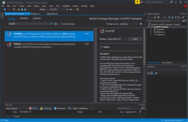
		<item><title>BCGControlBar adds Visual Studio 2012 support</title><link>http://www.componentsource.com/news/2012/10/11/bcgcontrolbar-library-professional.html?rc=ni_11924</link><description>&lt;div class="image"&gt;&lt;img src="http://cloudcdn.componentsource.com/res/pub/media/1/11924/default_w350.png?rc=ni_11924" alt="BCGControlBar Library Professional Office demo."/&gt;&lt;p&gt;&lt;small&gt;BCGControlBar Library Professional Office demo.&lt;/small&gt;&lt;/p&gt;&lt;/div&gt;&lt;p&gt;&lt;strong&gt;Wizard easily integrates BCGControlBar with the Visual Studio 2012 environment.&lt;/strong&gt;&lt;/p&gt;&lt;p&gt;BCGControlBar Library Professional includes over 200 MFC extension classes for creating toolbars and menus with customization and visualization. It can be used to add Office and Visual Studio like User Interfaces to applications. The following editions are available:&lt;/p&gt;&lt;ul&gt;&lt;li&gt;&lt;a href="http://www.componentsource.com/products/bcgcontrolbar-library-professional/index.html?rc=ni_11924"&gt;BCGControlBar Library Professional&lt;/a&gt;&lt;/li&gt;&lt;li&gt;&lt;a href="http://www.componentsource.com/products/bcgsuite-mfc/index.html?rc=ni_11924"&gt;BCGSuite for MFC&lt;/a&gt;&lt;/li&gt;&lt;/ul&gt;&lt;h3&gt;Updates in V19.0&lt;/h3&gt;&lt;ul&gt;&lt;li&gt;Full support for Visual Studio 2012.&lt;/li&gt;&lt;li&gt;Full support for Windows 8.&lt;/li&gt;&lt;li&gt;Implemented Office 2013 style (Windows 8 UI) manager.&lt;/li&gt;&lt;li&gt;Visual Manager adapted to Visual Studio 2012 look.&lt;/li&gt;&lt;li&gt;Added Office 2013 Ribbon background image support.&lt;/li&gt;&lt;li&gt;Added Ribbon quick steps.&lt;/li&gt;&lt;li&gt;Added user tools to support Ribbon Bars.&lt;/li&gt;&lt;li&gt;Added keyboard support to enable users to move/resize gauges and diagram objects using arrow keys.&lt;/li&gt;&lt;li&gt;Status bar has two new panes, location and size.&lt;/li&gt;&lt;li&gt;Variable row height support.&lt;/li&gt;&lt;li&gt;New freeze groups feature.&lt;/li&gt;&lt;li&gt;Added chart thumbnail mode.&lt;/li&gt;&lt;li&gt;New data label content type.&lt;/li&gt;&lt;li&gt;Image alignment support added.&lt;/li&gt;&lt;li&gt;New opacity attribute method.&lt;/li&gt;&lt;li&gt;New fill/outline brush attributes.&lt;/li&gt;&lt;/ul&gt;&lt;h3&gt;About BCGSoft&lt;/h3&gt;&lt;p&gt;&lt;a href="http://www.componentsource.com/features/bcgsoft/index.html?rc=ni_11924"&gt;BCGSoft&lt;/a&gt; specializes in the development of business components for Microsoft Windows. BCGSoft helps developers to incorporate into their applications the most advanced component technologies available.&lt;/p&gt;</description><category>32 Bit</category><category>64 Bit</category><category>ActiveX .NET Ready</category><category>ActiveX Components</category><category>BCGSoft</category><category>C++ / MFC Class Libraries</category><category>Components</category><category>DLL</category><category>Feature Releases</category><category>Microsoft</category><category>Other</category><category>Product Suites</category><category>Static Link Library</category><category>Visual Basic .NET</category><category>Visual Basic 2005</category><category>Visual Basic 2008</category><category>Visual Basic 2010</category><category>Visual C# .NET</category><category>Visual C# 2005</category><category>Visual C# 2008</category><category>Visual C# 2010</category><category>Visual C++</category><category>Visual C++ .NET</category><category>Visual C++ 2005</category><category>Visual C++ 2008</category><category>Visual C++ 2010</category><category>Visual Studio</category><category>Visual Studio .NET</category><category>Visual Studio 2005</category><category>Visual Studio 2008</category><category>Visual Studio 2010</category><category>Visual Studio 2012</category><guid isPermaLink="false">http://www.componentsource.com/news/2012/10/11/bcgcontrolbar-library-professional.html?rc=ni_11924</guid><pubDate>Thu, 11 Oct 2012 12:38:37 GMT</pubDate></item>
		<item><title>BCGControlBar adds Visual Studio 2012 RC support</title><link>http://www.componentsource.com/news/2012/07/10/bcgcontrolbar-library-professional.html?rc=ni_11249</link><description>&lt;div class="image"&gt;&lt;img src="http://cloudcdn.componentsource.com/res/pub/media/1/11249/default_w350.png?rc=ni_11249" alt="BCGControlBar Library Professional Office demo."/&gt;&lt;p&gt;&lt;small&gt;BCGControlBar Library Professional Office demo.&lt;/small&gt;&lt;/p&gt;&lt;/div&gt;&lt;p&gt;&lt;strong&gt;Add Metro-style, Office and Visual Studio UI to your applications.&lt;/strong&gt;&lt;/p&gt;&lt;p&gt;BCGControlBar Library Professional includes over 200 MFC extension classes for creating toolbars and menus with customization and visualization. It can be used to add Office and Visual Studio like User Interfaces to applications. The following editions are available:&lt;/p&gt;&lt;ul&gt;&lt;li&gt;&lt;a href="http://www.componentsource.com/products/bcgcontrolbar-library-professional/index.html?rc=ni_11249"&gt;BCGControlBar Library Professional&lt;/a&gt;&lt;/li&gt;&lt;li&gt;&lt;a href="http://www.componentsource.com/products/bcgsuite-mfc/index.html?rc=ni_11249"&gt;BCGSuite for MFC&lt;/a&gt;&lt;/li&gt;&lt;/ul&gt;&lt;h3&gt;Updates in V18.0&lt;/h3&gt;&lt;ul&gt;&lt;li&gt;Added support for Visual Studio 2012 RC&lt;/li&gt;&lt;li&gt;The product is fully tested on Windows 8 Release Preview&lt;/li&gt;&lt;li&gt;New Visual Studio 2012 RC color scheme with support for dark theme&lt;/li&gt;&lt;li&gt;Added new Metro style Tile control&lt;/li&gt;&lt;li&gt;Ribbon Control now has MS Office 2010-like customization&lt;/li&gt;&lt;li&gt;Added advanced legends, vertical and horizontal layouts, automatic scrolling and print and print preview support&lt;/li&gt;&lt;li&gt;Active accessibility support for the grid and report controls&lt;/li&gt;&lt;li&gt;Grid Control adds support for currency values&lt;/li&gt;&lt;li&gt;New options to customize inactive selection color in the grid&lt;/li&gt;&lt;li&gt;Enhanced find/replace mechanism&lt;/li&gt;&lt;li&gt;New virtual method allows you to skip some rows while navigating by keyboard in the grid&lt;/li&gt;&lt;li&gt;Added textured brushes support&lt;/li&gt;&lt;li&gt;Added new drawing methods to CBCGPGraphicsManager class - DrawCheckBox and DrawRadioButton&lt;/li&gt;&lt;li&gt;Added skins support to CBCGPWindowsManagerDlg&lt;/li&gt;&lt;li&gt;New class CBCGPTreeCtrl implements a tree control with the Visual Manager support&lt;/li&gt;&lt;li&gt;Customize combobox item appearance&lt;/li&gt;&lt;/ul&gt;&lt;h3&gt;About BCGSoft&lt;/h3&gt;&lt;p&gt;&lt;a href="http://www.componentsource.com/features/bcgsoft/index.html?rc=ni_11249"&gt;BCGSoft&lt;/a&gt; specializes in the development of business components for Microsoft Windows. BCGSoft helps developers to incorporate into their applications the most advanced component technologies available.&lt;/p&gt;</description><category>32 Bit</category><category>64 Bit</category><category>ActiveX .NET Ready</category><category>ActiveX Components</category><category>BCGSoft</category><category>C++ / MFC Class Libraries</category><category>Components</category><category>DLL</category><category>Feature Releases</category><category>Microsoft</category><category>Other</category><category>Product Suites</category><category>Static Link Library</category><category>Visual Basic .NET</category><category>Visual Basic 2005</category><category>Visual Basic 2008</category><category>Visual Basic 2010</category><category>Visual C# .NET</category><category>Visual C# 2005</category><category>Visual C# 2008</category><category>Visual C# 2010</category><category>Visual C++</category><category>Visual C++ .NET</category><category>Visual C++ 2005</category><category>Visual C++ 2008</category><category>Visual C++ 2010</category><category>Visual Studio</category><category>Visual Studio .NET</category><category>Visual Studio 2005</category><category>Visual Studio 2008</category><category>Visual Studio 2010</category><category>32 Bit</category><category>64 Bit</category><category>ActiveX .NET Ready</category><category>ActiveX Components</category><category>BCGSoft</category><category>C++ / MFC Class Libraries</category><category>Components</category><category>DLL</category><category>Feature Releases</category><category>Microsoft</category><category>Other</category><category>Product Suites</category><category>Static Link Library</category><category>Visual Basic .NET</category><category>Visual Basic 2005</category><category>Visual Basic 2008</category><category>Visual Basic 2010</category><category>Visual C# .NET</category><category>Visual C# 2005</category><category>Visual C# 2008</category><category>Visual C# 2010</category><category>Visual C++</category><category>Visual C++ .NET</category><category>Visual C++ 2005</category><category>Visual C++ 2008</category><category>Visual C++ 2010</category><category>Visual Studio</category><category>Visual Studio .NET</category><category>Visual Studio 2005</category><category>Visual Studio 2008</category><category>Visual Studio 2010</category><guid isPermaLink="false">http://www.componentsource.com/news/2012/07/10/bcgcontrolbar-library-professional.html?rc=ni_11249</guid><pubDate>Tue, 10 Jul 2012 15:02:00 GMT</pubDate></item>
		<item><title>BCGControlBar adds Visual Studio 11 Beta support</title><link>http://www.componentsource.com/news/2012/04/10/bcgcontrolbar-library-professional.html?rc=ni_10523</link><description>&lt;div class="image"&gt;&lt;img src="http://cloudcdn.componentsource.com/res/pub/media/1/10523/default_w350.png?rc=ni_10523" alt="BCGControlBar Library Professional Office demo."/&gt;&lt;p&gt;&lt;small&gt;BCGControlBar Library Professional Office demo.&lt;/small&gt;&lt;/p&gt;&lt;/div&gt;&lt;p&gt;&lt;strong&gt;Create a Metro-style UI for your applications using one line of code.&lt;/strong&gt;&lt;/p&gt;&lt;p&gt;BCGControlBar Library Professional includes over 200 MFC extension classes for creating toolbars and menus with customization and visualization. It can be used to add Office and Visual Studio like User Interfaces to applications. The following editions are available:&lt;/p&gt;&lt;ul&gt;&lt;li&gt;&lt;a href="http://www.componentsource.com/products/bcgcontrolbar-library-professional/index-gbp.html?rc=ni_10523"&gt;BCGControlBar Library Professional&lt;/a&gt;&lt;/li&gt;&lt;li&gt;&lt;a href="http://www.componentsource.com/products/bcgsuite-mfc/index-gbp.html?rc=ni_10523"&gt;BCGSuite for MFC&lt;/a&gt;&lt;/li&gt;&lt;/ul&gt;&lt;h3&gt;Updates in V17.10&lt;/h3&gt;&lt;ul&gt;&lt;li&gt;Added support for Visual Studio 11 Beta&lt;/li&gt;&lt;li&gt;Added a new class which implements Microsoft Visual Studio 11 Beta look and feel&lt;/li&gt;&lt;li&gt;Fully tested on Windows 8 Consumer Preview&lt;/li&gt;&lt;/ul&gt;&lt;p&gt;&lt;strong&gt;Chart Control&lt;/strong&gt;&lt;/p&gt;&lt;ul&gt;&lt;li&gt;Add empty data points and tell a series how to treat missing data (as values, skip, or don't paint)&lt;/li&gt;&lt;li&gt;Support for &amp;quot;smart labels&amp;quot;&lt;/li&gt;&lt;li&gt;Display data as a line, based on open/close, high/low or custom calculated values&lt;/li&gt;&lt;li&gt;Adjust the sizes of split axes programmatically&lt;/li&gt;&lt;/ul&gt;&lt;p&gt;&lt;strong&gt;Diagram Control&lt;/strong&gt;&lt;/p&gt;&lt;ul&gt;&lt;li&gt;Added zoom support for diagrams&lt;/li&gt;&lt;li&gt;Improved features for runtime editing of diagrams&lt;/li&gt;&lt;li&gt;Implemented copy/paste support for diagram editors&lt;/li&gt;&lt;li&gt;Added support for drag and drop connectors and shapes in edit mode&lt;/li&gt;&lt;li&gt;Added shape coloring&lt;/li&gt;&lt;li&gt;Added connectors and connector arrows coloring&lt;/li&gt;&lt;/ul&gt;&lt;p&gt;&lt;strong&gt;New TreeMap Control&lt;/strong&gt;&lt;/p&gt;&lt;ul&gt;&lt;li&gt;The Treemap is a visualization of hierarchical structures that shows attributes of leaf nodes using size and colors&lt;/li&gt;&lt;/ul&gt;&lt;p&gt;&lt;strong&gt;Ribbon Bar&lt;/strong&gt;&lt;/p&gt;&lt;ul&gt;&lt;li&gt;Support for mini-toolbar tooltips&lt;/li&gt;&lt;li&gt;Virtual method if you wish to filter-out command search results&lt;/li&gt;&lt;li&gt;Optional parameter allows you to filter-out disabled commands in the search result pane&lt;/li&gt;&lt;/ul&gt;&lt;h3&gt;About BCGSoft&lt;/h3&gt;&lt;p&gt;&lt;a href="http://www.componentsource.com/features/bcgsoft/index.html?rc=ni_10523"&gt;BCGSoft&lt;/a&gt; specializes in the development of business components for Microsoft Windows. BCGSoft helps developers to incorporate into their applications the most advanced component technologies available.&lt;/p&gt;</description><category>32 Bit</category><category>64 Bit</category><category>ActiveX .NET Ready</category><category>ActiveX Components</category><category>BCGSoft</category><category>C++ / MFC Class Libraries</category><category>Components</category><category>DLL</category><category>Feature Releases</category><category>Microsoft</category><category>Other</category><category>Product Suites</category><category>Static Link Library</category><category>Visual Basic .NET</category><category>Visual Basic 2005</category><category>Visual Basic 2008</category><category>Visual Basic 2010</category><category>Visual C# .NET</category><category>Visual C# 2005</category><category>Visual C# 2008</category><category>Visual C# 2010</category><category>Visual C++</category><category>Visual C++ .NET</category><category>Visual C++ 2005</category><category>Visual C++ 2008</category><category>Visual C++ 2010</category><category>Visual Studio</category><category>Visual Studio .NET</category><category>Visual Studio 2005</category><category>Visual Studio 2008</category><category>Visual Studio 2010</category><guid isPermaLink="false">http://www.componentsource.com/news/2012/04/10/bcgcontrolbar-library-professional.html?rc=ni_10523</guid><pubDate>Tue, 10 Apr 2012 15:33:23 GMT</pubDate></item>
		<item><title>BCGControlBar adds Diagram Control</title><link>http://www.componentsource.com/news/2012/01/30/bcgcontrolbar-library-professional.html?rc=ni_10061</link><description>&lt;div class="image"&gt;&lt;img src="http://cloudcdn.componentsource.com/res/pub/media/1/10061/default_w350.png?rc=ni_10061" alt="BCGControlBar Library Professional Office demo."/&gt;&lt;p&gt;&lt;small&gt;BCGControlBar Library Professional Office demo.&lt;/small&gt;&lt;/p&gt;&lt;/div&gt;&lt;p&gt;&lt;strong&gt;Create flow, graph, network and database relationship diagrams from your MFC applications.&lt;/strong&gt;&lt;/p&gt;&lt;p&gt;BCGControlBar Library Professional includes over 200 MFC extension classes for creating toolbars and menus with customization and visualization. It can be used to add Office and Visual Studio like User Interfaces to applications. The following editions are available:&lt;/p&gt;&lt;ul&gt;&lt;li&gt;&lt;a href="http://www.componentsource.com/products/bcgcontrolbar-library-professional/index.html?rc=ni_10061"&gt;BCGControlBar Library Professional&lt;/a&gt;&lt;/li&gt;&lt;li&gt;&lt;a href="http://www.componentsource.com/products/bcgsuite-mfc/index.html?rc=ni_10061"&gt;BCGSuite for MFC&lt;/a&gt;&lt;/li&gt;&lt;/ul&gt;&lt;h3&gt;Updates in V17.0&lt;/h3&gt;&lt;p&gt;&lt;strong&gt;Diagram Control&lt;/strong&gt;&lt;/p&gt;&lt;ul&gt;&lt;li&gt;Unlimited number of diagram shapes and connectors&lt;/li&gt;&lt;li&gt;Predefined diagram blocks, including circles, triangles, boxes, rounded boxes, parallelograms, trapezoids, stars and clouds&lt;/li&gt;&lt;li&gt;Table diagram blocks&lt;/li&gt;&lt;li&gt;Text labels inside diagram blocks&lt;/li&gt;&lt;li&gt;Straight and curved diagram connectors with 5 types of customizable arrows&lt;/li&gt;&lt;li&gt;Interactive diagram editing&lt;/li&gt;&lt;li&gt;Ability to save and load diagrams to/from XML&lt;/li&gt;&lt;li&gt;Copy diagram images to the Clipboard&lt;/li&gt;&lt;li&gt;Save diagram images to a file&lt;/li&gt;&lt;/ul&gt;&lt;p&gt;&lt;strong&gt;Chart Control&lt;/strong&gt;&lt;/p&gt;&lt;ul&gt;&lt;li&gt;Axis scale breaks - Scale breaks can be generated automatically or added manually&lt;/li&gt;&lt;li&gt;New Histogram chart&lt;/li&gt;&lt;li&gt;Two technical indicators for Stock charts - Bollinger Bands and MACD&lt;/li&gt;&lt;li&gt;Stock charts optimized to handle very large data sets&lt;/li&gt;&lt;li&gt;Support for tooltips&lt;/li&gt;&lt;li&gt;New method GetNearestScreenPoint calculates position for interactive markers&lt;/li&gt;&lt;/ul&gt;&lt;p&gt;&lt;strong&gt;Property Grid Control&lt;/strong&gt;&lt;/p&gt;&lt;ul&gt;&lt;li&gt;New property classes for brush, text format and line style compound properties&lt;/li&gt;&lt;li&gt;Display context menus with predefined and custom options&lt;/li&gt;&lt;li&gt;Display built-in toolbar with predefined commands&lt;/li&gt;&lt;li&gt;Display built-in search box&lt;/li&gt;&lt;li&gt;Property copy/paste operations&lt;/li&gt;&lt;li&gt;Dynamically modify the color palette&lt;/li&gt;&lt;/ul&gt;&lt;p&gt;&lt;strong&gt;Ribbon Bar&lt;/strong&gt;
		&lt;strong&gt;Control&lt;/strong&gt;&lt;/p&gt;&lt;ul&gt;&lt;li&gt;Clean up unused images feature&lt;/li&gt;&lt;li&gt;Recent File Form for Backstage View&lt;/li&gt;&lt;/ul&gt;&lt;p&gt;&lt;strong&gt;Tag Cloud Control&lt;/strong&gt;&lt;/p&gt;&lt;ul&gt;&lt;li&gt;Unlimited number of tags&lt;/li&gt;&lt;li&gt;Alphabetical sorting&lt;/li&gt;&lt;li&gt;Sorting by value&lt;/li&gt;&lt;li&gt;Customizable text color&lt;/li&gt;&lt;li&gt;Customizable text format&lt;/li&gt;&lt;li&gt;Tooltip support&lt;/li&gt;&lt;/ul&gt;&lt;p&gt;&lt;strong&gt;Gauges Control&lt;/strong&gt;&lt;/p&gt;&lt;ul&gt;&lt;li&gt;New WYSIWYG design tool&lt;/li&gt;&lt;li&gt;Arrange gauges on a design surface and change their properties&lt;/li&gt;&lt;li&gt;Save your dashboard to XML and load it into a C++ application&lt;/li&gt;&lt;/ul&gt;&lt;h3&gt;About BCGSoft&lt;/h3&gt;&lt;p&gt;&lt;a href="http://www.componentsource.com/features/bcgsoft/index.html?rc=ni_10061"&gt;BCGSoft&lt;/a&gt; specializes in the development of business components for Microsoft Windows. BCGSoft helps developers to incorporate into their applications the most advanced component technologies available.&lt;/p&gt;</description><category>32 Bit</category><category>64 Bit</category><category>ActiveX .NET Ready</category><category>ActiveX Components</category><category>BCGSoft</category><category>C++ / MFC Class Libraries</category><category>Components</category><category>DLL</category><category>Feature Releases</category><category>Microsoft</category><category>Other</category><category>Product Suites</category><category>Static Link Library</category><category>Visual Basic .NET</category><category>Visual Basic 2005</category><category>Visual Basic 2008</category><category>Visual Basic 2010</category><category>Visual C# .NET</category><category>Visual C# 2005</category><category>Visual C# 2008</category><category>Visual C# 2010</category><category>Visual C++</category><category>Visual C++ .NET</category><category>Visual C++ 2005</category><category>Visual C++ 2008</category><category>Visual C++ 2010</category><category>Visual Studio</category><category>Visual Studio .NET</category><category>Visual Studio 2005</category><category>Visual Studio 2008</category><category>Visual Studio 2010</category><guid isPermaLink="false">http://www.componentsource.com/news/2012/01/30/bcgcontrolbar-library-professional.html?rc=ni_10061</guid><pubDate>Mon, 30 Jan 2012 14:23:00 GMT</pubDate></item>
		<item><title>BCGMobile for Windows Phone 7 released</title><link>http://www.componentsource.com/news/2011/10/10/bcgmobile.html?rc=ni_9108</link><description>&lt;div class="image"&gt;&lt;img src="http://cloudcdn.componentsource.com/res/pub/media/1/9108/default_w350.png?rc=ni_9108" alt="Selection of controls included in BCGMobile for Windows Phone."/&gt;&lt;p&gt;&lt;small&gt;Selection of controls included in BCGMobile for Windows Phone.&lt;/small&gt;&lt;/p&gt;&lt;/div&gt;&lt;p&gt;&lt;strong&gt;Speed up development of mobile applications targeting Windows Phone 7.0 and Mango.&lt;/strong&gt;&lt;/p&gt;&lt;p&gt;&lt;a href="http://www.componentsource.com/products/bcgmobile/index.html?rc=ni_9108"&gt;BCGMobile for Windows Phone&lt;/a&gt; contains a set of highly demandable controls including Chart, Gauge, Planner and Calculator. BCGMobile for Windows Phone is suitable for development with Visual Studio 2010 and Expression Blend with Windows Phone add-ons. The highlighted features are: Advanced Chart control, calendar, gauges, calculator and more.&lt;/p&gt;&lt;h3&gt;Features&lt;/h3&gt;&lt;p&gt;&lt;strong&gt;Advanced Chart Control.&lt;/strong&gt; Professional Chart Control for Windows Phone contains over 12 chart types (Line, Area, Column and Bar, Pie and Doughnut, Funnel, Pyramid etc.) with extensive customization features, built-in animation effects and predefined color themes. The ability to create custom color themes and support for custom models for various chart elements like data markers, data labels and legend items allows the creation of beautifully looking charts in minutes.&lt;/p&gt;&lt;p&gt;&lt;strong&gt;Gauge components.&lt;/strong&gt; BCGMobile includes several gauge types - Circular gauges, linear gauges, State indicator, led and numeric indicators. All of them have great opportunities for customization. It's easy to create gauges with colored ranges and multiple scales, using a variety of customizable color themes. Now you can combine Gauge components with Chart controls to employ visually stunning digital dashboards in your mobile applications.&lt;/p&gt;&lt;p&gt;&lt;strong&gt;Planner (Calendar) Control.&lt;/strong&gt; The Planner control is designed to create and manage events such as appointments, meetings, etc. It's possible to view the events of one day, one week, or the entire month. Appointment and scheduling capabilities of this control allow the creation of single appointments, all-day and multi-day appointments, view and managing concurrent appointments and highlighting &amp;quot;particular days&amp;quot; such as holidays. You can apply various color themes and custom colors to all elements of the Planner control. The Planer is suitable for scheduling mobile applications.&lt;/p&gt;&lt;p&gt;&lt;strong&gt;Calculator.&lt;/strong&gt; The Calculator control implements the functionality of a mathematical calculator. You can use a lot of built-in extended calculator features like 'Custom button themes', 'Custom display', 'User-defined actions' and others to include a feature rich calculator into your mobile application.&lt;/p&gt;&lt;h3&gt;About BCGSoft&lt;/h3&gt;&lt;p&gt;&lt;a href="http://www.componentsource.com/features/bcgsoft/index.html?rc=ni_9108"&gt;BCGSoft&lt;/a&gt; Ltd. specializes in the development of business components for Microsoft Windows. Customer satisfaction is their first priority and as such they aim to produce top quality software. User interface programming is not always easy, but BCGSoft do their best to help developers to incorporate into their applications the most advanced technologies available on the market today.&lt;/p&gt;</description><category>.NET Components</category><category>32 Bit</category><category>64 Bit</category><category>BCGSoft</category><category>Components</category><category>Microsoft</category><category>Press Releases</category><category>Silverlight Controls</category><category>Visual C# 2010</category><category>Visual Studio 2010</category><category>Wireless, Handheld and Mobile</category><guid isPermaLink="false">http://www.componentsource.com/news/2011/10/10/bcgmobile.html?rc=ni_9108</guid><pubDate>Mon, 10 Oct 2011 12:06:57 GMT</pubDate></item>
		<item><title>BCGControlBar adds BackstageView control</title><link>http://www.componentsource.com/news/2011/08/31/bcgcontrolbar-net.html?rc=ni_8830</link><description>&lt;div class="image"&gt;&lt;img src="http://cloudcdn.componentsource.com/res/pub/media/9/8830/default_w350.png?rc=ni_8830" alt="A sample application built using BCGControlBar Library for .NET."/&gt;&lt;p&gt;&lt;small&gt;A sample application built using BCGControlBar Library for .NET.&lt;/small&gt;&lt;/p&gt;&lt;/div&gt;&lt;p&gt;&lt;strong&gt;Version 5.0 also adds Microsoft Office 2010 visual style and a MDI Tabs control.&lt;/strong&gt;&lt;/p&gt;&lt;p&gt;&lt;a href="http://www.componentsource.com/products/bcgcontrolbar-net/index.html?rc=ni_8830"&gt;BCGControlBar Library for .NET&lt;/a&gt; includes fully-customizable Office-style toolbars and menus, grid, Visual Studio-style docking bars, auto hide control bars, MDI tabs, flexible visualization managers and more. BCGControlBar Library for .NET is 100% managed code toolkit written in C++/CLI and targets Microsoft .NET Framework. The library contains a number of highly customizable, fully designable components that enable you to create the most sophisticated user interface. BCGControlBar Library .NET includes a free one year subscription that entitles you to e-mail technical support, patches and upgrades.&lt;/p&gt;&lt;h3&gt;Updates in V5.0&lt;/h3&gt;&lt;p&gt;&lt;br/&gt;&lt;strong&gt;New Features&lt;/strong&gt;&lt;/p&gt;&lt;ul&gt;&lt;li&gt;Support for Visual Studio 2010 with SP1&lt;/li&gt;&lt;li&gt;Implemented new visual style: Microsoft Office 2010 style&lt;/li&gt;&lt;li&gt;Implemented BackstageView control and supported controls. You can use this control in various applications in conjunction with the RibbonControl and Microsoft Office 2010 style. Full designer support has been added as well&lt;/li&gt;&lt;li&gt;Added &amp;quot;Basic MDI Tabs&amp;quot; feature. You can use this feature if you want to provide MDI Tabs control along with the ability to arrange MDI child windows within the client area&lt;/li&gt;&lt;li&gt;MdiTabsOptions component has a new property TabsMode. You can use this property to enable either standard &amp;quot;MDI Tabs&amp;quot; or &amp;quot;Basic MDI Tabs&amp;quot; without any additional code&lt;/li&gt;&lt;li&gt;CommandBarManager has a new property CanShowNewToolbars. You can set this property to true if you want to display newly created toolbars regardless of loaded state from xml file&lt;/li&gt;&lt;li&gt;All samples and source projects provide solutions for Microsoft Visual Studio 2010.&lt;/li&gt;&lt;li&gt;The following new examples have been added: &lt;ul&gt;&lt;li&gt;BackStageViewExample - illustrates BackStage View&lt;/li&gt;&lt;li&gt;BasicMDITabsDemo - illustrates the new MDITabs feature&lt;/li&gt;&lt;li&gt;MSOffice2007Sample example has been modified to illustrate Microsoft Office 2010 styles&lt;/li&gt;&lt;/ul&gt;&lt;/li&gt;&lt;/ul&gt;&lt;p&gt;&lt;strong&gt;Fixes&lt;/strong&gt;&lt;/p&gt;&lt;ul&gt;&lt;li&gt;Fixed some problems with mouse wheel handling in RibbonControl on 64-bit systems&lt;/li&gt;&lt;li&gt;A few hardcoded strings are localizable now&lt;/li&gt;&lt;li&gt;Fixed some misprints within localizable strings&lt;/li&gt;&lt;li&gt;Fixed a design-time problem with RibbonControl - now it shows correct style on opening designer&lt;/li&gt;&lt;li&gt;Fixed a problem with tooltips location and minimized RibbonControl location on mutli-monitor systems&lt;/li&gt;&lt;li&gt;Fixed some serialization problems - a maximized window is restored properly now&lt;/li&gt;&lt;li&gt;Fixed problems with painting text on &amp;quot;glass&amp;quot;&lt;/li&gt;&lt;li&gt;ToolbarGalleryButton and ToolbarLinkLabel classes have been marked a serializable&lt;/li&gt;&lt;li&gt;Fixed design-time issues with &amp;quot;RibbonCommands&amp;quot; editor. Now it displays only design-time components&lt;/li&gt;&lt;/ul&gt;&lt;h3&gt;About BCGSoft&lt;/h3&gt;&lt;p&gt;&lt;a href="http://www.componentsource.com/features/bcgsoft/index.html?rc=ni_8830"&gt;BCGSoft&lt;/a&gt; Ltd. specializes in the development of business components for Microsoft Windows. Customer satisfaction is their first priority and as such they aim to produce top quality software. User interface programming is not always easy, but they do their best to help developers to incorporate into their applications the most advanced technologies available on the market today.&lt;/p&gt;</description><category>.NET Class</category><category>.NET Components</category><category>.NET WinForm Controls</category><category>32 Bit</category><category>64 Bit</category><category>BCGSoft</category><category>Components</category><category>Feature Releases</category><category>Microsoft</category><category>User Interface Collections</category><category>Visual Basic 2005</category><category>Visual Basic 2008</category><category>Visual Basic 2010</category><category>Visual C# 2005</category><category>Visual C# 2008</category><category>Visual C# 2010</category><category>Visual C++ 2005</category><category>Visual C++ 2008</category><category>Visual C++ 2010</category><category>Visual Studio 2005</category><category>Visual Studio 2008</category><category>Visual Studio 2010</category><guid isPermaLink="false">http://www.componentsource.com/news/2011/08/31/bcgcontrolbar-net.html?rc=ni_8830</guid><pubDate>Wed, 31 Aug 2011 10:16:44 GMT</pubDate></item>
		<item><title>BCGPEdit adds new editor language schemes</title><link>http://www.componentsource.com/news/2011/08/31/bcgsoft-professional-editor.html?rc=ni_8829</link><description>&lt;div class="image"&gt;&lt;img src="http://cloudcdn.componentsource.com/res/pub/media/9/8829/default_w350.png?rc=ni_8829" alt="Syntax highlighting using BCGPEdit."/&gt;&lt;p&gt;&lt;small&gt;Syntax highlighting using BCGPEdit.&lt;/small&gt;&lt;/p&gt;&lt;/div&gt;&lt;p&gt;&lt;strong&gt;Version 16 also extends outline parser customization and improves Visual Studio compatibility.&lt;/strong&gt;&lt;/p&gt;&lt;p&gt;&lt;a href="http://www.componentsource.com/products/bcgsoft-professional-editor/index.html?rc=ni_8829"&gt;BCGPEdit (BCGSoft Professional Editor)&lt;/a&gt; is an MFC extension library for incorporating an advanced edit control into any MFC-based application. Features include: Syntax highlighting, Support for collapsible nodes (outlining), Color Blocks, IntelliSense, Markers, Symbol support, Drag/Drop support, Undo/redo support, A CView-derived class. In addition, BCGPEdit provides built-in support for all standard features such as keyboard/mouse selection, Copy/Paste and Print. Source Code Included.&lt;/p&gt;&lt;h3&gt;Updates in V16.0&lt;/h3&gt;&lt;ul&gt;&lt;li&gt;Added support for Microsoft Visual Studio 2010&lt;/li&gt;&lt;li&gt;New Editor language schemes&lt;/li&gt;&lt;li&gt;Outline parser customization was extended&lt;/li&gt;&lt;li&gt;Added new Lexeme::m_dwData, BlockType::m_dwData members&lt;/li&gt;&lt;li&gt;Extended LexemType enumerator&lt;/li&gt;&lt;li&gt;MDIEditor sample demonstrates how to implement the following schemes using new mechanism: C++, HTML, BASIC, Pascal, C#, Assembler, XML, SQL&lt;/li&gt;&lt;li&gt;CBCGPEditCtrl::ExportBuffer has a new optional parameter 'BOOL bForceAnsi'. Setting it to TRUE forces exporting editor's text in ANSI format&lt;/li&gt;&lt;li&gt;Added new function GetCurLine (CString&amp;amp; strLine)&lt;/li&gt;&lt;li&gt;Added new member m_bEnableCurrentLineCopy. Setting this flag to TRUE allows to copy the current line to the clipboard if there is no selection. It works similar to m_bEnableWholeTextCopy&lt;/li&gt;&lt;/ul&gt;&lt;h3&gt;About BCGSoft&lt;/h3&gt;&lt;p&gt;&lt;a href="http://www.componentsource.com/features/bcgsoft/index.html?rc=ni_8829"&gt;BCGSoft&lt;/a&gt; Ltd. specializes in the development of business components for Microsoft Windows. Customer satisfaction is their first priority and as such they aim to produce top quality software. User interface programming is not always easy, but they do their best to help developers to incorporate into their applications the most advanced technologies available on the market today.&lt;/p&gt;</description><category>32 Bit</category><category>64 Bit</category><category>ActiveX .NET Ready</category><category>ActiveX Components</category><category>BCGSoft</category><category>C++ / MFC Class Libraries</category><category>Code Editing and Syntax</category><category>Components</category><category>DLL</category><category>Feature Releases</category><category>Microsoft</category><category>Other</category><category>Static Link Library</category><category>Visual C++</category><category>Visual C++ .NET</category><category>Visual C++ 2005</category><category>Visual C++ 2008</category><category>Visual C++ 2010</category><category>Visual Studio</category><category>Visual Studio .NET</category><category>Visual Studio 2005</category><category>Visual Studio 2008</category><category>Visual Studio 2010</category><guid isPermaLink="false">http://www.componentsource.com/news/2011/08/31/bcgsoft-professional-editor.html?rc=ni_8829</guid><pubDate>Wed, 31 Aug 2011 10:16:07 GMT</pubDate></item>
		<item><title>BCGControlBar adds Toolbar Editor.</title><link>http://www.componentsource.com/news/2011/08/01/bcgcontrolbar-library-professional.html?rc=ni_8586</link><description>&lt;div class="image"&gt;&lt;img src="http://cloudcdn.componentsource.com/res/pub/media/9/8586/default_w350.png?rc=ni_8586" alt="BCGControlBar Library Professional Office 2007 demo."/&gt;&lt;p&gt;&lt;small&gt;BCGControlBar Library Professional Office 2007 demo.&lt;/small&gt;&lt;/p&gt;&lt;/div&gt;&lt;p&gt;&lt;strong&gt;Version 16 lets you easily create and manage application toolbars.&lt;/strong&gt;&lt;/p&gt;&lt;p&gt;&lt;a href="http://www.componentsource.com/products/bcgcontrolbar-library-professional/index.html?rc=ni_8586"&gt;BCGControlBar&lt;/a&gt; is an MFC extension library with more than 200 well designed, tested and fully documented MFC extension classes such as toolbars, menus, controls as well as customization and visualization, that can be incorporated into your application to add Office like and Microsoft Visual Studio like UI. BCGControlBar Library Professional (BCGControlBar Pro MFC) offers Office 2010 look and feel, Office 2007 (Office 12) style with Ribbon control, skinned interface, Vista Aero, Gantt and more. BCGControlBar Library Professional License includes Source Code and a free one year subscription that entitles you to e-mail technical support, patches and upgrades.&lt;/p&gt;&lt;h3&gt;Updates in V16.0&lt;/h3&gt;&lt;ul&gt;&lt;li&gt;&lt;strong&gt;Toolbar Editor -&lt;/strong&gt; The new utility Toolbar Editor allows you easily create and manage application toolbars. You can add toolbar buttons, create and edit toolbar button images for various color modes and screen resolutions and associate buttons with command IDs.  &lt;/li&gt;&lt;li&gt;&lt;strong&gt;Chart Control&lt;/strong&gt; has been extended with the following new 3D chart types: &lt;ul&gt;&lt;li&gt;Column in 3D: &amp;quot;Manhattan&amp;quot;, regular (clustered), stacked, 100% stacked, ranged.&lt;/li&gt;&lt;li&gt;Surface: &amp;quot;regular&amp;quot; and &amp;quot;level&amp;quot;.&lt;/li&gt;&lt;li&gt;Line in 3D: regular, stacked, 100% stacked.&lt;/li&gt;&lt;li&gt;Area in 3D: regular, stacked, 100% stacked, ranged.&lt;/li&gt;&lt;li&gt;Bar in 3D: &amp;quot;Manhattan&amp;quot;, regular (clustered), stacked, ranged and 100% stacked.&lt;/li&gt;&lt;/ul&gt;&lt;/li&gt;&lt;li&gt;&lt;strong&gt;Ribbon Bar&lt;/strong&gt; implements the following new and updated features: &lt;ul&gt;&lt;li&gt;Ribbon Designer allows to update an existing image now.&lt;/li&gt;&lt;li&gt;Added several methods that allow to modify the existing ribbon elements:  &lt;/li&gt;&lt;li&gt;The MSAA support for the Ribbon was improved.&lt;/li&gt;&lt;li&gt;A ribbon button can be added to QAT as a checkbox or radio button. Call the new method CBCGPRibbonButton::SetQATType to specify if the ribbon button should appear on QAT as checkbox or radio button. If you're using Ribbon Designer, you can set this property in the button properties grid.  &lt;/li&gt;&lt;/ul&gt;&lt;/li&gt;&lt;li&gt;&lt;strong&gt;Grid Control&lt;/strong&gt; implements the following new features: &lt;ul&gt;&lt;li&gt;Multi-line text support for grid header items: word wrapping, understanding &amp;quot;\r\n&amp;quot; line breaks, multiline in-place editor, horizontal and vertical align, printing. Please take a look at BCGPGridExample to see this feature in action.&lt;/li&gt;&lt;li&gt;Added ability to subclass the default grid header by overriding the virtual GetColumnsInfo() function.&lt;br/&gt; You can learn how to extended a grid header with two header lines and merged header items in BCGPGridExample, &amp;quot;Multi-Line Header&amp;quot; tab.&lt;/li&gt;&lt;li&gt;Added ability to animate a content of a grid item  - see BCGPGridExample, &amp;quot;Cell Types&amp;quot; tab.  &lt;/li&gt;&lt;/ul&gt;&lt;/li&gt;&lt;li&gt;&lt;strong&gt;Gauge components&lt;/strong&gt; have the following new interactive controls: &lt;ul&gt;&lt;li&gt;Knob&lt;/li&gt;&lt;li&gt;Radial menu&lt;/li&gt;&lt;li&gt;Rotation control&lt;/li&gt;&lt;li&gt;Analog clock (in previous versions this control was implemented in example code).&lt;/li&gt;&lt;li&gt;Added gauges tooltip support.&lt;/li&gt;&lt;li&gt;Added interactive gauge support&lt;/li&gt;&lt;/ul&gt;&lt;/li&gt;&lt;li&gt;&lt;strong&gt;Toolbars and Menus&lt;/strong&gt;&lt;ul&gt;&lt;li&gt;Menu bar Popup mode. Now the application menu can be hidden by default and shown when the user presses Alt or F10 keys (like in Interned Explorer or Windows Explorer interface). All that you need to do to enable this feature is to call CBCGPMenuBar::EnablePopupMode(TRUE). Please run a new sample PopupMenuBar to see this feature in action.&lt;/li&gt;&lt;li&gt;New virtual method CBCGPToolbarButton::GetKeyboardAccelerator allows to customize the appearance of keyboard accelerator label.&lt;/li&gt;&lt;li&gt;CBCGPPopupMenu has a new method: GetSafeActivePopupMenu - returns the active popup menu in the current UI thread.&lt;/li&gt;&lt;li&gt;Toolbar Image editor correctly works with 32bpp toolbar images now.  &lt;/li&gt;&lt;/ul&gt;&lt;/li&gt;&lt;li&gt;&lt;strong&gt;Docking Panes&lt;/strong&gt;&lt;ul&gt;&lt;li&gt;CBCGPFrameWnd/CBCGPMDIFrameWnd::EnableControlBarContextMenu has a new, optional parameter 'bIncludeRebarPanes'. Setting this parameter to TRUE allows to include embedded rebar panes (such as toolbars or dialog bars) to the docking pane context menu.&lt;/li&gt;&lt;li&gt;CBCGPCaptionBar has a new method 'SetMessageBarMode'. Using this method developer can switch between &amp;quot;message bar&amp;quot; (Office 2007/2010-like) and &amp;quot;classic&amp;quot; modes at run-time.  &lt;/li&gt;&lt;/ul&gt;&lt;/li&gt;&lt;li&gt;&lt;strong&gt;Calendar and Planner&lt;/strong&gt;&lt;ul&gt;&lt;li&gt;Added working interval support: CBCGPPlannerManagerCtrl::SetViewHourInterval and CBCGPPlannerManagerCtrl::SetPrintHourInterval method were added.&lt;/li&gt;&lt;li&gt;Added ability to customize &amp;quot;Up&amp;quot;/&amp;quot;Down&amp;quot; icons  &lt;/li&gt;&lt;/ul&gt;&lt;/li&gt;&lt;/ul&gt;&lt;h3&gt;About BCGSoft&lt;/h3&gt;&lt;p&gt;&lt;a href="http://www.componentsource.com/features/bcgsoft/index.html?rc=ni_8586"&gt;BCGSoft&lt;/a&gt; Ltd. specializes in the development of business components for Microsoft Windows. Customer satisfaction is the company's first priority and as such it aims to produce top quality software. User interface programming is not always easy, but BCGSoft helps developers to incorporate into their applications the most advanced technologies available on the market today.&lt;/p&gt;</description><category>32 Bit</category><category>64 Bit</category><category>ActiveX .NET Ready</category><category>ActiveX Components</category><category>BCGSoft</category><category>C++ / MFC Class Libraries</category><category>Components</category><category>DLL</category><category>Feature Releases</category><category>Microsoft</category><category>Other</category><category>Static Link Library</category><category>User Interface Collections</category><category>Visual Basic .NET</category><category>Visual Basic 2005</category><category>Visual Basic 2008</category><category>Visual Basic 2010</category><category>Visual C# .NET</category><category>Visual C# 2005</category><category>Visual C# 2008</category><category>Visual C# 2010</category><category>Visual C++</category><category>Visual C++ .NET</category><category>Visual C++ 2005</category><category>Visual C++ 2008</category><category>Visual C++ 2010</category><category>Visual Studio</category><category>Visual Studio .NET</category><category>Visual Studio 2005</category><category>Visual Studio 2008</category><category>Visual Studio 2010</category><guid isPermaLink="false">http://www.componentsource.com/news/2011/08/01/bcgcontrolbar-library-professional.html?rc=ni_8586</guid><pubDate>Mon, 01 Aug 2011 11:04:37 GMT</pubDate></item>
		<item><title>BCGSuite for MFC V15.1 released</title><link>http://www.componentsource.com/news/2011/03/24/bcgsuite-mfc.html?rc=ni_7361</link><description>&lt;div class="image"&gt;&lt;img src="http://cloudcdn.componentsource.com/res/pub/media/8/7361/default_w350.png?rc=ni_7361" alt="Outlook style calendar created with BCGSuite for MFC."/&gt;&lt;p&gt;&lt;small&gt;Outlook style calendar created with BCGSuite for MFC.&lt;/small&gt;&lt;/p&gt;&lt;/div&gt;&lt;p&gt;&lt;strong&gt;Adds 3 new chart types, Ternary, Doughnut and Torus and a new Linear Gauge.&lt;/strong&gt;&lt;/p&gt;&lt;p&gt;&lt;a href="http://www.componentsource.com/products/bcgsuite-mfc/index.html?rc=ni_7361"&gt;BCGSuite for MFC&lt;/a&gt; includes a Grid and Report controls, Calculator , Planner (outlook style calendar), Gantt Control, Advanced Edit Control with IntelliSense, Syntax Highlighting, MDI Tab Control and many more controls and features like Office XP / 2000 / 2003 / 2007 Look and Feel, Vista Aero Support or Skinned Dialogs and Forms. BCGSuite for MFC is intended for Visual C++ 2008 with Feature Pack or later.&lt;/p&gt;&lt;h3&gt;Updates in V15.1&lt;/h3&gt;&lt;p&gt;&lt;strong&gt;Chart Control&lt;/strong&gt;:&lt;/p&gt;&lt;ul&gt;&lt;li&gt;The following new chart types were added: &lt;ul&gt;&lt;li&gt;Ternary Chart&lt;/li&gt;&lt;li&gt;Doughnut Chart&lt;/li&gt;&lt;li&gt;Torus Chart &lt;/li&gt;&lt;/ul&gt;&lt;/li&gt;&lt;li&gt;Added support for logarithmic scales of any base.&lt;/li&gt;&lt;li&gt;Added trend line support with the following built-in approximations (see a new class CBCGPChartTrendFormula): &lt;ul&gt;&lt;li&gt;Linear&lt;/li&gt;&lt;li&gt;Exponential&lt;/li&gt;&lt;li&gt;Logarithmic&lt;/li&gt;&lt;li&gt;Power&lt;/li&gt;&lt;li&gt;Polynomial of order 2 - 6. &lt;/li&gt;&lt;/ul&gt;&lt;/li&gt;&lt;li&gt;Transition (formula) support has been implemented in a new class CBCGPChartTransitionFormula. It can take several input series and generate data points using either built-in transitions (sum, diff, multiply, divide, average etc), or custom transitions (you can specify a callback implementing a custom formula).&lt;/li&gt;&lt;li&gt;Virtual series support allows to display any custom function on the diagram.&lt;/li&gt;&lt;li&gt;&amp;quot;Chart Objects&amp;quot; feature allows you to add annotation and other objects (like lines or colored zones) to a Chart or diagram. The following new classes were added for this feature: &lt;ul&gt;&lt;li&gt;CBCGPChartObject&lt;/li&gt;&lt;li&gt;CBCGPChartLineObject&lt;/li&gt;&lt;li&gt;CBCGPChartRangeObject&lt;/li&gt;&lt;li&gt;CBCGPChartTextObject&lt;/li&gt;&lt;li&gt;CBCGPChartAxisMarkObject.&lt;/li&gt;&lt;/ul&gt;&lt;p&gt;The main Chart controller (CBCGPChartVisualObject) provides the following helpers to allow you to add Chart Objects quickly using the following methods: AddChartObject, AddChartTextObject, AddChartLineObject, AddChartRangeObject and AddChartAxisMarkObject.&lt;/p&gt;&lt;/li&gt;&lt;li&gt;&amp;quot;Chart Effects&amp;quot; feature enables you to add interline coloring effects to a diagram. See new classes CBCGPChartBaseEffect, CBCGPChartInterLineColoringEffect.&lt;/li&gt;&lt;li&gt;Axes can display scroll bars. Use two new methods ShowScrollBar and SetAlwaysShowScrollBar defined in CBCGPChartAxis, or helpers defined in CBCGPChartVisualObject: ShowScrollBar (enables scroll bar for a given axis) and ShowScrollBars (enables scroll bars for all axes).&lt;/li&gt;&lt;li&gt;&lt;strong&gt;Linear Gauge&lt;/strong&gt; has been added to the Gauges collection: the new class CBCGPLinearGaugeImpl implements the linear gauge. Please take a look at BCGPGaugesDemo to see the gauges in action.&lt;/li&gt;&lt;li&gt;Added ability to save/load Dialogs and Property Sheets window placements. The following methods have been added:&lt;/li&gt;&lt;li&gt;CBCGPDialog::EnableLoadWindowPlacement&lt;/li&gt;&lt;li&gt;CBCGPPropertySheet::EnableLoadWindowPlacement&lt;/li&gt;&lt;li&gt;&lt;strong&gt;Grid additions:&lt;/strong&gt; Added Find support - the following new methods have been added to the CBCGPGridCtrl class:&lt;ul&gt;&lt;li&gt;OpenFindReplaceDlg&lt;/li&gt;&lt;li&gt;CloseFindReplaceDlg&lt;/li&gt;&lt;li&gt;Find&lt;/li&gt;&lt;li&gt;OnPrepareFindString&lt;/li&gt;&lt;li&gt;OnTextNotFound&lt;/li&gt;&lt;li&gt;OnTextFound&lt;/li&gt;&lt;/ul&gt;&lt;/li&gt;&lt;li&gt;Added a new virtual method 'CBCGPGridCtrl::OnAfterInplaceEditCreated which is called right after the in-place edit has been created.&lt;/li&gt;&lt;/ul&gt;&lt;p&gt;&lt;strong&gt;Fixes:&lt;/strong&gt;&lt;/p&gt;&lt;ul&gt;&lt;li&gt;CBCGPGridCheckItem now can print a check mark.&lt;/li&gt;&lt;li&gt;Fixed painting of the right side of the grid header.&lt;/li&gt;&lt;li&gt;Fix in CBCGPGridCtrl::OnLButtonUp for disabled grid items.&lt;/li&gt;&lt;li&gt;Fixed a problem with drawing rotated texts using CBCGPGraphicsManagerGDI.&lt;/li&gt;&lt;li&gt;Fixed problem with drawing dates with year less than 1900 in CBCGPDateTimeCtrl and CBCGPCalendar under VS 2005 and higher.&lt;/li&gt;&lt;li&gt;Fixed some problems in Chart Control.&lt;/li&gt;&lt;/ul&gt;&lt;h3&gt;About BCGSoft&lt;/h3&gt;&lt;p&gt;&lt;a href="http://www.componentsource.com/features/bcgsoft/index.html?rc=ni_7361"&gt;BCGSoft&lt;/a&gt; Ltd. specializes in the development of business components for Microsoft Windows. Customer satisfaction is the company's first priority and as such it aims to produce top quality software. User interface programming is not always easy, but BCGSoft helps developers to incorporate into their applications the most advanced technologies available on the market today.&lt;/p&gt;</description><category>32 Bit</category><category>BCGSoft</category><category>C++ / MFC Class Libraries</category><category>Components</category><category>Feature Releases</category><category>Microsoft</category><category>User Interface Collections</category><category>Visual C++ 2008</category><category>Visual Studio 2008</category><guid isPermaLink="false">http://www.componentsource.com/news/2011/03/24/bcgsuite-mfc.html?rc=ni_7361</guid><pubDate>Thu, 24 Mar 2011 17:11:00 GMT</pubDate></item>
		<item><title>BCGControlBar adds new chart types</title><link>http://www.componentsource.com/news/2011/03/07/bcgcontrolbar-library-professional.html?rc=ni_7216</link><description>&lt;div class="image"&gt;&lt;img src="http://cloudcdn.componentsource.com/res/pub/media/8/7216/default_w350.png?rc=ni_7216" alt="BCGControlBar Library Professional Office 2007 demo."/&gt;&lt;p&gt;&lt;small&gt;BCGControlBar Library Professional Office 2007 demo.&lt;/small&gt;&lt;/p&gt;&lt;/div&gt;&lt;p&gt;&lt;strong&gt;Version 15.1 adds ternary, doughnut and torus chart, plus linear gauge, and support for logarithmic scales of any base.&lt;/strong&gt;&lt;/p&gt;&lt;p&gt;&lt;a href="http://www.componentsource.com/products/bcgcontrolbar-library-professional/index.html?rc=ni_7216"&gt;BCGControlBar Library Professional Edition MFC&lt;/a&gt; is an MFC extension library with more than 200 well designed, tested and fully documented MFC extension classes such as toolbars, menus, controls as well as customization and visualization, that can be incorporated into your application to add Office like and Microsoft Visual Studio like UI. BCGControlBar Library Professional (BCGControlBar Pro MFC) offers Office 2010 look and feel, Office 2007 (Office 12) style with Ribbon control, skinned interface, Vista Aero, Gantt and more. BCGControlBar Library Professional License includes Source Code and a free one year subscription that entitles you to e-mail technical support, patches and upgrades.&lt;/p&gt;&lt;h3&gt;Updates in V15.1&lt;/h3&gt;&lt;p&gt;&lt;strong&gt;New Features:&lt;/strong&gt;&lt;/p&gt;&lt;ul&gt;&lt;li&gt;Chart Control: The following new chart types were added: Ternary Chart, Doughnut Chart and Torus Chart&lt;/li&gt;&lt;li&gt;Added support for logarithmic scales of any base&lt;/li&gt;&lt;li&gt;Added trend line support with the following built-in approximations (see a new class CBCGPChartTrendFormula): Linear, Exponential, Logarithmic, Power, Polynomial of order 2 - 6&lt;/li&gt;&lt;li&gt;Transition (formula) support has been implemented in a new class CBCGPChartTransitionFormula. It can take several input series and generate data points using either built-in transitions (sum, diff, multiply, divide, average etc), or custom transitions (you can specify a callback implementing a custom formula).&lt;/li&gt;&lt;li&gt;Virtual series support allows to display any custom function on the diagram.&lt;/li&gt;&lt;li&gt;&amp;quot;Chart Objects&amp;quot; feature allows you to add annotation and other objects (like lines or colored zones) to a Chart or diagram. &lt;/li&gt;&lt;li&gt;The main Chart controller (CBCGPChartVisualObject) provides the following helpers to allow you to add Chart Objects quickly using the following methods: AddChartObject, AddChartTextObject, AddChartLineObject, AddChartRangeObject and AddChartAxisMarkObject.&lt;/li&gt;&lt;li&gt;&amp;quot;Chart Effects&amp;quot; feature enables you to add interline coloring effects to a diagram. See new classes CBCGPChartBaseEffect, CBCGPChartInterLineColoringEffect.&lt;/li&gt;&lt;li&gt;Axes can display scroll bars. Use two new methods ShowScrollBar and SetAlwaysShowScrollBar defined in CBCGPChartAxis, or helpers defined in CBCGPChartVisualObject: ShowScrollBar (enables scroll bar for a given axis) and ShowScrollBars (enables scroll bars for all axes).&lt;/li&gt;&lt;li&gt;Linear Gauge has been added to the Gauges collection: the new class CBCGPLinearGaugeImpl implements the linear gauge.&lt;/li&gt;&lt;li&gt;Added ability to save/load Dialogs and Property Sheets window placements. The following methods have been added:&lt;/li&gt;&lt;li&gt;CBCGPDialog::EnableLoadWindowPlacement&lt;/li&gt;&lt;li&gt;CBCGPPropertySheet::EnableLoadWindowPlacement&lt;/li&gt;&lt;li&gt;Grid additions Added Find support - the following new methods have been added to the CBCGPGridCtrl class: OpenFindReplaceDlg, CloseFindReplaceDlg, Find, OnPrepareFindString, OnTextNotFound, OnTextFound&lt;/li&gt;&lt;/ul&gt;&lt;p&gt;&lt;strong&gt;Fixes:&lt;/strong&gt;&lt;/p&gt;&lt;ul&gt;&lt;li&gt;CBCGPGridCheckItem now can print a check mark.&lt;/li&gt;&lt;li&gt;Fixed painting of the right side of the grid header.&lt;/li&gt;&lt;li&gt;Fix in CBCGPGridCtrl::OnLButtonUp for disabled grid items.&lt;/li&gt;&lt;li&gt;Fixed a problem with drawing rotated texts using CBCGPGraphicsManagerGDI.&lt;/li&gt;&lt;li&gt;Fixed problem with drawing dates with year less than 1900 in CBCGPDateTimeCtrl and CBCGPCalendar under VS 2005 and higher.&lt;/li&gt;&lt;li&gt;Fixed some problems in Chart Control.&lt;/li&gt;&lt;/ul&gt;&lt;h3&gt;About BCGSoft&lt;/h3&gt;&lt;p&gt;&lt;a href="http://www.componentsource.com/features/bcgsoft/index.html?rc=ni_7216"&gt;BCGSoft&lt;/a&gt; Ltd. specializes in the development of business components for Microsoft Windows. Customer satisfaction is the company's first priority and as such it aims to produce top quality software. User interface programming is not always easy, but BCGSoft helps developers to incorporate into their applications the most advanced technologies available on the market today.&lt;/p&gt;</description><category>32 Bit</category><category>64 Bit</category><category>ActiveX .NET Ready</category><category>ActiveX Components</category><category>BCGSoft</category><category>C++ / MFC Class Libraries</category><category>Components</category><category>DLL</category><category>Feature Releases</category><category>Microsoft</category><category>Other</category><category>Static Link Library</category><category>User Interface Collections</category><category>Visual Basic .NET</category><category>Visual Basic 2005</category><category>Visual Basic 2008</category><category>Visual Basic 2010</category><category>Visual C# .NET</category><category>Visual C# 2005</category><category>Visual C# 2008</category><category>Visual C# 2010</category><category>Visual C++</category><category>Visual C++ .NET</category><category>Visual C++ 2005</category><category>Visual C++ 2008</category><category>Visual C++ 2010</category><category>Visual Studio</category><category>Visual Studio .NET</category><category>Visual Studio 2005</category><category>Visual Studio 2008</category><category>Visual Studio 2010</category><guid isPermaLink="false">http://www.componentsource.com/news/2011/03/07/bcgcontrolbar-library-professional.html?rc=ni_7216</guid><pubDate>Mon, 07 Mar 2011 17:18:00 GMT</pubDate></item>
		<item><title>BCGSuite for MFC adds new chart control</title><link>http://www.componentsource.com/news/2011/01/07/bcgsuite-mfc.html?rc=ni_6777</link><description>&lt;div class="image"&gt;&lt;img src="http://cloudcdn.componentsource.com/res/pub/media/7/6777/default_w350.png?rc=ni_6777" alt="Outlook style calendar created with BCGSuite for MFC."/&gt;&lt;p&gt;&lt;small&gt;Outlook style calendar created with BCGSuite for MFC.&lt;/small&gt;&lt;/p&gt;&lt;/div&gt;&lt;p&gt;&lt;strong&gt;Version 15.0 offers an advanced chart control, gauge controls, D2D support and new editor language schemes.&lt;/strong&gt;&lt;/p&gt;&lt;p&gt;&lt;a href="http://www.componentsource.com/products/bcgsuite-mfc/index.html?rc=ni_6777"&gt;BCGSuite for MFC&lt;/a&gt; includes grid and report controls, calculator, planner (Outlook style calendar), Gantt control, advanced edit control with IntelliSense, syntax highlighting, MDI tab control and many more controls and features like Office XP / 2000 / 2003 / 2007 Look and Feel, Vista Aero Support or Skinned Dialogs and Forms.&lt;/p&gt;&lt;h3&gt;&lt;strong&gt;New Features&lt;/strong&gt; in V15.0&lt;/h3&gt;&lt;ul&gt;&lt;li&gt;New &lt;strong&gt;Chart Control&lt;/strong&gt; - the most advanced and professional chart on the MFC market today! This chart control offers a wide range of the different chart types: &lt;ul&gt;&lt;li&gt;Line&lt;/li&gt;&lt;li&gt;Area&lt;/li&gt;&lt;li&gt;Bar and Column&lt;/li&gt;&lt;li&gt;Pie&lt;/li&gt;&lt;li&gt;Pyramid&lt;/li&gt;&lt;li&gt;Funnel&lt;/li&gt;&lt;li&gt;and many more&lt;/li&gt;&lt;/ul&gt;&lt;/li&gt;&lt;li&gt;New &lt;strong&gt;Gauge Controls&lt;/strong&gt; . The library implements various types of gauges that help a developer to create high-quality, fast and beauty digital dashboards. The following gauge types are implemented: &lt;ul&gt;&lt;li&gt;Circular Gauges&lt;/li&gt;&lt;li&gt;Numeric Indicators&lt;/li&gt;&lt;li&gt;Color Indicators&lt;/li&gt;&lt;li&gt;Text Labels&lt;/li&gt;&lt;li&gt;Image Indicators&lt;/li&gt;&lt;/ul&gt;&lt;/li&gt;&lt;li&gt;Added &lt;strong&gt;D2D&lt;/strong&gt; support. A new class 'CBCGPGraphicsManagerD2D' implements D2D backend. It exposes various methods for easy access to D2D and DirectWrite interfaces. All graphics primitives like lines, rectangles, ellipses, geometries, arcs, pies, pyramids and texts can be easily drawn with D2D speed and quality using just few lines of code. Also we added a new class 'CBCGPGraphicsManagerGDI', which can be used on OSs that do not support D2D (for example, Windows XP or Windows 2000). The base class CBCGPGraphicsManager automatically creates GDI manager if it detects an older OS (where D2D is not supported).&lt;/li&gt;&lt;li&gt;New Editor language schemes - Outline parser customization was extended. Added new Lexeme::m_dwData, BlockType::m_dwData members. Extended LexemType enumerator.&lt;br/&gt; BCGPVisualStudioGUIDemo example demonstrates how to implement the following schemes using new mechanism: &lt;ul&gt;&lt;li&gt;C++&lt;/li&gt;&lt;li&gt;HTML&lt;/li&gt;&lt;li&gt;BASIC&lt;/li&gt;&lt;li&gt;Pascal&lt;/li&gt;&lt;li&gt;C#&lt;/li&gt;&lt;li&gt;Assembler&lt;/li&gt;&lt;li&gt;XML&lt;/li&gt;&lt;li&gt;SQL&lt;/li&gt;&lt;/ul&gt;&lt;/li&gt;&lt;li&gt;Added description to CBCGPButton: CBCGPButton::SetDescription/ CBCGPButton::GetDescription methods have been added.&lt;/li&gt;&lt;li&gt;Grid changes: &lt;ul&gt;&lt;li&gt;The class CBCGPGridItemID has new state {m_nRow = -2, m_nColumn = -2} which indicates the selection of the whole content. New methods: CBCGPGridItemID::SetAll, CBCGPGridItemID::IsAll. CBCGPGridItemID::IsNull was modified.&lt;/li&gt;&lt;li&gt;CBCGPGridItem::Init and CBCGPGridItem::SetFlags are now virtual.&lt;/li&gt;&lt;li&gt;Added CBCGPGridCtrl::IsColumnBeingResized function.&lt;/li&gt;&lt;li&gt;Added option to disable quick sorting. To return to the previous (&amp;quot;bubble&amp;quot;) sorting implementation please use new CBCGPGridCtrl::m_bUseQuickSort member.&lt;/li&gt;&lt;li&gt;Added CBCGPGridCtrl::NormalizeSelectionList, CBCGPGridCtrl::RemoveSelectedRows, CBCGPGridCtrl::Delete, CBCGPGridCtrl::IsDeleteEnabled functions.&lt;/li&gt;&lt;li&gt;Added mechanism to customize colors alternating. Please override virtual BOOL OnAlternateColor (const CBCGPGridItemID&amp;amp; id) to specify if an item has odd or even color.&lt;/li&gt;&lt;li&gt;Improved performance of the grid with many columns. Changed implementation of CBCGPGridColumnsInfo class, changed the internal column's container.&lt;/li&gt;&lt;/ul&gt;&lt;/li&gt;&lt;li&gt;Changes in Examples and Samples: &lt;ul&gt;&lt;li&gt;Added a new example BCGPChartExample that demonstrates Chart features.&lt;/li&gt;&lt;li&gt;Added a new example BCGPGaugesDemo that demonstrates Gauges features.&lt;/li&gt;&lt;li&gt;BCGPGridExample has been updated to illustrate how to create a Chart within a merged cell.&lt;/li&gt;&lt;/ul&gt;&lt;/li&gt;&lt;/ul&gt;&lt;h3&gt;Fixes in V15.0&lt;/h3&gt;&lt;ul&gt;&lt;li&gt;CBCGPDateTimeCtrl doesn't show drop-down calendar if control is disabled.&lt;/li&gt;&lt;li&gt;CBCGPGridCtrl: fixed some problems with mouse wheel.&lt;/li&gt;&lt;li&gt;CBCGPGridCtrl: Changed implementation of the &amp;quot;merged cells&amp;quot; feature.&lt;/li&gt;&lt;li&gt;CBCGPGridCtrl: fixed print pagination bug, the bug appeared if a column width was larger than a print page.&lt;/li&gt;&lt;li&gt;Fixed CBCGPEditCtrl::LoadXMLSettingsFromBuffer. &amp;quot;EscapeSequences&amp;quot; tag of XML-settings file works now. &amp;quot;Start&amp;quot; and &amp;quot;End&amp;quot; tags can contain delimiters now.&lt;/li&gt;&lt;/ul&gt;&lt;h3&gt;About BCGSoft&lt;/h3&gt;&lt;p&gt;&lt;a href="http://www.componentsource.com/features/bcgsoft/index.html?rc=ni_6777"&gt;BCGSoft&lt;/a&gt; Ltd. specializes in the development of business components for Microsoft Windows. Customer satisfaction is the company's first priority and as such it aims to produce top quality software. User interface programming is not always easy, but BCGSoft helps developers to incorporate into their applications the most advanced technologies available on the market today.&lt;/p&gt;</description><category>32 Bit</category><category>BCGSoft</category><category>C++ / MFC Class Libraries</category><category>Components</category><category>Feature Releases</category><category>Microsoft</category><category>User Interface Collections</category><category>Visual C++ 2008</category><category>Visual Studio 2008</category><guid isPermaLink="false">http://www.componentsource.com/news/2011/01/07/bcgsuite-mfc.html?rc=ni_6777</guid><pubDate>Fri, 07 Jan 2011 17:11:00 GMT</pubDate></item>
		<item><title>BCGControlBar Professional 15.0 released</title><link>http://www.componentsource.com/news/2010/12/16/bcgcontrolbar-library-professional.html?rc=ni_6684</link><description>&lt;div class="image"&gt;&lt;img src="http://cloudcdn.componentsource.com/res/pub/media/7/6684/default_w350.png?rc=ni_6684" alt="BCGControlBar Library Professional Office 2007 demo."/&gt;&lt;p&gt;&lt;small&gt;BCGControlBar Library Professional Office 2007 demo.&lt;/small&gt;&lt;/p&gt;&lt;/div&gt;&lt;p&gt;&lt;strong&gt;Major release adds new chart and gauge controls, D2D support, Office 2010 print preview and new editor language schemes.&lt;/strong&gt;&lt;/p&gt;&lt;p&gt;&lt;a href="http://www.componentsource.com/products/bcgcontrolbar-library-professional/index.html?rc=ni_6684"&gt;BCGControlBar Library Professional Edition MFC (BCGControlBar Professional)&lt;/a&gt; is an MFC extension library with more than 200 well designed, tested and fully documented MFC extension classes such as toolbars, menus, controls as well as customization and visualization, that can be incorporated into your application to add Office like and Microsoft Visual Studio like UI. BCGControlBar Library Professional (BCGControlBar Pro MFC) offers Office 2010 look and feel, Office 2007 (Office 12) style with Ribbon control, skinned interface, Vista Aero, Gantt and more. BCGControlBar Library Professional License includes Source Code and a free one year subscription that entitles you to e-mail technical support, patches and upgrades.&lt;/p&gt;&lt;h3&gt;Updates in 15.0&lt;/h3&gt;&lt;p&gt;&lt;strong&gt;New features&lt;/strong&gt;:&lt;/p&gt;&lt;p&gt;&lt;strong&gt;New Chart Control -&lt;/strong&gt; offers a wide range of the different chart types:&lt;/p&gt;&lt;ul&gt;&lt;li&gt;Line&lt;/li&gt;&lt;li&gt;Area&lt;/li&gt;&lt;li&gt;Bar and Column&lt;/li&gt;&lt;li&gt;Pie&lt;/li&gt;&lt;li&gt;Pyramid&lt;/li&gt;&lt;li&gt;Funnel&lt;/li&gt;&lt;li&gt;and lot of others!&lt;/li&gt;&lt;/ul&gt;&lt;p&gt;&lt;strong&gt;New Gauge Controls -&lt;/strong&gt; The library implements various types of gauges that help a developer to create high-quality, fast and beautiful digital dashboards. The following gauge types are implemented:&lt;/p&gt;&lt;ul&gt;&lt;li&gt;Circular Gauges.&lt;/li&gt;&lt;li&gt;Numeric Indicators.&lt;/li&gt;&lt;li&gt;Color Indicators.&lt;/li&gt;&lt;li&gt;Text Labels.&lt;/li&gt;&lt;li&gt;Image Indicators&lt;/li&gt;&lt;/ul&gt;&lt;p&gt;&lt;strong&gt;Added D2D support.&lt;/strong&gt; A new class 'CBCGPGraphicsManagerD2D' implements D2D backend. It exposes various methods for easy access to D2D and DirectWrite interfaces. All graphics primitives like lines, rectangles, ellipses, geometries, arcs, pies, pyramids and texts can be easily drawn with D2D speed and quality using just few lines of code. Also we added a new class 'CBCGPGraphicsManagerGDI', which can be used on OSs that do not support D2D (for example, Windows XP or Windows 2000). The base class CBCGPGraphicsManager automatically creates GDI manager if it detects an older OS (where D2D is not supported).&lt;br/&gt;
		&lt;br/&gt;&lt;strong&gt;Office 2010-style Print Preview&lt;/strong&gt; (inside Backstage View). 'CBCGPRibbonBackstageViewPanel:: AddPrintPreview ' method has been added.&lt;br/&gt;
		&lt;br/&gt;&lt;strong&gt;New Editor language schemes&lt;/strong&gt; - Outline parser customization was extended. Added new Lexeme::m_dwData, BlockType::m_dwData members. Extended LexemType enumerator. BCGPVisualStudioGUIDemo example demonstrates how to implement the following schemes using new mechanism:&lt;/p&gt;&lt;ul&gt;&lt;li&gt;C++&lt;/li&gt;&lt;li&gt;HTML&lt;/li&gt;&lt;li&gt;BASIC&lt;/li&gt;&lt;li&gt;Pascal&lt;/li&gt;&lt;li&gt;C#&lt;/li&gt;&lt;li&gt;Assembler&lt;/li&gt;&lt;li&gt;XML&lt;/li&gt;&lt;li&gt;SQL&lt;/li&gt;&lt;/ul&gt;&lt;p&gt;&lt;strong&gt;Added drop-down galleries -&lt;/strong&gt; New class CBCGPRibbonComboGalleryCtrl allows to create drop-down galleries on dialogs in ribbon-based applications.&lt;br/&gt;
		&lt;br/&gt;&lt;strong&gt;The ribbon bar is integrated with VS 2010 Ribbon Editor:&lt;/strong&gt; call new method 'CBCGPRibbonBar:: LoadFromVSRibbon' to load ribbon bar form RT_RIBBON resource.&lt;br/&gt;
		&lt;br/&gt;&lt;strong&gt;Added description to CBCGPButton&lt;/strong&gt;: CBCGPButton::SetDescription/ CBCGPButton::GetDescription methods have been added.&lt;br/&gt;
		&lt;br/&gt;&lt;strong&gt;CBCGPRibbonPanel&lt;/strong&gt;: added SetName method.&lt;br/&gt;&lt;br/&gt;&lt;strong&gt;CBCGPRibbonStatusBarPane&lt;/strong&gt; constructor has a new, optional parameter 'bAlphaBlendIcon'. Set it TRUE if 32-bit icon is being added to the status bar pane.&lt;br/&gt;
		&lt;br/&gt;&lt;strong&gt;Grid changes:&lt;/strong&gt;&lt;br/&gt;The class CBCGPGridItemID has new state {m_nRow = -2, m_nColumn = -2} which indicates the selection of the whole content. New methods: CBCGPGridItemID::SetAll, CBCGPGridItemID::IsAll. CBCGPGridItemID::IsNull was modified.&lt;/p&gt;&lt;ul&gt;&lt;li&gt;CBCGPGridItem::Init and CBCGPGridItem::SetFlags are now virtual.&lt;/li&gt;&lt;li&gt;Added CBCGPGridCtrl::IsColumnBeingResized function.&lt;/li&gt;&lt;li&gt;Added option to disable quick sorting. To return to the previous (&amp;quot;bubble&amp;quot;) sorting implementation please use new CBCGPGridCtrl::m_bUseQuickSort member.&lt;/li&gt;&lt;li&gt;Added CBCGPGridCtrl::NormalizeSelectionList, CBCGPGridCtrl::RemoveSelectedRows, CBCGPGridCtrl::Delete, CBCGPGridCtrl::IsDeleteEnabled functions.&lt;/li&gt;&lt;li&gt;Added mechanism to customize colors alternating. Please override virtual BOOL OnAlternateColor (const CBCGPGridItemID&amp;amp; id) to specify if an item has odd or even color.&lt;/li&gt;&lt;li&gt;Improved performance of the grid with many columns. Changed implementation of CBCGPGridColumnsInfo class, changed the internal column's container.&lt;/li&gt;&lt;/ul&gt;&lt;p&gt;&lt;strong&gt;Changes in Examples and Samples:&lt;/strong&gt;&lt;/p&gt;&lt;ul&gt;&lt;li&gt;Added a new example BCGPChartExample that demonstrates Chart features.&lt;/li&gt;&lt;li&gt;Added a new example BCGPGaugesDemo that demonstrates Gauges features.&lt;/li&gt;&lt;li&gt;Added a new sample 'RibbonMenuSwitch' - this sample demonstrates how to switch between Ribbon and Menu/Toolbar mode at run-time.&lt;/li&gt;&lt;li&gt;BCGPGridExample has been updated to illustrate how to create a Chart within a merged cell.&lt;/li&gt;&lt;li&gt;SideBarDemo now illustrates how to add a circular gauge (clock) and chart (weather forecast) to Side Bar.&lt;/li&gt;&lt;/ul&gt;&lt;h3&gt;About BCGSoft&lt;/h3&gt;&lt;p&gt;&lt;a href="http://www.componentsource.com/features/bcgsoft/index.html?rc=ni_6684"&gt;BCGSoft&lt;/a&gt; Ltd. specializes in the development of business components for Microsoft Windows. Customer satisfaction is the company's first priority and as such it aims to produce top quality software. User interface programming is not always easy, but BCGSoft helps developers to incorporate into their applications the most advanced technologies available on the market today.&lt;/p&gt;</description><category>32 Bit</category><category>64 Bit</category><category>ActiveX .NET Ready</category><category>ActiveX Components</category><category>BCGSoft</category><category>Button and Cursor Design</category><category>C++ / MFC Class Libraries</category><category>Charting and Graphing</category><category>Components</category><category>Datagrids</category><category>DLL</category><category>Feature Releases</category><category>Instrumentation</category><category>Microsoft</category><category>Other</category><category>Planning / Scheduling</category><category>Popup Alerts</category><category>Static Link Library</category><category>Toolbar / Menu / Ribbon</category><category>ToolTips</category><category>User Interface</category><category>User Interface Collections</category><category>Visual Basic .NET</category><category>Visual Basic 2005</category><category>Visual Basic 2008</category><category>Visual Basic 2010</category><category>Visual C# .NET</category><category>Visual C# 2005</category><category>Visual C# 2008</category><category>Visual C# 2010</category><category>Visual C++</category><category>Visual C++ .NET</category><category>Visual C++ 2005</category><category>Visual C++ 2008</category><category>Visual C++ 2010</category><category>Visual Studio</category><category>Visual Studio .NET</category><category>Visual Studio 2005</category><category>Visual Studio 2008</category><category>Visual Studio 2010</category><guid isPermaLink="false">http://www.componentsource.com/news/2010/12/16/bcgcontrolbar-library-professional.html?rc=ni_6684</guid><pubDate>Thu, 16 Dec 2010 18:05:00 GMT</pubDate></item>
		<item><title>BCGControlBar improves VS2010 appearance</title><link>http://www.componentsource.com/news/2010/05/12/bcgcontrolbar-library-professional.html?rc=ni_3950</link><description>&lt;div class="image"&gt;&lt;img src="http://cloudcdn.componentsource.com/res/pub/media/2/1993/default_w350.png?rc=ni_3950" alt="An Office 2007 style ribbon bar showing font styles."/&gt;&lt;p&gt;&lt;small&gt;An Office 2007 style ribbon bar showing font styles.&lt;/small&gt;&lt;/p&gt;&lt;/div&gt;&lt;p&gt;&lt;strong&gt;Version 12.1 improves Visual Studio 2010 and Office 2010-style appearance by adapting to the final product look.&lt;/strong&gt;&lt;/p&gt;&lt;p&gt;&lt;a href="http://www.componentsource.com/products/bcgcontrolbar-library-professional/index.html?rc=ni_3950"&gt;BCGControlBar Library Professional Edition&lt;/a&gt; is an MFC extension library with more than 200 well designed, tested and fully documented MFC extension classes such as toolbars, menus, controls as well as customization and visualization, that can be incorporated into your application to add Office like and Microsoft Visual Studio like UI. BCGControlBar Pro MFC offers Office 2010 look and feel, Office 2007 (Office 12) style with Ribbon control, skinned interface, Vista Aero, Gantt and more. BCGControlBar Library Professional License includes Source Code and a free one year subscription that entitles you to e-mail technical support, patches and upgrades.&lt;/p&gt;&lt;h3&gt;Updates in V12.1&lt;/h3&gt;&lt;ul&gt;&lt;li&gt;Added support for the Office 2010-style Ribbon Backstage View in the Ribbon Designer &lt;/li&gt;&lt;li&gt;The Visual Studio 2010 and Office 2010-style appearance were improved by adapting to the final product look. &lt;/li&gt;&lt;li&gt;Grid Control changes: Added &amp;quot;Filter Bar&amp;quot; feature&lt;/li&gt;&lt;li&gt;CBCGPRibbonComboBox has an auto-complete mode now&lt;/li&gt;&lt;li&gt;Added support for the &amp;quot;search&amp;quot; mode to CBCGPEdit control&lt;/li&gt;&lt;/ul&gt;&lt;h3&gt;About BCGSoft&lt;/h3&gt;&lt;p&gt;&lt;a href="http://www.componentsource.com/features/bcgsoft/index.html?rc=ni_3950"&gt;BCGSoft&lt;/a&gt; Ltd. specializes in the development of business components for Microsoft Windows. Customer satisfaction is the company's first priority and as such it aims to produce top quality software. User interface programming is not always easy, but BCGSoft helps developers to incorporate into their applications the most advanced technologies available on the market today.&lt;/p&gt;</description><category>32 Bit</category><category>64 Bit</category><category>ActiveX .NET Ready</category><category>ActiveX Components</category><category>BCGSoft</category><category>C++ / MFC Class Libraries</category><category>Components</category><category>DLL</category><category>Feature Releases</category><category>Microsoft</category><category>Other</category><category>Static Link Library</category><category>User Interface Collections</category><category>Visual Basic .NET</category><category>Visual Basic 2005</category><category>Visual Basic 2008</category><category>Visual Basic 2010</category><category>Visual C# .NET</category><category>Visual C# 2005</category><category>Visual C# 2008</category><category>Visual C# 2010</category><category>Visual C++</category><category>Visual C++ .NET</category><category>Visual C++ 2005</category><category>Visual C++ 2008</category><category>Visual C++ 2010</category><category>Visual Studio</category><category>Visual Studio .NET</category><category>Visual Studio 2005</category><category>Visual Studio 2008</category><category>Visual Studio 2010</category><guid isPermaLink="false">http://www.componentsource.com/news/2010/05/12/bcgcontrolbar-library-professional.html?rc=ni_3950</guid><pubDate>Wed, 12 May 2010 18:14:00 GMT</pubDate></item>
		<item><title>BCGControlBar Professional V12 released</title><link>http://www.componentsource.com/news/2010/01/28/bcgcontrolbar-library-professional.html?rc=ni_2555</link><description>&lt;div class="image"&gt;&lt;img src="http://cloudcdn.componentsource.com/res/pub/media/2/1386/default_w350.png?rc=ni_2555" alt="An Office 2007 style ribbon bar showing font styles."/&gt;&lt;p&gt;&lt;small&gt;An Office 2007 style ribbon bar showing font styles.&lt;/small&gt;&lt;/p&gt;&lt;/div&gt;&lt;p&gt;&lt;strong&gt;Latest release adds Microsoft Office 2010-style Ribbon backstage view and support for resizable dialogs.&lt;/strong&gt;&lt;/p&gt;&lt;p&gt;&lt;a href="http://www.componentsource.com/products/bcgcontrolbar-library-professional/index.html?rc=ni_2555"&gt;BCGControlBar Library Professional Edition MFC&lt;/a&gt; (BCGControlBar Professional) is an MFC extension library with more than 200 well designed, tested and fully documented MFC extension classes such as toolbars, menus, controls as well as customization and visualization, that can be incorporated into your application to add Office like and Microsoft Visual Studio like UI. BCGControlBar Professional offers Office 2010 beta look and feel, Office 2007 (Office 12) style with Ribbon control, skinned interface, Vista Aero, Gantt and more. The BCGControlBar Library Professional license includes Source code and a free one year subscription that entitles you to e-mail technical support, patches and upgrades.&lt;/p&gt;&lt;h3&gt;Updates in V12&lt;/h3&gt;&lt;ul&gt;&lt;li&gt;CBCGPVisualManager2010 implements Microsoft Office 2010 Beta 1 color themes&lt;/li&gt;&lt;li&gt;Added Microsoft Office 2010-style Ribbon Backstage View&lt;/li&gt;&lt;li&gt;The Ribbon bar Application (&amp;quot;main&amp;quot;) Button can display a text label instead of icon in the &amp;quot;scenic&amp;quot; mode (usually &amp;quot;File&amp;quot; in English language UI).&lt;/li&gt;&lt;li&gt;Implemented ability to add Ribbon Galleries to the dialogs&lt;/li&gt;&lt;li&gt;Implemented Resizable Dialogs support&lt;/li&gt;&lt;li&gt;Significantly improved CBCGPVisualManagerVS2010&lt;/li&gt;&lt;li&gt;Calculator control has been significantly improved&lt;/li&gt;&lt;/ul&gt;&lt;h3&gt;About BCGSoft&lt;/h3&gt;&lt;p&gt;&lt;a href="http://www.componentsource.com/features/bcgsoft/index.html?rc=ni_2555"&gt;BCGSoft&lt;/a&gt; Ltd. specializes in the development of business components for Microsoft Windows. Customer satisfaction is the company's first priority and as such it aims to produce top quality software. User interface programming is not always easy, but BCGSoft helps developers to incorporate into their applications the most advanced technologies available on the market today.&lt;/p&gt;&lt;p&gt;For more information visit:&lt;br/&gt;&lt;a href="http://www.bcgsoft.com/pressreleases/PR100121.pdf"&gt;http://www.bcgsoft.com/pressreleases/PR100121.pdf&lt;/a&gt;&lt;/p&gt;</description><category>32 Bit</category><category>64 Bit</category><category>ActiveX .NET Ready</category><category>ActiveX Components</category><category>BCGSoft</category><category>C++ / MFC Class Libraries</category><category>Components</category><category>DLL</category><category>Feature Releases</category><category>Microsoft</category><category>Other</category><category>Static Link Library</category><category>User Interface Collections</category><category>Visual Basic .NET</category><category>Visual Basic 2005</category><category>Visual Basic 2008</category><category>Visual C# .NET</category><category>Visual C# 2005</category><category>Visual C# 2008</category><category>Visual C++</category><category>Visual C++ .NET</category><category>Visual C++ 2005</category><category>Visual C++ 2008</category><category>Visual Studio</category><category>Visual Studio .NET</category><category>Visual Studio 2005</category><category>Visual Studio 2008</category><guid isPermaLink="false">http://www.componentsource.com/news/2010/01/28/bcgcontrolbar-library-professional.html?rc=ni_2555</guid><pubDate>Thu, 28 Jan 2010 18:19:00 GMT</pubDate></item>
	</channel></rss>