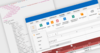
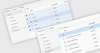
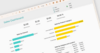
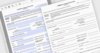
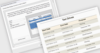
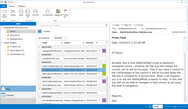
<rss version="2.0" xmlns:media="http://search.yahoo.com/mrss/" xmlns:atom="http://www.w3.org/2005/Atom"><channel><title>ComponentSource News | ROXORITY</title><link>http://www.componentsource.com/news/roxority/index.html</link><description></description><language>en-us</language><lastBuildDate>Thu, 20 Jun 2013 03:31:09 GMT</lastBuildDate><copyright>(C) Copyright 1996-2013 ComponentSource.</copyright><atom:link href="http://www.componentsource.com/news/roxority/rss.xml" rel="self" type="application/rss+xml"/><item><title>Export SharePoint List data to CSV</title><link>http://www.componentsource.com/news/2010/05/07/exportzen.html?rc=ni_3882</link><description>&lt;div class="image"&gt;&lt;img src="http://cloudcdn.componentsource.com/res/pub/media/2/1970/default_w350.png?rc=ni_3882" alt="The management window provides a quick way to get started with ExportZen."/&gt;&lt;p&gt;&lt;small&gt;The management window provides a quick way to get started with ExportZen.&lt;/small&gt;&lt;/p&gt;&lt;/div&gt;&lt;p&gt;&lt;strong&gt;ExportZen lets you easily create and automate customizable CSV exports of SharePoint List data.&lt;/strong&gt;&lt;/p&gt;&lt;p&gt;&lt;a href="http://www.componentsource.com/products/exportzen/index.html?rc=ni_3882"&gt;ExportZen&lt;/a&gt; is customizable, workflow-ready, can be scheduled and is batch-capable, respecting Views and filters. Comma-Separated Values (CSV) is a widespread, cross-platform file format for exchanging structured data sets. Microsoft Office Outlook imports contacts stored in CSV format (only Outlook calls them &amp;quot;DAT data files&amp;quot;). Microsoft Office Excel offers bi-directional (read and write) support for CSV spreadsheet files. ExportZen allows your users to export SharePoint Lists to CSV from SharePoint (2010 or 2007).&lt;/p&gt;&lt;h3&gt;Benefits&lt;/h3&gt;&lt;p&gt;All SharePoint Lists and Document Libraries are essentially structured data sets. The ROXORITY ExportZen solution package for SharePoint lets you export data from any list into any CSV format:&lt;/p&gt;&lt;ul&gt;&lt;li&gt;Design and customize multiple different CSV data file exports for various SharePoint List types.&lt;/li&gt;&lt;li&gt;Offer users, programs and systems an always-up-to-date, decoupled CSV view on your business data.&lt;/li&gt;&lt;li&gt;Streamline highly custom asset management, data transformation, integration and migration tasks and processes.&lt;/li&gt;&lt;/ul&gt;&lt;h3&gt;About ROXORITY&lt;/h3&gt;&lt;p&gt;&lt;a href="http://www.componentsource.com/features/roxority/index.html?rc=ni_3882"&gt;ROXORITY&lt;/a&gt; is a growing international software company committed to drastically improving the SharePoint experience, utility and ROI for casual and power users, administrators, site designers, content managers, business intelligence and knowledge workers in organizations large and small.&lt;/p&gt;</description><category>.NET Components</category><category>32 Bit</category><category>64 Bit</category><category>ASP.NET Controls</category><category>Components</category><category>Dev Tools &amp; IT Utilities</category><category>Document Management</category><category>Internet Explorer</category><category>Microsoft</category><category>Office</category><category>Press Releases</category><category>ROXORITY</category><category>SharePoint Tools</category><category>SQL Server Tools</category><category>Visual Basic 2008</category><category>Visual C# 2008</category><category>Visual C++ 2008</category><category>Visual Studio 2008</category><category>Windows 7</category><category>Windows Dev Tools</category><category>Windows Server 2003</category><category>Windows Server 2008</category><category>Windows Vista</category><guid isPermaLink="false">http://www.componentsource.com/news/2010/05/07/exportzen.html?rc=ni_3882</guid><pubDate>Fri, 07 May 2010 18:00:00 GMT</pubDate></item><item><title>Powerful SharePoint filtering made easy</title><link>http://www.componentsource.com/news/2010/05/07/filterzen.html?rc=ni_3884</link><description>&lt;div class="image"&gt;&lt;img src="http://cloudcdn.componentsource.com/res/pub/media/2/1972/default_w350.png?rc=ni_3884" alt="Adding a new filter with FilterZen."/&gt;&lt;p&gt;&lt;small&gt;Adding a new filter with FilterZen.&lt;/small&gt;&lt;/p&gt;&lt;/div&gt;&lt;p&gt;&lt;strong&gt;FilterZen lets you filter Lists, Document Libraries and Data Views on the fly, automatically or interactively.&lt;/strong&gt;&lt;/p&gt;&lt;p&gt;&lt;a href="http://www.componentsource.com/products/filterzen/index.html?rc=ni_3884"&gt;FilterZen&lt;/a&gt; allows you to instantly apply better search and information drill-down to any content, List, Library or Web Part, using specialized, intelligent filters (background or interactive). With FilterZen you can dynamically filter Lists, Document Libraries, Data Views and other Web Parts on the fly, automatically or interactively, choosing from a wide range of specialized filtering mechanisms.&lt;/p&gt;&lt;h3&gt;Benefits&lt;/h3&gt;&lt;ul&gt;&lt;li&gt;&lt;strong&gt;All SharePoint Editions&lt;/strong&gt;&lt;br/&gt;Works in all SharePoint editions and in all design modes: SharePoint 2010 Foundation (WSS 4.0), SharePoint 2010 Server, Windows SharePoint Services (WSS) 3.0 or Microsoft Office SharePoint Server (MOSS) 2007, Standard or Enterprise.&lt;/li&gt;&lt;li&gt;&lt;strong&gt;Absolute Infrastructure Integration&lt;/strong&gt;&lt;br/&gt;Utilizing Microsoft's own, fully supported and recommended, de-facto standard Web Part Connections protocol used by a great number of out-of-the-box and third-party components, FilterZen is fully compatible with both the browser-based Web Part Page Edit Mode and SharePoint Designer.&lt;/li&gt;&lt;li&gt;&lt;strong&gt;It's a Web Part - Use it anywhere&lt;/strong&gt;&lt;br/&gt;All Web Part Pages, all List Views and Document Library Views and Forms, all Home pages, Search Results pages (in MOSS), all pages and tabs in Document and Meeting Workspaces, all pages in Blog and Wiki web sites&lt;/li&gt;&lt;/ul&gt;&lt;p&gt;&lt;strong&gt;Filter Everything That's Filterable&lt;/strong&gt;&lt;/p&gt;&lt;ul&gt;&lt;li&gt;&lt;strong&gt;SharePoint, Third-Party or Custom Lists&lt;/strong&gt;&lt;br/&gt;Filter any columns in any of your Announcements, Contacts, Discussion Board, Links, Calendar, Tasks, Project Tasks, Issue Tracking, Survey or custom lists - whether on a Web Part page, a List Form page or even directly on a List View page.&lt;/li&gt;&lt;li&gt;&lt;strong&gt;SharePoint, Third-Party or Custom Libraries&lt;/strong&gt;&lt;br/&gt;Filter any columns in any of your Document Libraries, Form Libraries, Wiki Page Libraries, Slide Libraries or your own custom document libraries - whether on a Web Part page, a Library Form or View page.&lt;/li&gt;&lt;li&gt;&lt;strong&gt;XML / XSLT-based Data Views&lt;/strong&gt;&lt;br/&gt;Filter any columns in any of your SharePoint Designer-based or custom-coded XSLT business Data Views.&lt;/li&gt;&lt;li&gt;&lt;strong&gt;Everything else&lt;/strong&gt;&lt;br/&gt;FilterZen integrates into the Web Part Connections infrastructure, just like the other, out-of-the-box SharePoint Filter Web Parts. Hence, whenever any given Web Part can receive filters via Connections, FilterZen can handle it.&lt;/li&gt;&lt;/ul&gt;&lt;h3&gt;About ROXORITY&lt;/h3&gt;&lt;p&gt;&lt;a href="http://www.componentsource.com/features/roxority/index.html?rc=ni_3884"&gt;ROXORITY&lt;/a&gt; is a growing international software company committed to drastically improving the SharePoint experience, utility and ROI for casual and power users, administrators, site designers, content managers, business intelligence and knowledge workers in organizations large and small.&lt;/p&gt;</description><category>.NET Components</category><category>32 Bit</category><category>64 Bit</category><category>ASP.NET Controls</category><category>Components</category><category>Dev Tools &amp; IT Utilities</category><category>Document Management</category><category>Internet Explorer</category><category>Microsoft</category><category>Office</category><category>Press Releases</category><category>ROXORITY</category><category>SharePoint Tools</category><category>SQL Server Tools</category><category>Visual Basic 2008</category><category>Visual C# 2008</category><category>Visual C++ 2008</category><category>Visual Studio 2008</category><category>Windows 7</category><category>Windows Dev Tools</category><category>Windows Server 2003</category><category>Windows Server 2008</category><category>Windows Vista</category><guid isPermaLink="false">http://www.componentsource.com/news/2010/05/07/filterzen.html?rc=ni_3884</guid><pubDate>Fri, 07 May 2010 18:00:00 GMT</pubDate></item><item><title>Visualize User Profiles in SharePoint</title><link>http://www.componentsource.com/news/2010/05/07/peoplezen.html?rc=ni_3881</link><description>&lt;div class="image"&gt;&lt;img src="http://cloudcdn.componentsource.com/res/pub/media/2/1969/default_w350.png?rc=ni_3881" alt="Configuring farm-wide settings in PeopleZen."/&gt;&lt;p&gt;&lt;small&gt;Configuring farm-wide settings in PeopleZen.&lt;/small&gt;&lt;/p&gt;&lt;/div&gt;&lt;p&gt;&lt;strong&gt;PeopleZen enables display of specific User Profiles, including photos and profile properties of your choice.&lt;/strong&gt;
	&lt;/p&gt;&lt;p&gt;&lt;a href="http://www.componentsource.com/products/peoplezen/index.html?rc=ni_3881"&gt;PeopleZen&lt;/a&gt; lets you create staff directories, team birthday calendars or other user profile listings effortlessly, with sorting, paging, filtering and view styles already built in. The Web Part is highly customizable and allows you to list and link to any set of user profiles in any way you wish. Use PeopleZen to create, Team Members Web Part, Department Colleagues Web Part, Upcoming Events Web Part. Add photos, email addresses and more to User Profile Links. PeopleZen is compatible with SharePoint 2007 and SharePoint 2010. &lt;/p&gt;&lt;h3&gt;Benefits&lt;/h3&gt;&lt;ul&gt;&lt;li&gt;Display the user picture and name as well as any other user profile properties that you specify&lt;/li&gt;&lt;li&gt;Filter: specify date - and interval-based filter criteria to show for example &amp;quot;birthdays during the next n days&amp;quot; or for example &amp;quot;newly hired colleagues of the last n weeks&amp;quot; - or filter by any other set of criteria, using a connected filter provider Web Part of your choice!&lt;/li&gt;&lt;li&gt;Paging: display profiles in batches of any size that you specify&lt;/li&gt;&lt;li&gt;Sorting: display user profiles ordered ascending or descending by any user profile property&lt;/li&gt;&lt;li&gt;Style: via the web part settings, you can completely customize the appearance of the user profiles being displayed&lt;/li&gt;&lt;/ul&gt;&lt;h3&gt;About ROXORITY&lt;/h3&gt;&lt;p&gt;&lt;a href="http://www.componentsource.com/features/roxority/index.html?rc=ni_3881"&gt;ROXORITY&lt;/a&gt; is a growing international software company committed to drastically improving the SharePoint experience, utility and ROI for casual and power users, administrators, site designers, content managers, business intelligence and knowledge workers in organizations large and small.&lt;/p&gt;</description><category>.NET Components</category><category>32 Bit</category><category>64 Bit</category><category>ASP.NET Controls</category><category>Components</category><category>Dev Tools &amp; IT Utilities</category><category>Internet Explorer</category><category>Microsoft</category><category>Office</category><category>Press Releases</category><category>ROXORITY</category><category>SharePoint Tools</category><category>SQL Server Tools</category><category>Treeview and List</category><category>Visual Basic 2008</category><category>Visual C# 2008</category><category>Visual C++ 2008</category><category>Visual Studio 2008</category><category>Windows 7</category><category>Windows Dev Tools</category><category>Windows Server 2003</category><category>Windows Server 2008</category><category>Windows Vista</category><guid isPermaLink="false">http://www.componentsource.com/news/2010/05/07/peoplezen.html?rc=ni_3881</guid><pubDate>Fri, 07 May 2010 18:00:00 GMT</pubDate></item><item><title>Easy bulk uploads to SharePoint</title><link>http://www.componentsource.com/news/2010/05/07/uploadzen.html?rc=ni_3883</link><description>&lt;div class="image"&gt;&lt;img src="http://cloudcdn.componentsource.com/res/pub/media/2/1971/default_w350.png?rc=ni_3883" alt="Modifying SharePoint upload settings with UploadZen."/&gt;&lt;p&gt;&lt;small&gt;Modifying SharePoint upload settings with UploadZen.&lt;/small&gt;&lt;/p&gt;&lt;/div&gt;&lt;p&gt;&lt;strong&gt;UploadZen enables bulk uploading from multiple directories with no client-side installation required.&lt;/strong&gt;&lt;/p&gt;&lt;p&gt;&lt;a href="http://www.componentsource.com/products/uploadzen/index.html?rc=ni_3883"&gt;UploadZen&lt;/a&gt; provides bulk folder and multiple file uploads, excellent ZIP capabilities, batch check-in / check-out, and more. UploadZen adds an Upload Multiple Files menu command to the Upload menu of all Document Libraries which makes it easy for your end users to upload files in bulk. UploadZen is compatible with SharePoint 2010 Server and Microsoft Office SharePoint Server (MOSS) 2007.&lt;/p&gt;&lt;h3&gt;Benefits&lt;/h3&gt;&lt;p&gt;The out-of-the-box functionality for uploading multiple files to a SharePoint Document Library relies on an &lt;em&gt;ActiveX&lt;/em&gt; control (requiring special end user Web browser security settings and/or confirmation dialogs), which is readily available without requiring further installation only on client computers that have at least one &lt;em&gt;Microsoft Office&lt;/em&gt; application, &lt;em&gt;Microsoft SharePoint&lt;/em&gt; or &lt;em&gt;SharePoint Designer&lt;/em&gt; installed. Once you get the out-of-the-box &lt;em&gt;ActiveX&lt;/em&gt; bulk-file upload control to work for all your users, you can only upload multiple files from a single directory: you cannot select files from various directories to bulk-upload in one go.&lt;/p&gt;&lt;p&gt;If SharePoint's out-of-the-box approach to bulk document uploads is too troublesome to get to work properly, or just not useful enough, for you or your users, UploadZen could prove to be a viable alternative. The solution package adds an Upload Multiple Files menu command to the Upload menu of all Document Libraries. Once you select the menu item, a ClickOnce Windows application is started right from the browser (no previous client-side installation required) that allows a user to select as many files as required from any drive connected to their own computer and bulk-upload those to the document library. &lt;/p&gt;&lt;h3&gt;About ROXORITY&lt;/h3&gt;&lt;p&gt;&lt;a href="http://www.componentsource.com/features/roxority/index.html?rc=ni_3883"&gt;ROXORITY&lt;/a&gt; is a growing international software company committed to drastically improving the SharePoint experience, utility and ROI for casual and power users, administrators, site designers, content managers, business intelligence and knowledge workers in organizations large and small.&lt;/p&gt;</description><category>.NET Components</category><category>32 Bit</category><category>64 Bit</category><category>ASP.NET Controls</category><category>Components</category><category>Dev Tools &amp; IT Utilities</category><category>File Transfer/Upload</category><category>Internet Explorer</category><category>Microsoft</category><category>Office</category><category>Press Releases</category><category>ROXORITY</category><category>SharePoint Tools</category><category>SQL Server Tools</category><category>Visual Basic 2008</category><category>Visual C# 2008</category><category>Visual C++ 2008</category><category>Visual Studio 2008</category><category>Windows 7</category><category>Windows Dev Tools</category><category>Windows Server 2003</category><category>Windows Server 2008</category><category>Windows Vista</category><guid isPermaLink="false">http://www.componentsource.com/news/2010/05/07/uploadzen.html?rc=ni_3883</guid><pubDate>Fri, 07 May 2010 18:00:00 GMT</pubDate></item></channel></rss>