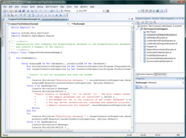
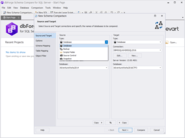
<rss version="2.0" xmlns:media="http://search.yahoo.com/mrss/" xmlns:atom="http://www.w3.org/2005/Atom"><channel><title>ComponentSource News | SlickEdit for Solaris x86</title><link>http://www.componentsource.com/news/slickedit-solaris-x86/index.html</link><description></description><language>en-us</language><lastBuildDate>Wed, 19 Jun 2013 07:57:25 GMT</lastBuildDate><copyright>(C) Copyright 1996-2013 ComponentSource.</copyright><atom:link href="http://www.componentsource.com/news/slickedit-solaris-x86/rss.xml" rel="self" type="application/rss+xml"/><item><title>SlickEdit adds Android application support</title><link>http://www.componentsource.com/news/2012/06/15/slickedit-windows.html?rc=ni_11152</link><description>&lt;div class="image"&gt;&lt;img src="http://cloudcdn.componentsource.com/res/pub/media/1/11152/default_w350.png?rc=ni_11152" alt="Edit Java code with SlickEdit."/&gt;&lt;p&gt;&lt;small&gt;Edit Java code with SlickEdit.&lt;/small&gt;&lt;/p&gt;&lt;/div&gt;&lt;p&gt;&lt;strong&gt;Build, rebuild and clean your Android projects.&lt;/strong&gt;&lt;/p&gt;&lt;p&gt;SlickEdit can be used as a stand-alone development environment or as a complementary editor. SlickEdit provides programmers with a tool to create, navigate, modify, build and debug code faster and more accurately. It's useful features include Code Navigation, Preview Tool Window, References Tool Window, Syntax Expansion, Surround With and Auto-Completions. SlickEdit automatically formats XML/HTML as you edit according to user-defined formatting schemes.&lt;/p&gt;&lt;p&gt;The following editions are available:&lt;/p&gt;&lt;ul&gt;&lt;li&gt;&lt;a href="http://www.componentsource.com/products/slickedit-multiplatform/index.html?rc=ni_11152"&gt;SlickEdit Multi-Platform&lt;/a&gt;&lt;/li&gt;&lt;li&gt;&lt;a href="http://www.componentsource.com/products/slickedit-aix/index.html?rc=ni_11152"&gt;SlickEdit for AIX&lt;/a&gt;&lt;/li&gt;&lt;li&gt;&lt;a href="http://www.componentsource.com/products/slickedit-hpux/index.html?rc=ni_11152"&gt;SlickEdit for HPUX&lt;/a&gt;&lt;/li&gt;&lt;li&gt;&lt;a href="http://www.componentsource.com/products/slickedit-linux/index.html?rc=ni_11152"&gt;SlickEdit for Linux&lt;/a&gt;&lt;/li&gt;&lt;li&gt;&lt;a href="http://www.componentsource.com/products/slickedit-linux-mac/index.html?rc=ni_11152"&gt;SlickEdit for Linux and Mac OS X&lt;/a&gt;&lt;/li&gt;&lt;li&gt;&lt;a href="http://www.componentsource.com/products/slickedit-mac-os-x/index.html?rc=ni_11152"&gt;SlickEdit for Mac OS X&lt;/a&gt;&lt;/li&gt;&lt;li&gt;&lt;a href="http://www.componentsource.com/products/slickedit-solaris/index.html?rc=ni_11152"&gt;SlickEdit for Solaris SPARC&lt;/a&gt;&lt;/li&gt;&lt;li&gt;&lt;a href="http://www.componentsource.com/products/slickedit-solaris-sparc-solaris-x86/index.html?rc=ni_11152"&gt;SlickEdit for Solaris SPARC and Solaris x86&lt;/a&gt;&lt;/li&gt;&lt;li&gt;&lt;a href="http://www.componentsource.com/products/slickedit-solaris-x86/index.html?rc=ni_11152"&gt;SlickEdit for Solaris x86&lt;/a&gt;&lt;/li&gt;&lt;li&gt;&lt;a href="http://www.componentsource.com/products/slickedit-windows/index.html?rc=ni_11152"&gt;SlickEdit for Windows&lt;/a&gt;&lt;/li&gt;&lt;li&gt;&lt;a href="http://www.componentsource.com/products/slickedit-windows-linux/index.html?rc=ni_11152"&gt;SlickEdit for Windows and Linux&lt;/a&gt;&lt;/li&gt;&lt;li&gt;&lt;a href="http://www.componentsource.com/products/slickedit-windows-macosx/index.html?rc=ni_11152"&gt;SlickEdit for Windows and Mac OS X&lt;/a&gt;&lt;/li&gt;&lt;li&gt;&lt;a href="http://www.componentsource.com/products/slickedit-windows-solaris-sparc/index.html?rc=ni_11152"&gt;SlickEdit for Windows and Solaris SPARC&lt;/a&gt;&lt;/li&gt;&lt;li&gt;&lt;a href="http://www.componentsource.com/products/slickedit-windows-solaris-x86/index.html?rc=ni_11152"&gt;SlickEdit for Windows and Solaris x86&lt;/a&gt;&lt;/li&gt;&lt;/ul&gt;&lt;h3&gt;Updates in 2012&lt;/h3&gt;&lt;ul&gt;&lt;li&gt;New user interface architecture&lt;/li&gt;&lt;li&gt;Beautifier enhancements&lt;/li&gt;&lt;li&gt;Android SDK projects&lt;/li&gt;&lt;li&gt;New build tool wizard&lt;/li&gt;&lt;li&gt;Document overview bar&lt;/li&gt;&lt;li&gt;Expanded auto-complete facility&lt;/li&gt;&lt;li&gt;Improved Objective-C language support&lt;/li&gt;&lt;li&gt;ODB editor suite support for Mac&lt;/li&gt;&lt;li&gt;Support for Xcode 4 workspaces&lt;/li&gt;&lt;li&gt;Ubuntu unity desktop&lt;/li&gt;&lt;/ul&gt;&lt;h3&gt;About SlickEdit&lt;/h3&gt;&lt;p&gt;&lt;a href="http://www.componentsource.com/features/slickedit/index.html?rc=ni_11152"&gt;SlickEdit&lt;/a&gt; provides software developers with multi-language development environments and the most advanced code editors available. Proven across a wide range of programming languages and on Windows, Linux and UNIX platforms, SlickEdit products enable developers to code faster and meet increasingly aggressive deadlines. SlickEdit is headquartered in the North Carolina Research Triangle area.&lt;/p&gt;</description><category>32 Bit</category><category>Dev Tools &amp; IT Utilities</category><category>Development</category><category>Embarcadero / CodeGear</category><category>Feature Releases</category><category>JBuilder</category><category>Microsoft</category><category>SlickEdit</category><category>Visual Basic .NET</category><category>Visual Basic 2005</category><category>Visual Basic 2008</category><category>Visual Basic 2010</category><category>Visual C# 2008</category><category>Visual C# 2010</category><category>Visual C++ 2008</category><category>Visual C++ 2010</category><category>Visual Studio</category><category>Visual Studio 2008</category><category>Visual Studio 2010</category><category>Windows 2000</category><category>Windows 7</category><category>Windows Dev Tools</category><category>Windows Vista</category><category>Windows XP</category><category>32 Bit</category><category>Dev Tools &amp; IT Utilities</category><category>Development</category><category>Embarcadero / CodeGear</category><category>Feature Releases</category><category>JBuilder</category><category>Microsoft</category><category>SlickEdit</category><category>Visual Basic .NET</category><category>Visual Basic 2005</category><category>Visual Basic 2008</category><category>Visual Basic 2010</category><category>Visual C# 2008</category><category>Visual C# 2010</category><category>Visual C++ 2008</category><category>Visual C++ 2010</category><category>Visual Studio</category><category>Visual Studio 2008</category><category>Visual Studio 2010</category><category>Windows 2000</category><category>Windows 7</category><category>Windows Dev Tools</category><category>Windows Vista</category><category>Windows XP</category><guid isPermaLink="false">http://www.componentsource.com/news/2012/06/15/slickedit-windows.html?rc=ni_11152</guid><pubDate>Fri, 15 Jun 2012 11:45:00 GMT</pubDate></item>
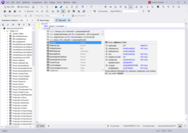
		<item><title>SlickEdit 2011 released</title><link>http://www.componentsource.com/news/2011/05/23/slickedit.html?rc=ni_7854</link><description>&lt;div class="image"&gt;&lt;img src="http://cloudcdn.componentsource.com/res/pub/media/8/7854/default_w350.png?rc=ni_7854" alt="Editing Java code with SlickEdit."/&gt;&lt;p&gt;&lt;small&gt;Editing Java code with SlickEdit.&lt;/small&gt;&lt;/p&gt;&lt;/div&gt;&lt;p&gt;&lt;strong&gt;New 64-bit versions for Windows and Linux, Multithreading, Ruby Debugging and updated VS2010 and JUnit support.&lt;/strong&gt;&lt;/p&gt;&lt;p&gt;SlickEdit can be used as a stand alone development environment or as a complementary editor, SlickEdit provides programmers with a tool to create, navigate, modify, build, and debug code faster and more accurately. SlickEdit's useful features include Code Navigation, Preview Tool Window, References Tool Window, Syntax Expansion, Surround With, Auto-Completions and many more. SlickEdit automatically formats XML / HTML as you edit according to user-defined formatting schemes.&lt;/p&gt;&lt;p&gt;The following editions are available:&lt;/p&gt;&lt;ul&gt;&lt;li&gt;&lt;a href="http://www.componentsource.com/products/slickedit-multiplatform/index.html?rc=ni_7854"&gt;SlickEdit Multi-Platform&lt;/a&gt;&lt;/li&gt;&lt;li&gt;&lt;a href="http://www.componentsource.com/products/slickedit-aix/index.html?rc=ni_7854"&gt;SlickEdit for AIX&lt;/a&gt;&lt;/li&gt;&lt;li&gt;&lt;a href="http://www.componentsource.com/products/slickedit-hpux/index.html?rc=ni_7854"&gt;SlickEdit for HPUX&lt;/a&gt;&lt;/li&gt;&lt;li&gt;&lt;a href="http://www.componentsource.com/products/slickedit-linux/index.html?rc=ni_7854"&gt;SlickEdit for Linux&lt;/a&gt;&lt;/li&gt;&lt;li&gt;&lt;a href="http://www.componentsource.com/products/slickedit-linux-mac/index.html?rc=ni_7854"&gt;SlickEdit for Linux and Mac OS X&lt;/a&gt;&lt;/li&gt;&lt;li&gt;&lt;a href="http://www.componentsource.com/products/slickedit-mac-os-x/index.html?rc=ni_7854"&gt;SlickEdit for Mac OS X&lt;/a&gt;&lt;/li&gt;&lt;li&gt;&lt;a href="http://www.componentsource.com/products/slickedit-solaris/index.html?rc=ni_7854"&gt;SlickEdit for Solaris SPARC&lt;/a&gt;&lt;/li&gt;&lt;li&gt;&lt;a href="http://www.componentsource.com/products/slickedit-solaris-sparc-solaris-x86/index.html?rc=ni_7854"&gt;SlickEdit for Solaris SPARC and Solaris x86&lt;/a&gt;&lt;/li&gt;&lt;li&gt;&lt;a href="http://www.componentsource.com/products/slickedit-solaris-x86/index.html?rc=ni_7854"&gt;SlickEdit for Solaris x86&lt;/a&gt;&lt;/li&gt;&lt;li&gt;&lt;a href="http://www.componentsource.com/products/slickedit-windows/index.html?rc=ni_7854"&gt;SlickEdit for Windows&lt;/a&gt;&lt;/li&gt;&lt;li&gt;&lt;a href="http://www.componentsource.com/products/slickedit-windows-linux/index.html?rc=ni_7854"&gt;SlickEdit for Windows and Linux&lt;/a&gt;&lt;/li&gt;&lt;li&gt;&lt;a href="http://www.componentsource.com/products/slickedit-windows-macosx/index.html?rc=ni_7854"&gt;SlickEdit for Windows and Mac OS X&lt;/a&gt;&lt;/li&gt;&lt;li&gt;&lt;a href="http://www.componentsource.com/products/slickedit-windows-solaris-sparc/index.html?rc=ni_7854"&gt;SlickEdit for Windows and Solaris SPARC&lt;/a&gt;&lt;/li&gt;&lt;li&gt;&lt;a href="http://www.componentsource.com/products/slickedit-windows-solaris-x86/index.html?rc=ni_7854"&gt;SlickEdit for Windows and Solaris x86&lt;/a&gt;&lt;/li&gt;&lt;/ul&gt;&lt;h3&gt;Updates in 2011&lt;br/&gt;&lt;/h3&gt;&lt;ul&gt;&lt;li&gt;&lt;strong&gt;64-bit Versions for Windows and Linux&lt;/strong&gt;&lt;br/&gt;Native 64-bit versions of SlickEdit are now available for Windows and Linux. These allow you to run on 64-bit platforms without the use of 32-bit libraries. SlickEdit still retains the 2 gigabyte file size limit&lt;/li&gt;&lt;li&gt;&lt;strong&gt;Support for the Git Version Control System&lt;/strong&gt;&lt;br/&gt;Added support for the Git version control system. The basic operations supported are: add, remove, commit, revert, push, and pull. SlickEdit have also built a basic status tree showing the result of comparing the workspace to the repository&lt;/li&gt;&lt;li&gt;&lt;strong&gt;Updated Microsoft Visual Studio 2010 Support&lt;/strong&gt;&lt;br/&gt;This includes the following changes: &lt;ul&gt;&lt;li&gt;Improved workspace and project folder handling&lt;/li&gt;&lt;li&gt;Added ability to read project property sheets&lt;/li&gt;&lt;li&gt;Improved support for project dependencies&lt;/li&gt;&lt;/ul&gt;&lt;/li&gt;&lt;li&gt;&lt;strong&gt;Multithreading&lt;/strong&gt;&lt;br/&gt;Parts of SlickEdit 2011 have been re-engineered to be multithreaded. This makes better use of available CPU resources and reduces the waiting time for affected operations&lt;/li&gt;&lt;li&gt;&lt;strong&gt;Auto-Reload Performed on a Thread&lt;/strong&gt;&lt;br/&gt;Auto-reload now uses a thread to access files, preventing SlickEdit from hanging due to unavailable resources. Auto-reload is still performed when you switch applications. A future modification may involve periodically checking for modified files, but that has not yet been implemented&lt;/li&gt;&lt;li&gt;&lt;strong&gt;Updated JUnit Support&lt;/strong&gt;&lt;br/&gt;The JUnit support was updated to support version 4.6 and later. Earlier versions are not supported&lt;/li&gt;&lt;li&gt;&lt;strong&gt;Support for Ruby Debugging&lt;/strong&gt;&lt;/li&gt;&lt;li&gt;&lt;strong&gt;Dynamic Debugger Enhancements&lt;/strong&gt;&lt;br/&gt;This includes the following changes: &lt;ul&gt;&lt;li&gt;Added support for Python 3&lt;/li&gt;&lt;li&gt;Corrected display of Python special values: True, False, and None&lt;/li&gt;&lt;li&gt;Added a column to display the Value Type&lt;/li&gt;&lt;li&gt;Added the capability to change values while debugging&lt;/li&gt;&lt;li&gt;Improved the display of Perl values. Previously, all values were displayed as scalars&lt;/li&gt;&lt;/ul&gt;&lt;/li&gt;&lt;/ul&gt;&lt;h3&gt;About SlickEdit&lt;/h3&gt;&lt;p&gt;&lt;a href="http://www.componentsource.com/features/slickedit/index.html?rc=ni_7854"&gt;SlickEdit&lt;/a&gt; Inc. provides software developers with multilanguage development environments and the most advanced code editors available. Proven across a wide range of programming languages and on Windows, Linux and UNIX platforms, SlickEdit products enable even the most accomplished developers to code faster and meet increasingly aggressive deadlines. SlickEdit is headquartered in the North Carolina Research Triangle area.&lt;/p&gt;</description><category>32 Bit</category><category>64 Bit</category><category>Code Creation/Editing</category><category>Code Editing and Syntax</category><category>Dev Tools &amp; IT Utilities</category><category>Development</category><category>Embarcadero / CodeGear</category><category>Feature Releases</category><category>JBuilder</category><category>Microsoft</category><category>SlickEdit</category><category>Visual Basic .NET</category><category>Visual Basic 2005</category><category>Visual Basic 2008</category><category>Visual Basic 2010</category><category>Visual C# 2008</category><category>Visual C# 2010</category><category>Visual C++ 2008</category><category>Visual C++ 2010</category><category>Visual Studio</category><category>Visual Studio 2008</category><category>Visual Studio 2010</category><category>Windows 2000</category><category>Windows 7</category><category>Windows Dev Tools</category><category>Windows Vista</category><category>Windows XP</category><guid isPermaLink="false">http://www.componentsource.com/news/2011/05/23/slickedit.html?rc=ni_7854</guid><pubDate>Mon, 23 May 2011 13:39:02 GMT</pubDate></item>
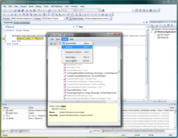
		<item><title>SlickEdit adds VS2010 support</title><link>http://www.componentsource.com/news/2010/05/20/slickedit-windows.html?rc=ni_4104</link><description>&lt;div class="image"&gt;&lt;img src="http://cloudcdn.componentsource.com/res/pub/media/3/2046/default_w350.png?rc=ni_4104" alt="Editing Java code with SlickEdit for Windows."/&gt;&lt;p&gt;&lt;small&gt;Editing Java code with SlickEdit for Windows.&lt;/small&gt;&lt;/p&gt;&lt;/div&gt;&lt;p&gt;&lt;strong&gt;2010 release also adds subword navigation, subversion history and file status and Google Web Toolkit support.&lt;/strong&gt;&lt;/p&gt;&lt;p&gt;SlickEdit can be used as a stand alone development environment or as a complementary editor, SlickEdit provides programmers with a tool to create, navigate, modify, build, and debug code faster and more accurately. SlickEdit's useful features include Code Navigation, Preview Tool Window, References Tool Window, Syntax Expansion, Surround With, Auto-Completions and many more. SlickEdit automatically formats XML / HTML as you edit according to user-defined formatting schemes.&lt;/p&gt;&lt;p&gt;The following editions are available:&lt;/p&gt;&lt;ul&gt;&lt;li&gt;&lt;a href="http://www.componentsource.com/products/slickedit-multiplatform/index.html?rc=ni_4104"&gt;SlickEdit Multi-Platform&lt;/a&gt;&lt;/li&gt;&lt;li&gt;&lt;a href="http://www.componentsource.com/products/slickedit-aix/index.html?rc=ni_4104"&gt;SlickEdit for AIX&lt;/a&gt;&lt;/li&gt;&lt;li&gt;&lt;a href="http://www.componentsource.com/products/slickedit-hpux/index.html?rc=ni_4104"&gt;SlickEdit for HPUX&lt;/a&gt;&lt;/li&gt;&lt;li&gt;&lt;a href="http://www.componentsource.com/products/slickedit-linux/index.html?rc=ni_4104"&gt;SlickEdit for Linux&lt;/a&gt;&lt;/li&gt;&lt;li&gt;&lt;a href="http://www.componentsource.com/products/slickedit-mac-os-x/index.html?rc=ni_4104"&gt;SlickEdit for Mac OS X&lt;/a&gt;&lt;/li&gt;&lt;li&gt;&lt;a href="http://www.componentsource.com/products/slickedit-solaris/index.html?rc=ni_4104"&gt;SlickEdit for Solaris SPARC&lt;/a&gt;&lt;/li&gt;&lt;li&gt;&lt;a href="http://www.componentsource.com/products/slickedit-solaris-x86/index.html?rc=ni_4104"&gt;SlickEdit for Solaris x86&lt;/a&gt;&lt;/li&gt;&lt;li&gt;&lt;a href="http://www.componentsource.com/products/slickedit-windows/index.html?rc=ni_4104"&gt;SlickEdit for Windows&lt;/a&gt;&lt;/li&gt;&lt;li&gt;&lt;a href="http://www.componentsource.com/products/slickedit-windows-linux/index.html?rc=ni_4104"&gt;SlickEdit for Windows and Linux&lt;/a&gt;&lt;/li&gt;&lt;li&gt;&lt;a href="http://www.componentsource.com/products/slickedit-windows-macosx/index.html?rc=ni_4104"&gt;SlickEdit for Windows and Mac OS X&lt;/a&gt;&lt;/li&gt;&lt;li&gt;&lt;a href="http://www.componentsource.com/products/slickedit-windows-solaris-sparc/index.html?rc=ni_4104"&gt;SlickEdit for Windows and Solaris SPARC&lt;/a&gt;&lt;/li&gt;&lt;li&gt;&lt;a href="http://www.componentsource.com/products/slickedit-windows-solaris-x86/index.html?rc=ni_4104"&gt;SlickEdit for Windows and Solaris x86&lt;/a&gt;&lt;/li&gt;&lt;/ul&gt;&lt;h3&gt;Updates in 2010&lt;/h3&gt;&lt;ul&gt;&lt;li&gt;&lt;strong&gt;File Tabs Enhancements&lt;/strong&gt;&lt;br/&gt;Now you can order the files tabs by most recently opened, most recently viewed, and by dragging and dropping to manually order the tabs. An icon has been added to the File Tabs tool window to display a list of open buffers so that you can select one to edit.&lt;/li&gt;&lt;li&gt;&lt;strong&gt;WinDbg Support&lt;/strong&gt;&lt;br/&gt;You can now use the SlickEdit debugger front end with WinDbg, allowing you to debug applications on Microsoft Windows without having MS Visual Studio installed.&lt;/li&gt;&lt;li&gt;&lt;strong&gt;Set Options for All Languages&lt;/strong&gt;&lt;br/&gt;SlickEdit now provides the capability to set many options for all languages instead of for each language you use.&lt;/li&gt;&lt;li&gt;&lt;strong&gt;Microsoft Visual Studio 2010 Support&lt;/strong&gt;&lt;br/&gt;SlickEdit has been updated to support changes to the project files introduced in Visual Studio 2010.&lt;/li&gt;&lt;li&gt;&lt;strong&gt;Subword Navigation&lt;/strong&gt;&lt;br/&gt;To facilitate navigation, copying, and deletion within a symbol name, Subword Navigation will stop at words within CamelCased words, and also following an underscore or dash. This feature can be enabled for all languages by selecting Tools → Options → Editing → Cursor Movement and setting Subword Navigation to True.&lt;/li&gt;&lt;li&gt;&lt;strong&gt;Auto-Close and Overtype&lt;/strong&gt;&lt;br/&gt;Typing an open parenthesis, square bracket, angle bracket, double quote or single quote will automatically insert the corresponding closing symbol. When the cursor is positioned in front of a closing symbol, typing the closing symbol will move the cursor after the closing symbol instead of inserting another closing symbol. This feature can be configured for each language.&lt;/li&gt;&lt;li&gt;&lt;strong&gt;Subversion History&lt;/strong&gt;&lt;br/&gt;When using the Subversion source control tool, SlickEdit builds a version cache that allows us to quickly build and display a version history for the file, including branches.&lt;/li&gt;&lt;li&gt;&lt;strong&gt;Subversion File Status&lt;/strong&gt;&lt;br/&gt;File trees and lists, such as the Project tool window, now display different icons next to file names to represent their status in SVN.&lt;/li&gt;&lt;li&gt;&lt;strong&gt;Eclipse Emulation&lt;/strong&gt;&lt;br/&gt;An Eclipse emulation has been added that contains the key bindings for commonly used operations. To enable this emulation select Tools → Options → Keyboard and Mouse → Emulation.&lt;/li&gt;&lt;li&gt;&lt;strong&gt;Doc Comment Updates&lt;/strong&gt;&lt;br/&gt;You can now update an existing doc comment to match changes made in the function signature.&lt;/li&gt;&lt;li&gt;&lt;strong&gt;Google Web Toolkit Support&lt;/strong&gt;&lt;br/&gt;SlickEdit now includes support for the Google Web Toolkit, used to build browser-based applications. New Java and Python project types are provided to help build and deploy your code.&lt;/li&gt;&lt;li&gt;&lt;strong&gt;Outline View for XML&lt;/strong&gt;&lt;br/&gt;The Defs tool window can now show a customizable outline for XML files. This displays the information you find interesting so you can better understand and navigate these files.&lt;/li&gt;&lt;li&gt;&lt;strong&gt;Notifications&lt;/strong&gt;&lt;br/&gt;SlickEdit displays icons in the status line to notify you of actions being performed by the editor. A pop-up message is briefly displayed with additional information about that operation. Different notification icons are displayed for background tasks, feature notifications, and when the debugger is listening for a connection.&lt;/li&gt;&lt;li&gt;&lt;strong&gt;Product Improvement Program&lt;/strong&gt;&lt;br/&gt;This feature collects anonymous information about your use patterns in SlickEdit. It reports on things like the languages, project types, and tool windows you use. This information will help SlickEdit to make better choices for future enhancements. No personally identifying information, source code, file names, project names, workspace names, or other confidential information is sent. You can opt out of the program using Tools → Quick Start Configuration or by selecting Tools → Options → Application Options → Product Improvement Program.&lt;/li&gt;&lt;/ul&gt;&lt;p&gt;&lt;strong&gt;Additional Enhancements:&lt;/strong&gt;&lt;/p&gt;&lt;ul&gt;&lt;li&gt;&lt;strong&gt;Backup History Enhancements&lt;/strong&gt;&lt;br/&gt;Backup History now allows you to store a comment with any entry in the history list. This is helpful when you have a long list of revisions and you need to find a specific one.&lt;/li&gt;&lt;li&gt;&lt;strong&gt;Tagging for Properties Files&lt;/strong&gt;&lt;br/&gt;Tagging is now extended to .property files to allow navigation between property references and their declarations.&lt;/li&gt;&lt;li&gt;&lt;strong&gt;Tagging for Docbook&lt;/strong&gt;&lt;br/&gt;Docbook files are now tagged to allow navigation between elements with IDs (such as sect1 and sect2) and references to those elements (such as xref).&lt;/li&gt;&lt;li&gt;&lt;strong&gt;Language support&lt;/strong&gt;&lt;br/&gt;Basic language support for Erlang, Haskell, F#: Color coding and basic tagging support is now offered for these languages.&lt;/li&gt;&lt;/ul&gt;&lt;h3&gt;About SlickEdit&lt;/h3&gt;&lt;p&gt;&lt;a href="http://www.componentsource.com/features/slickedit/index.html?rc=ni_4104"&gt;SlickEdit&lt;/a&gt; Inc. provides software developers with multilanguage development environments and the most advanced code editors available. Proven across a wide range of programming languages and on Windows, Linux and UNIX platforms, SlickEdit products enable even the most accomplished developers to code faster and meet increasingly aggressive deadlines. SlickEdit is headquartered in the North Carolina Research Triangle area.&lt;/p&gt;</description><category>32 Bit</category><category>Dev Tools &amp; IT Utilities</category><category>Development</category><category>Embarcadero / CodeGear</category><category>Feature Releases</category><category>JBuilder</category><category>Microsoft</category><category>SlickEdit</category><category>Visual Basic .NET</category><category>Visual Basic 2005</category><category>Visual Basic 2008</category><category>Visual Basic 2010</category><category>Visual C# 2008</category><category>Visual C# 2010</category><category>Visual C++ 2008</category><category>Visual C++ 2010</category><category>Visual Studio</category><category>Visual Studio 2008</category><category>Visual Studio 2010</category><category>Windows 2000</category><category>Windows 7</category><category>Windows Dev Tools</category><category>Windows Vista</category><category>Windows XP</category><guid isPermaLink="false">http://www.componentsource.com/news/2010/05/20/slickedit-windows.html?rc=ni_4104</guid><pubDate>Thu, 20 May 2010 17:52:00 GMT</pubDate></item>
	</channel></rss>