by Actipro Software - 상품타입: Component / .NET WPF / 100% Managed Code / Source Code
Actipro WPF Studio by Actipro Software
A suite of professional user interface controls and components for Windows Presentation Foundation (WPF). Actipro WPF Studio includes all WPF components produced by Actipro Software including: Actipro Ribbon (Office 2007-like user interface), Actipro Wizard (wizard dialogs), Actipro Navigation, Actipro Bar Code (bar code generation), Actipro Gauge, Actipro Docking & MDI and the Actipro Shared Library (many useful components and miscellaneous controls). All included products are written 100% in C#, are compatible with XAML and can be used in XBAPs. They all have extensive Visual Studio 2008 designer functionality as well. WPF Studio licensees enjoy one year of free upgrades to any new WPF product versions and also any new WPF component products introduced. Source Code available. Run time Royalty Free.

Actipro WPF Studio currently includes: Actipro Ribbon, Actipro Wizard, Actipro Navigation, Actipro Bar Code and the Actipro Shared Library. WPF Studio licenses include one year of free upgrades to any new WPF product versions and also any new WPF component products introduced. All components included in the suite have extensive Visual Studio 2008 Designer functionality.
Please, find below a brief description of the products currently included:
Actipro Ribbon WPF .NET
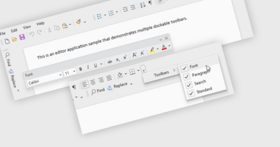
Office 2007-like ribbon UI control suite for WPF applications that adheres to Microsoft’s specifications. Actipro Ribbon WPF provides an Office 2007-like ribbon user interface that can be used in any WPF application and adheres to Microsoft's ribbon requirements. Supports ribbon resizing, application menu, QAT, many control types, contextual tab groups, key/screen tips, XBAP compatibility, VS designer support, and more. Actipro Ribbon has been designed from the ground up to follow WPF best practices, be extremely configurable, use a command-driven model, and allow for reproduction of nearly all the user interface features found in Office.
Control Features
Full implementation of the core Microsoft ribbon user interface requirements.
Ribbon bar that has tabs containing groups capable of hosting child controls.
Built-in control types include buttons, checkable buttons, popup buttons, split buttons, checkable split buttons, checkboxes, radio buttons, textboxes, comboboxes, font family comboboxes, font size comboboxes, separators, labeled separators, in-ribbon galleries, popup galleries, and color picker galleries.
Gallery controls that can be used in-ribbon or on popups and support data binding to any source, rendering via templates or custom draw, animated scrolling, multiple resizing options, selection tracking, categories, filtering, and zooming-in on item mouse over.
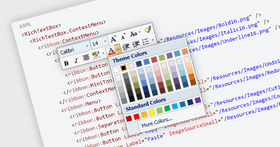
Color picker gallery control supports multiple categories of colors and optionally auto-generates lighter/darker shades of colors.
Use any built-in ribbon control standalone anywhere outside of the ribbon.
Ability to add any control, including UserControls, anywhere into the ribbon, popups, menus, or the application menu.
Multiple ways to lay out controls on the ribbon via the use of various panels.
Application menu, with menu items and footer buttons.
Ability to place any control on the right side of the application menu, such as a recent documents list.
Quick access toolbar that can be displayed above or below the ribbon.
Cloning framework for customizing the QAT and persisting changes between application sessions. Full source for a Customize QAT dialog page is included.
Contextual tab groups whose visibility can be toggled on and off.
RibbonWindow class that can be used to provide a Office-like window appearance, even without the use of a ribbon control.
Actipro Docking & MDI for WPF
Actipro Docking & MDI is a complete solution for easily adding a docking tool window and/or multiple document interface to your WPF applications. Allow your end users to drag and dock tool windows wherever they please, and to persist their customizations. Docking & MDI has been implemented with flexibility in mind. It has more options than nearly any other competitive product out there and mimics Visual Studio 2008's capabilities. While it supports all the types of standard layouts you find in most docking window products.
Actipro Gauge for WPF
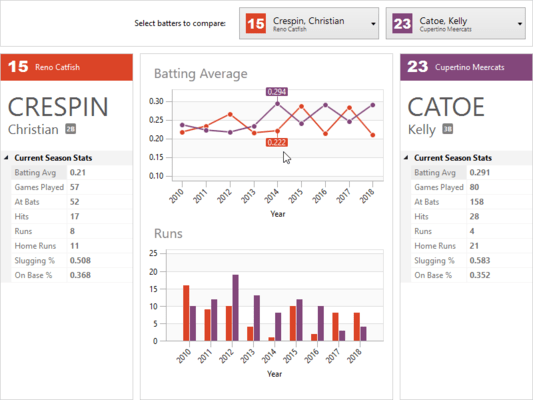
Actipro Gauge is a control suite that implements circular, linear, and digital gauge controls for the Windows Presentation Foundation framework. Each gauge control has tons of options available, providing for limitless possibilities. Gauge controls are ideal for displaying several data points in a concise and compact area. Everything from car dashboards to medical and industrial equipment use gauges, and are quickly recognized and understood by users. The circular and linear gauges are perfect for presenting a value, or values, bound by a specific range. The digital gauge is perfect for mimicking real-life LED displays.
Actipro Wizard for WPF
Actipro Wizard for WPF is the premiere control for building wizard dialogs in Windows Presentation Foundation (WPF) that conform to the Wizard97 specification.
Actipro Wizard for WPF has been designed from the ground up to follow WPF best practices, be extremely configurable, and dramatically cut down on the time needed to implement a robust wizard dialog. From simple linear sequences of pages to more advanced decision-based page execution paths, Wizard can handle it all. It provides an amazing number of features that make the design and run-time experience for the developer and end user a positive one.
Major features of Actipro Wizard for WPF include:
Multiple built-in page types like exterior and interior pages
Page captions and descriptions that display in the header area of the page
Page titles that can be used to automatically update the title bar of the containing Window
Global default settings for all button visibility and enabled states that can be overridden by page-specific settings
Uses WPF command model for handling all button clicks
Multiple options for setting the default and cancel buttons on the containing Window to wizard buttons
Distinct forward and backward progress animated page transition effects
Ability to create custom styles and templates for any part of the Wizard, enabling theming and custom layouts
Add custom controls anywhere in the wizard via templates.
Default page sequencing that can be overridden declaratively or programmatically
Disable pages to have Wizard skip over them when using default page sequencing
Process selection changing/changed events at the general Wizard or WizardPage-specific levels
Selection change events specify what caused the change, which pages are changing, and allow you to cancel the change or choose a new destination page
Validate data on a page in the selection changing event
Easily navigate through pages using the mouse and/or keyboard forward/back buttons
Easily create wizard user interfaces in XAML markup
All parts of the wizard use automatic layout so that they are capable of growing as needed
Supports localization and right-to-left layout
Follows the WPF accessibility model for UI automation
XBAP compatibility
Includes detailed documentation and a sample project that demos nearly every feature
Actipro Navigation
Actipro Navigation is a control suite that includes NavigationBar and ExplorerBar controls, along with styles for animated Expander controls, designed for use in Windows Presentation Foundation (WPF) applications.
NavigationBar is a control that fully implements all features found in Outlook 2007, such as complete end user customization, layout save/load, minimization to both left and right sides, and much more.
Explorer bar is an implementation of the task bar that was introduced in Windows XP's explorer. Each expander pane uses smooth animation to fade in and slide down its contents when expanded.
NavigationBar Features
Duplicates Office 2007 navigation bar functionality
8 distinct built-in themes
Pane buttons collapse to conserve space as needed
Minimize to the left and right sides
Built-in Options window
Reusable animated expander style for sub-header panels
Layout serialization
ExplorerBar Features
Duplicates Windows XP explorer bar functionality
4 distinct built-in themes, each with alternate expander styles
Expanders use animation to fade and slide when expanding/collapsing
Optionally allow only one expander to be expanded at a time
Vertical scrollbar auto-added as needed
Actipro Navigation Common Features
Tint themes or completely restyle/template the controls
Localization and right-to-left layout capabilities
VS 2008 and Blend designer support
XBAP support and much more
Actipro Bar Code
An easy-to-use vector-based bar code generation suite written in WPF. Add bar codes with many display options directly in your application or in any WPF context, like XPS documents. The most common symbologies, everything from Code 39 to EAN to UPC and more, are all supported. Use bar codes in your organization to more efficiently input data or even save money on postage (via the use of Postnet). This product is useful for adding bar codes to any WPF application or report. Bar codes can be saved in XPS document content, saved to image files, rendered directly to a WPF DrawingContext, or added as a child control in any FixedDocument, FlowDocument or other WPF control.
Actipro Bar Code takes all the work out of the bar code generation process, by allowing you to simply say what value to encode. It will automatically calculate any appropriate checksums and will generate the barcode for you. The output is completely customizable with many options, everything from setting the bar height to display of the encoded value below the bar lines.
The most common symbologies are all supported, including EAN-13, EAN-8, UPC-A, UPC-E, Code 39 (and full ASCII variant), Code 93 (and full ASCII variant), Code 128, Codabar, Interleaved 2 of 5, and Postnet
Actipro WPF Shared Library
The Actipro WPF Shared Library is a common control library referenced by all of the WPF .NET controls. It contains a number of very useful controls and components that can be used in your projects.
General Features
Controls
A ReflectionContentControl control, which is a content wrapper that makes it possible to create reflection effects in seconds.
A ResizableContentControl control, which is a content wrapper that contains a gripper for resizing the content horizontally, vertically, or both.
A RadioButtonList control, which is a ListBox whose items render as radio buttons.
A CustomDrawElement element, which is an element that raises an event when it is being rendered, allowing for custom draw.
A DropShadowChrome decorator, which can be used to render a drop shadow for a popup.
Calendar
DateTimePicker and MonthCalendar controls that allow for selection and text entry of date/time values.
Helper classes and value converters for working with date/time values.
Color Selection
Color selection controls that mimic the visual color selection found in products like Adobe Photoshop and Microsoft Expression Blend:
SpectrumColorPicker - A color hue spectrum-based color picker that can display initial and selected colors.
SpectrumSlice - Displays a slice of saturation/brightness colors for a particular hue.
SpectrumSlider
Document Management
Multiple classes for maintaining document references and tracking/persisting recently-used documents.
Media
A UIColor structure that provides an enhanced representation of a Color object that supports the RGB, HSB, and HLS color models, conversion between models, and numerous other color helper methods.
A VisualTreeHelperExtended class that provides several helper methods for working with visual trees that are not found in the VisualTreeHelper class.
Animation
A transition effects library for performing transitions between two elements, with built-in transitions and the ability to create custom ones.
Built-in transitions include:
Barn door wipe - A wipe transition between two pages that uses two straight bars with a configurable gradient spread.
Bar wipe - A wipe transition between two pages that uses a straight bar with a configurable gradient spread.
Box wipe - A wipe transition between two pages that uses a box.
Fade - The old selected page fades into the new one with optional blur effect.
Faded zoom - A crossfade transition between two elements that zooms the new content in as well.
Four box wipe - A wipe transition between two pages that uses four boxes.
Slide - A slide transition between two pages that moves one page over the other.
Push - A slide transition between two pages that pushes one page out of the way for the other.
Wedge wipe - A wipe transition between two pages that uses a wedge shape.
PartNumbers: PC-518124-161634 518124-161634 PC-518124-161635 518124-161635 PC-518124-161646 518124-161646 PC-518124-161647 518124-161647 PC-518124-161636 518124-161636 PC-518124-161637 518124-161637 PC-518124-161642 518124-161642 PC-518124-161643 518124-161643 PC-518124-161638 518124-161638 PC-518124-161648 518124-161648 PC-518124-161649 518124-161649 PC-518124-161639 518124-161639 PC-518124-161640 518124-161640 PC-518124-161641 518124-161641 PC-518124-161644 518124-161644 PC-518124-161645 518124-161645
PurchaseOptions: Actipro WPF Studio V4.0 1 Developer Subscription License (Includes 12 months of updates, both minor and major, email and forums based support and more) , Actipro WPF Studio V4.0 1 Developer Subscription License, per license for 2 licenses (minimum quantity 2) (Includes 12 months of updates, both minor and major, email and forums based support and more) , Actipro WPF Studio V4.0 1 Developer Subscription License, per license from 3 up to 4 licenses (minimum quantity 3) (Includes 12 months of updates, both minor and major, email and forums based support and more) , Actipro WPF Studio V4.0 1 Developer Subscription License, per license from 5 up to 7 licenses (minimum quantity 5) (Includes 12 months of updates, both minor and major, email and forums based support and more) , Actipro WPF Studio V4.0 8 or More Developer Subcription Licenses, Price per license (minimum quantity 8) (Includes 12 months of updates, both minor and major, email and forums based support and more) , Actipro WPF Studio V4.0 1 Site Wide License (Allows Unlimited Developers at a Single Physical Address) (Includes 12 months of updates, both minor and major, email and forums based support and more) , Actipro WPF Studio V4.0 1 Enterprise License (Allows Unlimited Developers throughout your entire organization, regardless of location) (Includes 12 months of updates, both minor and major, email and forums based support and more) , Actipro WPF Studio V4.0 1 Blueprint License - (Source Code License) (Current Developer, Enterprise or Site License Subcriptions Required) (Includes 12 months of updates, both minor and major, email and forums based support and more) , Actipro WPF Studio - Renewal 1 Developer Renewal License (if you have a current Developer Subscription or if your Developer Subscription expired within the past 30 days) , Actipro WPF Studio - Renewal 1 Developer Renewal License, per license for 2 licenses (minimum quantity 2) (if you have a current Developer Subscription or if your Developer Subscription expired within the past 30 days) , Actipro WPF Studio - Renewal 1 Developer Renewal License, per license from 3 up to 4 licenses (minimum quantity 3) (if you have a current Developer Subscription or if your Developer Subscription expired within the past 30 days) , Actipro WPF Studio - Renewal 1 Developer Renewal License, per license from 5 up to 7 licenses (minimum quantity 5)(if you have a current Developer Subscription or if your Developer Subscription expired within the past 30 days) , Actipro WPF Studio - Renewal 8 or More Developer Renewal License, Price per license (minimum quantity 8) (if you have a current Developer Subscription or if your Developer Subscription expired within the past 30 days) , Actipro WPF Studio - Renewal 1 Site Wide Renewal License (if you have a current Site Wide Subscription or if your Site Wide Subscription expired within the past 30 days) , Actipro WPF Studio - Renewal 1 Enterprise Renewal License (if you have a current Enterprise Subscription or if your Enterprise Subscription expired within the past 30 days) , Actipro WPF Studio - Renewal 1 Blueprint Renewal License (if you have a current Blueprint Subscription or if your Blueprint Subscription expired within the past 30 days)
Resources: Read the Actipro WPF Studio help file, Read the Actipro Software End User License Agreement, Download the Actipro WPF Studio V4.0 evaluation on to your computer - Expires after 21 days
Operating System for Deployment: Windows Vista, Windows XP, Windows Server 2003
Architecture of Product: 32Bit, 64Bit
Product Type: Component
Component Type: .NET WPF, 100% Managed Code, Source Code
Built Using: Visual C# .NET
Compatible Containers: Microsoft Visual Studio 2008, Microsoft Visual Studio 2005, Microsoft Visual Basic 2008, Microsoft Visual Basic 2005, Microsoft Visual C++ 2008, Microsoft Visual C++ 2005, Microsoft Visual C# 2008, Microsoft Visual C# 2005, .NET Framework 3.5, .NET Framework 3.0
Product Class: User Interface Components
Search Items: New Version Mar 03, New Product Dec 04, New Product Jan 05, New Product Feb 05, New Product May 05
Keywords: Actipro Software User Interface UI Toolbar tool bar tool-bar Toolbars Menu Menus Ribbon Ribbonbar Product Suites Suite bundles bundle Instrumentation instrument instruments Explorer exploring explore Barcode Barcodes bar codes Corporate Partner Actipro WPF Studio, Actipro WPF
개발처/발매처
주요 카테고리
관련 상품
관련 카테고리