by GrapeCity Data Dynamics - Product Type: Component / ASP.NET WebForms / .NET WinForms
ActiveReports 6 by GrapeCity Data Dynamics
Generate a wide variety of reports from your .NET applications. ActiveReports is a .NET reporting component for Windows Forms and Web form applications. ActiveReports key features include customization, fast performance, high quality, and multilanguage features -- all tested in tens of thousands of applications worldwide. ActiveReports supports data exports to all popular file formats, including PDF, Excel, RTF, TIFF, and more. ActiveReports features an easy-to-use Visual Studio .NET report designer and a powerful API. ActiveReports includes multilanguage support that works right out of the box. ActiveReports also offers seamless run-time deployment, royalty free.
ActiveReports 6 Key Features
ActiveReports 6 Reports are Easy to Create -The ActiveReports 6 report designer integrates seamlessly into the Visual Studio .NET development environments. Once the product has been installed on the developer's machine, adding a report to your project is as easy as adding a class or form.
ActiveReports 6 is Easy to Deploy -ActiveReports 6 reports are created within Visual Studio .NET and compiled directly into the executable. Therefore, assemblies can be distributed using XCopy deployment or they can be placed in the global assembly cache (GAC). The object model provides the Reporting Engine as a single, managed, strong named assembly. There are no additional setups on the server or the clients' machine. Since ActiveReports 6 is fully managed, there are no dependencies on 3rd party applications.
ActiveReports 6 Can Export to Any Format -ActiveReports 6 includes filters for exporting to popular formats like Adobe PDF, Microsoft Excel, RTF, HTML, Text and TIFF in both Windows- and Web-based applications.
ActiveReports 6 Includes Access Import Wizard-ActiveReports 6 comes with a Microsoft Access report conversion wizard that makes importing Access reports a breeze. This is a very handy utility for users who have invested a lot of time creating reports within Access databases. Not only will the import help get you up and running with ActiveReports 6, but the banded report architecture is very familiar for developers that have used Microsoft Access' reports.
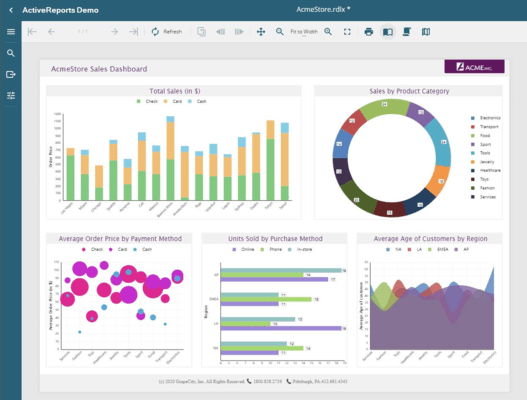
ActiveReports 6 Contains a Built-In Charting Control- A chart control is included with ActiveReports 6 that supports common 2D and 3D chart types and provides advanced charting features as well as native exporting to various image formats.
Funnel and Pyramid - Shows how the percentage of each data item contributes to the whole.
Gantt - Used to graph the progress of project tasks.
Kagi - Used to display supply and demand trends.
Point and Figure - Used to define pricing trends.
Renko - Used to keep track of price movement.
Three Line Break - Use this to illustrate price changes.
Others - Other standard chart types are included as well including Vertical and Horizontal Bar, Line, Scatter Plot, Pie, and more...
ActiveReports 6 Includes a Report Viewer Control - The Windows Viewer control supports report zooming and previewing, multiple tabs for viewing hyperlinks, split- and multi-page views, a Table of Contents pane, thumbnails, text searches, annotations, and toolbar customization.
ASP.NET Reporting - Unbeatable Compatibility with 3rd Party Controls. ActiveReports 6 supports the use of Windows Forms-based 3rd party controls with the report designer. Essentially any control that is able to be rendered on a Windows Form is capable of being rendered on an ActiveReports 6 report.
Deep Integration to Your Application -Delivering your reports using ActiveReports 6 gives you unlimited flexibility. Every ActiveReports 6 report is simply a .NET object. When you create a new report inside the Visual Studio .NET IDE, you will notice that Visual Studio creates a new class file (with a .vb or .cs extension). Upon further inspection, you will notice that the only thing special about this class is that it inherits from ActiveReport 6. At this point, you have access to all of the protected members of the report. Treat this object like any other object in .NET and add your own properties, methods, and events to customize it to meet your business needs. After all, it is just another object.
Viewer Annotations - Annotations can be placed on the report to pass notes and special instructions on to users and developers. Consider the situation where you find a typo on a report. Using ActiveReports , users are able to annotate directly on the report and share it with their peers.
Code-behind Report Layouts - Leverage the full power of the .NET framework as your reports are just another object. The new report format follows the same Windows Forms model many developers are familiar with, no longer requiring the .rpx layout files from previous versions. RPX files can still be used for use with the end-user designer control or to support backwards compatibility.
Design-Time Preview - Create reports faster than with previous versions as you can see the results of your changes immediately with the new built-in preview capabilities of the ActiveReports designer.
Updated Report Explorer with Parameters and Calculated Fields - The Report Explorer now displays report parameters and calculated fields.
ReportInfo Control - Easily output meta-data about the report into the document. The number of pages, the current page, when it was run, etc. All from a single control that can be dropped onto any report.
VB.NET Report Scripting - ActiveReports supports the use of VB.NET as a scripting language.
Tabbed Viewer Control - TOC items and Web pages clicked on from the report surface now can be opened as tabbed pages in the ActiveReports Viewer control.
Zoom In on the Report Designer - The Zoom toolbar item allows developers and end users using the End-User Report Designer to magnify the design surface of the report for more precise placement and viewing of report controls.
Design-Time Data Source Support - .NET data components can be dropped directly onto the design surface of an ActiveReport, resulting in a visual representation of the data component in the new report component tray. This makes it easy to add custom datasets to an ActiveReport at design time.
ActiveReports 6 Professional Edition
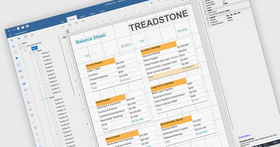
End User Report Designer - ActiveReports 6 features a royalty-free End-User Report Designer control that allows you to host the report designer in your own applications to provide end users with the ability to create and modify reports.
ASP.NET HTTP Handlers - Taking advantage of ASP.NET's HTTP Handlers, you can display reports without having to write custom code for exporting to popular formats such as HTML and PDF.
Server-side Web Viewer Control
Features exclusive to the Professional Edition:
End User Web Report Viewer Control (HTML, Flash, PDF Viewer Types)
End User Report Designer for Windows (WinForms)
HTTP Handlers for direct web publishing of reports
PDF Digital Signatures and Timestamps for secure PDF document generation
Customizable, redistributable Help for End User Report Viewer
What’s New in ActiveReports 6 Standard Edition?
Performance and Quality Improvements - The new version of ActiveReports contains a number of improvements to enhance the performance and quality of the reporting engine, making it better, faster and smarter than ever before.
New Reduced Space Symbology (RSS) Bar Codes - The new version of ActiveReports supports six new barcode symbologies. You can use the new Reduced Space Symbology (RSS) styles to encode Composite Component (CC) extended EAN and UPC information in less space. The new styles are RSS14, RSS14Truncated, RSS14Stacked, RSS14StackedOmnidirectional, RSSExpanded, and RSSExpandedStacked.
External Style Sheets for a Consistent Look - ActiveReports has a new external style sheet feature so that you can now easily share the look of your favourite report with other reports. Styles selected for text and labels can now be exported to an XML-based style sheet and imported and applied to another report at run time or at design time. Styles are applied by the Reporting engine before reports are run.
New Report Designer Enhancements - The ActiveReports Designer makes creating great looking reports even easier with the new design tools introduced in this version.
New Cross Section Controls - You can now design great looking reports in ActiveReports using the new cross section controls. Drop one of the new cross section controls into any header section, and it automatically grows dynamically and stretches across any intervening sections to its related footer section. The CrossSectionLine control renders a dynamically growing vertical line and the CrossSectionBox control renders a rectangular outline with corners that can be rounded by setting the radius property.
New Snap Lines - The ActiveReports designer uses the new snap lines by default. Snap lines allow you to glide your controls freely instead of snapping to a grid (which is still available in Report Settings). They still assist with alignment via blue horizontal and vertical lines that appear when your control comes into alignment with other controls or section edges. In other words, you get the best of both - easily move controls on the design space, plus align perfectly with other controls should you decide to do so.
Direct Input in Text, Label and Check-Box Controls - Double-click inside the ActiveReports text control or select it and press the F2 key to edit text directly in the control instead of using the Properties window. If you do use the Properties window, the Text property now supports multi-line text input.
Text Justify Feature in Text Controls - Text justification in ActiveReports TextBox and Label controls now also supports single character justification. When you set the Alignment property to Justify, the new TextJustify property extends your justification options to include Auto (default), Distribute and DistributeAllLines.
Text Padding for Labels and TextBox Controls - The ActiveReports TextBox control now has a Padding property with five settings at design time: All, Left, Top, Right, and Bottom. More settings, like Vertical and Horizontal, are available in code. The All property has a default value of -1, which means that all of the Padding values are not equal. Change this value to 10, and a space ten pixels wide is left around the text on all sides. The Left, Top, Right, and Bottom properties are 0, 0, 0, 0 by default.
Patterns to Fill Empty Spaces - In the ActiveReports designer, the new RepeatToFill property allows your green bar or other formatting to fill the page even if your data doesn't. For the simplest example, if you have a report with a PageHeader, Detail, and PageFooter section, and the detail section has a background color set, the background color on the last page would normally end with the data, and then the PageFooter section would render at the bottom of that page, leaving a white gap between the two sections. With the RepeatToFill property set to True however, the last page of the report would have the background color extending down to just above the PageFooter, leaving no white space.
Image Annotations - Now you can add images to your annotations on reports in the ActiveReports viewer. The Annotations feature was first introduced with ActiveReports version 3.0. Annotations allow you to pass on special comments and instructions for the end users viewing your reports.
What’s New in ActiveReports 6 Professional?
Flash Report Viewer for ASP.NET - ActiveReports 6 Professional Edition now includes a Flash-based Report Viewer that you can use to provide a seamless, interactive report viewing experience and no-touch printing using the widely-adopted Adobe Flash Player already installed on end user desktops. Choose from pre-defined themes (including Office, Windows XP, Vista and Windows Classic) and enhance the viewer experience by controlling the printing, paging, table of contents, thumbnail views and other options. This feature requires Adobe Flash version 10 or higher.
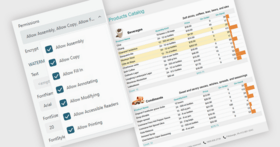
PDF Report Signatures and Timestamps - While exporting .NET reports to PDF, you can now digitally sign your reports with a hidden signature or with visible text and graphics. Personalize your signature using sixteen attributes. Use the signature to validate the report author, and a Certification Level attribute to control user access. Use the new Time Stamp feature to create third-party authorized versions of your documents. These features are fully compatible with Adobe’s new security guidelines.
ToolStrips Instead of Toolbars - The ActiveReports End User Report Designer now uses a better Toolbar by leveraging the latest Visual Studio ToolStrip control instead of the old CommandBar control.
Redistributable Help for the End User Report Designer - ActiveReports Professional Edition developers can deploy compiled CHM files and PDF files out of the box or use the included Innovasys HelpStudio 3 User Guide project to customize it and compile your own CHM or PDF file. (Requires HelpStudio version 3.) This feature is only available in the Professional Edition of ActiveReports.
Generate a wide variety of reports from your .NET applications.
PartNumbers: PC-532843-228688 532843-228688 PC-532843-228718 532843-228718 PC-532843-228719 532843-228719 PC-532843-228720 532843-228720 PC-532843-228721 532843-228721 PC-532843-228722 532843-228722 PC-532843-260746 532843-260746 PC-532843-228690 532843-228690 PC-532843-228691 532843-228691 PC-532843-228692 532843-228692 PC-532843-228693 532843-228693 PC-532843-228689 532843-228689 PC-532843-228723 532843-228723 PC-532843-228724 532843-228724 PC-532843-228725 532843-228725 PC-532843-228726 532843-228726 PC-532843-228727 532843-228727 PC-532843-260747 532843-260747 PC-532843-228696 532843-228696 PC-532843-228697 532843-228697 PC-532843-228698 532843-228698 PC-532843-228699 532843-228699 PC-532843-228708 532843-228708 PC-532843-232676 532843-232676 PC-532843-232677 532843-232677 PC-532843-232678 532843-232678 PC-532843-232679 532843-232679 PC-532843-235697 532843-235697 PC-532843-238534 532843-238534
Publisher PartNumbers: APN or APN2 APN3 APN3S APN6 APNS or APN2S AR6SUITEU6P ARN or ARN2 ARN3 ARN3S ARN6 ARNS or ARN2S
PurchaseOptions: ActiveReports 6 Standard Edition 1 Developer License, ActiveReports 6 Standard Edition 3-5 Developer License - price per license, ActiveReports 6 Standard Edition 6-10 Developer License - price per license, ActiveReports 6 Standard Edition 11-15 Developer License - price per license, ActiveReports 6 Standard Edition 16-20 Developer License - price per license, ActiveReports 6 Standard Edition 21+ Developer License - price per license, ActiveReports 6 Standard Edition 1 Site Wide License (Allows Unlimited Developers at a Single Physical Address), ActiveReports 6 Standard Edition Upgrades 1 Developer License Upgrade from ActiveReports for .NET Standard V3.x, ActiveReports 6 Standard Edition Upgrades 1 Developer License Upgrade from ActiveReports for .NET Standard V2.x or V1.x, ActiveReports 6 Standard Edition Upgrades 1 Site Wide License Upgrade from ActiveReports for .NET V3.x Standard Site Wide License, ActiveReports 6 Standard Edition Upgrades 1 Site Wide License Upgrade from ActiveReports for .NET V2.x or V1.x Standard Site Wide License, ActiveReports 6 Professional Edition 1 Developer License, ActiveReports 6 Professional Edition 3-5 Developer License - price per license, ActiveReports 6 Professional Edition 6-10 Developer License - price per license, ActiveReports 6 Professional Edition 11-15 Developer License - price per license, ActiveReports 6 Professional Edition 16-20 Developer License - price per license, ActiveReports 6 Professional Edition 21+ Developer License - price per license, ActiveReports 6 Professional Edition 1 Site Wide License (Allows Unlimited Developers at a Single Physical Address), ActiveReports 6 Professional Edition Upgrades 1 Developer License Upgrade from ActiveReports for .NET Professional V3.x, ActiveReports 6 Professional Edition Upgrades 1 Developer License Upgrade from ActiveReports for .NET Professional V2.x or v1.x, ActiveReports 6 Professional Edition Upgrades 1 Developer License Upgrade from ActiveReports 6 Standard, ActiveReports 6 Professional Edition Upgrades 1 Developer License Upgrade from ActiveReports for .NET Standard V3.x, ActiveReports 6 Professional Edition Upgrades 1 Developer License Upgrade from ActiveReports for .NET Standard V2.x or V1.x, ActiveReports 6 Professional Edition Upgrades 1 Site Wide License Upgrade from ActiveReports for .NET V3.x Professional Site Wide License, ActiveReports 6 Professional Edition Upgrades 1 Site Wide License Upgrade from ActiveReports for .NET V3.x Standard Site Wide License, ActiveReports 6 Professional Edition Upgrades 1 Site Wide License Upgrade from ActiveReports for .NET V2.x or V1.x Professional Site Wide License, ActiveReports 6 Professional Edition Upgrades 1 Site Wide License Upgrade from ActiveReports for .NET V2.x or V1.x Standard Site Wide License, ActiveReports Source Code Escrow Annual Subscription Source Code Escrow Annual Subscription - (An Escrow Agreement will be sent to you for signature - please read Licensing section), ActiveReports Reporting/BI Suite for .NET (includes ActiveReports 6 Professional, Data Dynamics Analysis and Data Dynamics Reports) Upgrade from ActiveReports 6 Professional 1 Developer Upgrade License from ActiveReports 6 Professional to ActiveReports Reporting/BI Suite .NET
Resources: Read the ActiveReports License Agreement, Read the PrecisionBI with GrapeCity Case Study - Requires Acrobat Reader, Read the Data Dynamics Helps Precision.BI Case Study - Requires Acrobat Reader, Read the ActiveReports Helps Porter Valley Software Case Study - Requires Acrobat Reader, Read the ActiveReports End User Designer Guide - Requires Acrobat Reader, Read the ActiveReports User Guide - Requires Acrobat Reader, Download the ActiveReports 6 evaluation on to your computer - Output Displays Evaluation Messages
Operating System for Deployment: Windows 7, Windows Server 2008, Windows Vista, Windows XP, Windows Server 2003
Architecture of Product: 32Bit, 64Bit
Product Type: Component
Component Type: ASP.NET WebForms, .NET WinForms
Compatible Containers: Microsoft Visual Studio 2008, Microsoft Visual Studio 2005, Microsoft Visual Basic 2008, Microsoft Visual Basic 2005, Microsoft Visual C++ 2008, Microsoft Visual C++ 2005, Microsoft Visual C# 2008, Microsoft Visual C# 2005, Microsoft Internet Explorer 8.0, Microsoft Internet Explorer 7.0, Microsoft Internet Explorer 6.0, .NET Framework 3.5, .NET Framework 3.0, .NET Framework 2.0
Keywords: Database DB Reporting Report reports Reporting Reports Report grapecity, grapecity data dynamics, grapecity grapecity datadynamics, Enterprise Partner activereports, activereports 6, activereports 6 standard, activereports 6 professional, buy activereports, activereports distributor, activereports upgrade, ar, ar6, activereports6
Publisher
Primary Category
Related Products
Related Categories