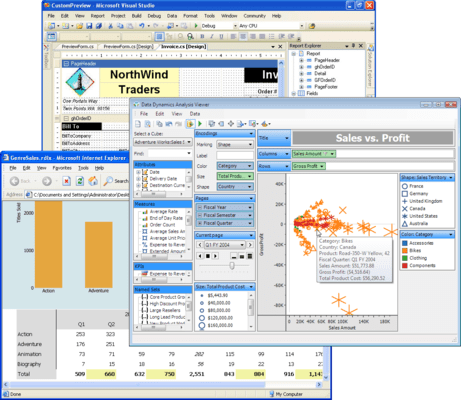
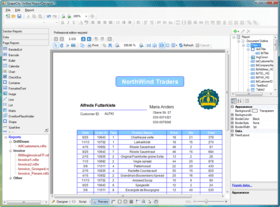
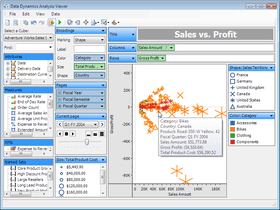
Screenshot Preview

ActiveReports Reporting/BI Suite for .NET

by GrapeCity - 상품타입: Component / ASP.NET WebForms / ASP.NET AJAX (ATLAS) / .NET WinForms / .NET Class

주의 : 별도의 안내가 없는 경우에는 영어제품 입니다.

*

Complete Reporting and Business Intelligence (BI) tools for Visual Studio.NET. ActiveReports Reporting/BI Suite for .NET premium value pack includes: ActiveReports 6 Professional, ActiveAnalysis and Data Dynamics Reports. ActiveReports 6 Professional is written in managed C# and provides integration with the Visual Studio .NET IDE. This allows Visual Studio .NET programmers to leverage their current programming language (C# or Visual Basic .NET) when programming for ActiveReports for .NET. ActiveReports 6 Professional is based on a per-developer licensing scheme, and it is royalty-free to distribute. Data Dynamics Reports integrates into Web and Windows Forms applications and provides a rich API with which to create and modify reports. Features include: master reports, ActiveAnalysis 2 (formerly Data Dynamics Analysis) is a complete OLAP, data visualization and Business Intelligence component for Silverlight, Windows Forms and ASP.NET that allows you to rapidly embed interactive, ad hoc Business Intelligence features for both Windows and Web applications. additional chart types, banded list data regions, barcode report items, formatted text report items, themes and data visualizers.

$2,039.15
통화 선택

일반 적인 소비자 가격은 하기에 표시되어 있습니다. 고객님의 할인가격은 표시 하시려면 로그인 해주시기 바랍니다.

ActiveReports Reporting/BI Suite for .NET (includes ActiveReports 6 Professional, ActiveAnalysis and Data Dynamics Reports)   *

주문 $ 2,039.15 1 Developer License  *
메이커 제품 번호: AR6SUITE
다운로드 (142.2 MB)
주문 $ 33,829.15 1 Site Wide License (Allows Unlimited Developers at a Single Physical Address)  * 다운로드 (142.2 MB)

ActiveReports Reporting/BI Suite for .NET - with Maintenance (includes ActiveReports 6 Professional, ActiveAnalysis and Data Dynamics Reports)   *

주문 $ 2,889.15 1 Developer License - with Maintenance (all major and minor releases, with forum, email and phone support for one year)  * 다운로드 (142.2 MB)
주문 $ 45,669.65 1 Site Wide License - price per license - with Maintenance (all major and minor releases, with forum, email and phone support for one year) (Allows Unlimited Developers at a Single Physical Address)  * 다운로드 (142.2 MB)

ActiveReports Reporting/BI Suite for .NET Maintenance (includes ActiveReports 6 Professional, ActiveAnalysis and Data Dynamics Reports)   *

주문 $ 849.15 1 Developer License Maintenance Renewal - Maintenance includes all major and minor releases, with forum, email and phone support for one year  * 확인 다운로드 (142.2 MB)
주문 $ 11,840.50 1 Site Wide License Maintenance Renewal - Maintenance includes all major and minor releases, with forum, email and phone support for one year  * 확인 다운로드 (142.2 MB)
주문 $ 849.15 1 Developer Maintenance License (add maintenance to your existing license) - Maintenance includes all major and minor releases, with forum, email and phone support for one year - only available within 10 days of original license purchase  * 확인 다운로드 (142.2 MB)
주문 $ 11,840.50 1 Site Wide Maintenance License (add maintenance to your existing license) - Maintenance includes all major and minor releases, with forum, email and phone support for one year - only available within 10 days of original license purchase  * 확인 다운로드 (142.2 MB)

ActiveReports Reporting/BI Suite for .NET (includes ActiveReports 6 Professional, ActiveAnalysis and Data Dynamics Reports) Upgrades   *

주문 $ 1,274.15 1 Developer Upgrade License from ActiveReports 6 Professional  *
메이커 제품 번호: AR6SUITEU6P
확인 다운로드 (95.3 MB)
주문 $ 1,529.15 1 Developer Upgrade License from ActiveReports .NET Professional V3.x, V2.x or v1.x  *
메이커 제품 번호: AR6SUITEUXP
확인 다운로드 (142.2 MB)
주문 $ 1,699.15 1 Developer Upgrade License from ActiveReports 6 Standard and .NET Standard V3.x, V2.x or v1.x  *
메이커 제품 번호: AR6SUITEUXS
확인 다운로드 (142.2 MB)

가격에는 ComponentSource의 기술지원 요금이 포함되어 있습니다. 또한 다운로드 판매를 하고 있는 상품의 대부분은 온라인 백업요금이 포함되어 있어서 구입날로부터 30일 이내에 새로운 버전이 발매된 경우 무료로 업그레이드해 드리고 있습니다.  모든 주문에 대해서 당사표준 계약조건 반품조건 의 내용이 적용됩니다. 다음의 경우,고객 서비스로연락하시기 바랍니다. (상기의 리스트에 게재되지 않은 대량의 라이센스나 구 버전 등의 라이센스 옵션이 필요한 경우)

일반 적인 소비자 가격은 상기에 표시되어 있습니다. 고객님의 할인가격은 표시 하시려면 로그인 해주시기 바랍니다.

 *

What’s new in ActiveAnalysis 2.1?

  • Export your analysis results to PDF so you can reliably print your findings - Now you can offer portable document format to your users, complete with encryption, permissions, page layout, and printing options. Developers can even add watermarks, set 128 bit encryption, and control how the Adobe Acrobat Reader appears when the document opens.
  • Schema editor - Visually edit or create new schemas with Undo functionality that lets you experiment more boldly. You can view query fields and schema fields in panes and double-click them to see their properties, and drag and drop them into expression boxes to ease calculated field creation.
  • Four new aggregate functions - With four new aggregate functions, we now offer over twenty ways to aggregate data in your schemas. The new functions are AggregateIf, DistinctSum, Median, and Mode.
  • Support for analysis in Windows Azure in full and partial trust mode - Now you can use the Web or Silverlight PivotView in the cloud without requiring full trust. Some controls have at least some limitations in partial trust, but ActiveAnalysis just works.
  • Show and hide cubes in the cubes list - Use the new SetCubeFilter method to select which cubes your users can access.
  • Support for custom controls to show underlying data - When your users right-click data and opt to show the underlying data, you can now control exactly how that data is presented. You can leave it in the included grid, or send the data to a custom or third-party control.
  • Improved custom toolbar support - For even more control over what your users see, you can customize the toolbar, adding new buttons and removing parts of the existing toolbar, or even adding buttons from the toolbar to your own.

What’s New in ActiveReports 6?

  • Performance and Quality Improvements - The new version of ActiveReports contains a number of improvements to enhance the performance and quality of the reporting engine, making it better, faster and smarter than ever before.
  • New Reduced Space Symbology (RSS) Bar Codes - The new version of ActiveReports supports six new barcode symbologies. You can use the new Reduced Space Symbology (RSS) styles to encode Composite Component (CC) extended EAN and UPC information in less space. The new styles are RSS14, RSS14Truncated, RSS14Stacked, RSS14StackedOmnidirectional, RSSExpanded, and RSSExpandedStacked.
  • External Style Sheets for a Consistent Look - ActiveReports has a new external style sheet feature so that you can now easily share the look of your favourite report with other reports. Styles selected for text and labels can now be exported to an XML-based style sheet and imported and applied to another report at run time or at design time. Styles are applied by the Reporting engine before reports are run.
  • New Report Designer Enhancements - The ActiveReports Designer makes creating great looking reports even easier with the new design tools introduced in this version.
  • New Cross Section Controls - You can now design great looking reports in ActiveReports using the new cross section controls. Drop one of the new cross section controls into any header section, and it automatically grows dynamically and stretches across any intervening sections to its related footer section. The CrossSectionLine control renders a dynamically growing vertical line and the CrossSectionBox control renders a rectangular outline with corners that can be rounded by setting the radius property.
  • New Snap Lines - The ActiveReports designer uses the new snap lines by default. Snap lines allow you to glide your controls freely instead of snapping to a grid (which is still available in Report Settings). They still assist with alignment via blue horizontal and vertical lines that appear when your control comes into alignment with other controls or section edges. In other words, you get the best of both - easily move controls on the design space, plus align perfectly with other controls should you decide to do so.
  • Direct Input in Text, Label and Check-Box Controls - Double-click inside the ActiveReports text control or select it and press the F2 key to edit text directly in the control instead of using the Properties window. If you do use the Properties window, the Text property now supports multi-line text input.
  • Text Justify Feature in Text Controls - Text justification in ActiveReports TextBox and Label controls now also supports single character justification. When you set the Alignment property to Justify, the new TextJustify property extends your justification options to include Auto (default), Distribute and DistributeAllLines.
  • Text Padding for Labels and TextBox Controls - The ActiveReports TextBox control now has a Padding property with five settings at design time: All, Left, Top, Right, and Bottom. More settings, like Vertical and Horizontal, are available in code. The All property has a default value of -1, which means that all of the Padding values are not equal. Change this value to 10, and a space ten pixels wide is left around the text on all sides. The Left, Top, Right, and Bottom properties are 0, 0, 0, 0 by default.
  • Patterns to Fill Empty Spaces - In the ActiveReports designer, the new RepeatToFill property allows your green bar or other formatting to fill the page even if your data doesn't. For the simplest example, if you have a report with a PageHeader, Detail, and PageFooter section, and the detail section has a background color set, the background color on the last page would normally end with the data, and then the PageFooter section would render at the bottom of that page, leaving a white gap between the two sections. With the RepeatToFill property set to True however, the last page of the report would have the background color extending down to just above the PageFooter, leaving no white space.
  • Image Annotations - Now you can add images to your annotations on reports in the ActiveReports viewer. The Annotations feature was first introduced with ActiveReports version 3.0. Annotations allow you to pass on special comments and instructions for the end users viewing your reports.
  • Flash Report Viewer for ASP.NET - ActiveReports 6 Professional Edition now includes a Flash-based Report Viewer that you can use to provide a seamless, interactive report viewing experience and no-touch printing using the widely-adopted Adobe Flash Player already installed on end user desktops. Choose from pre-defined themes (including Office, Windows XP, Vista and Windows Classic) and enhance the viewer experience by controlling the printing, paging, table of contents, thumbnail views and other options. This feature requires Adobe Flash version 10 or higher.
  • PDF Report Signatures and Timestamps - While exporting .NET reports to PDF, you can now digitally sign your reports with a hidden signature or with visible text and graphics. Personalize your signature using sixteen attributes. Use the signature to validate the report author, and a Certification Level attribute to control user access. Use the new Time Stamp feature to create third-party authorized versions of your documents. These features are fully compatible with Adobe’s new security guidelines.
  • ToolStrips Instead of Toolbars - The ActiveReports End User Report Designer now uses a better Toolbar by leveraging the latest Visual Studio ToolStrip control instead of the old CommandBar control.
  • Redistributable Help for the End User Report Designer - ActiveReports Professional Edition developers can deploy compiled CHM files and PDF files out of the box or use the included Innovasys HelpStudio 3 User Guide project to customize it and compile your own CHM or PDF file. (Requires HelpStudio version 3.) This feature is only available in the Professional Edition of ActiveReports.

What’s new in ActiveAnalysis 2 (formerly Data Dynamics Analysis)?

  • Export your analysis results to an Excel document so you can easily share your findings with others -ActiveAnalysis now lets you export the data in your current view to an Excel document so you can integrate your current analysis view with existing spreadsheets and take it offline.
  • Microsoft Silverlight support allows you to deliver Windows-like functionality in Rich Internet Applications (RIAs) - The new ActiveAnalysis 2 includes a Silverlight control that enables a Web-based cross-browser, drag-and-drop analysis experience similar to what you would expect to find in a Windows application.
  • Uncover trends more easily with a continuous view of discrete data - ActiveAnalysis lets you display numeric and date type attributes in a continuous view, allowing you to see gaps that exist in between consecutive attributes and to display more data in less space.
  • ActiveAnalysis automatically selects the most appropriate visual format based on the current layout -ActiveAnalysis now automatically selects the most appropriate visual representation ("Encoding") depending on the data type and the visualization context.
  • Improved product documentation -ActiveAnalysis comes with improved product documentation to help you get the maximum benefit from the product.

 *

GrapeCity ActiveReports includes export filters for Adobe PDF, Microsoft Excel, RTF, HTML, Text and TIFF formats. ActiveReports can be used in both Windows-based and Web-based applications.

ActiveReports also includes a Windows Viewer control that supports split and multi-page views, has a Table of Contents pane with a new Thumbnail view tab, and can perform text searches of reports. It also allows you to customize the viewer's toolbar.

The Professional Edition of ActiveReports features an End-User Report Designer control that allows you to host the report designer in your own applications to provide end users with the ability to create and modify reports. It also includes a server-side Web Viewer control that takes advantage of ASP.NET's HTTP Handlers to allow you to display reports without having to write custom code for export to popular formats such as HTML and PDF.

New features to ActiveReports includes a chart control, updated memory management features, a RichText control that is capable of rendering HTML and RTF tables, and an integrated script window with syntax highlighting. ActiveReports additionally allows you to bind data to custom classes based on the iList interface in addition to the other data types already supported in previous versions, and includes enhanced connection timeout capabilities.

ActiveReports Professional Edition

  • Provides an integrated report designer
  • Supports OleDB, SQL Server, and XML Datasources, along with ADO.NET (Data Readers, Data Tables, DataViews, and DataSets)
  • Includes a customizable Windows Viewer control
  • Provides Crystal and Microsoft Access Import utilities
  • Provides HTML, PDF, Excel, RTF, TIFF, and Text exports
  • Includes an End-User Report Designer control
  • Includes an ASP.NET Server Web Viewer control

ActiveReports Product Features

  • Fully integrated Chart control
  • RichText control with support for RTF tables and HTML tags
  • Support for databinding to classes that implement the iList interface
  • Streamlined PDF exports with WMF Files processed as metafiles
  • Enhanced RichText control with the ability to render RTF Tables and HTML formatted text
  • Enhanced script editor window with syntax highlighting
  • New CacheToDisk memory performance enhancement
  • Binding to custom classes that implement the iList interface
  • Enhancements to the PDF export to allow for smaller filesizes when using windows metafiles
  • Thumbnail View tab in the Table of Contents pane of the Viewer control
  • Enhanced OutputFormat
  • New Version Switcher tool

ActiveReports Designer: Easy to Learn

  • Full integration with the Visual Studio .NET 2003 environment
  • Familiar user interface
  • C# and Visual Basic .NET support
  • The ability to compile reports into the application for speed and security or to keep them separate for ease of updating
  • Report Wizard and Microsoft Access Report Import Wizard
  • Designer hosting of .NET 3rd party controls and user controls
  • Fully exposed Object Model
  • Dynamic report building or modification
  • Report Creation API with complete run-time access to report objects and members

ActiveReports Data Access: Easy to Connect

  • OLEDB and SqlClient report data sources
  • Flexible XML datasource
  • Binds to Dataset, DataView, DataTable, any RowCollection, and any class that implements the iList interface
  • DataSource property can be modified at run time to create ad hoc (dynamic) reports
  • Flexible unbound data

ActiveReports: Easy to View

  • Created with managed C# code
  • Supports small deployment assembly, suitable for use on the Internet
  • Provides TOC/Bookmarks and thumbnail views
  • Allows hyperlinking
  • Provides export filters for RTF, PDF, EXCEL, HTML, TIFF, and text

ActiveReports End-User Report Designer

  • Allows you to host the designer in your application and distribute it royalty-free
  • Provides end-user report editing capabilities
  • Provides easy access for saving and loading report layouts
  • Allows you to monitor and control the design environment
  • Allows you to customize the look and feel to the needs of end users

ActiveReports: ASP.NET Integration

  • Allows quick viewing of ActiveReports on the web with the Web Viewer control
  • Provides printing capability with the ActiveX viewer and Acrobat Reader viewerType properties with the Web Viewer control
  • Provides an RPX files HTTP Handler to allow you to place a report on your web server and make it available via hyperlink to your internet users in HTML or PDF
  • Provides a Compiled Report HTTP Handler to allow direct access via hyperlink to an ActiveReport compiled in an assembly on your server

ActiveReports: Easy to Deploy

  • Reporting Engine is a single managed strongnamed assembly
  • Assemblies can be distributed using XCopy or the global assembly cache (GAC)
  • Royalty-free distribution

Data Dynamics Reports has all of the features found in RDL and has added several enhancements:

  • Master Reports - Master Reports allow developers (or the end-user) to define a template that can then be filled in by other reports
  • Additional Chart Types - RDL defines several chart types that should be implemented, Data Dynamics Reports provides 10 more types: Gantt, Candlestick, Hi-Lo, Hi-Lo Open-Close, Kagi, Renko, Three-Line-Break, Point and Figure, Pyramid, and Funnel. These chart types are in addition to the standard: Column, Bar, Area, Line, Scatter, Bubble
  • Banded List data region -Using the standard data regions the only way to get multiple group levels is to either nest many lists together or use a table region, both have severe drawbacks. The lists can be difficult to work with and the table makes it difficult to position things that aren't in a column. This is where the Banded List comes in, it makes it easy to group data and allows the report author to place report items freely within it. The Banded List is available for report authors to use, but it is also used by the Access, ActiveReports, and Crystal import utilities.
  • Barcode Report Item - The included Barcode report item supports 23 of the most popular barcode symbologies, from Code39 to UPC, PostNET, and JapanesePostal
  • Formatted Text Report Item -The formatted text report item allows the report author to include XHTML + CSS content into their reports
  • Themes - Themes make it easier for all of the reports you create to have a common look. Themes allow you to define a set of colors, two sets of fonts, and package any common images that may be used on many reports. The theme file format is also easy to understand so new themes can be created and existing ones replaced, easily.
  • Data Visualizers - Data bar, color scales, icon sets, and range bars all help explain your data at a glance

Rendering extensions are more than just an export, they render the report using the underlying layout of the report. This means that each report item can be rendered in a way that makes sense for that rendering extension. Rendering extensions available:

  • Image - The image rendering extension takes the report and converts it into an image. Formats supported: EMF, JPEG, GIF, BMP, TIFF and PNG
  • HTML - The HTML rendering extension renders a report in the XHTML 1.1 and CSS 2.1 formats. Supports both an interactive mode and disconnected mode, suitable for offline viewing or e-mailing
  • Word - With the included Word rendering extension, you and your users can export reports to the Word document format directly from the viewer without purchasing costly components
  • PDF - The PDF rendering extension outputs a PDF version of the report, supporting the encryption and password protection options available in later versions of PDF
  • XML - The XML rendering extension takes the dynamic content of the report and outputs it into an XML format. Report authors can control how the XML is formed by modifying properties found on the Data Output smart panel of each of the report items

Data Dynamics Reports includes several controls that you can ship with your applications:

  • Viewer for Windows Forms - The windows forms viewer control allows developers to include the ability to view reports within their own applications
  • Viewer for ASP.NET - The web forms viewer control allows developers to include the ability to view reports within their own ASP.NET applications
  • User Designer - The included designer control lets your users design reports from within your own windows forms application

Data Dynamics Reports is not a replacement for ActiveReports for .NET. The goal behind creating Data Dynamics Reports is to create a reporting product in which users need not write code to create most basic reports.

What are the main differences between Data Dynamics Reports and Active Reports for .NET? Briefly, Data Dynamics Reports supports multiple data sources, data sets, and several different data regions. It also supports the use of VB.NET expressions to set properties. These expressions control the entire report generation process and replace the event handlers fired from within ActiveReports for .NET.

Expressions - With ActiveReports for .NET, if you want to set the color of a TextBox at run time based on its value, you have to write an event handler like the following:

private void detail_Format(object sender, EventArgs e)
{
if ( ( (double) textbox.Value) < 0.0 ) {
textbox.ForeColor = Color.Red;
}
else {
textbox.ForeColor = Color.Black;
}
}

In Data Dynamics Reports you instead use expressions- snippets of inline VB.NET code that when executed return the value desired. The expression to duplicate the event handler earlier would be written like so:

=IIF( Fields!field.Value < 0, “Red”, “Black” )

Multiple Data Sources/Data Sets - Each report can have multiple data sources and data sets associated with it. A data region and its children can only be associated with a single dataset. If multiple data sets are needed within a data region a subreport can still be used to link in the second data set. However, in most cases a data set that contains the join of both sets of data could be used.

Drilldown - Data Dynamics Reports has true drilldown support, that allows report authors to hide data conditionally in the report and expose it when requested. This is done by setting a report item to be hidden and then setting its ToggleItem property to the name of a textbox or image report item in the report.

Data Regions - A data region is a how a set of data is manipulated to be output by various report items (if needed). The List data region outputs itself once for every row of data in the data set or unique set of grouping expressions. The Banded List functions very similar to how a report in ActiveReports for .NET works. The Chart data region contains the same charting technology used in ActiveReports, but it has been updated to work with the Data Dynamics Reports ideas of a data set and expressions.

Nested Data Regions - In ActiveReports for .NET it is possible to add a chart to any section of the report, but that is the limit of nesting a data region. In Data Dynamics Reports data regions can also be added within data regions that accept report tiems, as long as the data is grouped. The ability to nest data regions means that report authors don’t have to resort to using subreports which incur additional processing overhead that should be avoided if possible. A standard usage is to nest another data region within the List data region when it has detail grouping set. This set up allows the summary data to be output in the outer List while details are output in the inner List. Another usage is to take advantage of the grouping construct of the Matrix data region. This allows the report author to create a trellis display of charts, tables, or lists.

Matrix (Crosstab) - Data Dynamics Reports also features a matrix data region – sometimes called a crosstab or pivot table. This data region consists of a grid that adds columns and rows for distinct sets of field values in the data set. Many products exist for the same premise, to group data in n-ways and look at the data comes out. Each row or column group in a matrix can optionally have a subtotal column/row as well. This works by taking the same expression in the data cell and expanding its scope to include all of the data in that group.

Table - Data Dynamics Reports offers a Table data region which simplifies the positioning and sizing of report items in a grid format. The designer makes it easy to set gridlines on the table as well.

Data Dynamics Reports Frequently Asked Questions

Question: What are the differences between Data Dynamics Reports and ActiveReports for .NET 3.0?

Answer: Data Dynamics Reports targets reporting as a function of business intelligence applications while ActiveReports for .NET focuses on providing the most flexible object model that gives developers the freedom to customize and create complex reports with ease.

Data Dynamics Reports is designed to require less code "behind" the report and instead to use Visual Basic .NET expressions within report item properties to evaluate values. ActiveReports for .NET on the other hand, is a very developer-oriented system that features events for complete run-time customization of the report.

Both Data Dynamics Reports and ActiveReports for .NET include WebForms report preview controls, however ActiveReports also includes an ActiveX-based viewer that renders the report graphically instead of through HTML and CSS. Both products also include Windows Forms report preview controls and end-user designer components. Data Dynamics Reports ships with pre-built applications for report viewing and creation.

Data Dynamics Reports supports different data regions. In ActiveReports for .NET, a report is created in a series of bands, each band displaying its data in certain parts of the report. Data Dynamics Reports supports this data region, called the Banded List, and also supports Table, Chart, Matrix (crosstab), and List data regions.

Features available only in Data Dynamics Reports include:

  • Less code (no code-behind events; uses VB.NET expressions)
  • Data Visualization functions
  • Report Drilldown
  • Matrix (crosstab)
  • FormattedText report item that displays XHTML and CSS content
  • Multiple Datasets or Data Sources in a report
  • Pre-built report viewer and designer applications
  • Advanced aggregate functions
  • Master reports that act as templates for child reports
  • Themes that allow you to set up common styles, colors, and images in one location.
  • Word Rendering Extension
  • Image Rendering Extension that renders reports to BMP, EMF, GIF, JPEG, TIFF, and PNG formats
  • Layout-based reporting

Features available only in ActiveReports for .NET include:

  • Code behind and an Event system for complete run-time customization
  • ActiveX Report Viewer
  • OLE Object and Windows Forms Controls can be used on reports
  • Unbound mode events for run-time data binding to any data source
  • Flexible object model
  • RTF content
  • Excel Export
  • RTF Export
  • Plain Text Export
  • Graphical canvas-based reporting

Special Data Dynamics features in both products include:

  • A chart that supports all of the most commonly-used chart types plus a diverse array of financial chart types
  • A barcode that supports all of the most popular symbologies
  • PDF Export (or Rendering Extension)
  • HTML Export (or Rendering Extension)
  • Royalty-free developer licensing

Question: What are the differences between Data Dynamics Reports and Microsoft SQL Server Reporting Services 2005?

Answer: Both products implement the Report Definition Language (RDL) 2005 specification but from there the products differ.

Data Dynamics Reports introduces several features not found in SSRS.

  • Master Reports - Master Reports are similar in design to Master Pages in ASP.NET. Reports can specify a live-template that provides a common set of report items, data sources, data sets, report theme, and report parameters
  • Report Themes - Report Themes allow report authors to easily follow a consistent look for their reports by providing a set of colors, fonts, and images
  • Data Visualizers - Data Visualizer functions allow the user to display a graphic based on some set of data instead of forcing the user to read individual values. A color scale selects a color from a range based on a value from that range. A data bar or range bar displays a rectangle with the length dependant on the value. An optional progress indicator can be used as well. The icon set allows the report to display one of 5 images to represent the state of some data
  • FormattedText Report Item:Renders XHTML and CSS into your reports
  • Barcode Report Item:Supports over 20 of the most popular barcode types
  • Banded List data region: Gives report authors the freeform placement of the List data region with enhanced grouping support
  • Enhanced chart control with additional chart types not found in SSRS
  • Enhanced PDF support with built in security options, font embedding, and font subsetting
  • Developer support
    • Report API allows developers to create and render reports programmatically without using the viewer or designer controls
    • The Designer control allows your end-users to create their own reports with the same design capabilities as found in the Visual Studio 2005 IDE
    • The Viewer controls allow the full functionality of Data Dynamics Reports; connect to any supported data source, use any of the custom report items, or custom rendering extensions

Question: What is the Report Definition Language and why do I care that Data Dynamics Reports supports it?

Answer: The Report Definition Language (RDL) sets out both a file format and how elements in a report should be rendered. It also defines a base set of functionality that should be available in a report.

Some of the features required in the RDL 2005 specification include:

  • Table, Chart, List, and Matrix data regions
  • Grouping, sorting, and filtering support
  • Multiple Data Sources and Data Sets in a report
  • Textbox, image, rectangle, and line report items

Data Dynamics Reports and Microsoft SQL Server Reporting Services are just two products that implement the RDL 2005 specification.

Question: Does Data Dynamics Reports require Microsoft SQL Server Reporting Services?

Answer:  No, Data Dynamics Reports does not build on Microsoft SQL Server Reporting Services (SSRS). Data Dynamics Reports is a self-contained reporting library that contains its own report engine, API, viewer, and designer controls. Data Dynamics Reports can read and execute the RDL files produced by SSRS because the files follow the RDL format, but that is the only connection.

ActiveAnalysis - Features and Benefits

  • Support for Silverlight, Windows Forms and ASP.NET development in one component.
  • Charts, pivot tables and data visualization in one programmable control.
  • Rich drag-and-drop user experience encourages self-discovery of data.
  • Excel exports allow end users to share analysis results offline.
  • Flexible data binding allows you to treat relational data as multi-dimensional.
  • Native support for SQL Server Analysis Services (SSAS) and custom intelligent MDX queries.

ActiveAnalysis - Out-of-the-box functionality saves time
Thanks to the out-of-the-box features and the built-in user interface in ActiveAnalysis, you can develop and deploy a full-blown Business Intelligence solution with interactive OLAP and data visualization features without writing a single line of code.

ActiveAnalysis - Silverlight, Windows Forms, and ASP.NET support ensures a rich user experience whether on Windows or the Web
ActiveAnalysis supports Microsoft Silverlight, Windows Forms and ASP.NET. That means you can provide the same rich user experience in your Web applications that would normally require a Windows application, all in one convenient package.

ActiveAnalysis - Combines charts and pivot tables into one powerful data visualization component
Unlike some OLAP and analysis products that are either primarily pivot tables or primarily charts, ActiveAnalysis goes beyond these limitations. We grasp data at its fundamental level and deliver a single component that offers a wide array of data visualization capabilities. With the click of a button, you can turn a cross-tab pivot table into a trellis display of feature-rich charts and turn it back with another click.

ActiveAnalysis - Interactive, drag-and-drop user interface accelerates discovery of data trends
No matter what industry you are in, ActiveAnalysis will allow your users to find new trends in their data. A single connection can generate thousands of chart variations with simple mouse clicks. Each view gives users a different perspective on their data. They can tell a different story using the same data by reorganizing field layouts. With the right perspective, new data findings appear that may have otherwise gone unnoticed.

ActiveAnalysis - Microsoft Excel export allows users to share analysis results offline
Allow your users to take the analysis they perform within your application and put it into a format that they can use. Excel exports allow them to perform additional analysis and what-if scenarios, and to share the results with people who do not have access to the data.

ActiveAnalysis - Data binding without limits allows users to analyze a wide range of data
ActiveAnalysis works with a wide range of data types, including both structured and flat data, and works in both connected and disconnected modes. For easy setup, we include several data source controls that help bind to the more common data sources such as SQL Server, MySQL, Oracle, Microsoft Access, Microsoft Excel, Xml, DB2, and Microsoft SQL Server Analysis Services. You can even use an included utility to create an XML file that models flat data into a multidimensional format for a full OLAP analysis experience. If you can get access to your data in code, then ActiveAnalysis allows your users to explore it visually.

ActiveAnalysis - Modular user interface that is easy to customize
ActiveAnalysis allows you and your users to display, reposition, or hide any aspect of the user interface with dockable cards. This feature not only allows for a customized experience for each user, but also fully encapsulates the user interface logic within the component itself. You can save card layouts to disk or memory, and reload them at any time.

ActiveAnalysis - Built-in toolbar gives end users access to data visualization features
In addition to the drag-and-drop user interface, most of the ActiveAnalysis functionality is accessible using the built-in toolbar. This allows developers to get up and running with a full data analysis solution in no time at all. You can hide the toolbar using the design-time Properties grid or at run time with a single line of code.

ActiveAnalysis - Powerful built-in data filters for fast analysis
Filtering data is an essential element of any data analysis experience. ActiveAnalysis is built to ensure that every conceivable way to filter data is available by default with no configuration necessary. Simply place the control on a Windows Form, a Silverlight form or an ASP.NET Web form, add data, and your users are immediately able to begin drilling into their data and filtering results to show only the data that are most important to their analysis goals.

ActiveAnalysis - Continuous mode allows easier analysis of numeric and date-based data
Continuous mode makes it easier to deal with numeric or date-based attributes, easily spot gaps in data, and view a larger data set without scrolling, thus revealing trends that would otherwise be hard to find.

ActiveAnalysis - Data summarization feature displays key statistics to aid understanding
ActiveAnalysis users can highlight a selection of data points and watch various aggregate results appear on the Summary Card. This feature gives detailed analysis of dynamic displays, and makes it easy to determine what values make up major outliers.

ActiveAnalysis - Aggregate and underlying data views enable top-down and bottom-up analysis
ActiveAnalysis users can highlight a section of data and use the built-in context menu to view aggregate and underlying data. They can then select this data and copy it to the clipboard to paste into any application that accepts tab-separated data.

ActiveAnalysis - Paging and slideshow features help analyze data changes over time
ActiveAnalysis provides paging to help in visually analyzing data changes over time by displaying each time interval as its own page. Users can either manually switch between pages or use the slideshow feature to turn the pages automatically.

ActiveAnalysis - Numerous ways to rank and sort data
With the built-in context menus in ActiveAnalysis, users can sort their data in many different ways. They can sort and rank members in ascending or descending order, by caption, key or any field they select. When the user applies sorting to a field, a sort indicator displays on the field to remind them that a custom sort operation is set.

ActiveAnalysis - Undo and redo capabilities encourage iterative analysis and save development time
When your users are analyzing data, they are looking for undiscovered patterns, for insight. In order to support this fast analytical thinking, ActiveAnalysis provides the ability to undo any changes made to the view. This allows them to revisit previous results at any time. Having this built right into the component saves hours and possibly weeks of development for such support.

ActiveAnalysis - Restrict user interface functions by user role with the permission-based security model
With ActiveAnalysis, you can restrict which users can do what within the PivotView user interface. For example, you can globally disallow sorting, filtering or other user interface functions. Or you can associate these permissions with user roles in your application to restrict groups of users to specific user interface operations.

ActiveAnalysis - CSS-like styling to easily change look and feel without recompilation
ActiveAnalysis offers a robust themes engine that lets you create the look and feel that you want. Control the look of each aspect of the view using a CSS style approach. The product ships with many pre-built themes like Office 2007, Windows Classic, Windows Vista, and more. Configuring your own style is as easy as modifying an XML file, CSS file, or XAML markup and does not require a full recompile of the hosting application.

ActiveAnalysis - Easy printing of data analysis results
Users can share their results by using the ActiveAnalysis print preview and print features. All of the presentation data are sent to the printer as well to help describe the resulting view, including the various legends, the title, and the description text.

ActiveAnalysis - Easy deployment via Save and Load capabilities, with no runtime royalties
ActiveAnalysis features robust deployment architecture with no run-time royalties. You and your users can save and load various aspects of the view such as layouts, permissions, card configurations, data, and styles without ever recompiling the hosting application and at no extra costs.

ActiveAnalysis - Layouts
Save data layout configurations to XML and you can load them later to refresh the view with the latest data. When you save layouts, an optional flag allows you to save them with data. This lets you send layouts to business users who do not have access to the data source.

ActiveAnalysis - Card Settings
Save and load card layouts so that each user can customize the application to fit their needs.

ActiveAnalysis - Permissions
Easily load permissions at design time with a checked list of permission settings. At run time, it's as easy as loading a saved XML file.

ActiveAnalysis – Styles
Style the Pivot View to fit seamlessly into your existing Silverlight, Windows Forms and ASP.NET applications with the endlessly configurable user interface.

ActiveAnalysis - Data Source
Most analysis solutions can connect to multiple data sources with the same database schema. ActiveAnalysis enables layout files to persist the data source information with the layout file, ensuring that the layout always uses the specified data source. Alternatively, omit the data source information to allow the current layout to run against an older version of the database for historical analysis.


주의

제품 리뷰의 한국어 번역이 완료되지 않는 제품은 Google통역 서비스와 연동되어 표시되어 있습니다.통역 기계에 의한 자동 번역인 관계로 한국어 표기가 조금 부자연 스러운 점 양해 바랍니다.
에서 제공
FireFox와 Opera에서는 Flash가 필요합니다.

상품검색

검색어를 입력해주세요:

Quick 링크

개발처/발매처

주요 카테고리

관련 상품

관련 카테고리

ComponentSource에서 구입하는 이유?

ComponentSource는 세계 1,000,000명 이상의 개발자에게 각종 글로벌 서비스를 제공합니다.

상세 | About Us

화면 바로가기 갤러리

클릭해서 이미지를 확대

 ActiveReports Reporting/BI Suite for .NET - .NET - V1.0의 스크린샷  ActiveReports Reporting/BI Suite for .NET - .NET - V1.0의 스크린샷  ActiveReports Reporting/BI Suite for .NET - .NET - V1.0의 스크린샷  ActiveReports Reporting/BI Suite for .NET - .NET - V1.0의 스크린샷  ActiveReports Reporting/BI Suite for .NET - .NET - V1.0의 스크린샷
Award